
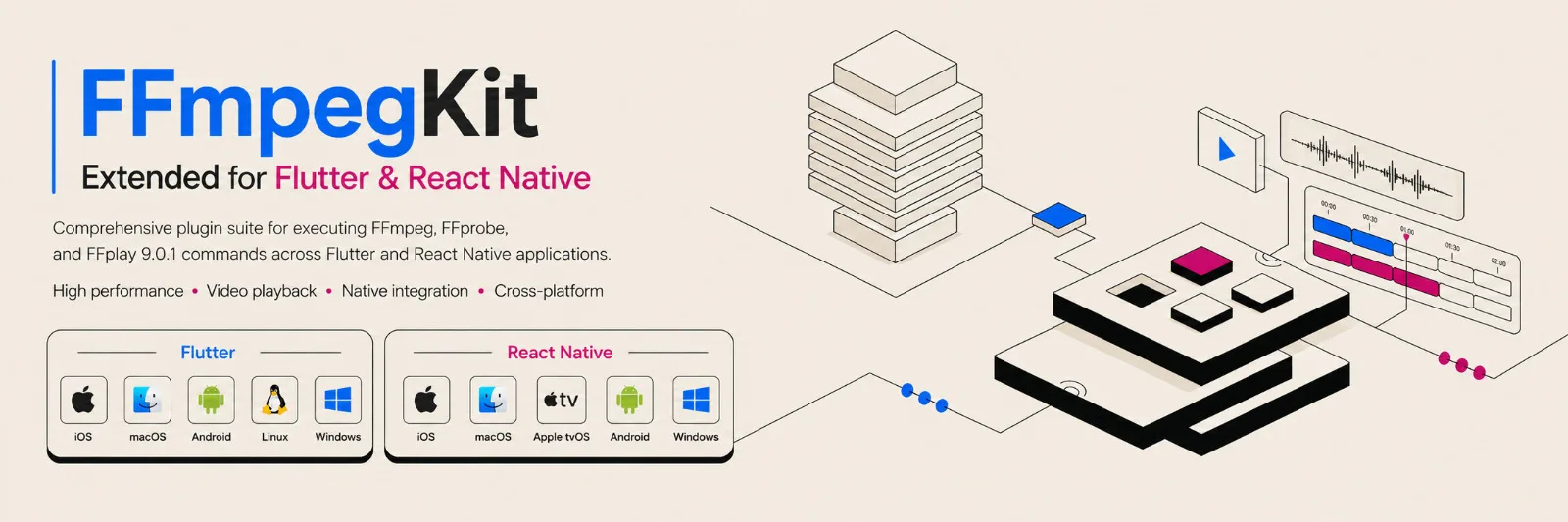
FFmpegKit Extended is moving from FFmpeg 8.1.2 to FFmpeg 9.0.1 "Lei", giving Flutter and React Native applications access to the latest stable FFmpeg 9 release through the same FFmpeg, FFprobe, and FFplay command execution model already exposed by the wrapper.
FFmpeg 9.0.1 was released on August 12, 2026 and is the current stable release in the FFmpeg 9.0 branch. The upgrade also moves FFmpeg's primary libraries to new major ABI versions, including libavcodec 63, libavformat 63, libavfilter 12, libavutil 61, libswscale 10, and libswresample 7.
For FFmpegKit Extended users, the important part is that these capabilities remain accessible through familiar FFmpeg commands. The wrapper provides the execution and session layer while FFmpeg continues to provide the media-processing command surface.
That means features introduced by FFmpeg 9 can be used from Flutter and React Native by executing the same command arguments you would normally provide to:
ffmpeg ...
ffprobe ...
ffplay ...
No separate media-processing abstraction is required.
What's New in FFmpeg 9.0.1?
FFmpeg 9 introduces several new codecs, filters, hardware-acceleration paths, metadata features, and media-processing capabilities. FFmpeg 9.0.1 then builds on the 9.0 release with an extensive collection of stability, correctness, security, decoder, demuxer, GPU, streaming, and format fixes.
Some of the most useful additions for FFmpegKit Extended applications are:
FFmpeg 9 feature | Command surface | What it enables |
|---|---|---|
Animated WebP decoder and demuxer |
| Decode, inspect, convert, or play animated WebP files |
|
| GPU-accelerated rotation and flipping with NVIDIA CUDA |
|
| Vulkan-accelerated 360° video projection processing |
AMD AMF Frame Rate Converter |
| Hardware-accelerated frame interpolation |
Expanded AMF HDR processing |
| Improved AMD GPU HDR/color-conversion workflows |
ONNX Runtime DNN backend |
| Execute compatible ONNX AI models from FFmpeg |
Dolby Vision Profile 7 splitter |
| Extract Dolby Vision base/enhancement layers |
HE-AAC 960 decoding | All decoding surfaces | Improved DAB+ / HE-AAC compatibility |
ProRes RAW VideoToolbox acceleration | Hardware decoding | Accelerated ProRes RAW processing on supported Apple systems |
APV Vulkan acceleration | Hardware decoding | Vulkan-accelerated APV workflows |
SMPTE ST 2094-50 support | Metadata pipeline | Improved dynamic HDR metadata handling |
LCEVC MP4 muxing | MP4 output | LCEVC enhancement-track support in MP4 |
Playdate encoder and muxer |
| Generate Playdate video files |
AMF hardware-memory mapping | Hardware pipelines | Better GPU-resident AMD processing workflows |
These are the features explicitly listed by FFmpeg for the 9.0 release.
Use New FFmpeg 9 Features Directly Through FFmpegKit Extended
FFmpegKit Extended is designed around FFmpeg's native command interface rather than replacing it with a limited media API.
The project already exposes FFmpeg, FFprobe, and FFplay across Android, iOS, macOS, Linux, and Windows, along with asynchronous execution, parallel sessions, callbacks, cancellation, introspection, and cross-platform playback.
With FFmpeg 9.0.1 underneath the wrapper, applications gain access to the new command functionality supported by their selected build.
Animated WebP in Flutter and React Native
FFmpeg 9 adds both an animated WebP demuxer and decoder.
Existing FFmpeg-style workflows can now operate on animated WebP directly:
-i animation.webp output.mp4
The same file can be inspected through the FFprobe execution surface:
-show_streams -show_format animation.webp
FFprobe's existing -show_streams, -show_format, -show_frames, and -show_entries interfaces expose information discovered by FFmpeg's demuxers and decoders.
And applications using FFmpegKit Extended's FFplay playback surface can play supported animated WebP content without first converting it:
animation.webp
This is especially useful for applications dealing with user-generated content, stickers, downloaded media, image previews, or media conversion.
NVIDIA GPU Rotation with transpose_cuda
FFmpeg 9 adds the new:
transpose_cuda
video filter.
It provides CUDA implementations of operations including:
clock
cclock
clock_flip
cclock_flip
reversal
hflip
vflip
For example, an FFmpeg command can rotate video clockwise on the GPU:
-hwaccel cuda -hwaccel_output_format cuda -i input.mp4 \
-vf "transpose_cuda=clock" \
-c:v h264_nvenc output.mp4
For compatible builds, this makes it possible to construct more complete NVIDIA GPU pipelines such as:
NVDEC → CUDA filtering → NVENC
instead of moving frames between GPU and CPU solely to perform a rotation.
Hardware features in FFmpegKit Extended are build-dependent; the project provides dedicated Video+Hardware and Full configurations and documents CUDA/NVDEC/NVENC and other hardware integrations requiring custom deployments with non-free libraries enabled.
Vulkan-Powered 360° Video Processing
FFmpeg 9 introduces the new:
v360_vulkan
filter as the Vulkan-accelerated counterpart for 360° projection processing.
This can be particularly useful for applications dealing with:
VR video
360° cameras
immersive media
equirectangular video
cubemap conversion
GPU-based projection transformation
Because FFmpegKit Extended's hardware bundles already include Vulkan support where the target platform supports it, FFmpeg 9 expands what applications can do inside hardware-accelerated filter pipelines.
Hardware Frame Interpolation with AMD AMF
FFmpeg 9 adds the frc_amf filter, using AMD Advanced Media Framework's Frame Rate Converter. FFmpeg documents the filter as doubling the frame rate through hardware-accelerated interpolation.
A command can use:
-i input.mp4 -vf "frc_amf" output.mp4
Options are available for DirectX 11/12 execution, interpolation fallback, motion-search quality, and whether future frames are used for higher-quality interpolation.
This opens the door to use cases such as:
30 FPS → 60 FPS
using supported AMD hardware.
FFmpeg 9 also expands the existing vpp_amf filter with additional HDR capabilities and adds AMF hardware-memory mapping, making GPU-resident AMD processing pipelines more capable.
Run ONNX Models Through FFmpeg
One of the more interesting additions in FFmpeg 9 is a new ONNX Runtime backend for FFmpeg's DNN filtering system.
The existing dnn_processing filter now accepts:
dnn_backend=onnx
For example:
-i input.mp4 \
-vf "dnn_processing=dnn_backend=onnx:model=model.onnx:device=cuda" \
output.mp4
FFmpeg 9.0.1 supports ONNX Runtime execution providers including:
cpu
cuda
dml
vitisai
with device_id available for selecting compatible GPU execution devices.
This means Full FFmpegKit Extended bundles on Desktop platforms includes ONNX Runtime and exposes AI-powered FFmpeg processing through the same command-execution layer used for normal media operations.
Availability is build-dependent: FFmpeg itself must be compiled with --enable-libonnxruntime.
Better Dolby Vision Tooling
FFmpeg 9 adds:
dovi_split
a new bitstream filter for Dolby Vision Profile 7 multi-layer HEVC.
For example:
-i input.hevc -c:v copy -bsf:v "dovi_split=mode=bl" base-layer.hevc
Supported modes allow applications to retain:
bl       Base layer
bl_rpu   Base layer + RPU
el       Enhancement layer
el_rpu   Enhancement layer + RPU
This provides much finer control over Dolby Vision assets without requiring a full video re-encode.
For media-management or conversion applications built with Flutter or React Native, this is a useful addition for advanced HDR workflows.
HE-AAC 960 and DAB+ Support
FFmpeg 9 adds decoding support for 960-sample HE-AAC, including the mode used by DAB+.
There is no special new command required.
Existing executions such as:
-i input.aac output.wav
simply gain compatibility with additional valid AAC streams.
Likewise, FFplay-based applications can play supported media using the normal playback execution surface.
This is a good example of why upgrading the underlying FFmpeg version matters even when application code does not change: additional formats and stream variants become usable automatically.
FFplay Also Benefits from FFmpeg 9
FFmpegKit Extended includes FFplay as a first-class execution surface rather than limiting the package to transcoding and probing. The project provides cross-platform playback support, including native surface rendering on Android, Metal/CVPixelBuffer integration on Apple platforms, and OpenGL integration on Linux.
FFplay supports video filtergraphs through:
-vf
so compatible FFmpeg 9 filters can also be useful when previewing media:
-vf "frc_amf"
or other single-input/single-output filtergraphs supported by the active build.
FFplay also exposes hardware-accelerated decoding through -hwaccel, which automatically enables its Vulkan renderer, and its existing -vf option can apply FFmpeg filtergraphs during playback.
That makes FFplay useful not only as a player, but as a way to preview FFmpeg processing inside applications before generating an output file.
FFprobe Gains the New FFmpeg 9 Format and Metadata Capabilities
FFmpeg 9 does not introduce a major new FFprobe-specific top-level feature comparable to the new GPU filters.
Instead, FFprobe benefits from the new codecs, demuxers, parsers, and metadata capabilities underneath it.
Existing commands remain useful:
-show_streams -show_format input
-show_frames input
-show_entries stream=codec_name,width,height,pix_fmt input
FFprobe can therefore inspect media that becomes newly supported by FFmpeg 9 and expose stream, frame, packet, format, and metadata information through its established output APIs.
For Flutter and React Native applications, the wrapper can continue consuming that information without introducing a separate probing implementation.
ProRes RAW, APV and HDR Improvements
FFmpeg 9 also expands several advanced video workflows.
ProRes RAW VideoToolbox
FFmpeg adds ProRes RAW VideoToolbox hardware acceleration, expanding hardware-assisted ProRes RAW workflows on supported Apple hardware.
This complements FFmpegKit Extended's existing Apple platform support, where VideoToolbox is available as a platform-specific hardware integration.
APV Vulkan Acceleration
FFmpeg 9 adds Vulkan hardware acceleration for APV decoding.
For applications using hardware-enabled builds, this provides another path for keeping demanding video workloads on the GPU.
SMPTE ST 2094-50
FFmpeg 9 adds SMPTE ST 2094-50 metadata support and passthrough, improving support for pipelines involving dynamic HDR metadata.
Unlike a new filter, this can improve ordinary processing pipelines without requiring an entirely new command syntax.
Playdate Video Encoding
FFmpeg has supported Playdate video decoding since earlier releases. FFmpeg 9 completes more of that workflow by adding a Playdate video encoder and muxer.
Applications can therefore create Playdate-compatible video through the FFmpeg execution surface using the new pdv codec/muxer support.
This is a niche feature, but it demonstrates one of the core advantages of exposing FFmpeg commands directly: newly supported formats become available without designing a new wrapper API for every codec or container.
FFmpeg 9.0.1 Also Includes Important Fixes
The move is not only about new 9.0 features.
FFmpeg 9.0.1 contains fixes across WebP, MPEG-TS, MOV, DASH, HLS, RTSP, TLS/OpenSSL, Dolby Vision, CUDA scaling, Vulkan codecs, D3D11, NVENC, swscale, filters, demuxers, and decoders.
Examples include fixes for:
malformed MPEG-TS input handling
animated WebP chunk parsing
HLS protocol validation
cross-origin RTSP authentication handling
TLS/OpenSSL peer verification
CUDA format conversion
D3D11 hardware-frame resource handling
AV1 NVENC metadata
Vulkan AV1 and FFV1 processing
MOV and DASH bounds validation
For applications processing arbitrary media supplied by users or remote servers, these fixes are at least as important as the headline features.
One Upgrade Detail to Watch: TLS Verification
FFmpeg previously announced that TLS peer-certificate verification would become enabled by default at the next major-version bump. FFmpeg 9 is that major-version transition.
Applications using:
https://
HLS over HTTPS
remote media URLs
TLS-based streams
should therefore test certificate handling during migration.
This is particularly relevant for mobile applications, where the available certificate store and selected FFmpeg TLS backend can vary by platform and build.
FFmpegKit Extended already provides HTTPS support through platform-native TLS implementations where available and OpenSSL on Linux and Android in its documented default builds.
What Changes for FFmpegKit Extended Developers?
For most developers, the programming model does not need to change.
FFmpegKit Extended still provides the application-facing layer for:
executing FFmpeg commands
executing FFprobe commands
FFplay playback
asynchronous execution
parallel sessions
log and statistics callbacks
cancellation and lifecycle management
package capability introspection
hardware-enabled and custom builds
The difference is the version of FFmpeg interpreting those commands.
In other words:
Flutter / React Native application
             ↓
     FFmpegKit Extended
             ↓
 FFmpeg / FFprobe / FFplay 9.0.1
             ↓
 codecs • filters • muxers • demuxers
 hardware acceleration • protocols • AI
That architecture means an FFmpeg upgrade can unlock new capabilities without forcing FFmpegKit Extended to invent a proprietary API for each feature.
Build Availability Still Matters
Not every FFmpeg feature is available in every binary configuration.
FFmpegKit Extended currently separates builds into:
Base
Audio
Video
Video + Hardware
Full
with hardware features concentrated in the Video+Hardware and Full builds, while advanced AI integrations are associated with Full or custom builds.
The project also supports deploying custom FFmpegKit Extended builds when an application needs specific external libraries or build-time FFmpeg options.
So commands using features such as CUDA, Vulkan, AMF, VideoToolbox, or ONNX Runtime require a package build containing the corresponding FFmpeg capability.
Why Upgrade from FFmpeg 8.1.2?
Moving FFmpegKit Extended to FFmpeg 9.0.1 provides more than a version-number bump.
It delivers:
new media support, including animated WebP and HE-AAC 960
new GPU filters, including CUDA and Vulkan processing
better AMD GPU workflows with FRC, HDR processing, and hardware-memory mapping
new AI integration through ONNX Runtime
better Dolby Vision tooling
expanded ProRes RAW and APV hardware acceleration
new HDR metadata capabilities
Playdate video encoding
updated codec, format, streaming, security, and stability fixes
the current FFmpeg 9 ABI/API generation
FFmpeg officially identifies 9.0.1 as the latest stable release in the 9.0 branch, while 8.1.2 remains on the previous FFmpeg 8 library generation.
For Flutter and React Native developers, FFmpegKit Extended makes those upstream improvements accessible through the same command-driven interface already used for media conversion, metadata inspection, streaming, hardware acceleration, and playback.
FFmpeg 9.0.1 + Flutter + React Native
FFmpegKit Extended exists to make the full FFmpeg toolchain practical inside modern cross-platform applications.
With FFmpeg 9.0.1, that toolchain gets significantly more capable.
Whether you're building a:
video editor
media converter
streaming application
camera workflow
media analyzer
video player
AI-powered media application
social-media application
content-management tool
desktop media utility
you can continue using native FFmpeg command syntax while FFmpegKit Extended handles integration with Flutter and React Native across supported platforms.
FFmpeg 9.0.1 brings the new capabilities. FFmpegKit Extended makes them available to your app.
Comments(1)
Join the discussion by logging into your account.
Igor Ganapolsky
Useful writeup. One gotcha worth flagging for anyone bumping to the FFmpeg 9 line in a mobile app: TLS peer verification is on by default now, so HTTPS/HLS inputs that "just worked" before can start failing with cert errors depending on which TLS backend your build variant picked up. The reason is that iOS and Android don't hand FFmpeg a usable CA bundle the way a desktop distro does — OpenSSL/GnuTLS builds look for a ca file/dir that isn't there in the sandbox, so verification fails even though the same URL loads fine in the platform's own networking stack. Two things that make this cheap to debug: (1) check which variant/TLS backend you actually shipped (the https/tls protocol list differs between the min and full-gpl variants), and (2) bundle a cert PEM as an asset and point ca_file/ca_dir at it at runtime rather than disabling verification — turning tls_verify off makes the error go away but silently drops the protection on every stream. Also worth testing a redirect chain and an expired-cert URL in CI, since those are the two cases that behave differently from the pre-9 default.