
Introduction
You move your website to a new server and refresh the page. You see the new version, but a colleague refreshing at the same moment still sees the old one. Nothing is broken. The explanation is DNS.
DNS, the Domain Name System, is the internet's phone book. It translates names humans remember, like example.com, into the numbers computers need, like 203.0.113.10. Nearly everything you do online starts with it, from loading a website to sending an email, and it sits behind a surprising share of "why isn't this working?" moments.
In our post on what happens when you type a URL, DNS was a single step among eight. Here we zoom in on that step: who answers the question, how the answer is found, why it's remembered, and what to check when it breaks.
The Short Version
DNS is a distributed, hierarchical, heavily cached database. No single server knows every address. Instead, responsibility is split into layers, and each layer knows only who to ask next. Caches at every level mean most lookups never travel the whole chain.
Reading a Domain Name
Domain names are organized like a tree, and you read them from right to left:
www.example.com.The root (the final dot, usually hidden): the top of the tree.
Top-level domain, or TLD (
com): the next level down. Others includeorg,net, and country codes likeinoruk.Second-level domain (
example): the name someone registered.Subdomain (
www): a label the domain owner can create freely, likeblogormail.
Each level of this tree is managed by a different party, and that division of labor is what lets DNS scale to the whole internet.
The Players in a DNS Lookup
Five parties take part in a lookup, and each knows only its own piece:
Stub resolver: a small component of your device's operating system. It takes the question from your browser and passes it on.
Recursive resolver: run by your internet provider or a public service. It does the work of finding the answer and caches it.
Root servers: coordinated at the global level. They point to the servers for each TLD.
TLD servers: run by the registry for each TLD. They point to the nameservers of each domain.
Authoritative nameservers: run by the domain's DNS host. They hold the real records and give the final answer.
There are 13 logical root server addresses, but each one is served by many machines spread around the world, so the root of DNS is far more resilient than the number suggests.
A Lookup, Step by Step
Imagine you visit www.example.com and nothing is cached anywhere:
Local caches. Your browser and operating system check their own caches (and the hosts file). No luck.
Ask the resolver. Your device's stub resolver asks the recursive resolver, "What is the address of
www.example.com?"Resolver cache. The resolver checks its own cache. Still nothing.
Ask a root server. The resolver asks, "Who handles
.com?" The root replies with the addresses of the.comTLD servers.Ask a TLD server. The resolver asks a
.comserver, "Who handlesexample.com?" It replies with the domain's authoritative nameservers.Ask the authoritative server. The resolver asks, "What is the address of
www.example.com?" This server holds the actual record and answers with an IP address and a TTL.Cache and return. The resolver stores the answer and hands it to your device, which passes it to the browser.
[embedded content: DNS lookup · 5 parties, 3 queries]
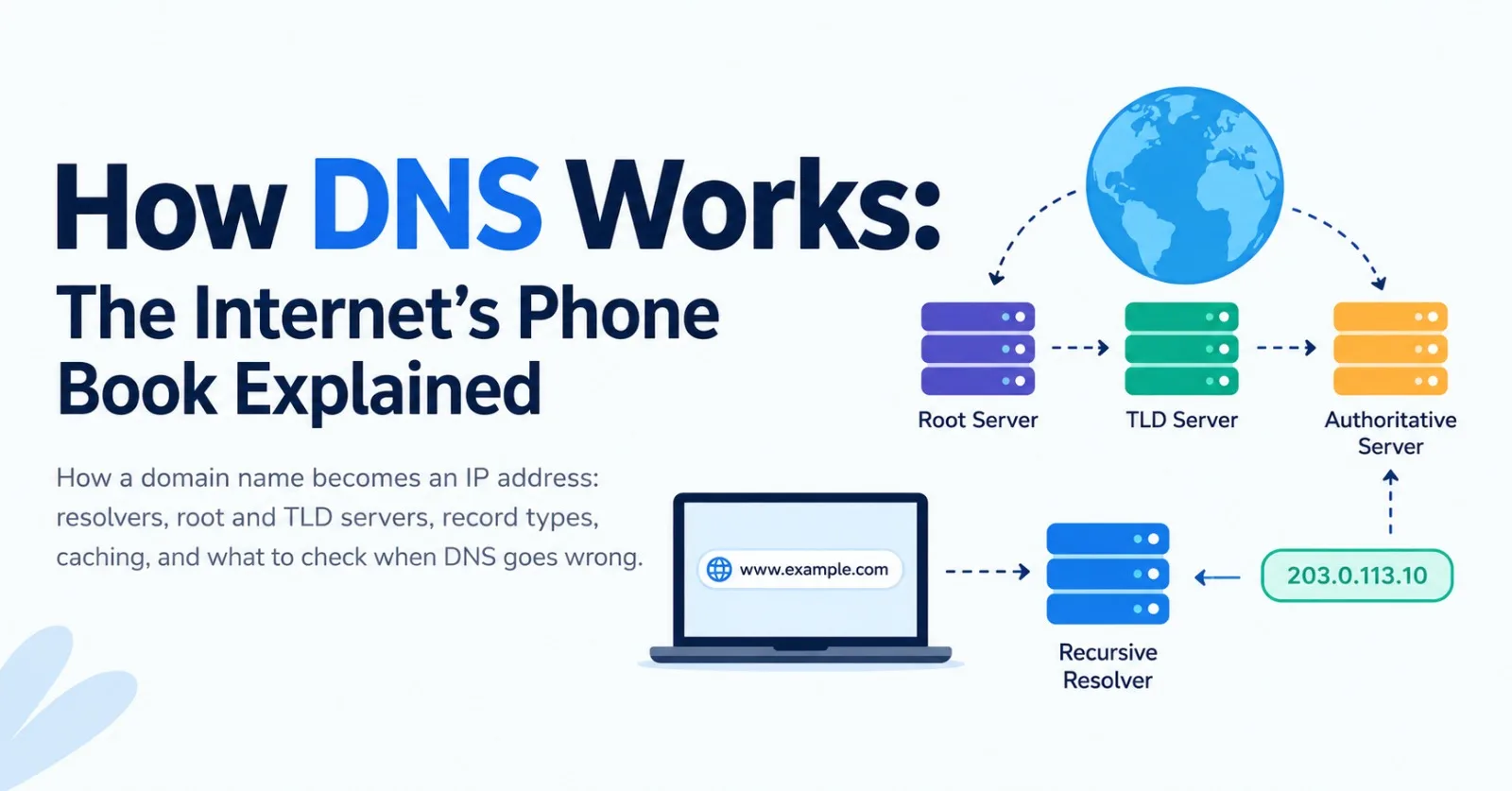
The same walk as a picture: your device asks the resolver once, and the resolver asks the root, the TLD server, and the authoritative nameserver in turn.
Technically, your device makes one recursive request ("get me the final answer") and the resolver makes a series of iterative ones ("tell me who to ask next"). All of this normally takes a few dozen milliseconds. DNS usually runs over UDP on port 53 because queries and answers are tiny, falling back to TCP for larger responses.
Caching and TTL
Every DNS answer carries a TTL (time to live), a number of seconds saying how long it may be cached. Browsers, operating systems, and resolvers all honor it. While a record is cached, nobody asks the authoritative server again.
Caching is why DNS is fast and why it doesn't collapse under its own traffic. It's also the real meaning of DNS propagation. Nothing actually spreads across the internet when you change a record. Instead, different resolvers hold the old answer until their cached copy expires, so the change appears gradually, up to the length of the old TTL. Failed lookups are cached too, which is called negative caching.
The practical lesson: lower the TTL a day or two before a planned change, such as moving a site to a new server, then raise it again afterward.
Common DNS Record Types
A domain's DNS zone is a list of records, each answering a different kind of question:
Record | Purpose | Example |
|---|---|---|
A | Maps a name to an IPv4 address |
|
AAAA | Maps a name to an IPv6 address |
|
CNAME | Makes one name an alias of another |
|
MX | Says which servers receive email for the domain |
|
TXT | Holds free-form text, often for verification and email security | SPF, DKIM, and DMARC policies |
NS | Lists the authoritative nameservers for the domain |
|
CAA | Restricts which certificate authorities may issue certificates | Limits who can issue HTTPS certificates for the domain |
A classic gotcha: a CNAME can't share a name with other records, so it generally can't be used on the bare domain (example.com itself). Many DNS providers offer "ALIAS" or "flattened CNAME" records as a workaround.
Registrar vs. DNS Host: Who Controls What?
Two companies are often involved in running a domain, and mixing them up is a common reason for "my changes aren't working."
The registrar is where you buy and renew the domain. It records who owns the name and which nameservers the domain should use.
The DNS host runs those nameservers. This is where your records (A, CNAME, MX, TXT, and so on) actually live.
They are often the same company by default, but they don't have to be. Many people keep a domain at one company and point it at a separate DNS host, such as a cloud provider or a CDN.
The rule of thumb: edit records at the DNS host, and change nameservers at the registrar. If your domain's nameservers point to one provider but you edit records in another provider's dashboard, nothing will happen. To see which nameservers are actually in charge, run:
dig NS example.comWhich Resolver Are You Using?
By default your device uses the resolver your network hands it, usually your internet provider's. You can switch to a public resolver such as Google (8.8.8.8), Cloudflare (1.1.1.1), or Quad9 (9.9.9.9). Reasons to switch include speed, reliability, and different privacy or filtering policies. Whichever you choose, that resolver sees the domain names you look up, so it's worth picking one you trust.
DNS Security and Privacy
Traditional DNS was designed in an era of trust. Queries travel in plain text, which creates two separate problems, and two separate fixes.
Privacy: encrypted DNS. DNS over HTTPS (DoH) and DNS over TLS (DoT) encrypt the queries between your device and your resolver, so people on your network can't read or alter them. Many browsers and operating systems now support one or both. This does not make you anonymous: the resolver itself still sees your queries, and the sites you visit are still reachable by IP address.
Authenticity: DNSSEC. DNSSEC adds cryptographic signatures to DNS records so a resolver can verify an answer really came from the domain's owner and wasn't forged. It protects against tampering, but it doesn't encrypt anything.
The threats these address include cache poisoning, where a resolver is tricked into storing a false answer, and DNS hijacking, where records are changed at the registrar or DNS host to redirect traffic. Strong account security and a registrar lock are your first defense if you own a domain.
Troubleshooting DNS
Two command-line tools are available on most systems. nslookup is built into Windows, macOS, and Linux, while dig ships with macOS and most Linux distributions:
nslookup example.com
dig example.com
dig example.com MX
dig @1.1.1.1 example.com
dig +trace example.com
The @1.1.1.1 form asks a specific resolver, which is useful for checking whether the problem is your resolver or the domain itself. +trace walks the chain from the root down, mirroring the steps above.
Here is a trimmed, illustrative example of what dig www.example.com prints, and how to read it:
;; ->>HEADER<<- opcode: QUERY, status: NOERROR, id: 41873

;; QUESTION SECTION:
;www.example.com.        IN      A

;; ANSWER SECTION:
www.example.com.  300   IN      A       203.0.113.10

;; Query time: 24 msec
;; SERVER: 1.1.1.1#53(1.1.1.1)
status: NOERRORmeans the lookup succeeded.NXDOMAINmeans the name doesn't exist, andSERVFAILmeans the resolver couldn't get a valid answer.QUESTION SECTIONrepeats what you asked: the record type (A) for that name.ANSWER SECTIONis the result. Reading left to right: the name, the TTL in seconds (300), the class (IN, for internet), the record type (A), and the value (the IP address).Run the command again a few seconds later. If the TTL has counted down, the answer is coming from the resolver's cache.
Query timeandSERVERshow how long the lookup took and which resolver answered, which is handy when comparing resolvers.
To clear your device's DNS cache:
# Windows
ipconfig /flushdns

# macOS
sudo dscacheutil -flushcache; sudo killall -HUP mDNSResponder

# Linux (systemd-resolved)
resolvectl flush-caches
Common symptoms
Symptom | Likely cause | What to try |
|---|---|---|
| The domain doesn't exist or has no matching record | Check for typos, confirm the domain hasn't expired, and verify the record exists |
Old site still showing after a change | Cached answers haven't expired yet | Wait out the TTL, flush your local cache, and test with another resolver |
Works on one network but not another | Different resolvers have different cached or filtered answers | Compare results with |
| The authoritative server is unreachable or misconfigured, or DNSSEC validation failed | Check the nameservers and DNSSEC settings at your DNS host and registrar |
Email not arriving | Missing or wrong MX records, or failing SPF, DKIM, or DMARC records | Review the MX and TXT records for the domain |
If You Manage a Domain
Use at least two nameservers, ideally from a provider with good redundancy.
Turn on automatic renewal for the domain. An expired domain takes your site and email down together.
Enable your registrar's lock feature and two-factor authentication.
Lower the TTL before migrations, and raise it again afterward.
Add CAA records if you want to limit who can issue certificates for your domain.
Keep email records (MX, SPF, DKIM, DMARC) tidy and documented.
Key Takeaways
DNS translates names into IP addresses, and it does so through a hierarchy: resolver, root, TLD, authoritative server.
Caching and TTLs make DNS fast, and they are also why changes take time to show up.
Records such as A, AAAA, CNAME, MX, TXT, NS, and CAA each answer a different question about a domain.
DoH and DoT add privacy, while DNSSEC adds authenticity. They solve different problems.
When something breaks,
digandnslookupshow you which layer is at fault.
Conclusion
DNS is easy to ignore because it works so quietly, but a surprising share of outages, email problems, and "my site isn't loading" mysteries trace back to it. Once you picture the chain of resolver, root, TLD, and authoritative server, with caches along the way, most DNS behavior stops being mysterious.
The next time a change doesn't show up or a domain refuses to resolve, you'll know which question to ask and where to ask it.
Comments(0)
Join the discussion by logging into your account.
No comments yet. Be the first to comment!