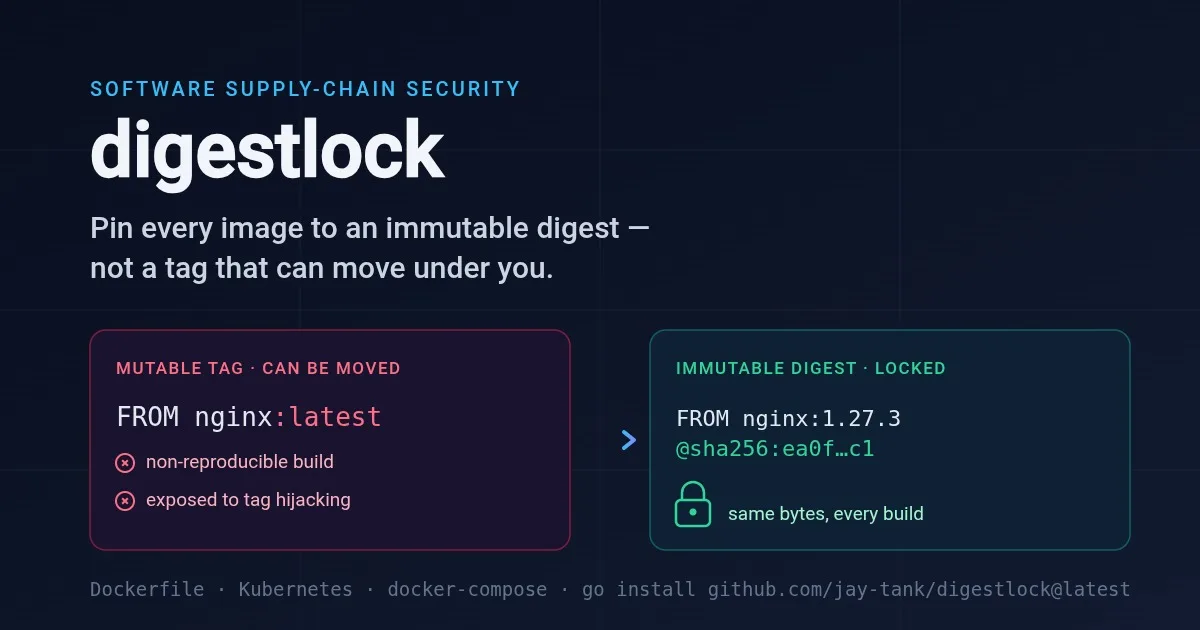
You pin a version. FROM node:20.11.1. It feels responsible - you didn't reach for :latest, you named an exact release. Six weeks later a teammate rebuilds the same commit and gets a subtly different image: a patched base layer, a new libc, a package that resolved differently. Nothing in your Git history changed. The tag did.
This is the uncomfortable truth about container tags: a tag is a mutable pointer, not the image itself. It names a place where an image currently lives, and that place can be overwritten at any time. The only reference that identifies the exact bytes - and keeps identifying them forever - is the image's content digest: @sha256:….
This post is about why the gap between "I pinned a tag" and "I pinned the image" is one of the quieter, more expensive holes in a software supply chain, and about a small tool I wrote - digestlock - that fails the build the moment an image reference is about to ship without a digest. It lives at https://github.com/jay-tank/digestlock.
A tag is a pointer; a digest is the thing
When a registry stores an image, it addresses it by the SHA-256 hash of its content - the digest. That digest is derived from the bytes, so it is immutable by construction: change one byte of the image and you get a different digest. nginx@sha256:ea0f…c1 will refer to those exact bytes on every machine, forever, or refer to nothing at all.
A tag, by contrast, is just a human-friendly label pointing at a digest. nginx:1.27.3 means "whatever digest the nginx maintainers have currently attached to the label 1.27.3." That attachment is editable. Registries let you re-push a tag; maintainers move tags to ship fixes; mirrors and proxies can resolve the same tag to different content. The tag is a sticky note on a shelf, and the sticky note can be peeled off and moved to a different shelf while you're not looking.
So FROM nginx:1.27.3 does not say "build on these exact bytes." It says "build on whatever 1.27.3 points to at build time." Two builds, two answers. That is the reproducibility hole.
The two ways this bites
Non-reproducible builds. Reproducibility is the property that the same inputs produce the same output. If your inputs include a mutable tag, you have smuggled a moving part into a process you believed was deterministic. A build that passes CI today can produce a different image next month with no code change - which means "it works on the commit I tested" is no longer a guarantee you can make. Debugging "works in the image from Tuesday, breaks in the image from Friday" is miserable precisely because the diff isn't in your repository.
Supply-chain exposure. This is the sharper edge, and it is why image pinning moved from a nice-to-have to a headline through 2024–2025. If an attacker can move a tag - by compromising a maintainer account, a registry namespace, a typo-squatted mirror, or the registry itself - then every build and every cluster that pulls by that tag silently ingests the attacker's image on the next pull. Your Dockerfile didn't change. Your manifests didn't change. The bytes did. A reference pinned to @sha256: is immune to this class of attack: if the digest doesn't match, the pull fails, loudly. A tag-only reference has no such tripwire.
Both problems have the same root cause and the same fix: stop referring to images by a label that can move, and start referring to them by content.
Why the gap is so easy to leave open
An unpinned reference is completely silent about being unpinned.
It is the path of least resistance. Every tutorial, base-image README, and
docker runexample uses a bare tag.FROM python:3.12is what your fingers type. Adding@sha256:…is extra work you have to choose to do.It is invisible in review. A pull request that bumps
redis:7.2.3toredis:7.2.4looks exactly right. The absence of a digest is a non-event on the diff - nobody reviews the thing that isn't there.It works perfectly, until it doesn't. The tag-only image pulls, builds, and runs. There is no error, no warning, no degraded behavior - right up until the day the tag moves. The failure is deferred and detached from the decision that caused it.
It hides in more places than the Dockerfile. The base image in
FROMis only one reference. Your Kubernetes Deployments, StatefulSets, DaemonSets and CronJobs each name animage:. Your docker-compose file names one per service. Any of them can be tag-only.
This is why "pin by digest" sits near the top of every container-hardening checklist and every reproducible-build guide - and why it is so reliably skipped. The fix has to be enforced somewhere a human won't forget: in CI, on every change.
The fix: require a digest before merge
The durable fix is a policy applied at the one moment it's cheap - before the reference merges:
Pin production image references by digest. Keep the tag for readability, append the digest for immutability:
nginx:1.27.3@sha256:…. Now the reference is both legible and locked.Resolve the digest deliberately.
docker buildx imagetools inspect nginx:1.27.3prints the current digest. Updating an image becomes an explicit, reviewable change to a hash - exactly what you want an image bump to be.Gate it in CI. Make "every image reference carries a digest" a check that fails the pull request, like a failing test - so the unpinned reference never lands.
Step three is the one usually missing, because it needs a tool that reads your Dockerfiles and manifests and knows which references are supposed to be pinned. That is what digestlock is.
How digestlock works
digestlock is a single static Go binary - standard library only, no dependencies, no cloud credentials, no image build, no daemon, no registry, no network. It reads your files as text and asks one question of every image reference: is this pinned to an immutable digest, or can it move under you?
It scans three kinds of file:
Dockerfiles (
Dockerfile,*.Dockerfile,Dockerfile.*) - the image in everyFROM, including multi-stageFROM … AS buildandFROM --platform=….Kubernetes manifests (
.yaml/.yml) - everyimage:key, across Pods, Deployments, StatefulSets, DaemonSets, CronJobs and the rest.docker-compose (
.yaml/.yml) - every serviceimage:.
For each reference it parses the name, tag and digest and applies one small policy. The parsing has one subtlety worth calling out: a registry host can carry a port (localhost:5000/app:dev), so you cannot just "split on the last colon" to find the tag - a naive parser reads 5000/app as a tag. digestlock isolates the final path component first and only reads a tag from there, so a host:port prefix is never mistaken for a version.
What it doesn't flag - keeping false positives near zero
A gate that cries wolf gets disabled. digestlock deliberately stays silent on the references that aren't images to pin:
FROM scratch- the empty base; there is nothing to pin.Build-stage references - a
FROM buildthat points at an earlierFROM … AS buildis a stage-to-stage reference inside the same Dockerfile, not a registry pull. ACOPY --from=buildis likewise never a base image.Templated / variable references -
FROM ${BASE_IMAGE}, or a Helmimage: "{{ .Values.image.repository }}:{{ .Values.image.tag }}". digestlock can't resolve these statically, so it leaves them alone rather than guessing wrong.Local build contexts - a compose service with
build: .and noimage:has no reference to pin.Already-pinned images - anything carrying
@sha256:…is clean, full stop.
The two rules
digestlock has exactly two rules - one blocker, one warning:
DL001 (blocker) - a reference on
:latest, or with no tag at all (Docker resolves that to:latest), and no digest. This is the maximally-mutable case: non-reproducible and directly in the path of a tag hijack.DL002 (warning) - a reference pinned to a specific tag (e.g.
:1.27.3) but still no digest. Much better than:latest, but the tag is still a movable pointer, so digestlock nudges you to add the digest. Under--strict, this fails the build too.
Every finding points at the exact file and line, echoes the raw reference, and shows how to pin it:
● 2 mutable :latest image(s):
  Dockerfile:10             image "debian" has no tag, so it resolves to the mutable :latest with no digest
      ↳ pin by immutable digest, e.g. FROM debian@sha256:<digest>
      [DL001 · blocker]
  k8s/deploy.yaml:14        image "nginx:latest" uses the mutable :latest tag with no digest
      ↳ pin by immutable digest, e.g. image: nginx@sha256:<digest>
      [DL001 · blocker]

● 1 tag-pinned but digest-less image(s):
  compose.yml:3            image "postgres:16" is pinned to tag "16" but not to an immutable @sha256: digest
      ↳ pin by immutable digest, e.g. image: postgres:16@sha256:<digest>
      [DL002 · warning]

2 blockers · 1 warning
Before and after
Here is the reference that opens the gap - it builds cleanly and reads fine in review:
FROM node:20.11.1
digestlock flags it DL002. The fix is to append the digest, keeping the tag for humans:
FROM node:20.11.1@sha256:ea0f7c...c1
Resolve the digest with one command:
docker buildx imagetools inspect node:20.11.1
# Digest: sha256:ea0f7c...c1
The identical name:tag@sha256:… form works in a Kubernetes image: and a docker-compose image:. Now the reference is both readable and immutable: the same bytes on every build, every pull, every cluster - and a hijacked tag can no longer substitute an image behind your back.
Try it
go install github.com/jay-tank/digestlock@latest

digestlock                 # scan the current directory
digestlock ./deploy        # scan a path
digestlock --strict        # fail on tag-only pins (DL002) too
digestlock --json          # machine-readable output
In CI it's one line:
- run: go run github.com/jay-tank/digestlock@latest ./
Exit 0 when every reference is digest-pinned, 1 on a blocker (or any finding under --strict). Suppress a specific case with a digestlock:ignore comment on the reference's line, or a path substring in a .digestlockignore file.
What it is, and what it isn't
digestlock is a fast, zero-config static gate for one question: is this image reference pinned to an immutable digest? It is honest about being a text scanner, not a full Dockerfile/Kubernetes/compose parser - it reads FROM and image: references, and a reference assembled from variables at build time is deliberately skipped rather than guessed at. And it never contacts a registry, so it checks that you pinned a digest, not that the digest is correct or still published - that verification belongs to your registry and admission tooling.
What it does do is close the gap that review and terraform apply-style success will never catch for you: it fails the commit that ships an image the world can quietly swap out later. The whole tool is MIT-licensed and lives at https://github.com/jay-tank/digestlock - a single dependency-free binary you can drop into a pre-commit hook or a CI job today.
Pin the bytes, not the label. The image you deploy should be the image that runs - this week, next month, and after someone tries to move the tag.





Comments(0)
Join the discussion by logging into your account.
No comments yet. Be the first to comment!