
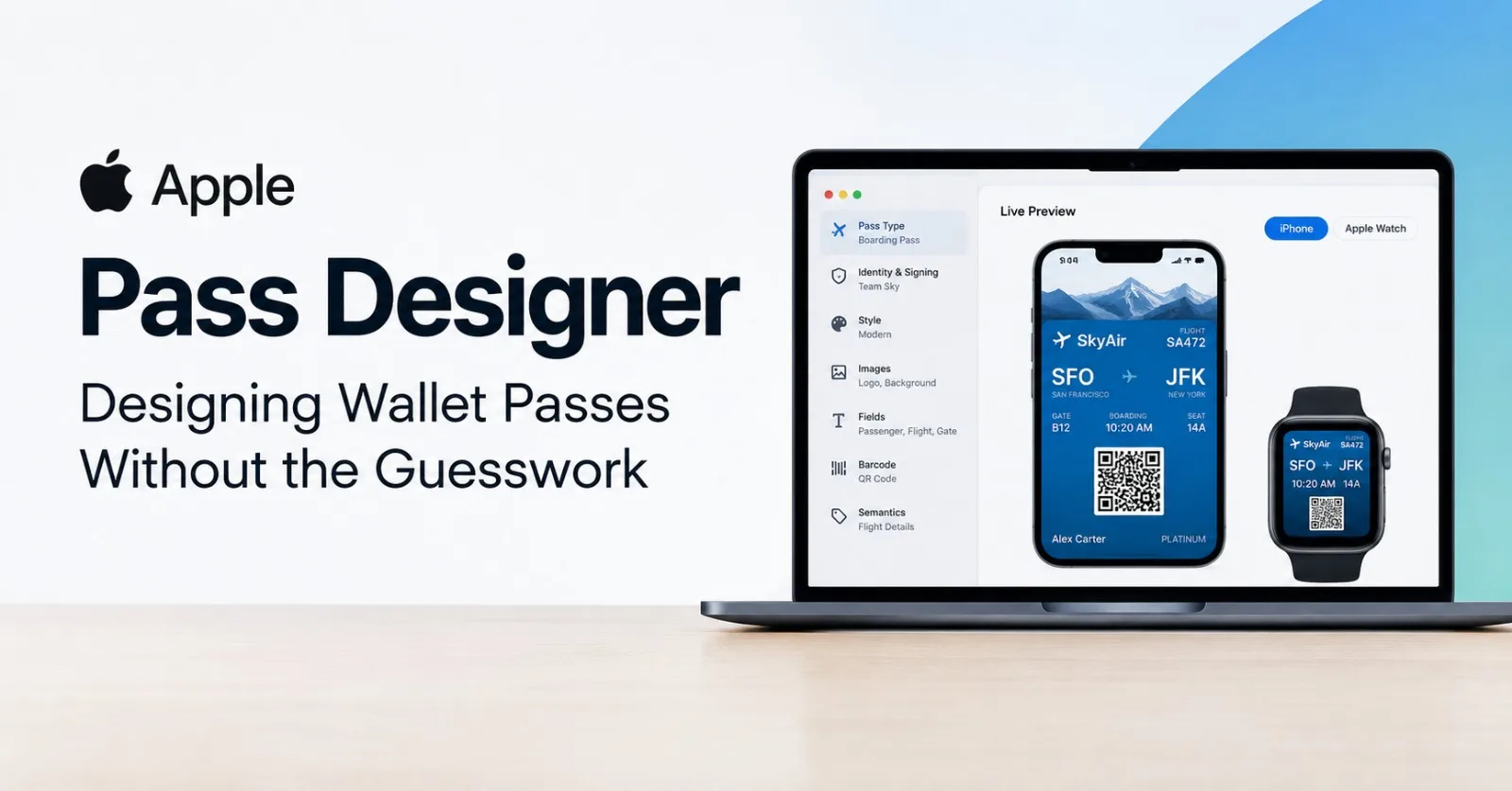
If you've ever built an Apple Wallet pass, you know the routine. You hand-write a pass.json, drop in a pile of correctly sized images, sign the bundle, install it on a device, and only then find out that a field is cut off or a color is hard to read. Fix, re-sign, reinstall, repeat.
Apple's new Pass Designer is meant to end that loop. It's a visual editor for Wallet passes that shows you the result as you build it. This post covers what it does, how it works with its companion tool Pass Builder, and who should care.
What is Pass Designer?
Pass Designer is a Mac app, currently in beta, for designing and previewing Apple Wallet passes. Apple pitches it at everyone from a local fitness center or small music venue to a global airline or national coffee chain. The idea is that a pass for any business should be easy to craft and preview.
The headline feature is the live preview. As you edit, the app shows how the pass will look on iPhone and Apple Watch. Apple says the preview uses the same rendering as iOS and watchOS, so what you see in the editor is what customers will see on their device.
The workspace is simple. A sidebar on the left holds the controls: identity and signing configuration, pass style, images, barcodes, fields and, where the style supports it, semantics. The live pass sits on the right.
flowchart LR
  S["Sidebar: set up the pass<br/>Identity & Signing<br/>Style<br/>Images<br/>Barcodes<br/>Fields<br/>Semantics"]
  subgraph PV["Live preview: same rendering as iOS and watchOS"]
    I["iPhone"]
    W["Apple Watch"]
  end
  S -->|"updates as you edit"| PV
A simplified illustration of the layout, not a screenshot: the sidebar on the left drives the live preview on the right.
What you can build
Pass Designer supports six pass types:
Boarding passes
Coupons
Generic passes
Store cards
Event tickets
Poster generic passes
The last one is the newest. It uses a posterGeneric style key and lets the pass lay out your content across the whole pass face. A pass can also carry up to two featured actions.
You don't have to start from nothing. You can begin with one of Apple's templates or bring your own, then adjust the background, foreground, and label colors. Images such as logos, backgrounds, and strip images are still made in whatever design tool you prefer. You import them into Pass Designer to finish the design.
Built-in validation
One of the more practical features is validation while you work. Pass Designer flags problems such as missing required keys or unexpected definitions as they happen, rather than leaving you to discover them when a pass refuses to install. It supports designs that use the latest Wallet features as well as backward-compatible passes, so you can serve customers on newer and older software.
Semantic tags, made visible
For boarding passes and event tickets, semantic tags add structured data to a pass, such as an event date, a venue location, or flight details. The system can use that data for things like Siri suggestions, calendar integration, and navigation in Maps.
Pass Designer lets you edit these tags directly in the interface, and you can view a pass with semantics next to one without. Apple's documentation also describes generating a backward-compatible version of the pass from your semantic data, so it still works where semantic tags aren't supported. Before, semantic tags meant editing JSON blind. This is a real improvement.
Design is only half the job: meet Pass Builder
Here's the part that's easy to miss. Pass Designer produces templates, saved as .pkpasstemplate files. It doesn't produce the personalized, signed passes you hand to customers.
That's the job of Pass Builder, a Swift package and command-line tool that runs on Mac and Linux. Apple's WWDC26 session on Wallet passes walks through the flow with a fictional dog daycare. You wouldn't design an individual pass for every member by hand. Instead you design one template in Pass Designer, then use Pass Builder on your server to fill in each member's details and distribute the passes at scale.
flowchart LR
  D["Pass Designer<br/>Mac app: design and preview the pass"] --> T[".pkpasstemplate<br/>One design, reused for every pass"]
  T --> B["Pass Builder<br/>Personalize, sign, and validate<br/>Swift, runs on Mac and Linux"]
  B --> P["Signed passes<br/>One personalized pass per customer"]
  C["Pass Type ID certificate<br/>and WWDR certificate"] -.-> B
  classDef tool fill:#e8f0fe,stroke:#1a73e8,stroke-width:2px,color:#111
  class D,B tool
Pass Designer ends at the template file; everything after that, from personalizing to signing, is Pass Builder's job. Shaded boxes are tools; the dashed arrow marks the certificates Pass Builder needs for signing.
Pass Builder can import a .pkpasstemplate bundle, let you customize it in code (a serial number, for example), then sign and validate it. Its buildpass command-line tool covers signing and validating. To sign, you'll need two things:
A Pass Type ID certificate (a
.p12file) registered in the Apple Developer portal. It must match thepassTypeIdentifierin your pass.Apple's WWDR intermediate certificate.
The result is a clean division of labor: designers and marketers shape the look in Pass Designer, and engineers automate the personalization and signing with Pass Builder.
Getting started
The Pass Designer beta requires macOS 27 or later. To download it, sign in with your Apple Account. If prompted, complete the free developer registration and accept the Apple Developer Agreement. Apple's documentation includes a walkthrough titled "Creating a pass with Pass Designer," and the WWDC26 session "What's new in Wallet" is the best place to see the whole workflow in action.
Who is it for, and what are the limits?
Pass Designer is a tool for businesses, developers, and service providers who issue passes. It isn't a consumer app. Apple Wallet users won't open it to make a personal pass, and it's still a beta, so expect things to change.
It's also Apple-only by design. If you issue passes on Google Wallet and other Android wallet apps too, you'll still need a separate workflow for those. Third-party platforms such as Passcreator, which handles several wallet ecosystems, have said they're working on importing templates made in Apple's tool, so the gap may narrow.
The bottom line
Pass Designer takes a fiddly, trial-and-error process and makes it visual, checked, and honest about how the final pass will look. Paired with Pass Builder, it covers the whole path from a brand's first sketch to thousands of personalized passes. If your business already uses Wallet passes, or you've been putting off adding them because the tooling felt heavy, this is a good time to try the beta.
Sources
Checked October 3, 2026. Apple's Pass Designer page still describes the tool as a beta.
Introducing Pass Designer, Apple Developer: features, templates, validation, semantic tags, and beta requirements.
Creating a pass with Pass Designer, Apple Developer Documentation: the official walkthrough.
What's new in Wallet, WWDC26 session 209: the Pass Designer and Pass Builder demo, the Poster Generic style, and featured actions.
Pass Builder, Apple on GitHub: template import, signing, the
buildpasstool, and the certificates it needs.Pass Designer: Neue Mac-App erleichtert Gestaltung eigener Wallet-Pässe, ifun.de (German): the six pass types and who the tool is aimed at.
Pass Designer for Apple Wallet: From Design to Distribution, Passcreator: a vendor's page, so its template-import plans are the company's own claim.
Comments (1)
Join the discussion by logging into your account.
Igor Ganapolsky
The split that matters is the file type. Pass Designer stops at a .pkpasstemplate, and the signed pkpass is Pass Builder's job. The sign step fails if the Pass Type ID inside the p12 does not equal passTypeIdentifier in that template, so I would keep both values in the same config the buildpass command reads and refuse the build before it talks to Apple when they differ. The other quiet break is the WWDR intermediate: an old intermediate still produces a signature locally, then Wallet rejects the pass on the device. Semantic tags have the same shape. A boarding pass that looks right in the live preview loses Maps and calendar behavior on older iOS unless Pass Builder emits the backward-compatible pass, not only the semantic one.