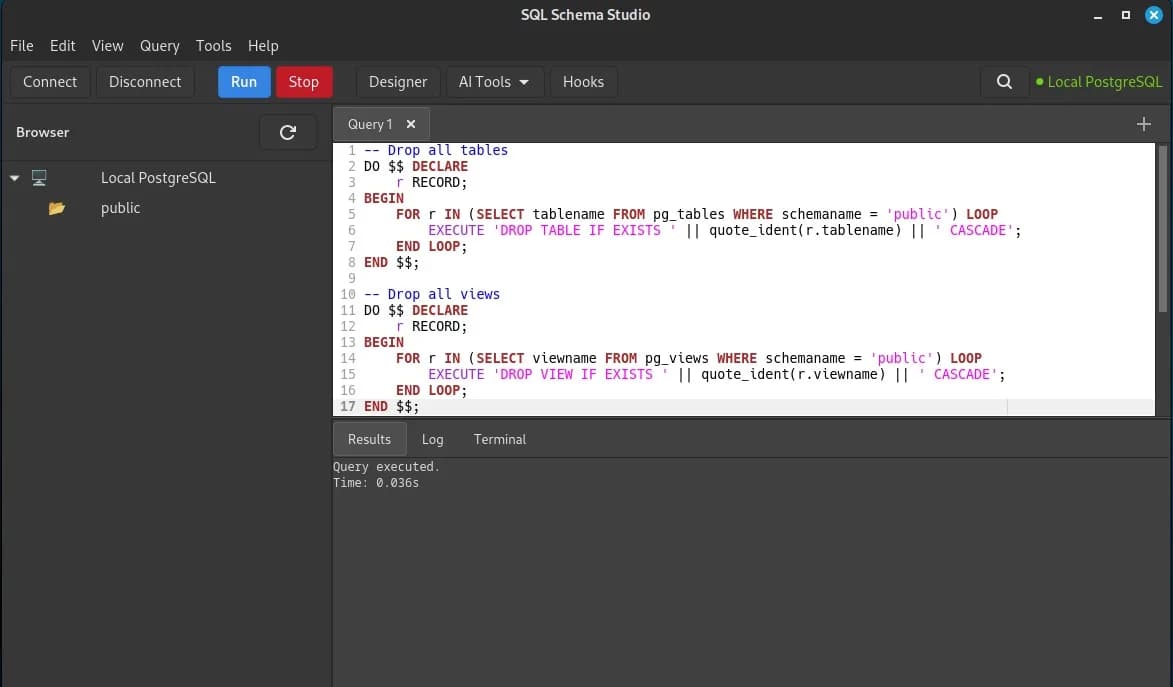
A few months ago I sat down and asked myself a simple question: why does every modern database client feel like I'm running a browser tab pretending to be an app? Between Electron wrappers eating a gig of RAM to show me a table list, and JVM-based tools that take ten seconds just to open a connection dialog, I figured there had to be a saner way to browse and manage a PostgreSQL database on Linux.
So I built one. It's called SQL Schema Studio, it's written in Python with GTK4, it's GPLv3, and it's been my main side project for the last couple of months. Here's the story of what it does, why I made the choices I made, and where it's headed.
A quick heads-up before anything else: this is alpha software. There are RPM and DEB packages you can install, but right now I'd actually recommend running it straight from source instead:
python3 -m src.main
The reason is simple — the packaged builds still need their code paths rewritten for the directory structure the RPM/DEB installers drop the app into, and until that's done you won't get the full feature set out of a packaged install. Running from source gets you everything, no caveats. Packaging is on my list, just not finished yet.
What it actually is
At the core, SQL Schema Studio is a desktop IDE for PostgreSQL. Connect to a database, browse schemas and tables in a filterable tree, write SQL with proper syntax highlighting and autocomplete, run it, see the results formatted nicely with timing info. Nothing revolutionary so far — that's table stakes for any halfway decent SQL client.
Where it gets more interesting is everything built around that core.
A schema designer that actually routes lines properly
If you've ever used a visual schema designer, you know the usual failure mode: draw two tables, connect a foreign key, and the relationship line just... crosses straight through a third table like it doesn't exist. I wanted something that behaved more like a real diagramming tool.
So the schema designer computes FK relationship paths with obstacle avoidance — lines route around other tables, and where two relationship lines cross, you get a small arc "jump" so you can still tell them apart. All of that pathfinding runs across multiple CPU cores using a process pool, which matters more than you'd think once you have a few dozen tables with overlapping relationships. Python's GIL doesn't get in the way because the routing math happens in separate processes; results stream back into the GTK canvas through GLib.idle_add, so the UI stays responsive while it works.
Schema Routing Architecture
flowchart LR
    UI[GTK Event Loop] --> Pool[Process Pool]
    Pool --> Worker1[Routing Math]
    Pool --> Worker2[Routing Math]
    Worker1 --> IdleAdd[GLib.idle_add]
    Worker2 --> IdleAdd
    IdleAdd --> Canvas[GTK Canvas]
You also get undo/redo for every action in the designer (move a table, add a column, delete an FK — all reversible), three line styles to taste, per-table color coding, and the ability to just drag a .sql file onto the canvas to reverse-engineer an existing schema into the visual view.
AI-assisted analytics that isn't just marketing
"AI-powered" gets thrown around a lot, so let me be specific about what's actually happening here. There's a Polars-based analytics engine sitting behind the database browser. Right-click any table and you can run:
Percentile bands (p10 through p90, IQR)
Trend forecasting via linear regression
Anomaly detection using the IQR outlier rule
Moving averages and exponential smoothing
A full correlation matrix across numeric columns
It's smart enough to skip surrogate keys (your id, *_id columns) automatically and prefer real numeric columns over integer flags. On top of that sit nine separate analyzers covering things like schema quality scoring and index recommendations — genuinely useful for spotting a missing index on a foreign key column or a table that's quietly bloating because nobody's vacuumed it in a while.
Hooks: because I didn't want to hardcode everything
Instead of trying to anticipate every DBA's workflow, I built a plugin system that supports both Python and Perl hooks. Three ship by default:
Auto-Vacuum Advisor — reads
pg_stat_all_tables, calculates dead tuple ratios, and flags tables by priority (CRITICAL above 50% bloat, down to LOW above 5%), with ML-based growth prediction on top.Schema Anomaly Detector — runs nine rules against your schema: missing primary keys, FK columns without indexes, nullable FKs, unindexed tables, unlimited VARCHARs, and a few more. It doesn't just flag the problem, it generates the SQL fix.
PostgreSQL Log Analyzer, written in Perl — parses your Postgres logs three different ways depending on what access you have (remote via
pg_read_file, local CSV, or plain text), categorizes the errors, and suggests fixes.
If none of that fits your use case, you write your own hook in Python or Perl and drop it in the hooks directory. The registry picks it up automatically.
Hook Registry Architecture
flowchart TD
    Dir[Hooks Directory] --> Reg[Hook Registry]
    Reg --> Type{Runtime}
    Type -->|Python| Vac[Auto-Vacuum Advisor]
    Type -->|Python| Anomaly[Schema Anomaly Detector]
    Type -->|Perl| Log[PostgreSQL Log Analyzer]
    Type -->|Python/Perl| Custom[Custom User Hooks]
The rest of the toolbox
A few other things worth mentioning: full SSH tunnel support for connecting to remote Postgres instances (password, key file, or agent-based auth), a multi-tab SQL editor with session restore so your open queries survive an app restart, CSV/JSON import and export with a preview dialog before you commit anything, and an embedded VTE terminal so you're not constantly alt-tabbing to a separate shell.
Why GTK4 and not Electron
This is the question I get asked most, so let me actually answer it instead of just grumbling about resource usage. Three reasons:
It's genuinely lighter. No bundled Chromium, no Node runtime sitting underneath your database client. It starts fast and stays fast.
It looks native everywhere. GTK4 picks up your system theme, whether you're on GNOME, KDE Plasma, Cinnamon, MATE, or XFCE. No custom CSS trying (and failing) to impersonate a native app.
No subscription, no JVM. A lot of the polished commercial SQL clients either want a monthly fee or a JVM installation before you can even open a connection dialog. I wanted something you clone, install a handful of system packages for, and run.
Windows users aren't locked out, by the way — it runs cleanly under WSL2 with full GUI support through WSLg.
Where things stand
I'll be upfront: this is alpha software. I'm one person building this in my free time, and the pace has been fast — multiple releases a month, each with real functional changes rather than just version bumps. The codebase is organized into proper modules (core, UI, models, hooks, analytics), tested with pytest, checked with mypy and flake8, formatted with black, and built through a CI/CD pipeline that produces both RPM and DEB packages automatically.
What's still ahead before I'd call this a real 1.0: a migration generator with proper up/down SQL diffs, an FK editor dialog for cascade rules, schema export to GraphQL and pg_dump format, and a lot more automated test coverage than I currently have. The full roadmap is public in the repo if you want the granular view.
Try it, break it, tell me about it
If you're a Linux user who spends a chunk of your day in PostgreSQL and you're tired of choosing between "too heavy" and "too basic," I'd genuinely like you to try this and tell me what's wrong with it. It's GPLv3, it's on GitHub, and issues/PRs/discussions are all open:
github.com/Peter-L-SVK/sql-schema-studio
This is very much a project built by someone learning in public — self-taught, working
solo, figuring out the hard parts (multiprocessing across a GTK event loop is not for the
faint of heart) as I go. If that's the kind of project you like following, or you just
want a Postgres client that doesn't need a gig of RAM to show you a table list, come take a look.





Comments(1)
Join the discussion by logging into your account.
ZyVOP
Hey Peter, Welcome to ZyVOP, happy blogging 😃