
Introduction
Imagine an e-commerce checkout. When a customer clicks Place Order, your system has to do a lot more than save the order: it needs to reserve inventory, send a confirmation email, update analytics, notify the warehouse, and more.
If the order service calls each of these synchronously, the customer waits for all of them. If the email provider is slow, checkout is slow. If the analytics service is down, checkout fails. One weak link breaks the whole chain.
Message queues solve this. Instead of calling every downstream service directly, the order service drops a message onto a queue and moves on. Other services pick it up when they're ready. In this post we'll cover what message queues are, the problems they solve, the concepts you need to know, and the trade-offs that come with them.
What Is a Message Queue?
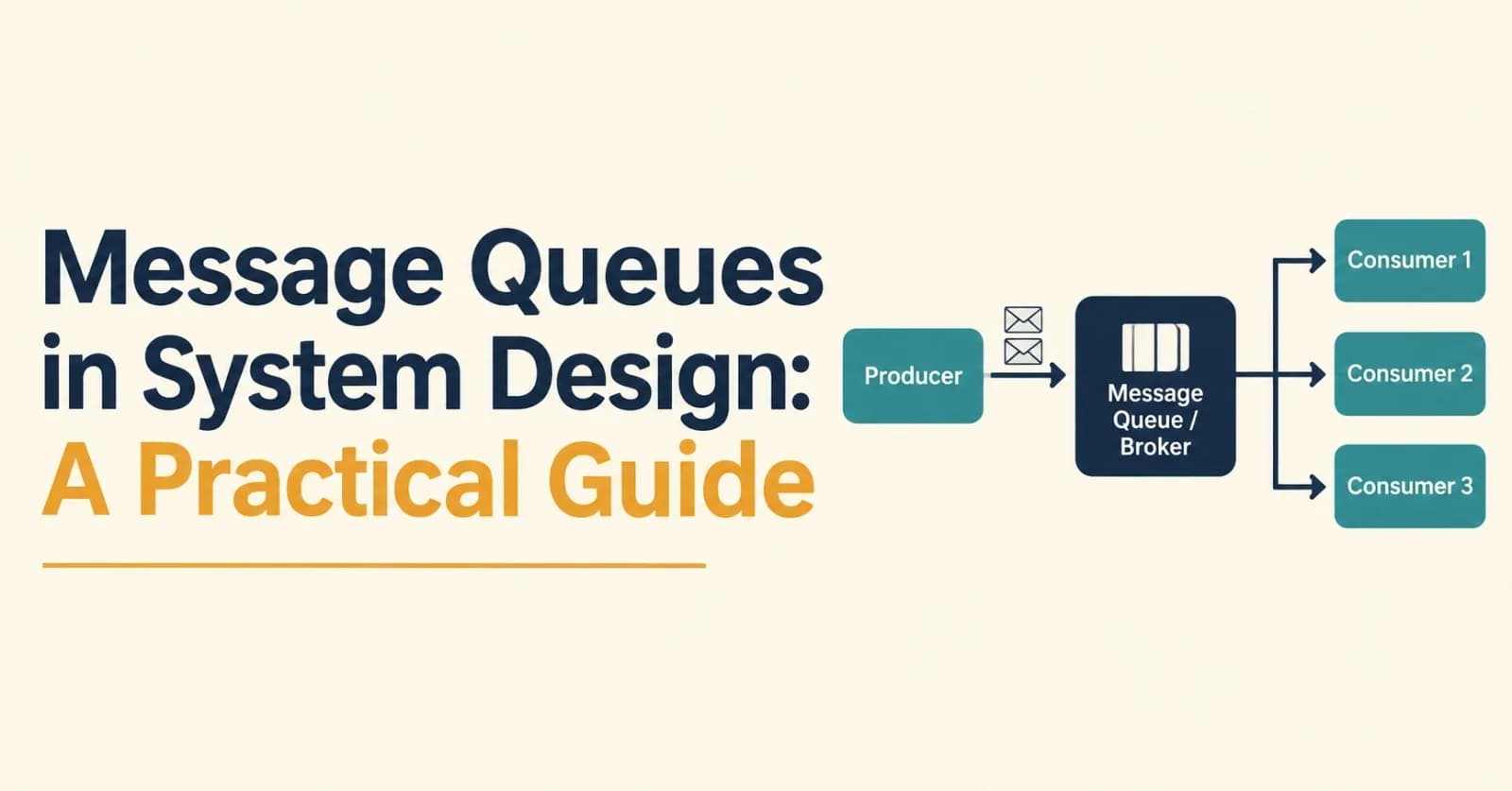
A message queue is a component that sits between systems that produce work and systems that consume it. It stores messages durably until a consumer is ready to process them.
flowchart LR
    P1[Producer A] --> Q[(Message Queue / Broker)]
    P2[Producer B] --> Q
    Q --> C1[Consumer 1]
    Q --> C2[Consumer 2]
    Q --> C3[Consumer 3]
The key idea is asynchronous communication: the producer doesn't wait for the consumer to finish, and the two don't need to be online at the same time.
Core Terminology
Term | Meaning |
|---|---|
Producer | The service that creates and sends messages |
Consumer | The service that receives and processes messages |
Broker | The server that stores and routes messages (e.g. RabbitMQ, Kafka) |
Queue | A buffer that holds messages, usually delivered to one consumer each |
Topic | A named channel that can fan out messages to many subscribers |
Acknowledgement (ack) | A signal from the consumer that a message was processed successfully |
Dead Letter Queue (DLQ) | A holding area for messages that repeatedly fail processing |
Why Use a Message Queue?
1. Decoupling
Producers don't need to know who consumes their messages, or how many consumers exist. You can add, remove, or redeploy consumers without touching the producer.
2. Load Leveling (Buffering Traffic Spikes)
Traffic is rarely smooth. During a flash sale, your API might receive 50x its normal load. A queue absorbs the burst, and consumers work through the backlog at a steady pace instead of being overwhelmed.
flowchart LR
    A["Spiky incoming traffic"] --> B[(Queue absorbs the burst)]
    B --> C["Steady processing rate"]
3. Resilience and Fault Tolerance
If a consumer crashes, messages stay in the queue and are processed once it recovers. Nothing is lost, and the producer never notices.
4. Independent Scaling
Slow consumers? Add more of them. The producer side stays untouched. This is the competing consumers pattern, and it's one of the simplest ways to scale throughput horizontally.
5. Faster User-Facing Responses
Move slow, non-critical work (emails, report generation, image processing) off the request path. The user gets a fast response while the heavy lifting happens in the background.
Common Messaging Patterns
Point-to-Point (Work Queue)
Each message is delivered to exactly one consumer among a group of competing consumers. This is ideal for distributing tasks such as image resizing or sending emails.
flowchart LR
    P[Producer] --> Q[(Queue)]
    Q --> W1[Worker 1]
    Q --> W2[Worker 2]
    Q --> W3[Worker 3]
Publish/Subscribe (Fan-Out)
A message is delivered to every interested subscriber. One OrderPlaced event might be consumed independently by the email service, the inventory service, and the analytics pipeline.
flowchart LR
    P[Order Service] -->|OrderPlaced| T{{Topic}}
    T --> S1[Email Service]
    T --> S2[Inventory Service]
    T --> S3[Analytics Service]
Request/Reply
The producer sends a request message with a reply-to address and a correlation ID, then waits for a response on another queue. It's useful when you need asynchronous transport but still expect an answer.
Event Streaming
Instead of deleting messages after consumption, the broker keeps an append-only log. Consumers track their own position (offset) and can replay history. This is the model popularized by Apache Kafka.
Delivery Guarantees
This is where message queues get interesting, and where most bugs hide.
Guarantee | Behavior | Risk |
|---|---|---|
At-most-once | Message is delivered zero or one time | Messages can be lost |
At-least-once | Message is delivered one or more times | Messages can be duplicated |
Exactly-once | Message is processed exactly one time | Hard and costly; usually limited to specific scopes |
In practice, at-least-once delivery is the most common default. If a consumer processes a message but crashes before acknowledging it, the broker will redeliver it. Redelivery can also happen when processing simply takes longer than the broker's acknowledgement (or visibility) timeout, so a second consumer may receive a message the first is still working on. Either way, your consumers must handle duplicates.
Make Consumers Idempotent
An operation is idempotent if running it multiple times has the same effect as running it once. A simple approach is to track processed message IDs:
def handle_message(message):
    # Skip if we've already processed this message
    if already_processed(message.id):
        ack(message)
        return

    with db.transaction():
        process(message.payload)        # e.g. create the shipment
        mark_processed(message.id)      # record the ID in the same transaction

    ack(message)
Recording the ID in the same transaction as the business change is what makes this safe. Back it with a unique constraint on the message ID, so that two consumers racing on the same duplicate can't both succeed.
Ordering
Do messages arrive in the order they were sent? It depends.
A single queue with a single consumer generally preserves order.
With multiple competing consumers, order is no longer guaranteed, because one worker may finish a later message before another finishes an earlier one.
Retries can also reorder messages.
Systems like Kafka preserve order within a partition. The usual trick is to choose a partition key (for example, user_id or order_id) so that all related messages land in the same partition and are processed in sequence, while different keys are processed in parallel.
flowchart LR
    P[Producer] -->|key = user_42| PA[Partition 0]
    P -->|key = user_77| PB[Partition 1]
    P -->|key = user_13| PC[Partition 2]
    PA --> CA[Consumer A]
    PB --> CB[Consumer B]
    PC --> CC[Consumer C]
Only demand strict global ordering if you truly need it, because it limits how far you can scale.
Handling Failure Gracefully
Retries with Exponential Backoff
When processing fails, don't retry in a tight loop. Wait progressively longer between attempts, and add jitter (randomness) so that many failing consumers don't retry in lockstep:
delay = min(max_delay, base_delay * 2^attempt) + random_jitterDead Letter Queues
Some messages will never succeed, such as malformed payloads or bugs triggered by specific data. After a set number of attempts, move them to a dead letter queue instead of blocking the main queue forever. Then monitor the DLQ, alert on it, and decide whether to fix and replay the messages or discard them.
flowchart LR
    Q[(Main Queue)] --> C[Consumer]
    C -->|success| Done([Ack])
    C -->|failure, retries left| Q
    C -->|retries exhausted| DLQ[(Dead Letter Queue)]
Poison Messages
A single "poison message" that always crashes the consumer can stall a queue. Retry limits plus a DLQ are your defense.
Backpressure
If producers outpace consumers indefinitely, the queue grows without bound. Monitor queue depth and consumer lag, set retention or length limits, and scale consumers (or throttle producers) when the backlog keeps rising.
The Dual-Write Problem and the Outbox Pattern
A classic trap: your service updates its database and publishes a message. These are two separate systems, so one can succeed while the other fails, leaving your data and your events inconsistent.
The transactional outbox pattern fixes this:
In a single database transaction, write the business data and an event row to an
outboxtable.A separate relay process reads the outbox and publishes events to the queue.
Once published, the event is marked as sent.
This gives you at-least-once publishing without distributed transactions. Pair it with idempotent consumers and you have a robust pipeline.
Choosing a Technology
Tool | Model | Best Suited For |
|---|---|---|
RabbitMQ | Traditional broker with flexible routing (exchanges, bindings) | Task queues, complex routing, moderate throughput |
Apache Kafka | Distributed, partitioned, replayable log | High-throughput event streaming, event sourcing, data pipelines |
Amazon SQS | Fully managed queue service | Simple, low-ops task queues on AWS |
Amazon SNS / Google Pub/Sub | Managed pub/sub | Fan-out notifications and event distribution in the cloud |
Redis Streams | Lightweight log-style stream in Redis | Simple streaming where Redis is already in your stack |
NATS / JetStream | Lightweight, fast messaging | Low-latency service communication |
A rough rule of thumb: pick a traditional queue (RabbitMQ, SQS) when you want to distribute tasks and delete them once done, and pick a log-based system (Kafka) when you need replay, multiple independent consumer groups, or very high throughput.
Trade-offs: When Not to Use a Queue
Message queues are powerful, but they aren't free.
Added complexity. One more piece of infrastructure to run, monitor, secure, and pay for.
Eventual consistency. Work happens later, so the system state isn't updated instantly.
Harder debugging. A request now spans multiple services and time gaps. You'll want correlation IDs and distributed tracing.
Duplicate and out-of-order handling. Your consumers must be written defensively.
Not suited for synchronous needs. If the user needs an immediate, definitive answer (such as "is this card valid?"), a direct call is often the right choice.
If a simple function call or a plain HTTP request does the job, use it. Reach for a queue when you genuinely need decoupling, buffering, or asynchronous processing.
Putting It All Together: An Order Pipeline
flowchart TD
    U[Customer] --> API[Order API]
    API -->|"1. Save order + outbox event"| DB[(Orders DB)]
    DB --> R[Outbox Relay]
    R -->|"2. Publish OrderPlaced"| T{{Event Bus}}
    T --> WH[Warehouse Worker]
    T --> INV[Inventory Worker]
    T --> MAIL[Email Worker]
    T --> AN[Analytics Consumer]
    WH -.->|failures| DLQ[(DLQ)]
    MAIL -.->|failures| DLQ
The API responds to the customer quickly. Each downstream service consumes the event independently, scales on its own, retries on failure, and can be replaced without touching the order service. Payment authorization is deliberately left out of this flow: the customer needs an immediate, definitive answer, so it usually stays a synchronous call made before the order is saved.
Best Practices Checklist
Design every consumer to be idempotent
Use acknowledgements only after processing succeeds
Configure retries with exponential backoff and jitter
Set up a dead letter queue and alert on it
Use partition keys when you need per-entity ordering
Monitor queue depth, consumer lag, and processing latency
Keep messages small, and pass references to large payloads (e.g. an object storage URL)
Version your message schemas so producers and consumers can evolve independently
Add correlation IDs for tracing across services
Use the outbox pattern when a database write and a publish must stay consistent
Conclusion
Message queues are one of the most useful tools in a system designer's toolbox. They let you decouple services, absorb traffic spikes, survive partial failures, and scale components independently. The price is added complexity: you must think about delivery guarantees, ordering, duplicates, and observability.
Start with the problem, not the technology. Ask whether you need asynchronous processing, buffering, or fan-out, and then choose the simplest tool that fits. Used well, a message queue turns a fragile chain of synchronous calls into a flexible, resilient system.
Found this useful? Share it with a teammate who's preparing for a system design interview, or drop your favorite messaging pattern in the comments.
Comments(0)
Join the discussion by logging into your account.
No comments yet. Be the first to comment!