
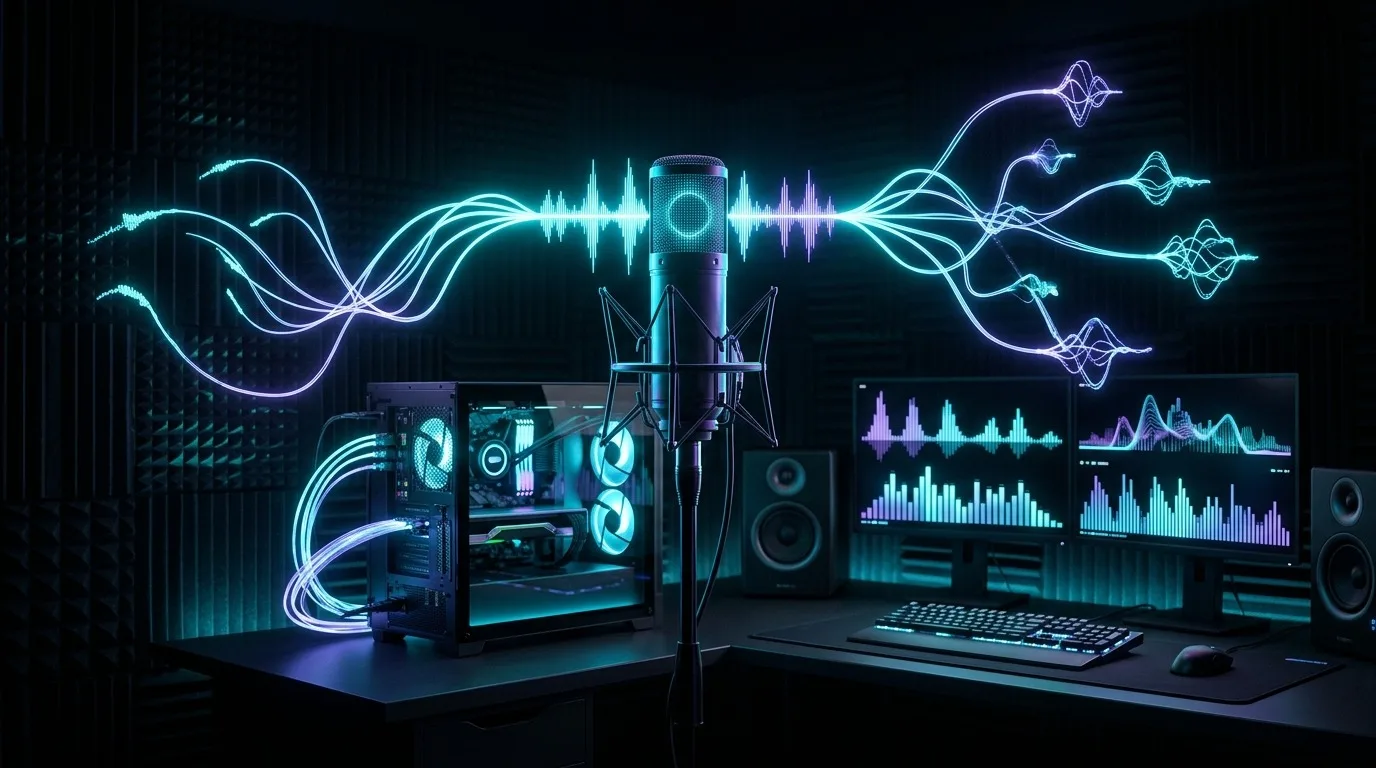
polyphon-audio is a small, local-first project for text-to-speech, voice cloning, and sound generation — voice cloning from a short reference clip, multi-voice narration, voice design from a text description, sound effects and music, and a live conversational voice loop, all running on your own GPU with no network round-trip.
Let's get the framing right up front, because it matters more than the feature list: this is not an attempt to compete with ElevenLabs. ElevenLabs and services like it are good — genuinely good — at what they do, and they're the right choice for most people most of the time. This project exists for a narrower reason: it's a playground for learning what local, offline TTS can actually do on consumer hardware in 2026, and for the specific cases where "my script and my cloned voice go through a third party, metered per character" is a real cost rather than a footnote — a hobbyist audiobook, a voice you don't want leaving your machine, an experiment that shouldn't need an internet connection to run.
Standing on audio.cpp
None of this would exist without audio.cpp — a native, ggml-based inference engine covering TTS, ASR, voice cloning, voice design, and sound/music generation, with no Python runtime required, across NVIDIA, AMD, Apple Silicon, and CPU-only machines. All the actual model inference in this project — every waveform that comes out — is audio.cpp doing the work. Full credit to 0xShug0 for building and maintaining it.
What audio.cpp doesn't give you out of the box is a product on top of the engine: it has no concept of a persona, a named voice that persists across calls, a multi-speaker script, or a conversation with memory. That's the gap polyphon-audio fills — a thin integration layer, not a reimplementation of anything audio.cpp already does well.
The resident server, and why it matters
audio.cpp ships audiocpp_cli (one model, one invocation, exits when done) and audiocpp_server (loads models once, serves requests over HTTP for as long as it runs). For anything conversational, the difference is the whole ballgame — reloading a TTS model from disk on every turn of a conversation is a non-starter for anything that needs to feel live.
The server is configured with a plain JSON file listing which models to load and under what id. Here is the full server.json for the complete stack — voice cloning, ASR, voice design, and sound generation all resident at once:
{
  "host": "127.0.0.1", "port": 8091, "backend": "hip", "device": 0,
  "threads": 4, "lazy_load": true, "max_loaded_models": 0,
  "models": [
    {"id": "chatterbox",    "family": "chatterbox",   "task": "clon", "mode": "offline",
     "path": "models/Chatterbox-GGUF/chatterbox-q8_0.gguf"},
    {"id": "nemotron-asr",  "family": "nemotron_asr", "task": "asr",  "mode": "offline",
     "path": "models/Nemotron-3.5-ASR-Streaming-0.6B-GGUF/nemotron-3.5-asr-streaming-0.6b-q8_0.gguf"},
    {"id": "voice-design",  "family": "qwen3_tts",    "task": "vdes", "mode": "offline",
     "path": "models/Qwen3-TTS-12Hz-1.7B-VoiceDesign-GGUF/qwen3-tts-12hz-1.7b-voicedesign-q8_0.gguf"},
    {"id": "sound-music",   "family": "stable_audio", "task": "gen",  "mode": "offline",
     "path": "models/Stable-Audio-3-Small-Music-GGUF/stable-audio-3-small-music-q8_0.gguf"},
    {"id": "sound-sfx",     "family": "stable_audio", "task": "gen",  "mode": "offline",
     "path": "models/Stable-Audio-3-Small-SFX-GGUF/stable-audio-3-small-sfx-q8_0.gguf"}
  ]
}
lazy_load plus max_loaded_models: 0 means every model in the list loads on first use and stays resident — useful when a single GPU is juggling an ASR model, a cloning model, a voice-design model, and two sound-generation models across one session, without knowing in advance which one gets used first.
The server speaks an OpenAI-compatible audio API: POST /v1/audio/speech for synthesis, POST /v1/audio/transcriptions for ASR — the same wire shapes the OpenAI audio API uses, which means anything already written against that API is most of the way to working against a fully local backend instead.
The live conversation loop
The real-time voice loop lives in scripts/realtime/bot_fastrtc.py and is built on FastRTC: browser mic → Silero VAD (ReplyOnPause) → Nemotron ASR → local LLM (streaming, sentence-by-sentence) → Chatterbox TTS → spoken reply, with barge-in support. The whole pipeline is async so FastRTC can actually cancel an in-flight reply when the user interrupts.
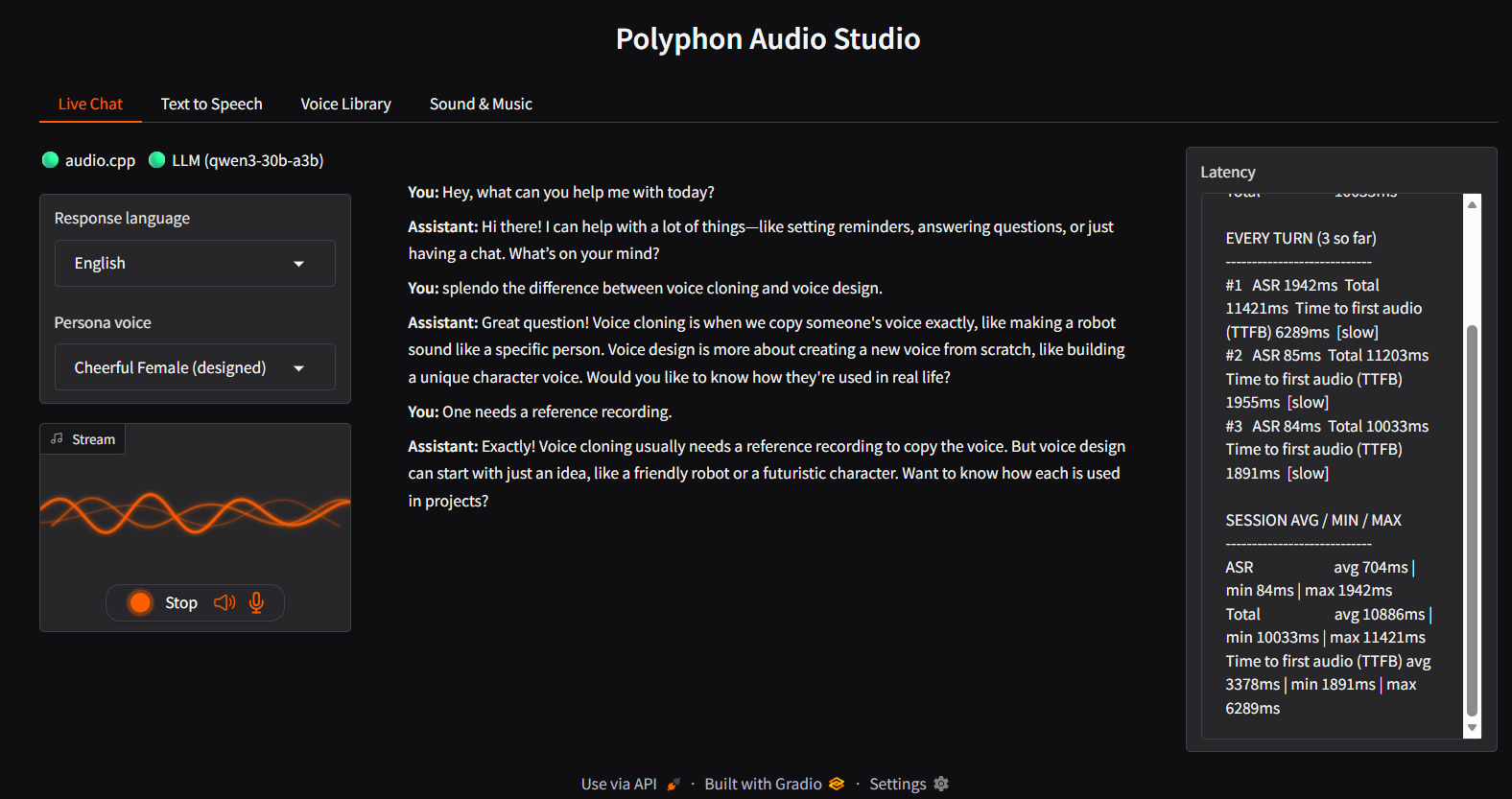
The speak() method on the Conversation class is the TTS entry point. It now delegates to synthesize_speech_with_pauses — shared with the Studio's Text to Speech tab — which honors inline [pause Ns] markers in the LLM's reply by synthesizing each spoken chunk separately and splicing real silence in for the gap (Chatterbox has no pause token of its own and would read [pause 0.6s] aloud literally otherwise):
# scripts/realtime/bot_fastrtc.py — Conversation.speak()
async def speak(self, text: str) -> tuple[int, np.ndarray]:
    """Speaks text via the resident server, honoring inline '[pause Ns]'
    markers (see synthesize_speech_with_pauses above).
    """
    wav_bytes = await synthesize_speech_with_pauses(
        self.client, self.audiocpp_url, text, self.voice_ref, self.exaggeration
    )
    with wave.open(BytesIO(wav_bytes), "rb") as w:
        rate = w.getframerate()
        pcm = np.frombuffer(w.readframes(w.getnframes()), dtype=np.int16)
    return rate, pcm
voice_ref is the entire cloning interface: point it at a short reference clip once, and every call speaks in that voice — no fine-tuning, no training run, the model conditions on the reference audio directly. The LLM reply streams sentence-by-sentence so the first sentence's audio starts before the last one is even generated; markdown is stripped before TTS (asterisks and backticks break sentence-boundary detection and vocalize as noise); and long sessions are kept within the LLM's context window by maybe_compact(), which folds older turns into a rolling summary post-turn so it never adds latency to the reply the user is waiting on.
Batch paths: narration and the CLI synthesizer
For anything that isn't a live conversation — batch narration, one-off voice cloning — there's no reason to keep a server resident at all. Those scripts shell out to audiocpp_cli directly via synthesize():
# scripts/persona_turn.py — synthesize()
def synthesize(cli: Path, model_path: Path, backend: str, text: str, voice_ref: str, out_path: Path) -> None:
    out_path.parent.mkdir(parents=True, exist_ok=True)
    result = subprocess.run(
        [
            str(cli),
            "--task", "clon",
            "--family", "chatterbox",
            "--model", str(model_path),
            "--backend", backend,
            "--device", "0",
            "--text", text,
            "--voice-ref", voice_ref,
            "--out", str(out_path),
            "--metrics",
        ],
        capture_output=True,
        text=True,
        check=False,
    )
    if result.returncode != 0:
        sys.exit(f"audiocpp_cli TTS failed:\n{result.stderr[-4000:]}")
    print(result.stdout, file=sys.stderr)
The [pause Ns] marker handling (synthesize_with_pauses in persona_turn.py) applies here too — the batch narration script (narrate.py) uses the same helper, so a multi-voice dialogue script can include natural pauses without the synthesizer reading them aloud.
Multi-voice narration: feed it a voices registry and a script, get one WAV per line and a stitched full-dialogue file:
# scripts/narrate.py (excerpt)
for i, line in enumerate(lines):
    speaker = line["speaker"]
    text = line["text"]
    out_path = out_dir / f"line_{i:04d}_{speaker}.wav"
    synthesize_with_pauses(
        text,
        out_path,
        lambda chunk, path, _ref=voices[speaker]: synthesize(cli, tts_model, args.backend, chunk, _ref, path),
    )
The multi-turn session script (persona_session.py) keeps message history across turns — same pattern as the live loop, but driven from a JSON script of {"text": "..."} or {"audio": "path/to/clip.wav"} turns rather than real-time mic input. It accumulates a session_transcript.json alongside the per-turn WAV files.
The integration layer, concretely
Above that HTTP/CLI surface, polyphon-audio adds the pieces audio.cpp deliberately doesn't have an opinion about:
a named-voice registry (
voices/registry.json), so "the narrator" or "Alex" maps to a specific reference clip consistently across a whole script;multi-voice narration — a script with multiple speaker tags in, one stitched audio file out, with inline
[pause Ns]markers supported;a conversational loop with real turn-by-turn memory, sentence-level streaming from the LLM straight into TTS, barge-in support, and rolling context compaction for long sessions;
a meeting integration script (
persona_meeting.py) that takes apolyphon-aitranscript JSON directly and turns it into a spoken reply in one command.
That combination — local LLM plus local persona voice cloning, no cloud round-trip anywhere in the loop — is the actual reason this is a separate project and not just "audio.cpp plus a wrapper script." Cloud voice-agent stacks don't run offline and don't let you swap in your own transcript source or LLM; this does, by construction, because every piece of it is a process you're running yourself.
Polyphon Audio Studio
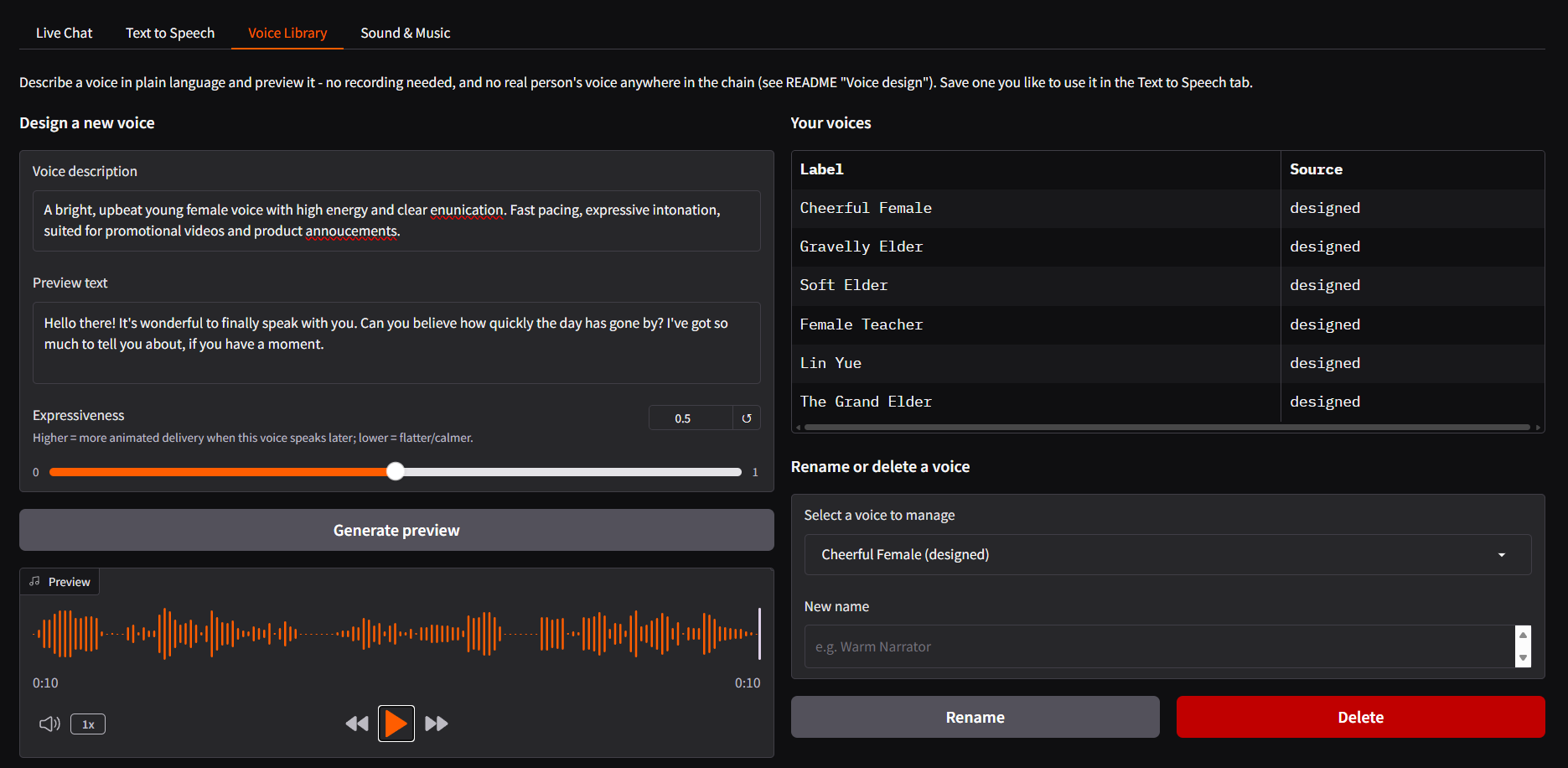
The project now ships a four-tab Gradio web UI (scripts/studio.py), all backed by the same resident audiocpp_server:
Tab | What it does |
|---|---|
Live Chat | Real-time voice loop from |
Text to Speech | Batch synthesis from typed text, pick a voice from the library, download the clip |
Voice Library | Design a brand-new synthetic voice from a text description ( |
Sound & Music | Short text-to-music or text-to-sound-effect clips ( |
Run it with:
# Recommended for LAN access (enables HTTPS & microphone permissions):
.venv-fastrtc/Scripts/python.exe scripts/studio.py --self-signed
# Then open the printed https://<host>:7861 URL
The Voice Library tab uses audio.cpp's qwen3_tts "vdes" family — voice design from a text description alone, no reference recording required. A new voice saved here immediately shows up in the Text to Speech tab's picker and the Live Chat tab's voice selector, because all three read from the same voices/registry.json.
Composes with polyphon-ai
polyphon-audio is independent — its own dependencies, its own release cadence — but it composes with a sibling project, polyphon-ai (local transcription and speaker diarization), when the point is specifically to get audio back out. If you haven't seen it yet, https://zyvop.com/polyphon-ai-local-meeting-intelligence-42xo6 covers the full pipeline — dual-stream capture, VoiceDB persistent speaker identity, and portable HTML meeting artifacts.
The meeting integration is concrete and scriptable via persona_meeting.py: give it a polyphon-ai transcript JSON, an instruction for the LLM, and a voice reference, and it speaks a reply in one shot:
audio/video in ──► polyphon-ai ──► named, diarized transcript (JSON)
                                          │
                                          ▼
                           persona_meeting.py + local LLM
                                          │
                                          ▼
                                   Chatterbox TTS ──► spoken reply WAV
python scripts/persona_meeting.py \
--transcript outputs/meeting.json \
--instruction "Summarize what was decided and what happens next." \
--voice-ref examples/voice_synthetic.wav \
--out reply.wavWorth being honest about the limit here: polyphon-ai already produces readable meeting minutes as text on its own, and turning that into audio isn't automatically better than reading it. It's a genuine win specifically when audio is the point — a spoken recap for a commute, an accessibility need, or feeding a summary into another voice-first tool downstream — not the headline reason either project exists.
What's next: a platformer, scored entirely offline
The sound-music and sound-sfx model entries in server.json above aren't there for narration — I'm using this project's sound-generation path (audio.cpp's stable_audio family) to score a 2D platformer game: procedurally-directed background music and one-off sound effects generated from text descriptions instead of licensed or hand-recorded assets.
The game itself — art, level design, and the 3D-printable-adjacent asset pipeline (somewhere between the fully 3D-printable models from printable and fully non-printable, fully colored GLB models for in-game use) — is its own project and out of scope here. But the audio side of it is a real, ongoing use of everything above, and a good test of whether "generate a sound effect from a sentence" holds up outside a demo. More on that game in a future post.
Try it
The full setup (audio.cpp build, server.json, the Python UI) is in the README. Apache-2.0, same as audio.cpp itself and the rest of the Polyphon projects.
Comments(3)
Join the discussion by logging into your account.
Anshu Pathak
The resident server is probably the most interesting part here. A lot of local voice demos look good until model reload time gets added to every turn; keeping the stack resident and streaming the LLM sentence-by-sentence makes this feel much closer to an actual voice system. I’d be interested in the other side of that tradeoff though: with `lazy_load: true` and `max_loaded_models: 0`, what does steady-state VRAM usage look like after ASR, Chatterbox, voice design, and the Stable Audio models have all been touched? And during barge-in, do ASR and TTS ever contend enough for GPU memory/compute to noticeably affect latency? A follow-up with cold-start vs warm latency and VRAM numbers on a consumer GPU would be really useful.