
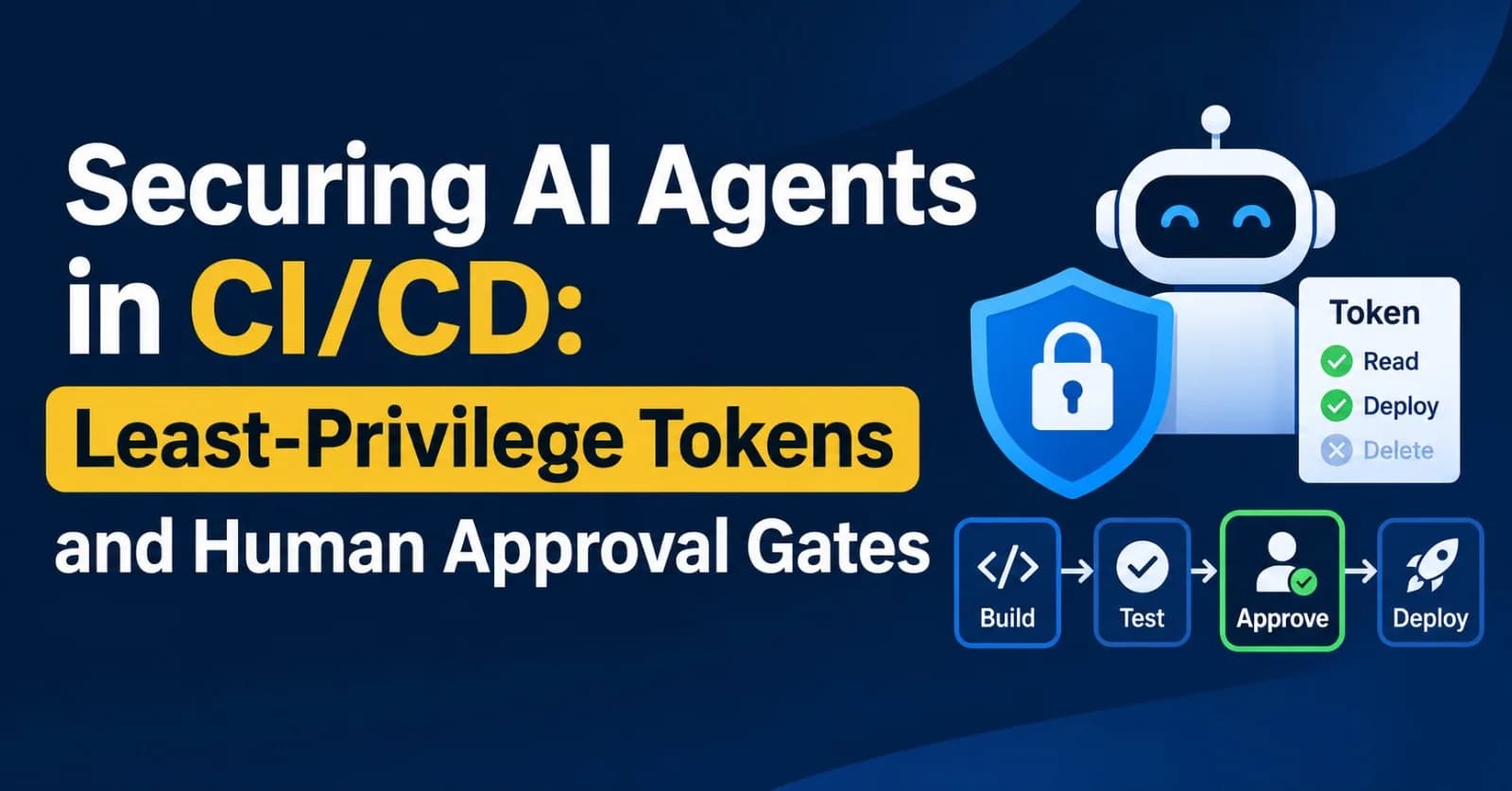
TL;DR AI agents in CI/CD read text written by strangers while holding credentials, and researchers have already shown that this combination can leak secrets. Prompt injection can't be filtered away, so design for impact:
Least privilege: read-only tokens, almost no secrets, pinned actions.
Propose, don't apply: the agent suggests, and a separate validated job acts.
Human gates: a person approves anything sensitive, and merges stay human.
4 days | 5+ | 3 | ~23,000 |
|---|---|---|---|
Time Google took to fix the Gemini CLI issue after Aikido's disclosure | Fortune 500 companies reported as exposed to PromptPwnd | Vendors that confirmed the Comment and Control findings | Repositories reached by the 2025 tj-actions compromise |
Figures come from Aikido's disclosure (via press coverage), SecurityWeek, and the Cloud Security Alliance.
AI agents are moving into the pipeline. They triage issues, review pull requests, apply labels, and sometimes open fixes, often as ordinary GitHub Actions jobs.
That creates a situation CI/CD security never had to handle: a component that reads text written by strangers, holds credentials, and acts on what it reads.
This post covers what has gone wrong, a simple mental model, and two habits that limit the damage when an agent is tricked. The examples use GitHub Actions, but the principles apply to any CI system.
Why this is a different kind of risk
A traditional workflow does what its YAML says. An agent's behavior is also shaped by whatever it reads at runtime.
In a pipeline, much of that text comes from people you don't control: issue titles, PR descriptions, commit messages, branch names, code comments, and logs. Instructions hidden in that content are called prompt injection.
It's tempting to compare it to SQL injection, but the UK's National Cyber Security Centre argues the comparison is dangerous. SQL injection has a structural fix, parameterised queries, while a language model has no inherent boundary between data and instructions.
The NCSC concludes that prompt injection may never be fully mitigated, so it should be treated as residual risk. If a system can't tolerate what's left, an LLM may be the wrong tool for it.
Remember: The goal isn't a perfect filter. It's to make sure that when an agent is tricked, there's very little it can do.
What has already happened
timeline
    title How the risk surfaced
    Oct 2025 : Meta publishes the Agents Rule of Two
    Dec 2025 : Aikido discloses PromptPwnd : NCSC says prompt injection may never be fully mitigated
    Apr 2026 : Comment and Control hijacks agents from three vendors
    May 2026 : CSA publishes research on prompt injection in GitHub Actions
    Aug 2026 : CSA reports new flaws kept emerging after the fixes
PromptPwnd (December 2025). Aikido Security found workflows in GitHub Actions and GitLab CI/CD that fed untrusted issue, PR, or commit text straight into AI agent prompts.
The agents included Gemini CLI, Claude Code, OpenAI Codex, and GitHub AI Inference.
They also held high-privilege tokens and tools such as shell access or issue editing.
In a proof of concept against Google's Gemini CLI repository, a malicious issue made the agent write secrets into a public issue.
Google fixed it within days, and press coverage reported at least five Fortune 500 companies were exposed.
Comment and Control (April 2026). Researcher Aonan Guan and colleagues showed that crafted PR titles, comments, and issue bodies could hijack Anthropic's Claude Code Security Review, Google's Gemini CLI Action, and GitHub's Copilot coding agent, usually with no action from a maintainer.
All three vendors confirmed the findings.
Guan's point was that layered defenses can be bypassed, because injected text is simply context the agent is designed to process.
It keeps recurring. A later Cloud Security Alliance research note reported new, independently exploitable flaws emerging in these tools after the original fixes. Patching one product at a time doesn't end the problem.
Warning: Passing untrusted text through an environment variable prevents classic command injection, but not prompt injection. The model still receives the attacker's words.
The attack chain is short, and none of it requires special access:
sequenceDiagram
    autonumber
    actor Attacker
    participant Issue as Public issue or PR
    participant WF as Workflow runner
    participant Agent as AI agent
    participant Secrets as Tokens and API keys
    participant Thread as Public thread or logs

    Attacker->>Issue: Posts text with hidden instructions
    Issue->>WF: Event triggers the workflow automatically
    WF->>Agent: Passes the text into the prompt
    Note over Agent: The model cannot reliably tell data from instructions
    Agent->>Secrets: Uses its tools to read credentials
    Agent->>Thread: Writes the credentials into a comment or log
    Attacker->>Thread: Reads the leaked secrets
The Rule of Two
Meta's security team proposed a simple test: until prompt injection can be reliably detected and refused, an agent session should combine no more than two of these three properties.
Property | What it looks like in CI/CD |
|---|---|
A. Untrusted input | Issue and PR text, comments, commit messages, branch names, the code under review, logs |
B. Sensitive access | A broad |
C. State change or external communication | Pushing commits, editing issues, posting comments, running shell commands with network access |
The vulnerable workflows above combined all three. Break any link in the chain and the attack fails:
flowchart LR
    A["A. Untrusted input<br/>issue text, PR titles, comments"]
    B["B. Sensitive access<br/>tokens, API keys, secrets"]
    C["C. State change or egress<br/>push, comment, shell, network"]
    X["Secret leak or<br/>repository tampering"]
    A --> B --> C --> X
    R1(["Remove A<br/>trusted triggers only"]) -.-> A
    R2(["Remove B<br/>read-only token, no secrets"]) -.-> B
    R3(["Remove C<br/>propose, then gated apply"]) -.-> C
    classDef risk fill:#fde8e8,stroke:#c0392b,color:#222;
    classDef fix fill:#e6f4ea,stroke:#2e7d32,color:#222;
    class A,B,C,X risk;
    class R1,R2,R3 fix;
Two caveats.
Meta describes the rule as a supplement to least privilege, not a replacement.
Simon Willison points out that untrusted input plus the ability to change state isn't truly safe even without secrets, since a hijacked agent can still do harm. That's why "propose, don't apply" matters below.
Part 1: Least-privilege tokens
Deny by default. In GitHub Actions, the
permissionskey controls theGITHUB_TOKEN. Once you specify any permission, every unspecified one is set to none, andpermissions: {}disables them all.Defaults depend on your enterprise, organization, or repository settings, so declare them explicitly, as the reference workflow below does.
Avoid
pull_request_targetwith agents. It gives workflows a read/write token and access to secrets even for pull requests from public forks. Pairing it with an agent that reads fork content, or with any step that runs fork code, recreates the dangerous combination.Give the agent the smallest toolbox. Allowlist tools instead of handing over an unrestricted shell. Avoid tools that write to issues or PRs in the stage that reads untrusted text, as Aikido recommends. Narrow network access where your runner allows it.
Keep secrets away from it.
The model API key is usually the one unavoidable secret, so scope it to the repository, cap spending, and rotate it. GitHub's own agentic workflows go further by keeping model tokens in an isolated proxy.
Prefer the built-in
GITHUB_TOKENover long-lived personal access tokens.For cloud access, use OIDC with the
subclaim in your trust policy limited to a specific repository and branch. The CSA's May 2026 note describes trust policies without that limit that any repository could assume.
Pin third-party actions to full commit SHAs. Floating tags can be moved after the fact, which is how the 2025
tj-actions/changed-filescompromise reached roughly 23,000 repositories, according to the same CSA note.
Part 2: Human approval gates
Decide who can trigger the agent. Don't run it on every public issue or PR. Use a label, since only people with triage-level access or above can apply one, or check a commenter's relationship to the repository:
on:
  issue_comment:
    types: [created]

jobs:
  agent:
    if: >-
      github.event.issue.pull_request &&
      contains(fromJSON('["OWNER","MEMBER","COLLABORATOR"]'),
               github.event.comment.author_association)
Gating who triggers the agent doesn't clean what it reads, though. A maintainer can trigger a review of a PR whose description was written by an attacker.
Propose, don't apply. The agent reads with read-only access and produces structured output, such as a JSON review or patch. A separate, deterministic job validates it and does the writing.
GitHub's agentic workflows work this way: the agent can only stage updates, which are filtered and sanitized, including secret removal, before anything is applied.
Treat the output as untrusted input, checking schema, length, and unexpected links, images, or
@mentions. A sample validator follows below.
Require approval for sensitive steps. GitHub environments can require named reviewers before a job runs, and secrets scoped to an environment are released only after approval. Use this for anything that publishes, deploys, or writes to the repository.
Keep humans in the merge path. Apply branch protection so agent-authored PRs get the same review as anyone else's, and check your Actions settings so workflows can't approve pull requests.
Make approvals meaningful. Meta's write-up notes that designs satisfying the Rule of Two can still fail when someone blindly confirms a warning. Show reviewers the exact output, and keep approval requests rare enough that they stay attentive.
Putting it together
First, the pattern to avoid. This illustrative anti-pattern is based on the class of workflow Aikido described, so please don't copy it:
# Anti-pattern: do not copy
on:
  issues:
    types: [opened]            # any public user can trigger this

permissions: write-all         # far more access than triage needs

jobs:
  triage:
    runs-on: ubuntu-latest
    steps:
      - name: Run agent
        run: |
          bash ci/run-agent.sh --prompt "Triage this issue. Title: ${{ github.event.issue.title }} Body: ${{ github.event.issue.body }}"
        env:
          GITHUB_TOKEN: ${{ secrets.GITHUB_TOKEN }}
          MODEL_API_KEY: ${{ secrets.MODEL_API_KEY }}
Aspect | ❌ Vulnerable pattern | ✅ Hardened pattern |
|---|---|---|
Trigger | Every new public issue | A maintainer applies a label |
Token |
|
|
Secrets | Everything in the environment | A scoped, capped model key only |
Untrusted text | Pasted into a shell command and the prompt | Read by the agent through read-only tools |
Agent output | Applied directly | Proposed as JSON, validated, then approved |
Tooling code | Taken from the PR branch | Taken from the default branch |
The hardened design has three stages and two gates. Nothing reaches a write scope until it has been validated and approved:
flowchart TD
    subgraph U["Untrusted zone"]
        IN["Issue and PR text<br/>code under review"]
    end
    subgraph G1["Gate 1 · who can trigger"]
        L["Maintainer adds a label"]
    end
    subgraph S1["Stage 1 · Analyze · read-only token, scoped and capped model key"]
        AG["AI agent<br/>read-only tools"]
    end
    subgraph S2["Stage 2 · Validate · deterministic code"]
        V["Schema, length,<br/>link and secret checks"]
    end
    subgraph G2["Gate 2 · human approval"]
        H["Required reviewers<br/>on the environment"]
    end
    subgraph S3["Stage 3 · Publish · one narrow write scope"]
        P["Post comment<br/>or open PR"]
    end
    IN --> L --> AG
    AG -->|"review.json"| V --> H --> P
    style U fill:#fdecea,stroke:#c0392b,color:#222
    style G1 fill:#fff4e5,stroke:#e67e22,color:#222
    style G2 fill:#fff4e5,stroke:#e67e22,color:#222
    style S1 fill:#e8f0fe,stroke:#1a56db,color:#222
    style S2 fill:#e8f0fe,stroke:#1a56db,color:#222
    style S3 fill:#e8f0fe,stroke:#1a56db,color:#222
    classDef plain fill:#ffffff,stroke:#555,color:#222;
    class IN,L,AG,V,H,P plain;
Here is the reference workflow. A maintainer applies a label, a read-only job runs the agent, and a separate gated job publishes the validated result:
name: ai-review

on:
  pull_request:
    types: [labeled]

permissions: {}                      # deny everything by default

jobs:
  analyze:
    if: github.event.label.name == 'ai-review'    # a maintainer decides when
    runs-on: ubuntu-latest
    permissions:
      contents: read                 # no write scopes
    steps:
      - name: Trusted tooling from the default branch
        uses: actions/checkout@<full-commit-sha>  # pin to a full SHA
        with:
          ref: ${{ github.event.repository.default_branch }}
          path: tools
          persist-credentials: false
      - name: Code under review
        uses: actions/checkout@<full-commit-sha>
        with:
          ref: ${{ github.event.pull_request.head.sha }}
          path: pr
          persist-credentials: false
      - name: Run agent with read-only tools
        run: bash tools/ci/run-agent.sh --repo pr --allow-tools read_file,grep --out review.json
        env:
          MODEL_API_KEY: ${{ secrets.MODEL_API_KEY }}
      - uses: actions/upload-artifact@<full-commit-sha>
        with:
          name: review
          path: review.json

  publish:
    needs: analyze
    runs-on: ubuntu-latest
    environment: ai-publish          # required reviewers approve first
    permissions:
      contents: read                 # needed to check out the trusted scripts
      pull-requests: write           # the only write scope in the workflow
    steps:
      - name: Trusted scripts from the default branch
        uses: actions/checkout@<full-commit-sha>
        with:
          ref: ${{ github.event.repository.default_branch }}
          persist-credentials: false
      - uses: actions/download-artifact@<full-commit-sha>
        with:
          name: review
      - name: Validate, then post
        run: |
          python3 ci/validate_review.py review.json > comment.md
          gh pr comment "$PR_NUMBER" --body-file comment.md
        env:
          GH_TOKEN: ${{ github.token }}
          PR_NUMBER: ${{ github.event.pull_request.number }}
Tip: The tooling scripts come from the default branch, and only the code being reviewed comes from the pull request. Otherwise, whoever opens the PR could change the very scripts that hold your keys or post your comments.
In Rule of Two terms:
The analyze job processes untrusted content (A), but it has no write token and no secrets beyond the model key.
The publish job can write (C), but it never runs the agent, it only handles validated output, and it waits for a human.
Limits of this pattern: It suits PRs from branches in your own repository. Workflows triggered by fork PRs don't receive secrets by default, which is a useful safety feature, so resist bypassing it with
pull_request_target.The scripts
run-agent.shandvalidate_review.pyare yours to provide, and the tool allowlist only helps if your agent actually enforces it, so test that.
Sample validator: ci/validate_review.py (click to expand)
This script rejects anything unexpected and prints a Markdown comment only if every check passes. Treat it as a starting point and tighten it for your needs.
#!/usr/bin/env python3
"""Validate an AI agent's review JSON. Prints a Markdown comment on success."""
import json
import re
import sys

MAX_TEXT = 4000
ALLOWED_KEYS = {"summary", "findings"}
SEVERITIES = {"info", "low", "medium", "high"}
BLOCKED = [
    (re.compile(r"https?://", re.I), "a link"),
    (re.compile(r"!\[[^\]]*\]\("), "a Markdown image"),
    (re.compile(r"(?<!\w)@\w+"), "an @mention"),
    (re.compile(r"(ghp_|github_pat_|sk-|AKIA)[A-Za-z0-9_\-]{10,}"), "a token-like string"),
]


def reject(reason):
    sys.exit(f"Rejected: {reason}")


def check_text(value, where):
    if not isinstance(value, str) or not value.strip():
        reject(f"{where} must be a non-empty string")
    if len(value) > MAX_TEXT:
        reject(f"{where} is longer than {MAX_TEXT} characters")
    for pattern, label in BLOCKED:
        if pattern.search(value):
            reject(f"{where} contains {label}")
    return value.strip()


with open(sys.argv[1], encoding="utf-8") as fh:
    data = json.load(fh)

if not isinstance(data, dict) or set(data) - ALLOWED_KEYS:
    reject("unexpected structure")

findings = data.get("findings", [])
if not isinstance(findings, list):
    reject("findings must be a list")

lines = ["### AI review (advisory)", "", check_text(data.get("summary"), "summary"), ""]
for i, finding in enumerate(findings, start=1):
    if not isinstance(finding, dict) or finding.get("severity") not in SEVERITIES:
        reject(f"finding {i} has an invalid severity")
    message = check_text(finding.get("message"), f"finding {i}")
    lines.append(f"- **{finding['severity']}**: {message}")

print("\n".join(lines))
Monitor and test
Watch and log. Runner-level monitoring such as StepSecurity's Harden-Runner can flag unexpected network connections, and the CSA recommends it for workflows that process untrusted input. Record the agent's tool calls too.
Scan and red-team.
Workflow linters such as zizmor and actionlint flag risky patterns, and Aikido has open-sourced detection rules for the PromptPwnd pattern.
Then try injection payloads in issue bodies, PR titles, and comments in a test repository with fake secrets. The CSA recommends this as a gate before launch.
Keep a kill switch. Know how to disable the workflow and rotate keys fast.
Checklist
Each control removes one of the three Rule of Two properties (A, B, C) or covers a gap around them:
☐ | Control | Removes | Effort |
|---|---|---|---|
☐ | Top-level | B, C | Low |
☐ | Read-only token and a tool allowlist for the agent | B, C | Low to medium |
☐ | Only a scoped, capped model key in the agent's environment, or an API proxy | B | Low to medium |
☐ | Label or trusted-commenter trigger, never every public issue | A | Low |
☐ | Tooling scripts run from the default branch, not the PR | A | Low |
☐ |
| A, B | Low |
☐ | Agent output validated and applied by a separate job | C | Medium |
☐ | Sensitive steps behind an environment with required reviewers | C | Low |
☐ | Agent-authored changes get normal human review before merging | C | Low |
☐ | Third-party actions pinned to full commit SHAs | Supply chain | Low |
☐ | Injection tests run, and a kill switch ready | Validation | Medium |
Frequently Asked Questions
Will a better model or a guardrail product fix this?
Better models and guardrails help, but they don't remove the need to limit impact. The NCSC says prompt injection can't be fully mitigated with a product, and Meta's Rule of Two exists because reliable detection isn't available yet.
Does this apply to GitLab, Jenkins, or other CI systems?
Yes. Aikido's research covered GitLab CI/CD as well, and the principles are the same: scoped job credentials, approval-gated steps, and separate stages for reading and writing. Check your platform's documentation for the equivalent features.
Final thoughts
None of this makes prompt injection impossible, and the NCSC is clear that no product will solve it.
What these habits do is change the stakes. An agent that can only read, holds almost no secrets, and hands its suggestions to a validated, human-approved step can be fooled without causing a breach.
Design as if the agent will be tricked eventually. Then make sure the worst outcome is a bad suggestion that a person declines to approve.
Sources
Source | What it covers | Type |
|---|---|---|
Why prompt injection differs from SQL injection | Government guidance | |
The original disclosure in GitHub Actions and GitLab CI/CD | Security research | |
The cross-vendor attack on three AI agents | News report | |
Prompt injection and supply chain risks in GitHub Actions | Research note | |
New flaws in AI coding agents in CI | Research note | |
The design principle used in this post | Security guidance | |
A critique of the rule and the "lethal trifecta" | Blog post | |
A reference design for isolating agents and staging writes | Engineering blog |
Incident claims come from the sources above. Token behavior follows GitHub's GITHUB_TOKEN documentation.
How is your team handling AI agents in its pipelines? Share your approach in the comments.
Comments0
Join the discussion by logging into your account.
No comments yet. Start the conversation.