
TL;DR
Binary search finds a value in a sorted array by repeatedly throwing away half of what is left: 30 steps for a billion items, 40 for a trillion.
It is famously easy to get wrong. In Jon Bentley's classes, about 90% of professional programmers wrote a buggy version, and the binary search in Java's own standard library carried an overflow bug for years.
The safe way is to write one loop that finds the first index where a yes/no question turns true, keep an invariant, and build everything else on it in one line each.
The same loop solves any monotonic question: integer square roots, thresholds, and
git bisect.
1. The idea
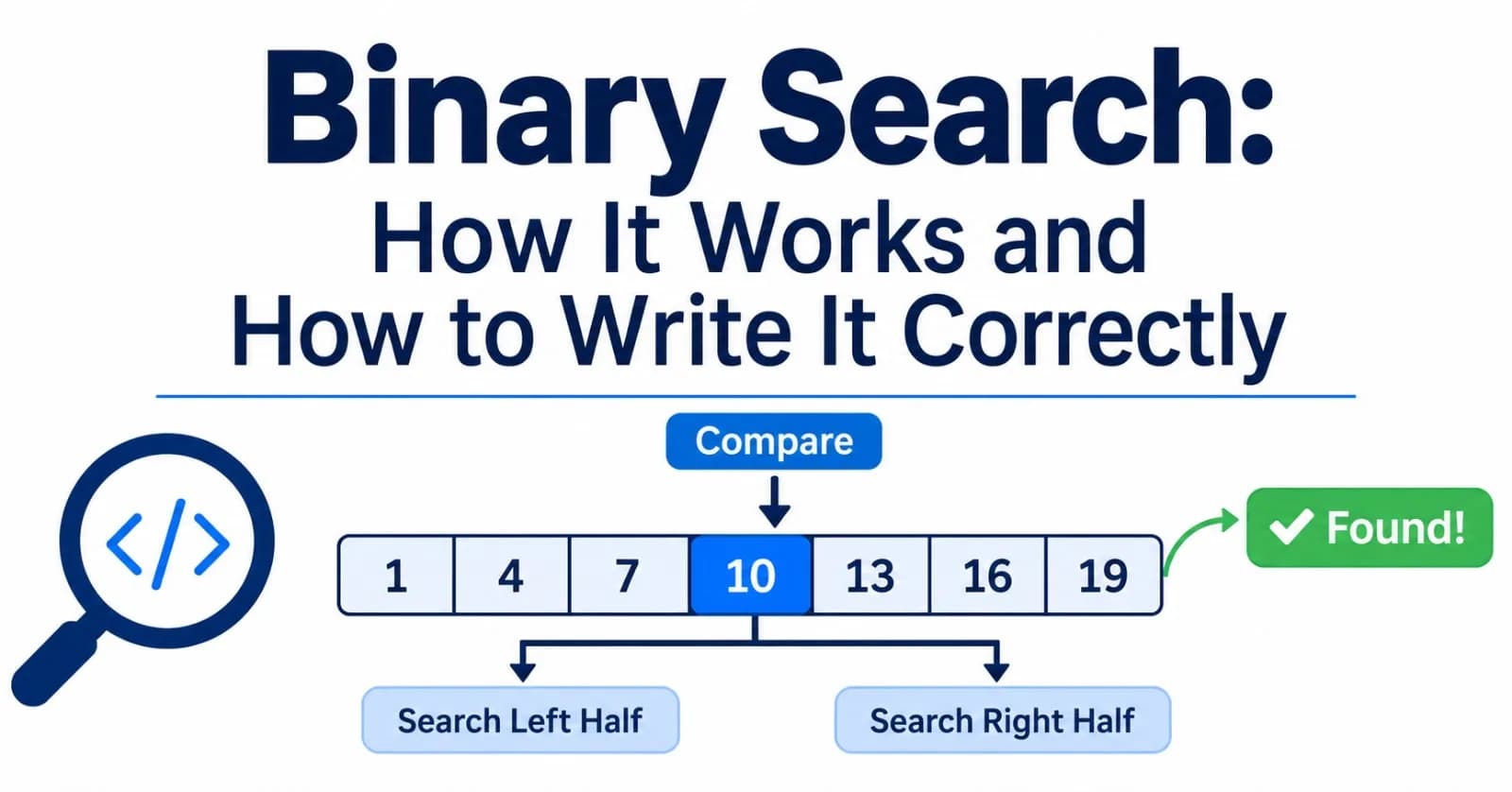
Think of a number between 1 and 100 and I will guess it in at most 7 guesses, if you tell me "higher" or "lower" each time. I guess 50. You say "higher". Now the answer is in 51 to 100, so I guess 75. Every answer throws away half the candidates.
A sorted array works the same way. Compare the middle element with your target, and one comparison tells you which half cannot contain it. Because the work halves each time, the number of steps grows like log₂ n. We measured the exact worst case of the loop below:
Items in the array | Worst-case steps (binary search) | Worst-case steps (linear scan) |
|---|---|---|
10 | 4 | 10 |
100 | 7 | 100 |
1,000 | 10 | 1,000 |
1,000,000 | 20 | 1,000,000 |
1,000,000,000 | 30 | 1,000,000,000 |
1,000,000,000,000 | 40 | 1,000,000,000,000 |
Doubling the data adds exactly one step. That is the entire appeal.
It has two requirements: the data must be sorted, and you must be able to jump to the middle in constant time (an array, not a linked list).
2. Write it once, correctly
Most explanations teach "find this value." That framing causes trouble: what do you return when the value is absent, and which copy do you find when there are duplicates?
A sturdier framing is to look for a boundary. Imagine a yes/no question that is false for the first part of the array and true for the rest, such as "is a[i] at least 23?" Binary search finds the first index where the answer is true. That index always exists (it might be the end of the array), so there is no special "not found" path inside the loop.
// bsearch.mjs: binary search, built on one function.

// The first index in [lo, hi) where pred(index) is true. This assumes pred is false for
// a prefix of the range and true for the rest. If it is never true, the answer is hi.
export function firstTrue(lo, hi, pred) {
  // Invariant: pred is false for every index before lo, and true for every index from hi on.
  while (lo < hi) {
    const mid = lo + Math.floor((hi - lo) / 2);   // never overflows, never negative
    if (pred(mid)) hi = mid;                      // mid might be the answer, so keep it
    else lo = mid + 1;                            // mid is too small, so drop it
  }
  return lo;                                      // lo === hi: the boundary
}

// Everything else is a one-line question to firstTrue, on a sorted array a:
export const lowerBound = (a, x) => firstTrue(0, a.length, (i) => a[i] >= x);   // first index with a[i] >= x
export const upperBound = (a, x) => firstTrue(0, a.length, (i) => a[i] > x);    // first index with a[i] >  x
export const count = (a, x) => upperBound(a, x) - lowerBound(a, x);              // how many times x occurs

export function search(a, x) {                                                   // index of the first x, or -1
  const i = lowerBound(a, x);
  return i < a.length && a[i] === x ? i : -1;
}
flowchart TD
S["lo = 0, hi = n"] --> L{"lo < hi ?"}
L -->|"no"| R["Return lo<br/>the boundary"]
L -->|"yes"| M["mid = lo + floor((hi − lo) / 2)"]
M --> P{"pred(mid) is true?"}
P -->|"true: the answer is mid or to its left"| H["hi = mid"]
P -->|"false: the answer is to the right of mid"| O["lo = mid + 1"]
H --> L
O --> LThe whole algorithm rests on the invariant in the comment. At every moment the array splits into three zones:
index:  0                    lo                     hi                      n
        [ pred is FALSE      ][ not checked yet     ][ pred is TRUE         ]
        [ for sure           ][                     ][ for sure             ]
Each iteration checks one element in the middle zone and moves a boundary past it, so the middle zone shrinks. When it is empty (lo === hi), the two proven zones touch, and the boundary between them is the answer. Four small decisions keep it correct:
Half-open range
[lo, hi).hipoints one past the last candidate. That makes an empty array (hi = 0) work with no special case.hi = midbutlo = mid + 1. Whenpred(mid)is true,miditself could be the answer, so keep it. When it is false,midis ruled out, so skip it. Both updates strictly shrink the range, so the loop always ends.The midpoint is
lo + floor((hi − lo) / 2), not(lo + hi) / 2. We will see why in section 4.One loop, one exit. There is no early
returninside the loop. That is what keeps duplicates under control.
3. Everything else is one line
Once firstTrue is right, the familiar operations are one-line questions on a sorted array a:
lowerBound(a, x)is the first index witha[i] >= x.upperBound(a, x)is the first index witha[i] > x.count(a, x)is the difference between them.search(a, x)checks whether the element atlowerBoundreally equalsx.
These are exactly the semantics of Python's standard library: bisect_left returns the insertion point that splits the list so everything to its left is < x and everything from it on is >= x, and bisect_right does the same with <= and >. lowerBound is also the insertion point: the index where x would go to keep the array sorted. (Java's Arrays.binarySearch reports a miss as -(insertion point) - 1, so you can still recover it.)
Here is a real trace of lowerBound(a, 23) on [2, 5, 8, 12, 16, 23, 38, 56, 72, 91]:
Step | lo | hi | mid | a[mid] | a[mid] >= 23 | Update |
|---|---|---|---|---|---|---|
1 | 0 | 10 | 5 | 23 | true | hi = 5 |
2 | 0 | 5 | 2 | 8 | false | lo = 3 |
3 | 3 | 5 | 4 | 16 | false | lo = 5 |
The loop ends with lo = hi = 5, and a[5] is 23, found in three steps instead of six. Searching for 24, which is absent, ends at index 6 (the insertion point), and search reports -1 because a[6] is 38, not 24.
4. The three classic bugs
In his book Programming Pearls, Jon Bentley reports that the first binary search was published in 1946, but the first version that worked for every array size did not appear until 1962. (Some accounts date the first general version to 1960, by Derrick Lehmer. Either way, it took about fifteen years.) When he gave professional programmers a couple of hours to write one, about 90% of them had bugs in their code. Knuth observed that although the idea is simple, the details are surprisingly tricky. Here are the traps, each one demonstrated.
Bug 1: the midpoint overflows
The textbook line is mid = (low + high) / 2. In languages with 32-bit integers, low + high can exceed the largest integer and wrap around to a negative number. Josh Bloch, who wrote the binary search in Java's java.util.Arrays, described how that exact line sat in the JDK and in Bentley's proven-correct textbook version, and broke for arrays of about a billion elements (2³⁰) or more. It had lain in wait for years because such arrays used to be unthinkable.
JavaScript's plain numbers are 64-bit floats, so lo + hi itself is safe, but the bitwise operators convert to 32-bit integers and bring the bug right back:
const lo = 1_500_000_000, hi = 2_000_000_000;
console.log((lo + hi) >> 1);          // -397483648   (the sum wrapped around in 32-bit arithmetic)
console.log(lo + ((hi - lo) >> 1));   //  1750000000   (correct)
We ran a search over a virtual 3,000,000,000-element range with the >> 1 midpoint. It never converged: the midpoint went negative and the search wandered below zero for 200 steps, when a correct search needs only 32. The fix is a single idea: compute the distance between the ends, not their sum.
Bug 2: the loop that never ends
The mirror-image trap is moving a boundary to mid when it must move past it:
function stuck(a, x) {
  let lo = 0, hi = a.length - 1;
  while (lo < hi) {
    const mid = (lo + hi) >> 1;
    if (a[mid] < x) lo = mid;       // BUG: must be mid + 1, or the range can stop shrinking
    else hi = mid;
  }
  return lo;
}
With [1, 3] and x = 3, lo is 0, hi is 1, mid is 0, and lo = mid changes nothing. The range never shrinks. (We confirmed it: after 1,000 iterations it was still at lo = 0, hi = 1.) This is why firstTrue uses mid + 1 on one side and mid on the other, and why the invariant says exactly which zone each side owns.
Bug 3: duplicates
The classic version returns as soon as it sees a match:
function classic(a, x) {
  let lo = 0, hi = a.length - 1;
  while (lo <= hi) {
    const mid = lo + ((hi - lo) >> 1);
    if (a[mid] === x) return mid;   // stops at whichever copy it lands on
    if (a[mid] < x) lo = mid + 1; else hi = mid - 1;
  }
  return -1;
}

classic([1, 2, 2, 2, 2, 2, 2, 3], 2);   // 3, not 1
It finds a 2, whichever one the midpoint happens to hit, not the first. With the array above, it returns index 3, while lowerBound returns 1 and upperBound returns 7, so count is 6. If you need "the first," "the last," or "how many," the boundary formulation answers all three without extra code.
5. Binary search on the answer
The loop never uses the array. It only asks pred(i) for the middle index. So it works on anything where a yes/no question flips from false to true exactly once.
Integer square root. What is the largest x with x * x <= n? The question "is x * x > n?" is false for small x and true for large x:
import { firstTrue } from './bsearch.mjs';

const isqrt = (n) => firstTrue(0, n + 1, (x) => x * x > n) - 1;

isqrt(99);    // 9
isqrt(1e12);  // 1000000
We checked it against the defining property r² ≤ n < (r + 1)² on 100,015 values up to 9 × 10¹⁵ and found no violations. Even for 9 × 10¹⁵ it takes only 53 steps.
Finding the commit that broke your build. git bisect is binary search over your history: commits are the indices, and "is the bug present?" is the predicate. Git's own documentation describes it as using a binary search algorithm to find the commit that introduced a bug, and git bisect run automates the questions with a script. We built a 128-commit repository where the bug appears at commit 87 and let git find it:
Test | Commit git checked out | Result | First bad commit must be in (candidates) |
|---|---|---|---|
1 | commit 64 | works | 65 to 128 (64) |
2 | commit 96 | bug present | 65 to 96 (32) |
3 | commit 80 | works | 81 to 96 (16) |
4 | commit 88 | bug present | 81 to 88 (8) |
5 | commit 84 | works | 85 to 88 (4) |
6 | commit 86 | works | 87 to 88 (2) |
7 | commit 87 | bug present | 87 to 87 (1) |
It took 7 tests instead of up to 87 for a linear scan, and it found commit 87. The candidates halved every time: 64, 32, 16, 8, 4, 2, 1.
The recipe is always the same: find a point where the answer is "no" and a point where it is "yes," then call firstTrue. The catch is that the question must be monotonic. If a bug comes and goes between commits, git bisect can point at the wrong one, because its assumption is broken.
6. When not to use it
Unsorted data, searched once. Sorting costs
O(n log n)and a scan costsO(n), so for a one-off lookup just scan. Binary search pays off when you sort once and search many times.No constant-time indexing. In a linked list, reaching the middle costs
O(n), which wipes out the savings.Exact lookups only. A hash table answers "is this key present?" in constant time on average. Binary search wins when you need order: nearest value, insertion point, range counts.
Frequently changing data. Inserting into a sorted array is
O(n). Python's own documentation notes that forinsort, theO(log n)search is dominated by the slowO(n)insertion. Use a balanced tree or a database index instead.Tiny arrays. For a handful of elements, a plain scan is simpler and just as good.
7. How to test it
Bentley's lesson, and Bloch's, is that proving a binary search correct is not enough: you have to run it. The cheapest strong test compares it with brute force on thousands of random inputs, deliberately including empty arrays and many duplicates:
import { lowerBound, upperBound, search, count } from './bsearch.mjs';

const rnd = (n) => Math.floor(Math.random() * n);
for (let t = 0; t < 100_000; t++) {
  const a = Array.from({ length: rnd(41) }, () => rnd(16)).sort((p, q) => p - q);  // empty arrays, many duplicates
  const x = rnd(18) - 1;                                                            // below, inside and above the range
  const lb = a.findIndex((v) => v >= x), ub = a.findIndex((v) => v > x);
  const want = { lb: lb === -1 ? a.length : lb, ub: ub === -1 ? a.length : ub,
                 first: a.indexOf(x), n: a.filter((v) => v === x).length };
  if (lowerBound(a, x) !== want.lb || upperBound(a, x) !== want.ub ||
      search(a, x) !== want.first || count(a, x) !== want.n)
    throw new Error(`mismatch: ${JSON.stringify(a)} x=${x}`);
}
console.log('all cases agree with brute force');
We ran 200,000 such cases and got 0 mismatches. We also compared lowerBound and upperBound with Python's standard-library bisect_left and bisect_right on 50,000 random arrays: 0 mismatches. And for every array size from 1 to 2,000, the worst case was exactly ⌈log₂(n + 1)⌉ steps.
8. The mental model on one screen
Binary search finds a boundary in sorted data, throwing away half the candidates at each step.
Write one loop,
firstTrue, with a half-open range and an invariant, and buildlowerBound,upperBound,countandsearchon top of it.Use
mid = lo + floor((hi − lo) / 2), and move boundaries withhi = midandlo = mid + 1.It works on any monotonic yes/no question, not just arrays: square roots, thresholds,
git bisect.It needs sorted data and fast indexing, and it only pays off when you search more than once.
Test it against brute force, with duplicates and empty inputs.
Further reading
Extra, Extra - Read All About It: Nearly All Binary Searches and Mergesorts are Broken, Joshua Bloch. The overflow bug in the JDK and in Programming Pearls.
Python
bisectdocumentation. Precise definitions ofbisect_leftandbisect_right, and recipes built on them.git bisectdocumentation. Binary search over commit history, includinggit bisect runandgit bisect skip.Programming Pearls by Jon Bentley, and Donald Knuth's The Art of Computer Programming, Volume 3, section 6.2.1, for the history and the careful derivation.
If this post helped, send it to the teammate who still writes (low + high) / 2.
Comments(0)
Join the discussion by logging into your account.
No comments yet. Be the first to comment!