
The short answer
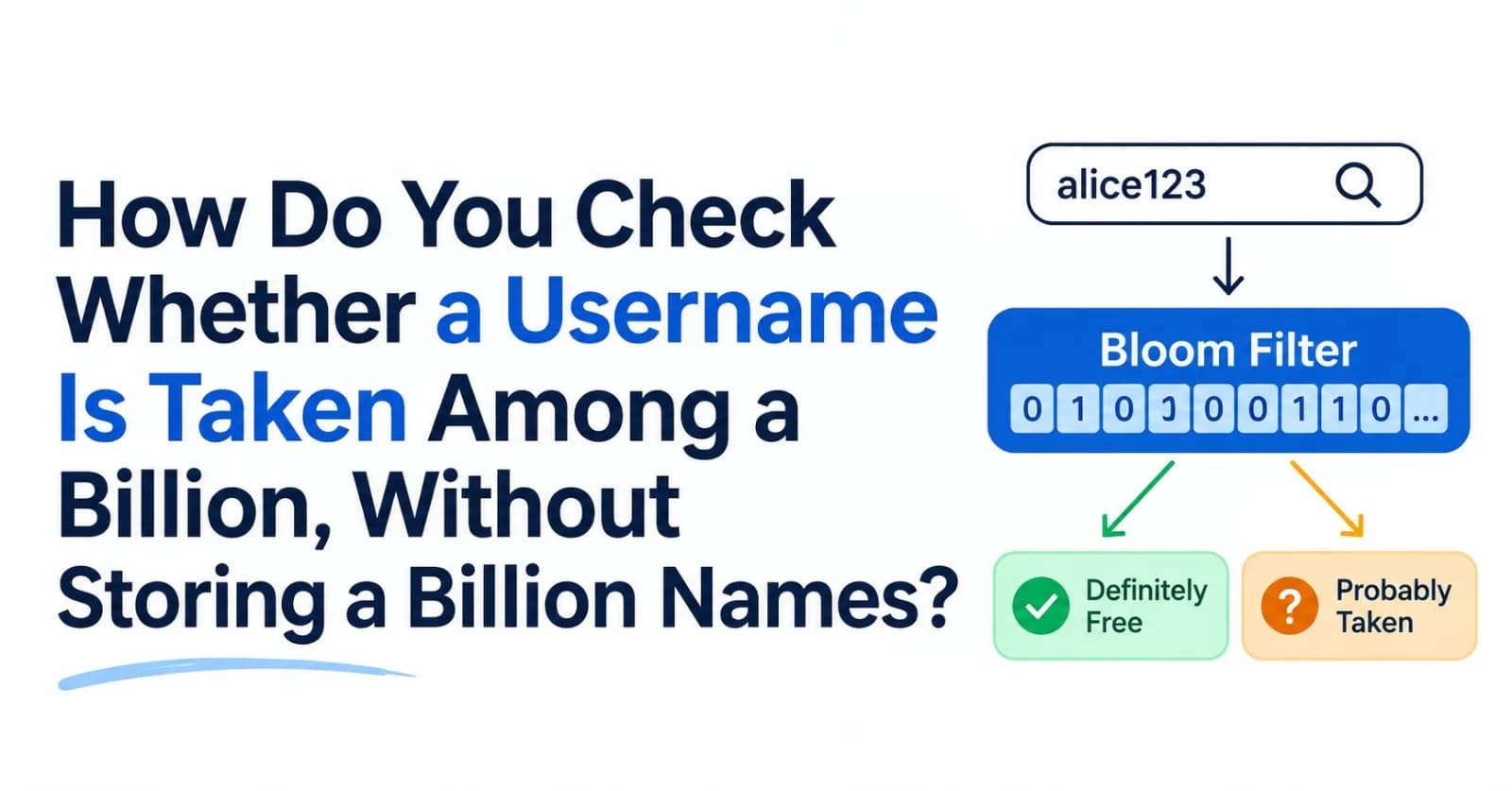
Use a Bloom filter: a bit array plus a few hash functions. It says "definitely not taken" with certainty and "probably taken" with a tunable error rate.
At about 10 bits per name, a billion names fit in roughly 1.2 GB. Only the "probably taken" answers need a database lookup.
It can be wrong in one direction only: it may call a free name "probably taken" (harmless), but it never calls a taken name free.
The database's
UNIQUEconstraint stays the final authority. The filter just keeps most checks from reaching it.
1. The question
Your signup form checks usernames as people type. Type dave_42, and a moment later: "taken" or "available." You have a billion existing usernames, and the check runs constantly.
There are two obvious ways to answer it, and both hurt:
Ask the database every time. It is always correct, but every check costs a network round trip and an index lookup, and many checks are for names that do not exist: typos, variations, people trying again. That is a lot of reads on your most important data store for answers that are often just "no."
Keep every name in memory. A billion names at 16 bytes each is 16 GB for the raw characters alone, before any data-structure overhead. We measured a JavaScript
Setholding one million short usernames (user_0touser_999999): it used 53 MB of heap, against only 10.9 MB of actual characters. Scaled linearly, a billion would need roughly 53 GB. That is a projection, not a measurement, but the direction is clear.
Is there a way to answer "taken?" using a tiny fraction of that memory?
2. The insight: you only need a cheap "no"
Look at what the form really needs. If the filter says a name is free, you must be certain, or you will tell someone a taken name is available. But if it says "maybe taken," being wrong now and then costs you almost nothing: you just ask the database, which settles it.
So the two kinds of error are not equal:
Error | What happens | Cost |
|---|---|---|
False positive: a free name is reported "maybe taken" | You do one extra database lookup, which finds nothing | A wasted read |
False negative: a taken name is reported free | You tell someone a taken name is available | A wrong answer to the user |
A Bloom filter is a structure that allows the first error and forbids the second entirely. Burton Bloom described the idea in 1970, for exactly this shape of problem: most test messages are rejected, and the few that are not rejected get a slower follow-up test. That is the shape of a username check.
3. How it works
You need only two things: a bit array of m bits, all zero to start, and k hash functions, each of which turns a name into a bit position.
Add a name: hash it
ktimes and set thosekbits to 1.Check a name: hash it
ktimes and look at thosekbits. If any bit is 0, the name was definitely never added. If all are 1, it is probably present.
flowchart TD
    Q["Is 'dave_42' taken?"] --> H["Hash it k times<br/>to get k bit positions"]
    H --> C{"Are ALL k bits set to 1?"}
    C -->|"No, at least one is 0"| N["Definitely not in the set<br/>(certain)"]
    C -->|"Yes, all are 1"| M["Probably in the set<br/>(about 1% of free names<br/>end up here by mistake)"]
Why can it never miss a real member? Adding a name sets its bits to 1, and bits are never cleared, so a name that was added will always find all its bits set. Why can it be wrong the other way? Different names set overlapping bits, so a name that was never added can find all of its bits already set by other names.
Here is a real run, on a deliberately tiny filter (48 bits, 3 hash functions) so you can see it:
import { BloomFilter } from './bloom.mjs';

const toy = new BloomFilter(10, 0.1);        // build it normally, then shrink it by hand so it is readable
toy.m = 48; toy.k = 3; toy.bits = new Uint8Array(6);
const bit = (i) => (toy.bits[i >> 3] >> (i & 7)) & 1;
const show = () => Array.from({ length: toy.m }, (_, i) => bit(i)).join('');

for (const name of ['alice', 'bob', 'carol', 'dave']) {
  console.log(`add("${name}")`.padEnd(16), 'sets bits', [...toy.positions(name)].join(', '));
  toy.add(name);
}
console.log('bit array'.padEnd(16), show());

for (const name of ['erin', 'user1100']) {
  const p = [...toy.positions(name)];
  console.log(`has("${name}")`.padEnd(16), 'checks bits', p.join(', '), '=>', p.map(bit).join(''), '=>', toy.has(name));
}
add("alice") sets bits 43, 26, 9
add("bob") sets bits 33, 30, 27
add("carol") sets bits 44, 9, 22
add("dave") sets bits 33, 26, 19
bit array 000000000100000000010010001100100100000000011000
has("erin") checks bits 44, 25, 6 => 100 => false
has("user1100") checks bits 44, 33, 22 => 111 => trueerin checks bits 44, 25 and 6. Bit 25 is 0, so she is definitely absent. user1100 checks bits 44, 33 and 22, and all three are set, but never by user1100: bits 44 and 22 came from carol, and bit 33 from bob and dave. The filter answers "probably present" for a name that was never added. That is a false positive, and it is the entire trade-off in one example.
4. How big does it need to be?
A bigger array has fewer collisions, and the math is compact. For n items in m bits with k hash functions, the false-positive rate is approximately:
p ≈ (1 − e^(−kn/m))^kChoosing k optimally and solving for the size gives two formulas worth remembering:
bits per item   m/n = −ln(p) / (ln 2)²   ≈ 1.44 × log2(1/p)
hash functions  k   = (m/n) × ln 2
Applied to a billion names:
Target false-positive rate | Bits per name | Hash functions (k) | Memory for 1 billion names |
|---|---|---|---|
10% | 4.8 | 3 | 0.6 GB |
1% | 9.6 | 7 | 1.2 GB |
0.1% | 14.4 | 10 | 1.8 GB |
0.01% | 19.2 | 13 | 2.4 GB |
Each extra factor of ten in accuracy costs only about 4.8 more bits per name. A 1% filter for a billion names is about 1.2 GB, against 16 GB for the raw characters.
One more piece of intuition: at the optimal k, about half the bits are set. Too few hash functions and you are not using the array; too many and you fill it with ones, so every query looks like a hit.
Real implementations sometimes give up a little accuracy for speed. RocksDB's documentation lists 9.9 bits per key for a 1% rate rather than the textbook 9.6, because its filter keeps all of a key's probes inside one CPU cache line.
5. Build one
Save this as bloom.mjs. It is 23 lines:
// bloom.mjs: a Bloom filter in 25 lines.
import { createHash } from 'node:crypto';

export class BloomFilter {
  // n = how many items you expect to store, p = the false-positive rate you can tolerate
  constructor(n, p) {
    this.m = Math.ceil((-n * Math.log(p)) / Math.LN2 ** 2);      // number of bits
    this.k = Math.max(1, Math.round((this.m / n) * Math.LN2));   // number of hash functions
    this.bits = new Uint8Array(Math.ceil(this.m / 8));           // all zeros to start
  }

  * positions(item) {                                           // the k bit positions for an item
    const digest = createHash('sha256').update(item).digest();
    const h1 = digest.readUInt32LE(0);
    const h2 = (digest.readUInt32LE(4) | 1) >>> 0;              // odd, so the probes spread out
    for (let i = 0; i < this.k; i++) yield (h1 + i * h2) % this.m;   // double hashing: h1 + i*h2
  }

  add(item) {
    for (const pos of this.positions(item)) this.bits[pos >> 3] |= 1 << (pos & 7);
  }

  has(item) {                                                    // false = definitely absent, true = probably present
    for (const pos of this.positions(item)) if (!(this.bits[pos >> 3] & (1 << (pos & 7)))) return false;
    return true;
  }
}
Three choices worth explaining:
Double hashing. Instead of
kindependent hash functions, it computes one SHA-256 and derives every position ash1 + i × h2. Kirsch and Mitzenmacher proved that two hash functions are enough to implement a Bloom filter with no loss in asymptotic false-positive rate.SHA-256 is for clarity, not speed. Production filters use fast non-cryptographic 64-bit hashes such as MurmurHash3 or xxHash.
This toy is limited to a few hundred million items. Its positions come from a 32-bit hash, so the array should stay under 2³² bits (about 537 MB, or roughly 448 million items at 1%). A billion-name filter needs 64-bit hashes, or several filters side by side.
6. Does it really work?
We checked, with a million usernames and a 1% target:
Measurement (1,000,000 names) | Result |
|---|---|
Array size | 9,585,059 bits, 1.2 MB, with k = 7 |
False negatives (names added, then asked about) | 0 out of 1,000,000 |
False-positive rate (1,000,000 names never added) | 1.014% measured, 1.004% predicted by the formula |
Fraction of bits set | 51.8% (close to the "half full" optimum) |
Memory: a JavaScript | 53 MB, about 44× larger |
The formula holds, and nothing was ever missed. Two more experiments show why the parameters matter.
The number of hash functions has a sweet spot. Same array size (9.6 bits per item), only k changes, 200,000 names:
k | Measured false positives | Predicted |
|---|---|---|
1 | 9.99% | 9.91% |
2 | 3.54% | 3.55% |
3 | 1.92% | 1.94% |
5 | 1.07% | 1.11% |
7 (the optimum) | 1.01% | 1.00% |
10 | 1.28% | 1.30% |
14 | 2.44% | 2.48% |
Too few hash functions leave bits unused, and too many fill the array with ones.
An overfilled filter degrades fast. We sized a filter for 200,000 names at 1%, then kept adding:
Items added | Measured false positives | Predicted |
|---|---|---|
1× (200,000 items) | 1.0% | 1.0% |
2× (400,000 items) | 15.7% | 15.7% |
5× (1,000,000 items) | 83.1% | 83.2% |
At five times the planned capacity, the filter says "probably taken" for 83% of free names, so it is nearly useless. A Bloom filter has a capacity, and it fails gracefully only until you pass it. Size it for the number of names you will have, not the number you have today.
7. Using it for usernames
sequenceDiagram
    participant B as Browser
    participant API as Signup API
    participant F as Bloom filter in memory
    participant DB as Database

    B->>API: Is "dave_42" available?
    API->>F: has("dave_42")
    alt filter says definitely not present
        F-->>API: false
        API-->>B: Available (no database read)
    else filter says maybe present
        F-->>API: true
        API->>DB: SELECT 1 FROM users WHERE username = 'dave_42'
        alt a row exists
            DB-->>API: found
            API-->>B: Taken
        else no row (a false positive)
            DB-->>API: not found
            API-->>B: Available
        end
    end
    Note over B,DB: At signup, the database UNIQUE constraint is still the final authority
We simulated 100,000 checks against the million-name filter, with 20% of the checks for names that exist and 80% for names nobody has. Database lookups fell from 100,000 to 20,828, which is 79.2% fewer reads, and not one taken name was reported free. The 20,000 real hits all went to the database, plus about 800 false positives.
The saving depends entirely on your workload: it is roughly the share of checks for names that do not exist. If most checks were for taken names, the filter would save you little.
Five rules make this safe in practice:
The database stays the source of truth. Keep a
UNIQUEconstraint onusername. If the filter is slightly stale and a user sees "available" for a name registered a moment ago, the insert is rejected and you show "just taken," a minor annoyance rather than a correctness bug.Add names to the filter when they are created, in the same code path as the insert.
Rebuild it periodically from the database. This also drops renamed and deleted accounts, which a standard filter cannot remove (see below).
Size it for growth (the overfill table above).
Treat "available" as a cheap fast path, and "maybe taken" as a question for the database. Never the other way round.
8. Where Bloom filters live in production
You have probably used a Bloom filter without knowing it. Databases built on log-structured merge trees keep data in many on-disk files, and a lookup would have to read file after file to find a key. So they attach a small Bloom filter to each file:
RocksDB gives every SST file a Bloom filter, at roughly 10 bits per key, and uses it to skip files that cannot contain the key.
Apache Cassandra keeps one per SSTable and exposes the trade-off as
bloom_filter_fp_chance, which defaults to 0.1 for tables using LeveledCompactionStrategy and 0.01 for everything else.
It is the same pattern as the username check: a cheap "definitely not here" skips expensive disk reads, and a rare false positive costs one wasted read.
9. Limits, and what to use instead
You cannot delete. Clearing a name's bits can erase bits other names depend on. In our toy filter, clearing alice's bits (43, 26 and 9) also clears bit 9, which carol needs, and bit 26, which dave needs. We tested it: afterward
has("carol")andhas("dave")both returnfalse, which is a false negative, the one error a Bloom filter must never make. The fixes are a counting Bloom filter (counters instead of bits, at several times the memory), a cuckoo filter (which supports deletion), or simply rebuilding the filter periodically.You cannot list the members or count them exactly. You can only ask about a specific item.
It has a capacity. Past the planned size, accuracy collapses (section 6).
Attackers can exploit it. If users control the inputs and know your hash function, they can craft names that trigger false positives, each costing you a database read. A keyed (secret-seeded) hash makes that impractical.
Newer filters can be smaller. RocksDB's Ribbon filter, for example, matches a 1% Bloom filter's accuracy using around 7 bits per key instead of about 10, at the cost of more work to build.
You may not need one. For a small set, use a plain hash set. A Bloom filter earns its place when the set is too big for memory, or when the check guards something expensive.
10. The answer
How do you check a billion usernames without storing them all? Use a Bloom filter: a 1.2 GB bit array with a few hash functions. A zero bit means definitely free; all bits set means probably taken, so the database confirms. With a 1% false-positive rate, you save significant memory while never mistakenly marking a taken username as free.
Further reading
Space/Time Trade-offs in Hash Coding with Allowable Errors, Burton H. Bloom, Communications of the ACM, 1970. The original paper, short and still readable.
Less Hashing, Same Performance: Building a Better Bloom Filter, Kirsch and Mitzenmacher. Why two hash functions are enough.
RocksDB Bloom Filter. How a production database uses Bloom filters, including bits-per-key tables and the newer Ribbon filter.
If this post helped, send it to the teammate who is about to load every username into a Set.
Comments(0)
Join the discussion by logging into your account.
No comments yet. Be the first to comment!