
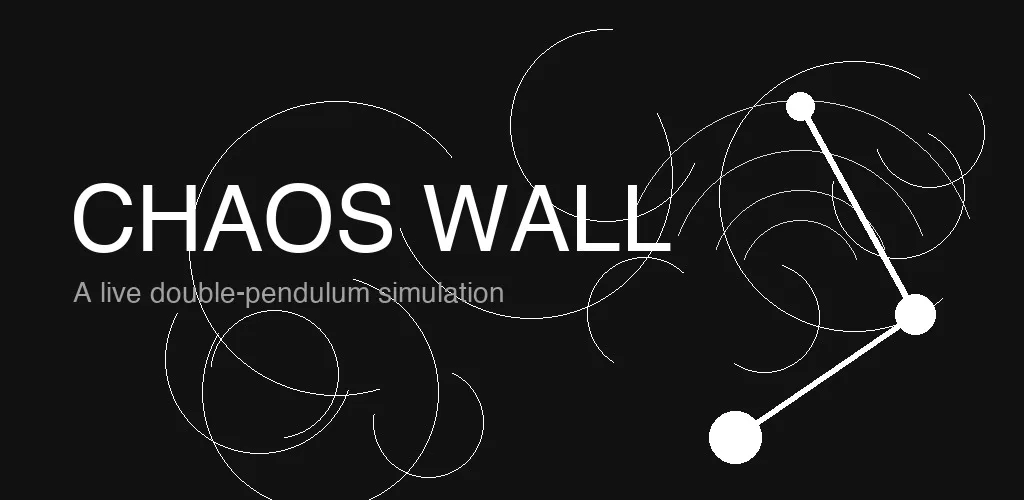
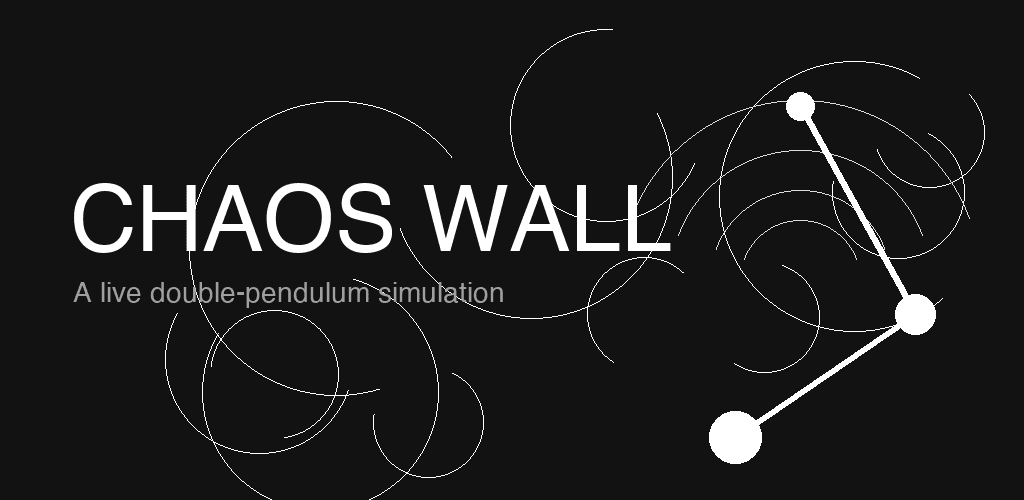
A while back I built a double-pendulum simulation in the browser. The motion is hard to stop watching. Two bobs, one hinge, and the trajectory never repeats. I kept thinking it would make a good live wallpaper, so I eventually ported it to Android.
This is the story of how that port went.
Starting point: the web simulation
The browser version runs entirely in a <canvas> element. Physics are integrated with RK4 over the Hamiltonian equations of motion, and the path tracer stores a circular buffer of past positions. The coordinate system is a normalised viewBox so it scales cleanly to any window size.
The goal for the Android version was pixel-identical output: same stroke widths, same bob radii, same trace behavior, same graph. Not a visual approximation.
WallpaperService and the rendering surface
Android live wallpapers subclass WallpaperService and expose a Surface through the Engine callbacks. The canonical pattern is to acquire a Canvas from the surface, draw into it, and post it back:
val canvas = surfaceHolder.lockCanvas() ?: return
try {
    draw(canvas)
} finally {
    surfaceHolder.unlockCanvasAndPost(canvas)
}
The tricky part is the coordinate system. The surface dimensions are in physical pixels and vary across devices. To get pixel-identical output I mirrored the web approach exactly: define everything in a normalised viewBox of 100 x (100 * H/W) units, then scale the canvas once at the start of each frame:
canvas.scale(width / 100f, width / 100f)
Stroke widths, bob radii, and the graph are all specified in viewBox units. The single scale transform handles the rest.
Physics: Hamiltonian + RK4
The double pendulum is not easily simulated with naive Euler integration because energy drifts quickly. The web version uses the Hamiltonian formulation, where generalised momenta are tracked alongside the angles, and RK4 advances the state each tick.
Translating this from JavaScript to Kotlin was mostly mechanical. The main difference is that Kotlin does not have let destructuring the same way, so the intermediate RK4 derivatives end up as explicit DoubleArray copies:
fun rk4Step(state: DoubleArray, dt: Double): DoubleArray {
    val k1 = derivatives(state)
    val k2 = derivatives(state.addScaled(k1, dt / 2))
    val k3 = derivatives(state.addScaled(k2, dt / 2))
    val k4 = derivatives(state.addScaled(k3, dt))
    return DoubleArray(state.size) { i ->
        state[i] + dt / 6.0 * (k1[i] + 2*k2[i] + 2*k3[i] + k4[i])
    }
}
The simulation runs at whatever frame rate the surface provides and scales the timestep accordingly, so speed on fast and slow devices stays consistent.
Keeping settings consistent across three contexts
One of the more interesting design problems was state management. There are three distinct contexts that each need a different view of the settings:
In-app preview while the user is tweaking parameters
The live wallpaper surface running on the home screen
Saved presets the user wants to recall later
If the settings activity wrote directly to the shared prefs that the wallpaper service reads, every slider drag would immediately change the live wallpaper. That felt wrong.
The solution was three separate SharedPreferences stores:
chaotic_session: written freely during the settings session, cleared on every app launch so it never bleeds into the wallpaperchaotic_wallpaper: read by theWallpaperService; written only when the user taps SET AS WALLPAPERchaotic_persistent: stores named presets, survives the session
This way the user can drag bobs, shuffle with RANDOM, adjust mass and speed, and watch the in-app preview update in real time. None of that touches the live wallpaper until they explicitly commit.
Drag-to-customize while paused
The in-app preview lets you drag the bobs to set the initial position. Hit detection maps the touch coordinates back through the inverse of the viewBox scale and checks distance against each bob's radius. When a bob is being dragged, the physics step is skipped and the state is overwritten with the new angles derived from the touch position.
One edge case: if both bobs are near each other, you want the touch to grab the nearer one. A simple nearest-first sort on touch-distance handles it.
OLED and battery
The wallpaper uses a pure black background (0xFF000000), which means OLED pixels in the black regions are literally off. This is intentional.
For battery, the WallpaperService.Engine provides onVisibilityChanged. When the wallpaper is not visible (another app is in the foreground, screen is off), the rendering loop stops:
override fun onVisibilityChanged(visible: Boolean) {
    if (visible) startRendering() else stopRendering()
}
The app also has zero permissions beyond BIND_WALLPAPER and makes no network requests.
Build setup
The project uses AGP 8.7.3 with R8 minification and resource shrinking in release. Release signing goes through a gitignored keystore.properties file; if the file is absent the build falls back to the debug key automatically so CI and forks can still build.
./gradlew :app:bundleRelease   # AAB for Play Store
./gradlew :app:assembleRelease # APK for sideloading
Result
The final app is a faithful port of the web simulation, running as a live wallpaper. The physics are identical, the visuals are pixel-matched across screen sizes, and the settings model keeps the preview experience independent from the live wallpaper until you decide to commit.
It is free, has no ads, and collects no data.





Comments(1)
Join the discussion by logging into your account.
ZyVOP
Hey Abhishek, Welcome to ZyVOP, happy blogging 😃