
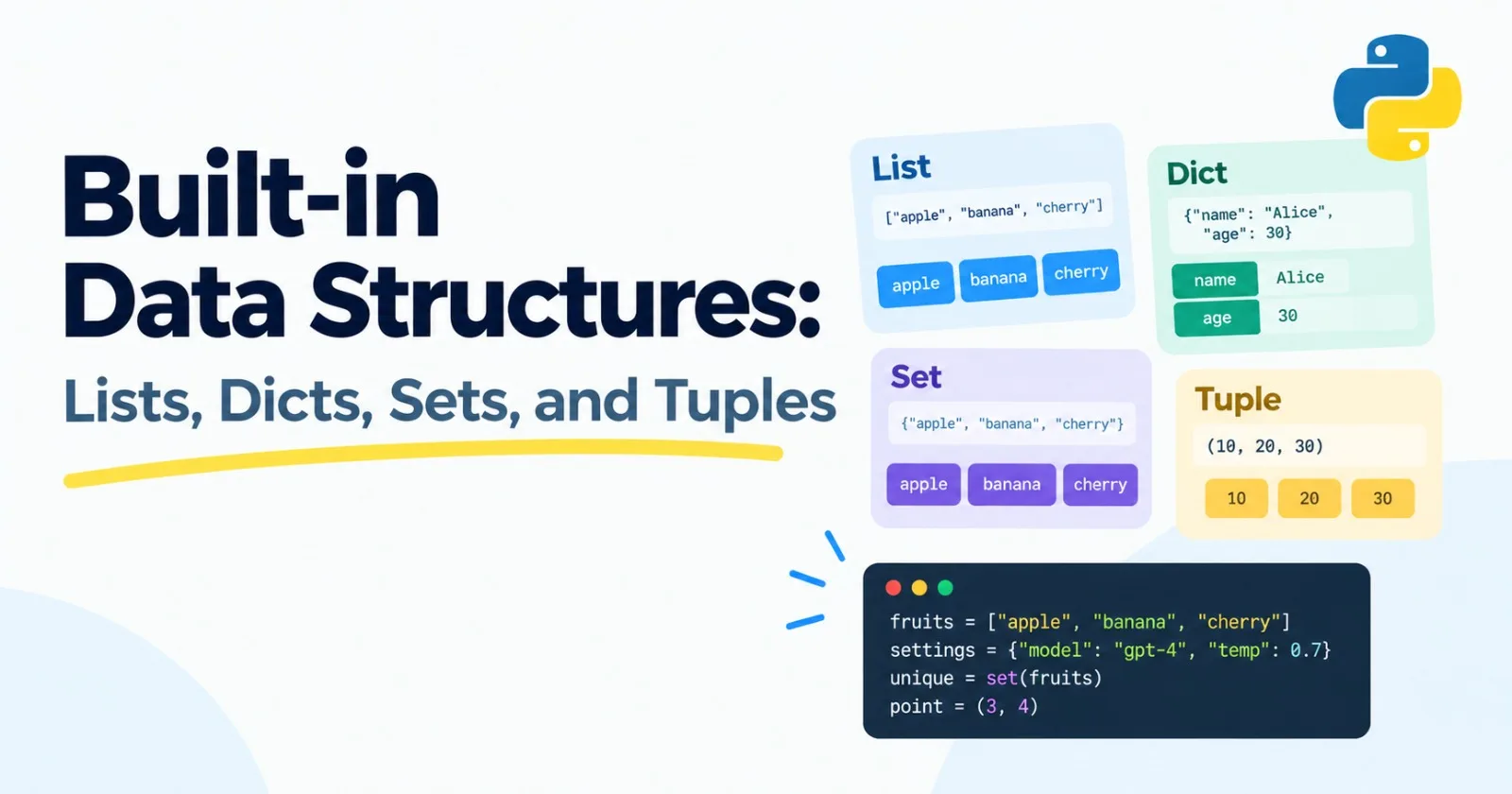
In the last post you stored single values: a name, a number, a piece of text. Real programs deal with collections. A list of chat messages. A dictionary of settings. A pile of documents where you need to know which ones you've already seen.
Python gives you four built-in containers for this, and they cover most of what you'll write for a long time. Learning which one to reach for, and why, is one of the best early investments you can make.
This post is skippable if you already know them well. Here's a test. What does this print?
seen = set()
for word in ["a", "b", "a", "c", "b"]:
    seen.add(word)
print(len(seen))
If you said 3, and you could explain why a set is a better choice than a list for "have I seen this before?" questions, skip to Post 6. Otherwise, keep reading.
Lists: an ordered collection you can change
A list holds items in order. You can add to it, remove from it, and change it.
prompts = ["summarize", "translate", "explain"]

prompts.append("rewrite")
print(prompts[0])        # summarize
print(prompts[-1])       # rewrite
print(len(prompts))      # 4

prompts.remove("translate")
print(prompts)           # ['summarize', 'explain', 'rewrite']
print(prompts[1:3])      # ['explain', 'rewrite']
Positions start at 0, just like with strings. A negative position counts from the end, so -1 is the last item. Slices like [1:3] work the same way as on strings: from position 1 up to, but not including, position 3.
Some other things you'll use all the time:
numbers = [5, 2, 9, 1]

numbers.sort()               # sorts the list itself: [1, 2, 5, 9]
print(sorted(numbers))       # returns a new sorted list, leaves the original alone
print(9 in numbers)          # True
You can also put anything in a list, including other lists and dictionaries. That's how chat history is usually stored when you talk to a language model:
messages = [
    {"role": "user", "content": "Hi"},
    {"role": "assistant", "content": "Hello! How can I help?"},
]
A list of dictionaries. You'll see that exact shape over and over once we start building LLM apps.
Dictionaries: look things up by name
A dictionary stores pairs: a key and the value that goes with it. Instead of asking "what's at position 2?" you ask "what's the value for temperature?"
settings = {"model": "my-model", "temperature": 0.7, "max_tokens": 500}

print(settings["temperature"])     # 0.7

settings["max_tokens"] = 800       # change a value
settings["stream"] = True          # add a new pair

print("model" in settings)         # True
Loop over everything with .items():
for key, value in settings.items():
    print(key, value)
Here's a mistake almost every beginner makes. Asking for a key that isn't there with square brackets crashes your program with a KeyError. The safer way is .get(), which returns None instead, or a default you choose:
print(settings.get("top_p"))          # None
print(settings.get("top_p", 1.0))     # 1.0
Dictionaries remember the order you added things in. And keys have to be things that can't change, like strings, numbers, and tuples. A list can't be a key.
Tuples: a list you promise not to change
A tuple looks like a list but with round brackets, and once you make it, it's fixed.
point = (3, 4)
x, y = point        # unpacking: x is 3, y is 4
That second line is called unpacking, and it's one of the nicest things about Python. It's also how functions return more than one value:
def min_max(numbers):
    return min(numbers), max(numbers)

low, high = min_max([4, 9, 1])
print(low, high)     # 1 9
Under the hood, that function returns a tuple.
Use a tuple when the thing has a fixed shape and shouldn't be edited: a coordinate, an RGB color, a width and height. You'll bump into them again soon. The shape of an array in NumPy or a tensor in PyTorch, like (32, 128), is a tuple.
One quirk to remember: a tuple with a single item needs a trailing comma. (5,) is a tuple. (5) is just the number 5 in brackets.
Sets: unique things, no duplicates
A set keeps only one copy of each item, and it doesn't care about order.
words = ["a", "b", "a", "c", "b"]
unique = set(words)

print(unique)           # {'a', 'b', 'c'}  (the order can vary)
print("a" in unique)    # True
Sets are also great at comparing groups:
a = {1, 2, 3}
b = {3, 4}

print(a | b)    # {1, 2, 3, 4}   everything in either
print(a & b)    # {3}            only what's in both
print(a - b)    # {1, 2}         in a but not in b
A small trap: {} makes an empty dictionary, not an empty set. For an empty set, write set().
Which one should I use?
If you need... | Use a... |
|---|---|
items in order that you'll add to or change | list |
to look something up by a name or ID | dictionary |
a small fixed group of values | tuple |
unique items, or fast "is it in here?" checks | set |
Why speed differs (and why it matters)
These containers don't just look different. They behave differently when they get big.
Say you have a list with a million numbers and you ask, "is 999,999 in here?" Python walks through the list one item at a time until it finds it. A million steps. A set or dictionary works differently. It uses a trick called hashing, which turns the item into a number that tells Python roughly where to look. It jumps almost straight to the right spot, no matter how big the set is.
Here's a quick way to see it for yourself:
import time

numbers_list = list(range(1_000_000))
numbers_set = set(numbers_list)

start = time.perf_counter()
999_999 in numbers_list
print("list:", time.perf_counter() - start)

start = time.perf_counter()
999_999 in numbers_set
print("set: ", time.perf_counter() - start)
On a normal computer, the list check takes around ten milliseconds and the set check takes a couple of microseconds. That's thousands of times faster. Your exact numbers will be different, but the gap will be big.
Programmers have a name for this idea: time complexity, usually written as Big-O. We'll cover it properly in Post 18, but here's the simple version.
Operation | List | Dictionary | Set |
|---|---|---|---|
Get by position | Fast | n/a | n/a |
Get by key | n/a | Fast | n/a |
Is this item in here? | Slow (checks one by one) | Fast | Fast |
Add to the end | Fast | Fast | Fast |
Insert at the start | Slow | n/a | n/a |
"Fast" means the time barely changes as the collection grows. "Slow" means it grows along with the number of items. (For dictionaries and sets, "fast" is true on average, which is good enough for now.)
Why should an AI engineer care? Imagine you're processing 100,000 documents and you want to skip ones you've already handled. If you keep the IDs in a list, each check can scan the whole list, which adds up to billions of comparisons by the end. If you keep them in a set, it's about 100,000 quick checks. Same result, wildly different wait.
A classic gotcha: copying a list
Run this and look at the output carefully:
a = [1, 2, 3]
b = a
b.append(4)

print(a)    # [1, 2, 3, 4]
You added to b, but a changed too. That's because b = a doesn't make a copy. It gives the same list a second name. Both names point to one list.
To make a real copy, use .copy():
b = a.copy()That works for simple lists. If your list holds other lists or dictionaries, you'll later need copy.deepcopy, which we'll meet when it matters. For now, just remember that assigning doesn't copy.
Mini project: a word counter and vocabulary
When a language model reads text, one of the first things it needs is a vocabulary: the collection of unique pieces it knows about. Let's build a tiny version of that idea with the tools from this post.
Create word_counter.py:
text = """The cat sat on the mat. The dog sat on the log."""

words = text.lower().replace(".", "").split()

counts = {}
for word in words:
    counts[word] = counts.get(word, 0) + 1

# Sort the words by how often they appear, highest first
ranked_words = sorted(counts, key=counts.get, reverse=True)

for word in ranked_words[:5]:
    print(word, counts[word])

vocabulary = set(words)
print(f"Unique words: {len(vocabulary)}")
You should see:
the 4
sat 2
on 2
cat 1
mat 1
Unique words: 7
The heart of it is this line: counts[word] = counts.get(word, 0) + 1. It means "look up the current count for this word, use 0 if it isn't there yet, add one, and save it back." It's a pattern you'll use constantly.
In the sorting line, key=counts.get tells Python to sort the words by their counts instead of alphabetically. Don't worry if that feels odd. Post 6 explains why you can pass a function around like that.
Make it yours
Replace the sample text with a real text file, such as a chapter from a book.
Make a set of "stop words" like
the,a, andon, and skip them when counting.Print the ten most common words instead of five.
When you're done, look up
collections.Counterin the Python docs. It does the counting loop for you. It's nice to meet a shortcut after you've done it the long way.
Practice
About 20 minutes of honest effort on each before you ask for help.
Reverse a list without using
.reverse()or[::-1].Write a function that takes a list of numbers and returns the smallest and largest as a tuple.
Remove duplicates from a list but keep the original order. (Hint: a set can remember what you've already seen.)
Swap the keys and values of a dictionary.
Given two lists of words, print the words they have in common.
As before, once you've finished, ask an AI tutor to review your code, not rewrite it.
What to take away
Lists keep things in order and can be changed.
Dictionaries let you look things up by key.
Tuples are fixed groups of values, and make returning several things easy.
Sets keep unique items and are very fast for "is it in here?" checks.
Picking the right container can turn a program that crawls into one that flies.
Writing
b = adoesn't copy a list.
Previous: Post 4, Python Fundamentals
Next in the series: Post 6, Functions in Depth, where we go beyond the basics: scope, closures, flexible arguments, and passing functions around.
Comments(0)
Join the discussion by logging into your account.
No comments yet. Be the first to comment!