
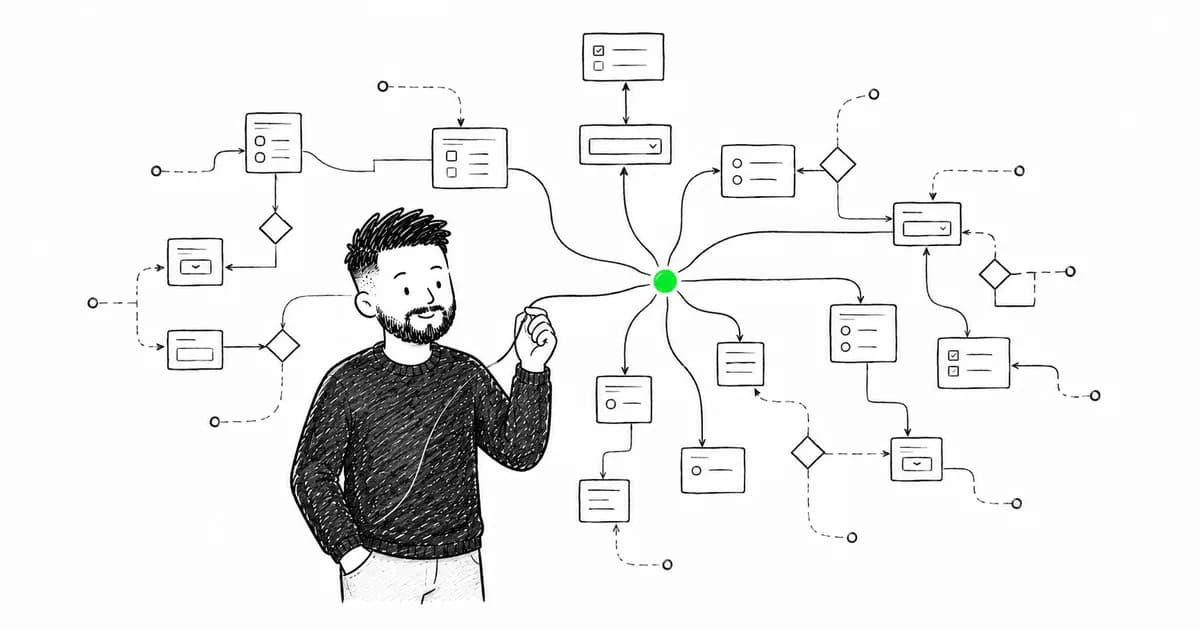

At Motorola Solutions I built a multi-step contract wizard where users selected products, services, additional options, and pricing tiers — dozens of fields that depended on each other. It wasn't just a form. It was a live calculator that recalculated totals, toggled conditional sections, and validated business rules at every step.
Later, at an insurance company, I worked on a policy builder that asked everything from property type and vehicle model to how many pets you own and how long you've had them. Every answer changed what came next. Every combination produced a different quote.
Forms like these are where most implementations fall apart. A simple login form? Easy. A multi-step wizard with conditional fields, async validation, dynamic pricing, and file uploads? That's a different engineering problem entirely.
The Challenge
Complex forms have multiple concerns:
State management - Field values, touched, dirty states
Validation - Sync and async, field-level and form-level
UX - When to show errors, loading states, success feedback
Performance - Re-renders, large forms, dynamic fields
Accessibility - Screen readers, keyboard navigation, error announcements
The Right Tools
After building dozens of complex forms, here's my stack:
React Hook Form - Uncontrolled forms, great performance
Zod - Schema validation, type inference
TanStack Query - Async validation, mutations
Radix UI - Accessible form primitives
Architecture Patterns
1. Schema-First Design
Define your form schema first:
import { z } from "zod";

const addressSchema = z.object({
  street: z.string().min(1, "Street is required"),
  city: z.string().min(1, "City is required"),
  country: z.string().min(1, "Country is required"),
  postalCode: z.string().regex(/^d{5}$/, "Invalid postal code"),
});

const userSchema = z.object({
  email: z.string().email("Invalid email"),
  password: z
    .string()
    .min(8, "At least 8 characters")
    .regex(/[A-Z]/, "Need uppercase letter")
    .regex(/[0-9]/, "Need a number"),
  confirmPassword: z.string(),
  address: addressSchema,
  terms: z.literal(true, {
    errorMap: () => ({ message: "You must accept terms" }),
  }),
}).refine((data) => data.password === data.confirmPassword, {
  message: "Passwords don't match",
  path: ["confirmPassword"],
});

type UserFormData = z.infer<typeof userSchema>;
One schema defines:
Field types
Validation rules
Error messages
TypeScript types
2. Async Validation
Check email availability without blocking the UI:
const emailSchema = z.string().email().refine(
  async (email) => {
    const response = await fetch(`/api/check-email?email=${email}`);
    const { available } = await response.json();
    return available;
  },
  { message: "Email already taken" }
);
With React Hook Form:
<input
  {...register("email", {
    validate: async (value) => {
      const result = await emailSchema.safeParseAsync(value);
      return result.success || result.error.errors[0].message;
    },
  })}
/>
3. Multi-Step Forms
Break complex forms into steps:
function MultiStepForm() {
  const [step, setStep] = useState(1);
  const methods = useForm<UserFormData>();

  const onSubmit = async (data: UserFormData) => {
    if (step < 3) {
      setStep(step + 1);
      return;
    }

    // Final submission
    await createUser(data);
  };

  return (
    <FormProvider {...methods}>
      <form onSubmit={methods.handleSubmit(onSubmit)}>
        {step === 1 && <PersonalInfoStep />}
        {step === 2 && <AddressStep />}
        {step === 3 && <ReviewStep />}

        <div>
          {step > 1 && (
            <button type="button" onClick={() => setStep(step - 1)}>
              Back
            </button>
          )}
          <button type="submit">
            {step < 3 ? "Next" : "Submit"}
          </button>
        </div>
      </form>
    </FormProvider>
  );
}
4. Dynamic Field Arrays
Add/remove fields dynamically:
import { useFieldArray } from "react-hook-form";

function SkillsForm() {
  const { control, register } = useForm();
  const { fields, append, remove } = useFieldArray({
    control,
    name: "skills",
  });

  return (
    <div>
      {fields.map((field, index) => (
        <div key={field.id}>
          <input
            {...register(`skills.${index}.name`)}
            placeholder="Skill name"
          />
          <input
            type="number"
            {...register(`skills.${index}.years`)}
            placeholder="Years"
          />
          <button type="button" onClick={() => remove(index)}>
            Remove
          </button>
        </div>
      ))}

      <button
        type="button"
        onClick={() => append({ name: "", years: 0 })}
      >
        Add Skill
      </button>
    </div>
  );
}
5. Conditional Fields
Show/hide fields based on other values:
function PaymentForm() {
  const { register, watch } = useForm();
  const paymentMethod = watch("paymentMethod");

  return (
    <div>
      <select {...register("paymentMethod")}>
        <option value="card">Credit Card</option>
        <option value="bank">Bank Transfer</option>
      </select>

      {paymentMethod === "card" && (
        <>
          <input {...register("cardNumber")} placeholder="Card Number" />
          <input {...register("cvv")} placeholder="CVV" />
        </>
      )}

      {paymentMethod === "bank" && (
        <>
          <input {...register("accountNumber")} placeholder="Account" />
          <input {...register("routingNumber")} placeholder="Routing" />
        </>
      )}
    </div>
  );
}
Error Handling UX
Show errors at the right time:
function SmartInput({ name, label, ...props }) {
  const {
    register,
    formState: { errors, touchedFields, isSubmitted },
  } = useFormContext();

  const error = errors[name];
  const showError = error && (touchedFields[name] || isSubmitted);

  return (
    <div>
      <label htmlFor={name}>{label}</label>
      <input
        id={name}
        aria-invalid={showError ? "true" : "false"}
        aria-describedby={showError ? `${name}-error` : undefined}
        {...register(name)}
        {...props}
      />
      {showError && (
        <span id={`${name}-error`} role="alert">
          {error.message}
        </span>
      )}
    </div>
  );
}
Only show errors after:
User has touched the field, OR
Form has been submitted
This prevents angry red errors while typing.
Performance Optimization
For large forms (50+ fields):
const { register } = useForm({
  mode: "onBlur", // Validate on blur, not on change
  shouldUnregister: true, // Unregister unmounted fields
});
Use Controller only for complex inputs:
import { Controller } from "react-hook-form";

<Controller
  name="birthDate"
  control={control}
  render={({ field }) => (
    <DatePicker
      value={field.value}
      onChange={field.onChange}
    />
  )}
/>
File Uploads
Handle files properly:
function FileUpload() {
  const { register, watch } = useForm();
  const file = watch("avatar");

  return (
    <div>
      <input
        type="file"
        accept="image/*"
        {...register("avatar")}
      />
      {file?.[0] && (
        <img
          src={URL.createObjectURL(file[0])}
          alt="Preview"
        />
      )}
    </div>
  );
}
Submission with TanStack Query
Clean mutation handling:
function UserForm() {
  const methods = useForm<UserFormData>();
  const mutation = useMutation({
    mutationFn: createUser,
    onSuccess: () => {
      toast.success("User created!");
      methods.reset();
    },
    onError: (error) => {
      toast.error(error.message);
    },
  });

  const onSubmit = (data: UserFormData) => {
    mutation.mutate(data);
  };

  return (
    <form onSubmit={methods.handleSubmit(onSubmit)}>
      {/* fields */}
      <button type="submit" disabled={mutation.isPending}>
        {mutation.isPending ? "Saving..." : "Save"}
      </button>
    </form>
  );
}
Accessibility Checklist
✅ Labels for every input ✅ Error messages announced to screen readers ✅ Keyboard navigation works ✅ Focus management (auto-focus first error) ✅ Required fields marked ✅ Clear validation feedback
Testing
Test forms thoroughly:
import { render, screen, waitFor } from "@testing-library/react";
import userEvent from "@testing-library/user-event";

test("shows validation errors", async () => {
  render(<UserForm />);

  const user = userEvent.setup();
  const submitButton = screen.getByRole("button", { name: /submit/i });

  await user.click(submitButton);

  await waitFor(() => {
    expect(screen.getByText(/email is required/i)).toBeInTheDocument();
  });
});
Conclusion
The Motorola contract wizard and the insurance policy builder taught me the same lesson: complex forms aren't a UI problem — they're a data modeling problem. Get the schema right first, handle validation at the schema level, and the rest follows.
Schema-first validation. Smart error timing. Performance-aware rendering. Accessibility from day one. Thorough testing. Get these right, and even the most complex forms become manageable.
Need help with complex forms? Get in touch.
Comments(0)
Join the discussion by logging into your account.
No comments yet. Be the first to comment!