
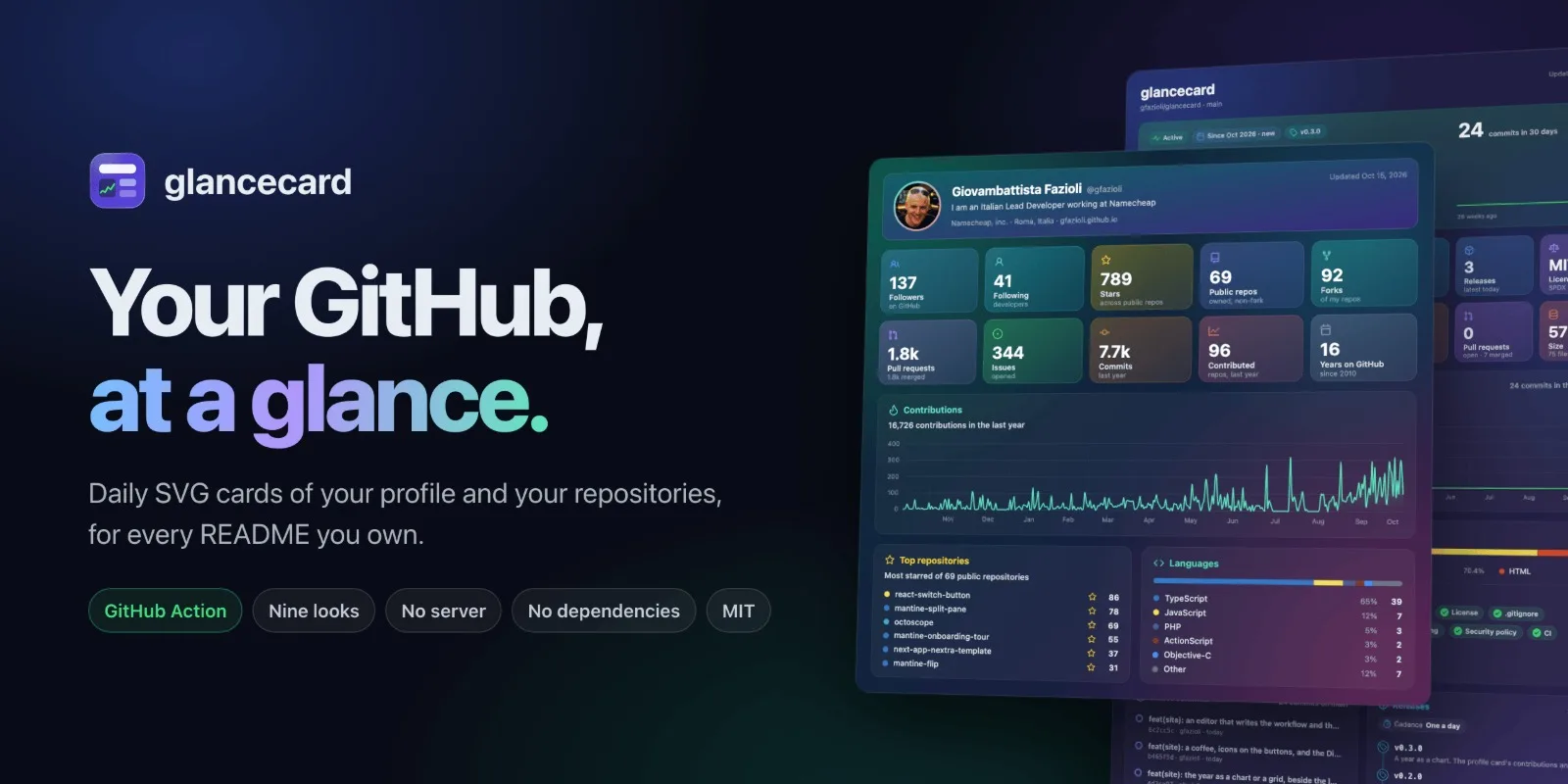
A README is the first page anyone sees of a project, and most of it never moves. glancecard puts something in it that does: a card of your GitHub profile, or of a repository, drawn again every morning from what GitHub knows. It is new, three releases in two days, and 0.3.0 is the one I was waiting for before telling you about it, because it changes the part of the card you look at first: the year.
What it draws
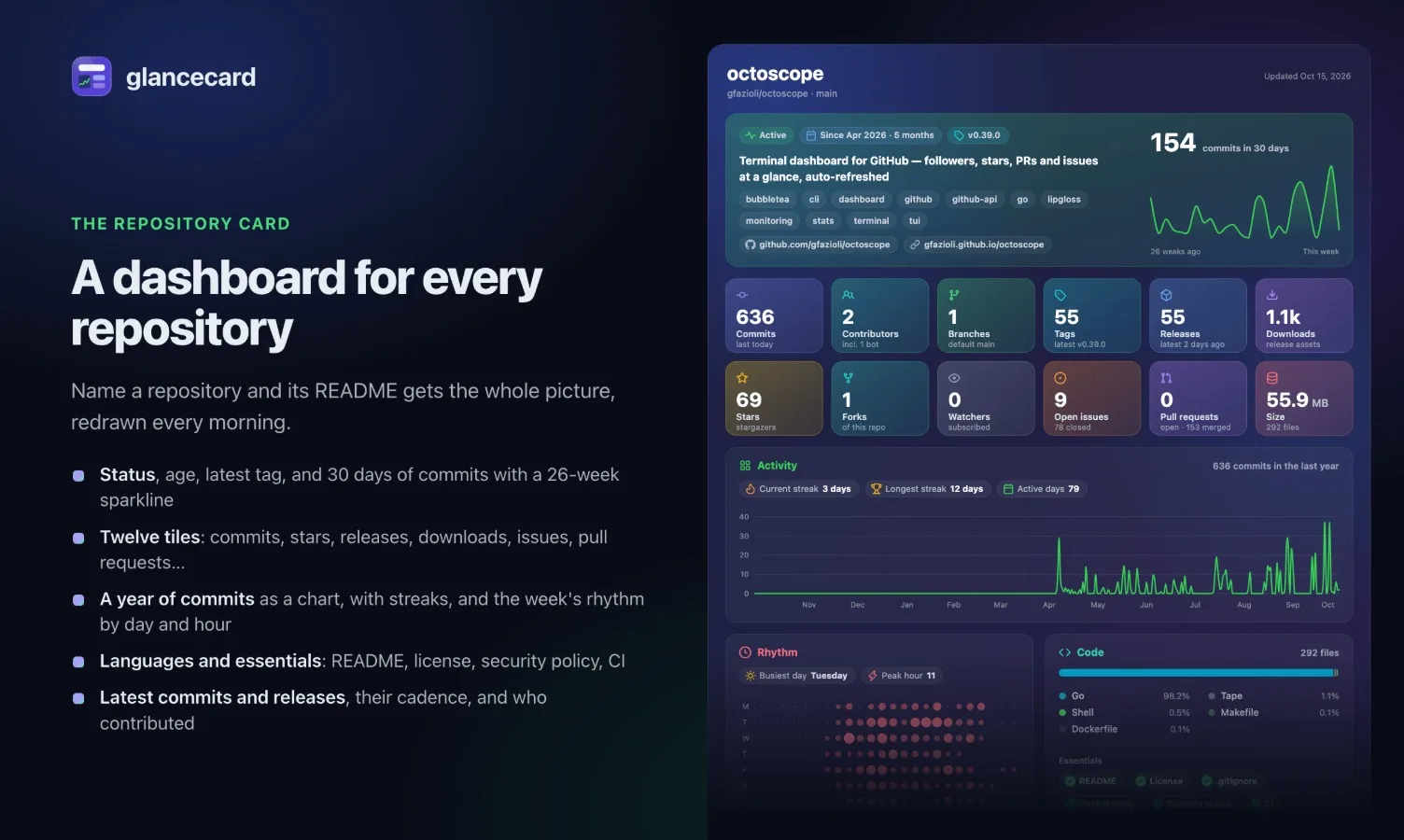
Name a repository and its card carries the whole picture: whether it is active, its age and latest tag, thirty days of commits with a 26-week sparkline, twelve stat tiles, a year of commits with its streaks, the weekly rhythm by day and hour, languages and the essentials (README, license, contributing guide, security policy, CI), the latest commits and releases with their cadence, and who contributed. Any section can be left out.
The profile card does the same for a person: followers, stars, repositories, pull requests, issues and commits, a year of contributions, the most starred repositories and their languages.
Your year, as a chart
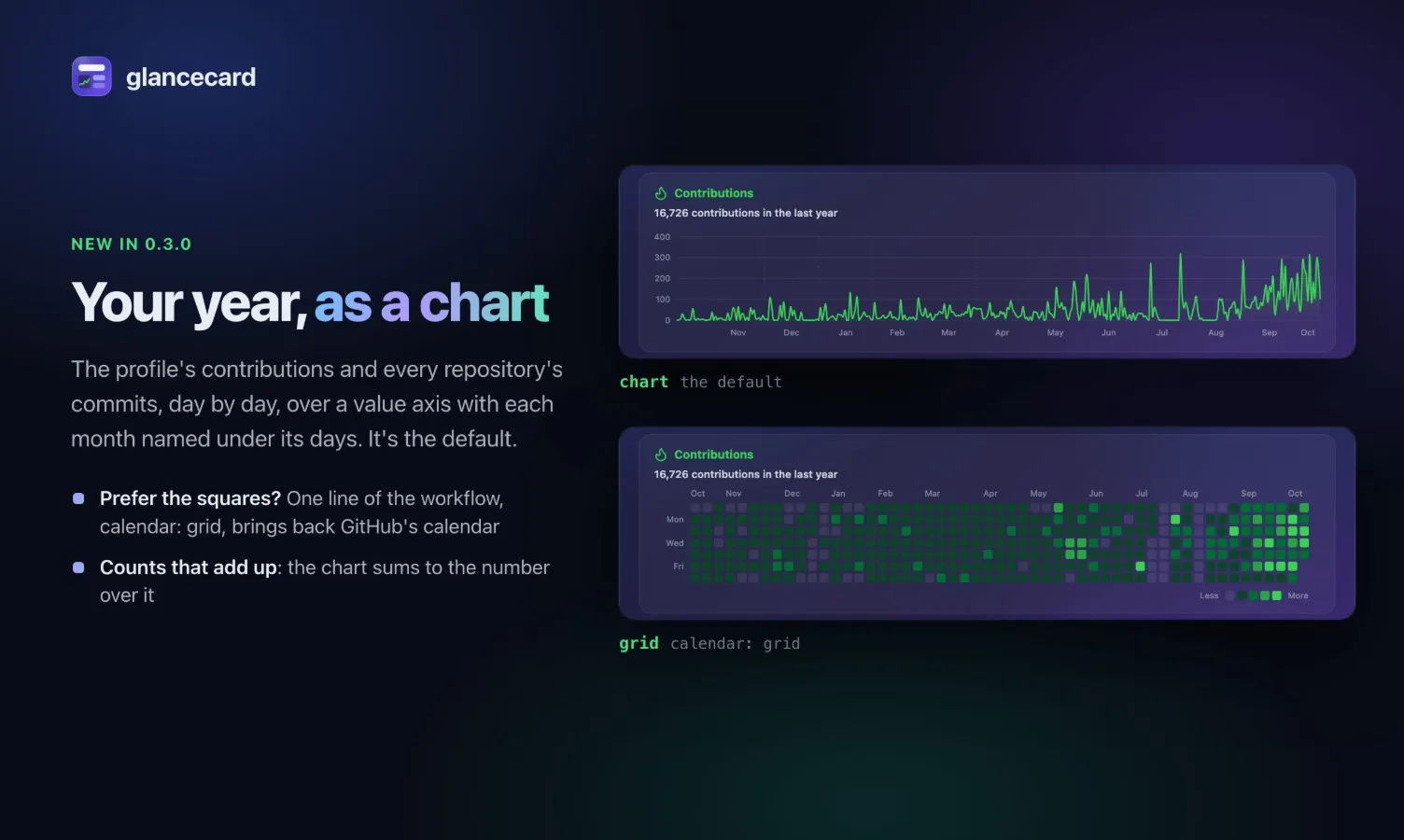
Until 0.2.0 both cards drew the year the way GitHub does, as a calendar of green squares. The squares are good at telling you which days you worked. They are poor at telling you how much: a shade is a range, so the darkest green says busy and stops there.
0.3.0 draws the year as a line of daily counts, over a value axis with a rule at every step and each month named under its days: your contributions on the profile card, a repository's commits on its card. It is the new default on both.
If you liked the squares, they are one line away. calendar: grid in the workflow (--calendar grid from the terminal) brings back GitHub's calendar, unchanged.
One thing changed underneath. The squares only ever needed each day's shade, so the profile card never asked GitHub for the number behind it. A line can't be drawn from shades, so it asks now, and the days of the chart add up to the total printed above it.
Nine looks
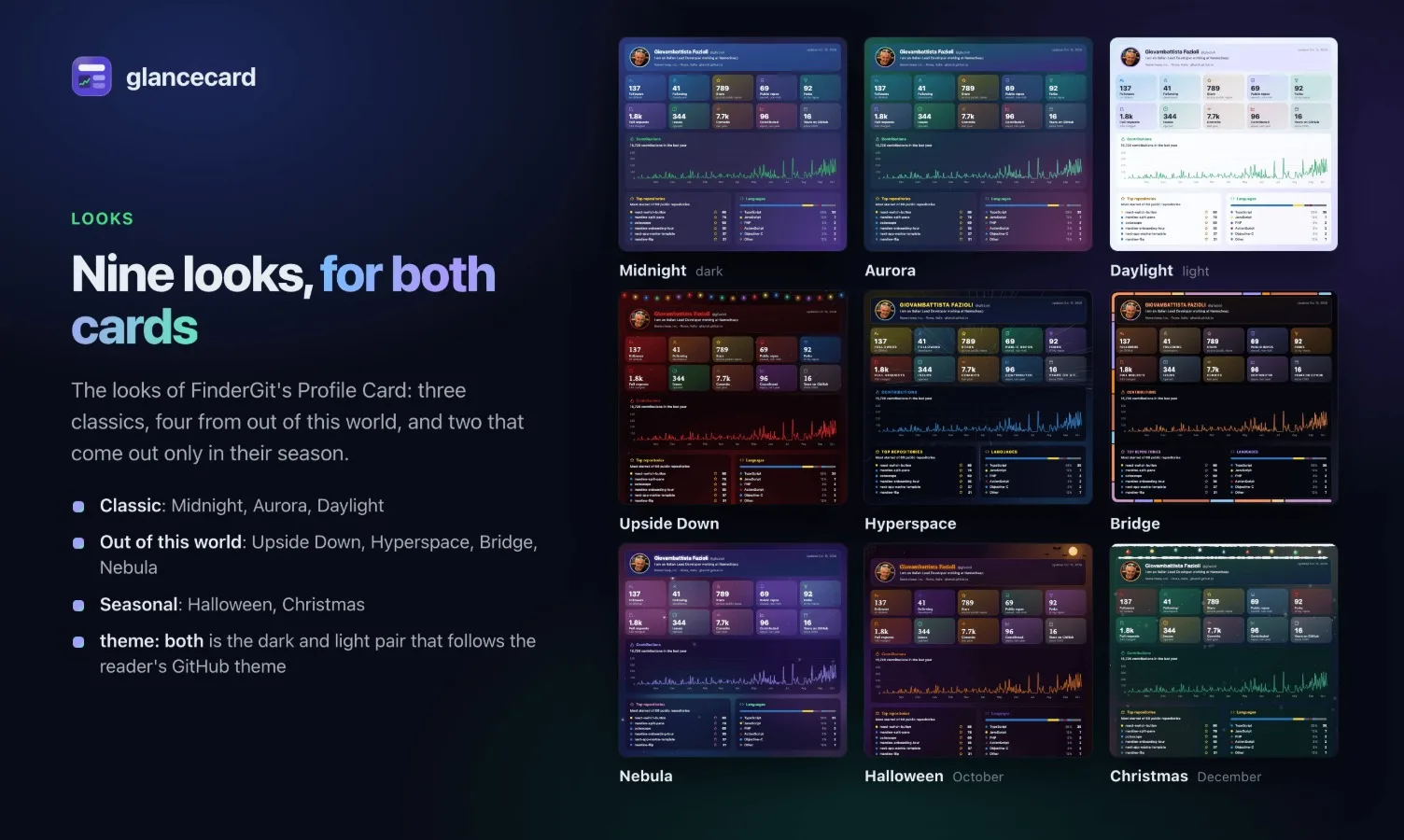
0.2.0 brought looks, after the ones of FinderGit's Profile Card: Midnight, Aurora and Daylight; Upside Down, Hyperspace, Bridge and Nebula; and two that only come out in their season. Halloween is on now, until 2 November; Christmas runs from 1 December to 6 January. Out of season they are Midnight, and they come back on their own the next year.
dark and light are Midnight and Daylight, and the default writes both: a pair of files for a <picture> that follows the reader's GitHub theme.
Yours, with nothing in between
There is no account to open and no server to trust. The cards are drawn by a workflow in your own repository, with the token GitHub Actions already gives every run, and committed there as plain files. Your other READMEs point at them, so the projects themselves get no bot commits.
Setting it up is one paste. The website has a prompt for Claude Code, Codex or any coding agent that can run a shell: with the GitHub CLI signed in, it adds the workflow to your profile repository, runs it once, and opens a pull request for each repository card, showing you every change before it pushes.
And the prompt is yours to shape. Above it, the website now has a small editor: a card that follows the reader's theme or always wears one look, the year as a chart or a grid, a refresh once a day or once a week on Mondays, at an hour of your own time zone. It rewrites the workflow and the prompt as you choose.
Upgrade
glancecard has no moving v0 tag, on purpose: a new release never changes your cards behind your back. Move the line when you're ready:
- uses: gfazioli/[email protected]or let Dependabot open the pull request for you.
glancecard is free and open source (MIT): a GitHub Action and a CLI, with no dependencies.
GitHub Marketplace: https://github.com/marketplace/actions/glancecard
Discord: https://discord.gg/rdWu5yFCR6
Comments(0)
Join the discussion by logging into your account.
No comments yet. Be the first to comment!