
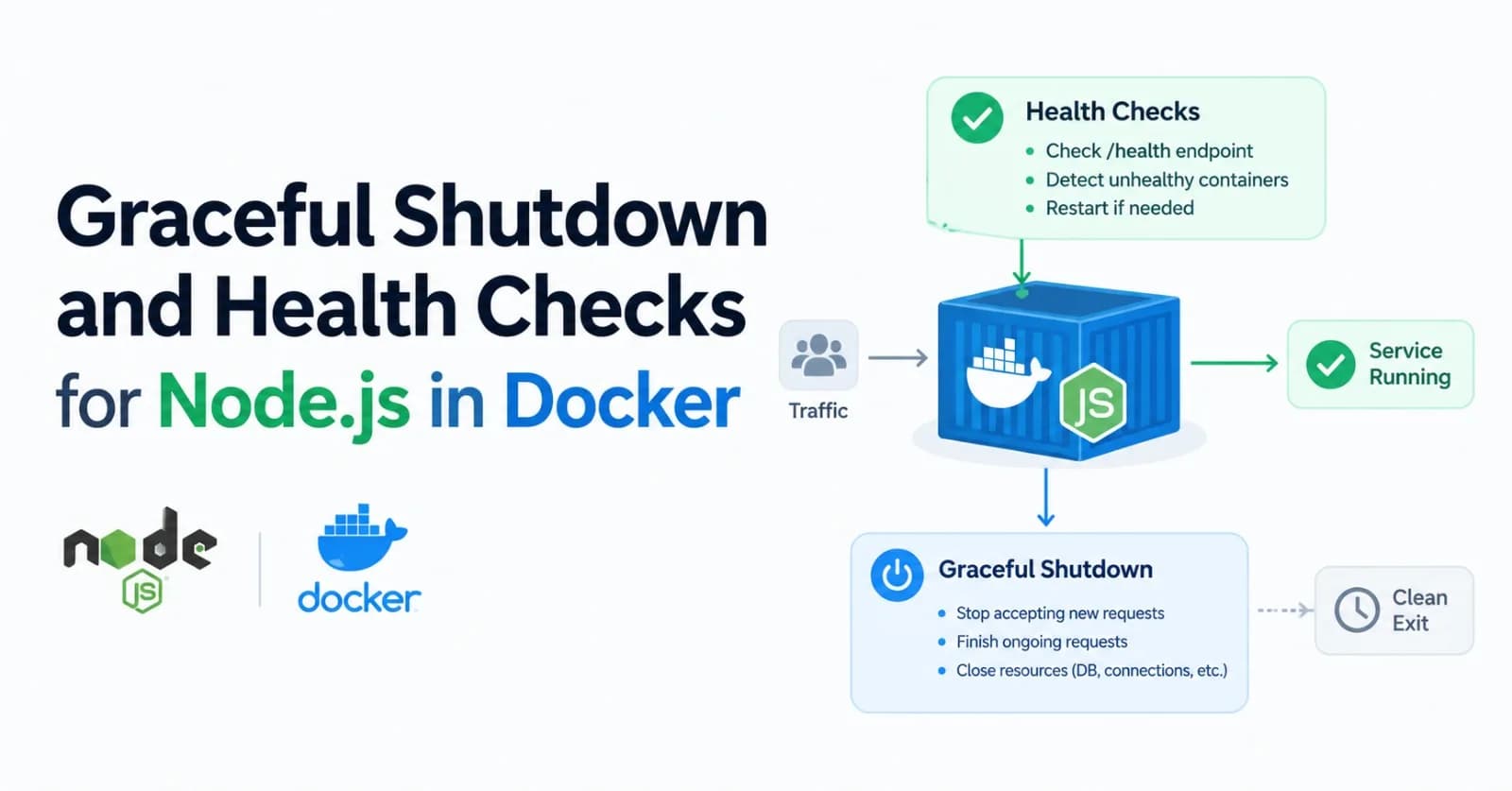
When Docker stops a container, your Node.js process gets a signal and, by default, ten seconds to finish its work. Use that time well and deployments are invisible to users. Ignore it and they turn into dropped requests, half-finished jobs and exit code 137. This post shows how to catch the signal, drain requests, close dependencies, and tell Docker (or Kubernetes) when your app is genuinely ready.
What happens when a container stops
According to Docker's documentation, the main process in the container receives SIGTERM, and after a grace period, SIGKILL. On Linux the default grace period is 10 seconds. You can change it per command with docker stop -t or per container with --stop-timeout, and you can change the first signal with STOPSIGNAL or --stop-signal.
The same sequence runs on docker compose down, on a redeploy and on most orchestrators. SIGKILL cannot be caught, so anything unfinished at that point is simply lost.
A clean stop comes down to three things:
The signal actually reaches your Node.js process.
Your app stops accepting work, finishes what is in flight and exits before the grace period ends.
Your health checks tell the platform when your app is ready for traffic, and when it isn't.
Make sure the signal reaches Node
Two Dockerfile habits cause most of the "my app ignores SIGTERM" reports. First, Node's own Docker guidance recommends putting node directly in CMD instead of using npm start, so signals go to Node rather than being swallowed by npm. Use the exec (JSON array) form, which also avoids wrapping your app in /bin/sh. Second, Node wasn't designed to run as PID 1, so the same guide recommends docker run --init, or Tini inside the image, to put a lightweight init process in front of it.
FROM node:24-slim
WORKDIR /app
COPY package*.json ./
RUN npm ci --omit=dev
COPY . .
USER node
EXPOSE 3000
CMD ["node", "server.js"]
In Docker Compose, the equivalent of --init is init: true on the service. If you use an entrypoint script, finish it with exec "$@" (or exec node server.js) so Node replaces the shell as the main process and receives the signal.
Handle SIGTERM in your app
The pattern is the same for every framework: flip a flag, stop accepting new connections, wait for in-flight requests, close your dependencies, then exit. Here it is with plain node:http:
import http from 'node:http';
import { logger } from './logger.js'; // your Pino or Winston instance
import { db } from './db.js'; // your database client

const SHUTDOWN_TIMEOUT_MS = Number(process.env.SHUTDOWN_TIMEOUT_MS ?? 8000);
let shuttingDown = false;

const server = http.createServer(async (req, res) => {
  if (req.url === '/healthz') {
    // Liveness: the process is up and the event loop is responding.
    res.writeHead(200).end('ok');
    return;
  }
  if (req.url === '/readyz') {
    // Readiness: safe to send traffic here.
    const ready = !shuttingDown && (await db.ping().catch(() => false));
    res.writeHead(ready ? 200 : 503).end(ready ? 'ready' : 'not ready');
    return;
  }
  res.writeHead(200).end('hello');
});

server.listen(3000, () => logger.info('listening on :3000'));

function shutdown(signal) {
  if (shuttingDown) return; // ignore repeated signals
  shuttingDown = true;
  logger.info({ signal }, 'shutting down');

  // Last resort: exit before the platform sends SIGKILL.
  const timer = setTimeout(() => {
    logger.error('shutdown timed out, forcing exit');
    server.closeAllConnections();
    process.exit(1);
  }, SHUTDOWN_TIMEOUT_MS);
  timer.unref();

  // Stop accepting connections; the callback runs once every connection has closed.
  server.close(async (err) => {
    let failed = Boolean(err);
    try {
      await db.end(); // close pools, queues and caches last
    } catch (closeErr) {
      logger.error({ err: closeErr }, 'error while closing dependencies');
      failed = true;
    }
    process.exit(failed ? 1 : 0);
  });

  // Connections that were mid-request go idle afterwards and would otherwise
  // linger for the keep-alive timeout, so close them as they become idle.
  setInterval(() => server.closeIdleConnections(), 500).unref();
}

process.on('SIGTERM', () => shutdown('SIGTERM'));
process.on('SIGINT', () => shutdown('SIGINT'));
Here is what the handler does, in order:
Readiness flips first. As soon as
shuttingDownis true,/readyzreturns 503 to anything still connected, andserver.close()makes the server refuse new connections right after. If your load balancer needs a few seconds to notice a failing probe, add a short delay before closing. On Kubernetes, apreStopsleep does this without code changes.server.close()drains. It stops the server from accepting new connections and lets in-flight requests finish. Since Node.js 19 it also closes connections that are idle at that moment. Connections that were mid-request go idle afterwards and can linger for the keep-alive timeout (5 seconds by default), so the example also closes idle connections every half second while it waits.closeIdleConnections()was added in Node.js 18.2.A timer guards the deadline. If draining takes too long,
closeAllConnections()drops every connection, including active requests, so treat it as a last resort. Node's docs recommend calling it afterserver.close().Dependencies close last. Close database pools, queues and caches only after requests have drained, otherwise the requests still in flight will fail.
If you use Express, Fastify or NestJS, the same steps apply to the underlying server, and the framework may already give you a helper (Fastify has app.close(), NestJS has shutdown hooks). Check what yours provides before writing your own.
Keep the timeout shorter than the platform's grace period. With Docker's default of 10 seconds, the 8 seconds in the example leaves a margin. If your requests can take longer, raise the grace period as well, using docker stop -t 30, --stop-timeout 30 or stop_grace_period: 30s in Compose, and set SHUTDOWN_TIMEOUT_MS to match.
Health checks: liveness and readiness
A health check answers two different questions. Liveness asks whether the process is alive and responsive. Readiness asks whether it should receive traffic right now, which depends on things like database connections and whether it is shutting down. The two endpoints in the example map to those questions.
Docker's HEALTHCHECK reports one status (starting, healthy or unhealthy), and its defaults are rarely what you want:
Option | Default | What to set |
|---|---|---|
| 30s | How often to probe. 10 to 30 seconds suits most apps. |
| 30s | Lower it to a few seconds so a hung app is noticed quickly. |
| 0s | Cover your slowest normal boot. Failures during it don't count against retries. |
| 3 | Consecutive failures before the container is marked unhealthy. |
Many slim base images don't include curl, and Node's own images based on Alpine don't either. Node is already in the image, so use it for the probe:
HEALTHCHECK --interval=30s --timeout=3s --start-period=10s --retries=3 \
  CMD node -e "fetch('http://127.0.0.1:3000/healthz').then(r => process.exit(r.ok ? 0 : 1)).catch(() => process.exit(1))"
The same check in Compose, with a stop grace period to match your shutdown timeout:
services:
  api:
    build: .
    init: true
    stop_grace_period: 20s
    environment:
      SHUTDOWN_TIMEOUT_MS: "15000"
    healthcheck:
      test: ["CMD", "node", "-e", "fetch('http://127.0.0.1:3000/healthz').then(r => process.exit(r.ok ? 0 : 1)).catch(() => process.exit(1))"]
      interval: 30s
      timeout: 3s
      start_period: 10s
      retries: 3
A few guidelines for choosing what to check:
Keep liveness free of dependencies. If
/healthzfails whenever the database is down, an orchestrator may restart every instance of your app during a database outage, which makes things worse.Point Docker at the endpoint that matches your goal. Use
/readyzif you want Compose'sdepends_onwithcondition: service_healthyto wait for a truly ready service, and/healthzif you only need to know the process is responsive.Remember what Docker does with the result. Plain Docker only reports the health status; it doesn't restart a container just because it is unhealthy. Compose uses it for startup ordering, Swarm replaces unhealthy tasks, and Kubernetes ignores the Dockerfile
HEALTHCHECKand relies on its own probes.
If you deploy to Kubernetes
Kubernetes has its own probes and its own shutdown sequence, so the same app needs a little more care there:
Use separate probes. Kubernetes ignores the Dockerfile
HEALTHCHECK, so define areadinessProbefor/readyzand alivenessProbefor/healthzin the pod spec.Expect a race. Kubernetes removes the pod from Service endpoints as termination begins (Google's guidance walks through the sequence), but that change takes a moment to reach every router, so traffic can still arrive after
SIGTERM. A shortpreStopdelay gives routing time to catch up. Recent versions (1.30 and later) have a built-insleepaction, so you don't need a shell in the image.Budget the grace period. The default
terminationGracePeriodSecondsis 30 seconds, and it has to cover thepreStopdelay plus your drain time. KeepSHUTDOWN_TIMEOUT_MSbelow the remainder.
spec:
  terminationGracePeriodSeconds: 45
  containers:
    - name: api
      image: my-api:1.0.0
      env:
        - name: SHUTDOWN_TIMEOUT_MS
          value: "30000"
      readinessProbe:
        httpGet: { path: /readyz, port: 3000 }
        periodSeconds: 5
      livenessProbe:
        httpGet: { path: /healthz, port: 3000 }
        periodSeconds: 10
      lifecycle:
        preStop:
          sleep:
            seconds: 5
Test it before production
Three quick checks tell you most of what you need to know:
docker build -t my-api .
docker run -d --init --name api -p 3000:3000 my-api

docker ps                                     # STATUS shows (healthy) once the check passes
docker inspect --format '{{json .State.Health}}' api   # recent probe results
time docker stop api                          # should return well under 10 seconds
docker inspect -f '{{.State.ExitCode}}' api   # 0 = clean exit, 137 = SIGKILL
docker logs api                               # should show your shutdown log lines
If docker stop takes the full grace period, the signal isn't reaching your handler, which usually points back to npm start, the shell form of CMD, or a missing init process. An exit code of 137 means Docker had to kill the process. For a stronger test, run a load generator such as autocannon against the container while you stop it, and confirm that no requests fail.
Common mistakes
Starting with
npm startor the shell form ofCMD. The signal never reaches Node.Calling
process.exit()straight away. In-flight requests are cut off. Drain first.No force-exit timer. One stuck request pushes you past the grace period and into
SIGKILL.Closing the database before requests finish. Close dependencies last.
Making liveness depend on external services. A downstream outage shouldn't restart healthy apps.
Skipping
--start-period. A slow boot makes a healthy app look unhealthy.Letting keep-alive connections hold the server open. Connections that finish a request after
server.close()can linger for the keep-alive timeout, so close them as they go idle.Handling the signal twice. Guard the handler so repeated signals don't start a second shutdown.
Wrap-up
Graceful shutdown is a small amount of code with an outsized effect: start Node directly, handle SIGTERM, flip readiness, drain, close dependencies and exit before the deadline. Pair it with a cheap liveness check, a dependency-aware readiness check and a realistic --start-period, and deployments stop being something your users can notice.
Comments(0)
Join the discussion by logging into your account.
No comments yet. Be the first to comment!