
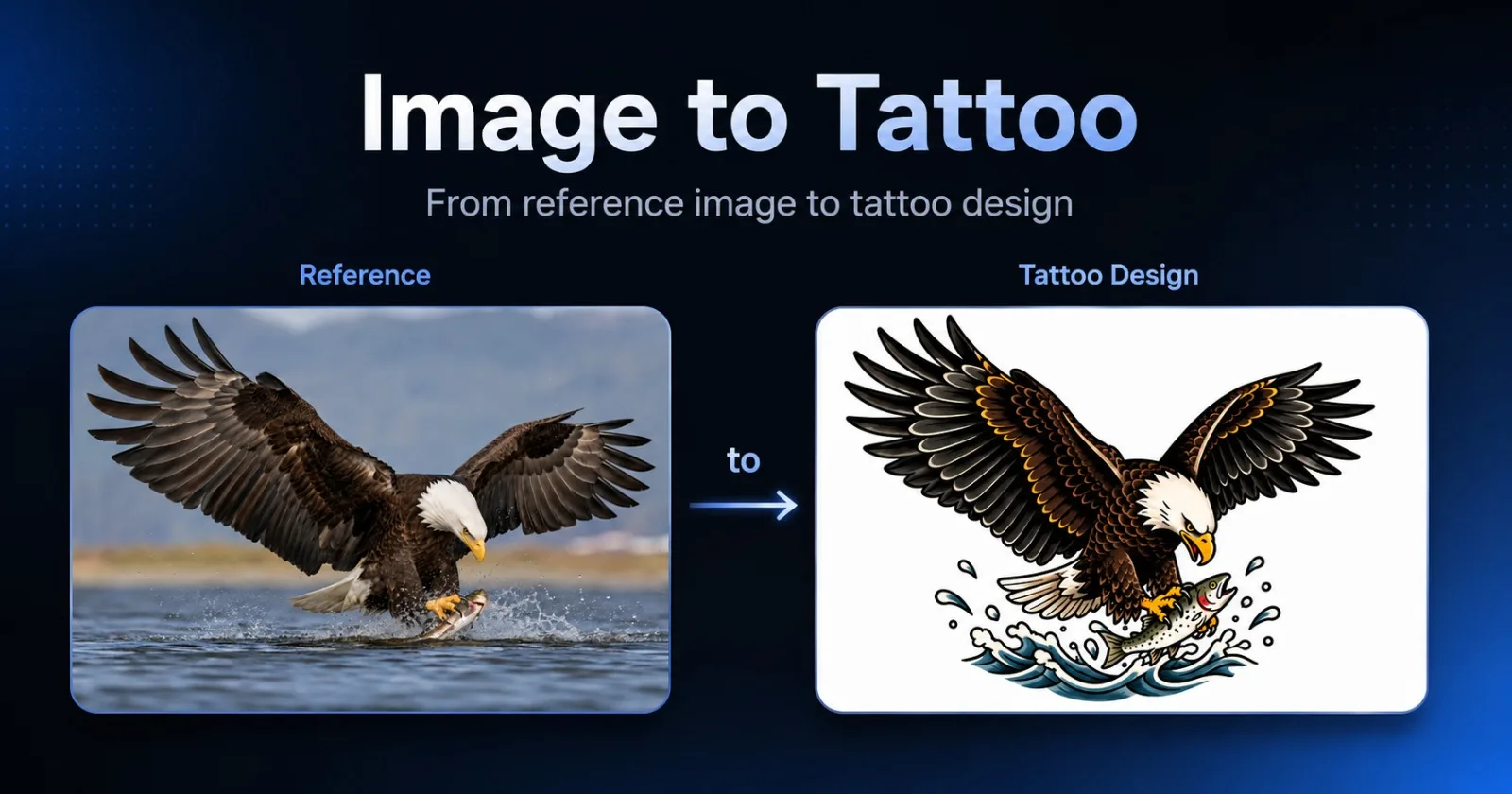
When I decided to add image upload to an AI product, the feature sounded almost trivial.
A user uploads an image.
The application sends it to an image model.
The model returns a transformed result.
Done.
That description is technically accurate, but it leaves out nearly everything required to turn the model call into a usable product feature.
The actual work was not mainly about calling an AI model. It was about handling files safely, managing temporary storage, validating inputs, tracking asynchronous jobs, protecting user privacy, presenting failures clearly, and deciding what should be saved after generation.
I encountered this while building an Image to Tattoo workflow for AIMakeTattoo.
The goal was simple: let someone upload an existing image and transform it into a tattoo-style visual reference.
The surrounding product decisions were much less simple.
Uploading the image was only the first step
Before sending anything to the model, the application had to answer several basic questions.
What file types should be accepted?
How large can the uploaded file be?
What happens when a browser provides an unexpected MIME type?
How should the image be previewed before submission?
What should happen if the upload succeeds but generation fails?
A basic upload form can ignore many of these questions. A production workflow cannot.
The application needs to validate the file before spending model credits. It also needs a useful error state when the file cannot be processed.
The browser preview was straightforward. The source image could remain a local object URL while the user configured the transformation.
But the model provider could not use a local browser URL. The source image still had to be uploaded somewhere accessible to the generation endpoint.
That introduced the next problem.
Temporary storage became a privacy decision
The uploaded image was only needed as input for one transformation.
It did not need to become a permanent user asset.
That distinction mattered because uploaded images can contain personal details, faces, private artwork, or other information users may not expect the application to retain forever.
For the current workflow, the source image is uploaded temporarily and given a short lifecycle. It is used to complete the transformation, but the source image URL is not saved as part of the user’s generation history.
Only the generated result is retained.
That design reduces unnecessary storage and makes the product behavior easier to explain:
the uploaded image is temporary input;
the generated tattoo reference is the saved output;
the original upload does not become a permanent gallery item.
This was not something the model API decided for me. It was a product and privacy decision surrounding the API.
Asynchronous generation changed the user experience
Image generation is not an instant request-response interaction.
The application submits a job, receives a job identifier, and then checks whether the job is still processing, has succeeded, or has failed.
That means the interface needs more than a loading spinner.
It needs to manage:
job creation;
polling intervals;
maximum wait time;
failed provider responses;
duplicate submissions;
temporary network failures;
credit usage;
the user leaving the page before completion.
A model endpoint may only require a few lines of request code, but the user experience around it requires a state machine.
The application must know whether it is waiting for an upload, waiting for generation, showing a completed result, or recovering from an error.
The difficult part is often not making the first request. It is making every possible outcome understandable.
The input and output had different lifecycles
Image-to-image workflows create two different files:
the user’s original upload;
the model-generated result.
Treating them as the same kind of asset would have made the system simpler, but it would also have been the wrong product behavior.
The source image is temporary and private input.
The generated image is the result the user may want to revisit, download, or share.
That led to another feature that initially seemed unrelated: generation history.
History changed the feature from disposable to reusable
Without history, a completed generation exists only in the current browser session.
A user may close the tab, return later, and discover that the result is gone even though they paid for the generation.
That is acceptable for a temporary experiment. It is less acceptable for a product where users compare multiple ideas before discussing them with a tattoo artist.
I added a lightweight authenticated history system.
For signed-in users, successful generations can now appear in a private gallery. The gallery includes results from:
AI Tattoo Generator;
AI Tattoo Lettering Generator;
Image to Tattoo.
The history record stores the generated output and a sanitized subset of useful metadata.
It does not expose internal prompts, provider payloads, source image URLs, or hidden implementation details.
That distinction matters.
A history page should help users recognize and reuse their results. It should not become a debugging console.
Private history and public sharing are different
Saving a result privately does not mean it should automatically become public.
This sounds obvious, but it affects the architecture.
A generated image can exist in a private history record without having a public share page.
Only when the user explicitly clicks Share does the application create or retrieve a public result mapping.
This provides two separate states:
saved privately for the authenticated user;
intentionally shared through a public AIMakeTattoo result URL.
The history record remains private by default.
That decision prevents a convenient product feature from silently turning private generations into public content.
The history interface needed less information, not more
My first version of the history page displayed too much.
Each card contained the image, prompt summary, style, placement, proportion, complexity, date, and multiple action buttons.
Technically, the information was useful.
Visually, it made the page feel like an internal admin dashboard instead of a personal gallery.
The better structure was simpler:
image;
tool type;
date;
one-line summary.
Clicking a card opens a detail dialog with the remaining metadata and actions.
This separated two jobs:
the gallery supports scanning;
the dialog supports inspection and action.
That small interface change made the history feel more like a user asset collection and less like a database viewer.
Mobile support exposed another layer of work
Desktop history was not enough.
On short mobile screens, a navigation drawer could contain the History entry but still make it practically unreachable. The menu content was taller than the viewport, and the account actions were pushed below the visible area.
The fix was not adding another History link. It was making the drawer respect the available viewport and giving its contents an internal scroll area.
The detail dialog required similar treatment.
On mobile:
the image remains in a stable preview area;
the details section scrolls independently;
the close button remains visible;
Download and Share remain reachable.
Again, none of this work involved the image model.
It was all part of making the model output usable.
The model call was the smallest part
The final workflow now includes:
local image preview;
file validation;
temporary source upload;
asynchronous generation;
result polling;
error handling;
private authenticated history;
sanitized metadata;
downloading;
controlled public sharing;
responsive gallery and dialog behavior.
The model request was one step in that sequence.
This is the recurring pattern I keep seeing in AI product development.
The AI capability may solve the central transformation, but it does not automatically solve the surrounding workflow.
Users experience the whole system, not the endpoint.
They notice whether the upload works, whether progress is clear, whether failures make sense, whether their result is saved, and whether sharing feels safe.
What I learned
Adding image upload to an AI product was not mainly an image-generation problem.
It was a product systems problem.
The model transformed the image.
Everything around the model made the transformation trustworthy and usable.
The most important decisions were not about prompt wording or model parameters. They were about:
what to store;
what not to store;
what should remain private;
when something becomes public;
what users need to see later;
how the workflow behaves when something fails.
That surrounding layer is easy to underestimate because it does not appear in the original feature description.
“Let users upload an image” sounds like one feature.
In practice, it is a chain of product, privacy, storage, interface, and reliability decisions.
I built this workflow as part of the AIMakeTattoo Image to Tattoo tool.
The model call made the transformation possible.
Everything around it made it a product.
Comments (2)
Login to post a comment.
ZyVOP
Hi Warren, Welcome to ZyVOP, it is incredible tool