
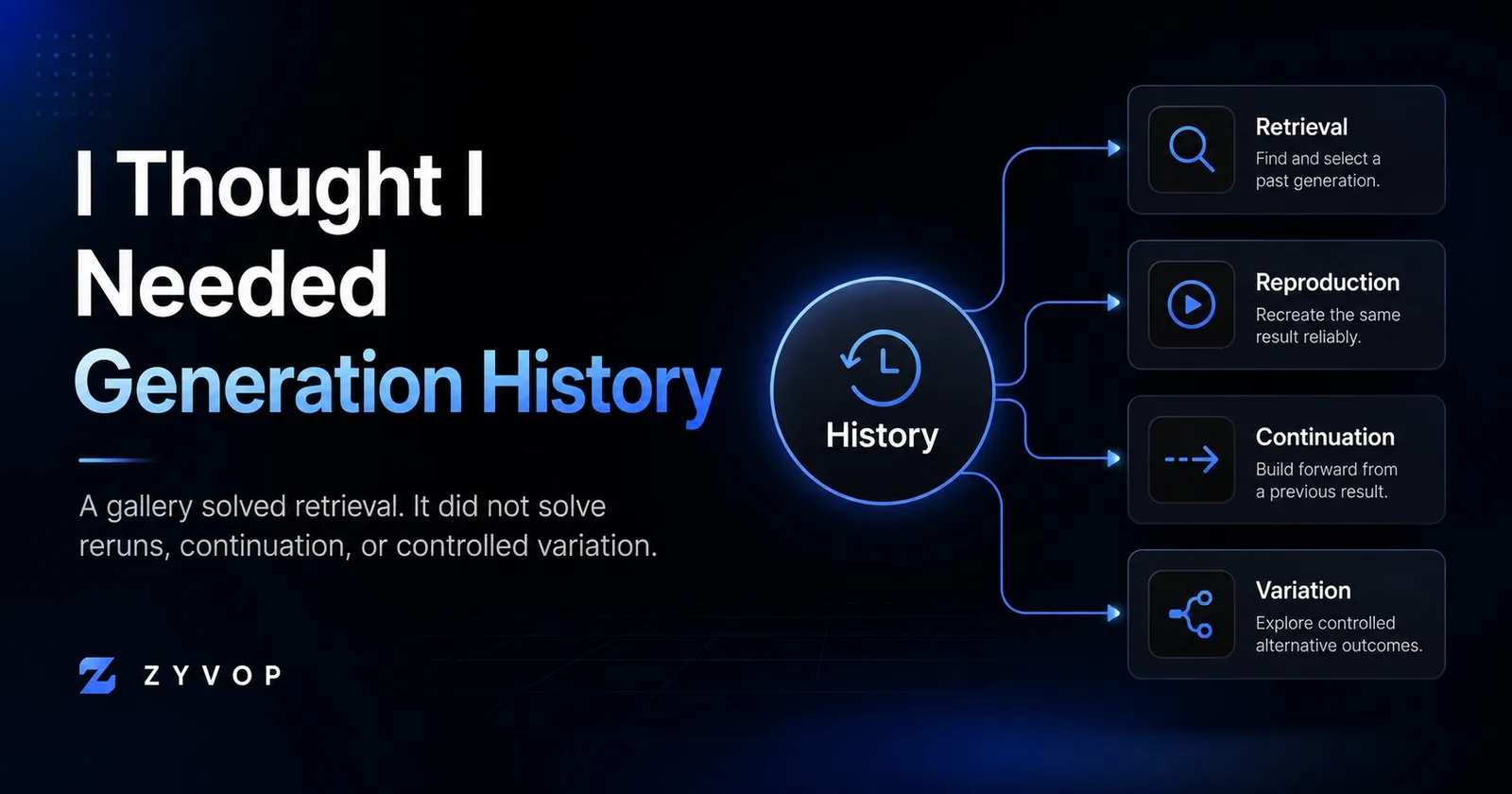
When I first thought about adding generation history to an AI product, the requirement sounded simple:
save the old outputs and let users come back to them later.
That sounds like a gallery problem.
It turned out to be a workflow problem.
After watching how people actually used the generator, I noticed that “history” was hiding several different jobs.
1. Retrieval
The simplest one is retrieval.
A user wants to find an old result again.
For this, a gallery works well.
You need things like:
generated image
creation time
tool type
original inputs
maybe the model or provider
This is the easiest version of history.
But it only solves:
“Show me what I made before.”
It does not solve what often comes next.
2. Reproduction
Sometimes the user wants to make the same thing again.
That sounds similar to retrieval, but technically it is a different operation.
To reproduce an old generation, you may need more than the visible prompt.
You may also need:
model identifier
provider
model version
application configuration
hidden system instructions
uploaded source files
generation parameters
seed, if the model supports one
And even if you save all of that, exact reproduction may still not be possible.
Providers change.
Models get replaced.
Default behavior changes.
Your own internal prompt may evolve.
So “Run again” can quietly mean one of two things:
Replay the original recipe
or
Use the old inputs with today’s system
Those are not the same promise.
3. Continuation
Then there is a different behavior:
the user does not want the old result back.
They want to continue from it.
I started noticing users keep the same core idea and change one variable at a time.
They might keep the subject but change:
placement
proportion
style
complexity
supporting elements
That is not retrieval.
It is not really reproduction either.
The old result is being used as context for the next decision.
A gallery can display the old image, but that does not automatically make the workflow easy to continue.
4. Variation
Variation is close to continuation, but I think it deserves its own category.
The intent is:
“Keep what worked. Change this one thing.”
That sounds trivial from the UI.
Technically, it raises a lot of questions.
What exactly should be inherited?
The prompt?
Structured controls?
The generated image?
The previous output as an image reference?
The model configuration?
If every generation is stored as an isolated row, then the product has very little understanding of how attempts relate to one another.
That is where a parent-child model starts to become useful.
Instead of:
generation
generation
generation
generation
you can start thinking in branches:
original
├── change style
├── change placement
└── change detail
    └── continue from here
Now the system can represent how the user is exploring, not just what files were created.
A gallery is still useful
None of this means a simple history gallery is a bad feature.
For many products, retrieval alone is already valuable.
The mistake is assuming that because users ask for “history,” one history screen solves every job hidden behind that word.
I ended up thinking about the feature as four separate intentions:
retrieval
reproduction
continuation
variation
That distinction changes both the UI and the data model.
What I would store now
At minimum, I would want a generation record to preserve enough context to explain what happened:
generation_id
user_id
tool_type
input
output
provider
model_id
created_at
For a more advanced continuation system, I would also consider:
parent_generation_id
action_type
config_version
source_asset_reference
The important field may eventually be parent_generation_id.
Without relationships between generations, history is mostly an archive.
With relationships, it can become a workflow.
The product lesson
The most interesting part for me was not the database design.
It was realizing that users often describe a need using the language available to them.
“Give me history” sounds like one feature.
But the actual job may be:
find something
reproduce something
resume something
modify something
Those jobs look similar from a distance.
They lead to very different product decisions.
I am still keeping the first version intentionally small.
But now I am much less interested in building a perfect gallery and much more interested in understanding what users are trying to do after they find an old generation.
That may be the more important history feature.
Comments (0)
Login to post a comment.