
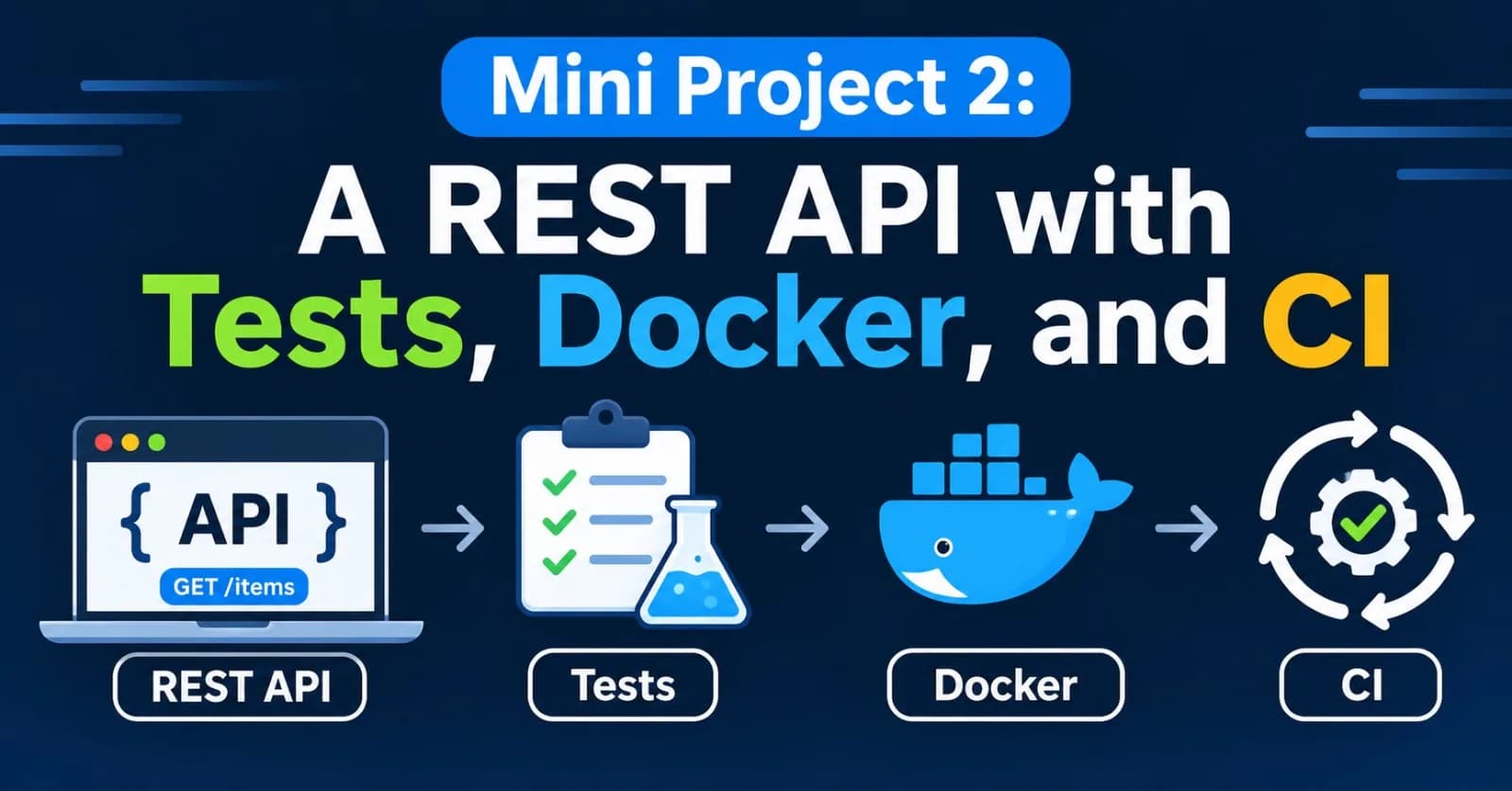
Last project you built a tool for yourself. This time you'll build a service that other programs talk to: a small REST API that stores and renders prompt templates, with real tests, a Docker image, and a pipeline that checks every change.
One change from what I promised earlier: I said this project would use FastAPI. I built it with Flask instead, because FastAPI and Pydantic couldn't be installed in my test environment, and I wanted every line run for real. The design doesn't depend on the framework, and near the end there's a short FastAPI version, clearly marked as not run.
Here's what I verified and what I didn't. The API, its 44 tests (run with a small stand-in for pytest, as in Post 13), a real server session with curl, and the smoke-test script all ran. The Docker image, gunicorn, and the GitHub Actions workflow did not, because I have no Docker or GitHub here. The workflow file parses as valid YAML, and that's all I can promise about it.
What we're building
Teams that work with language models end up with a pile of prompts. A prompt template with named blanks, like Summarize {text} for a {audience}., is worth storing, naming, and reusing. So our API stores templates, and fills in the blanks on request.
Method and path | What it does | Success code |
|---|---|---|
| Liveness check, no key needed | 200 |
| Create a prompt | 201 |
| List prompts ( | 200 |
| Fetch one prompt | 200 |
| Replace its template and tags | 200 |
| Delete it | 204 |
| Fill in the blanks with variables | 200 |
The status codes come from Post 20, and each failure has a job:
Code | When |
|---|---|
400 | The body isn't valid JSON |
401 | The API key is missing or wrong |
404 | No such prompt (or no such route) |
409 | A prompt with that name already exists |
413 | The request body is too large |
422 | The JSON is fine, but the content is invalid (bad name, missing variables) |
500 | Our bug. It's logged, and the client gets a polite JSON error |
Every error uses the same JSON shape, so clients only need to learn it once:
{"error": {"code": "missing_variables", "message": "some variables are missing", "missing": ["audience"]}}A session with the finished API
I started the server with an API key set, then used curl (Post 23). Each snippet below is real output. Flask prints JSON with its keys in alphabetical order, so the fields look shuffled. Without the key:
$ curl -i http://localhost:8765/prompts
HTTP/1.1 401 UNAUTHORIZED
WWW-Authenticate: Bearer
{"error":{"code":"unauthorized","message":"missing or invalid API key"}}
Creating a prompt with the key (-H "Authorization: Bearer secret"):
$ curl -i -X POST -H "$AUTH" -H "Content-Type: application/json" \
    -d '{"name": "summarize", "template": "Summarize {text} for a {audience}.", "tags": ["Writing"]}' \
    http://localhost:8765/prompts
HTTP/1.1 201 CREATED
Location: /prompts/summarize
{"created_at":"2026-11-18T16:16:15+00:00","name":"summarize","tags":["writing"],"template":"Summarize {text} for a {audience}.","updated_at":"2026-11-18T16:16:15+00:00"}
Notice the Location header, which tells the client where the new prompt lives, and that the tag Writing came back as writing. Creating the same name again gives a 409:
{"error":{"code":"conflict","message":"a prompt named 'summarize' already exists"}}A bad request reports every problem at once, not just the first:
{"error":{"code":"validation_failed","fields":{"name":"must be 1 to 64 characters: lowercase letters, digits, '-' or '_', starting with a letter or digit","template":"unsupported placeholder {user.name}: use plain names like {topic}"},"message":"the prompt is not valid"}}Now the point of it all, rendering. With both variables supplied, then with one forgotten:
$ curl -X POST ... -d '{"variables": {"text": "this article", "audience": "beginner"}}' .../prompts/summarize/render
{"name":"summarize","text":"Summarize this article for a beginner."}

$ curl -X POST ... -d '{"variables": {"text": "this article"}}' .../prompts/summarize/render
{"error":{"code":"missing_variables","message":"some variables are missing","missing":["audience"]}}
Filtering by tag, deleting (a 204 with no body), and fetching the deleted prompt (a 404 in the same JSON shape) all worked too.
The design
Three layers, each with one job, like in the last project:
promptapi/
├── pyproject.toml
├── requirements.txt
├── Dockerfile
├── .dockerignore
├── .github/workflows/ci.yml
├── scripts/smoke_test.sh
├── src/promptapi/
│   ├── prompts.py     # validation and template rendering   (pure: no web, no database)
│   ├── store.py       # saving prompts in SQLite            (no web)
│   └── app.py         # routes, auth, error responses       (the only part that knows about HTTP)
└── tests/test_promptapi.py
The app is built by a function, create_app(db_path, api_key), instead of being a global object. That's the dependency injection from Post 24: a test passes in a temporary database and a known key, and the real server passes in values from environment variables. Nothing is hard-wired.
A few decisions are worth explaining before the code.
Templates are checked, not trusted. The obvious way to fill in a template is Python's str.format. But a template is user input, and str.format can do far more than substitute names. Look:
>>> "Hello {person.__class__}".format(person="Asha")
"Hello <class 'str'>"

>>> class Config:
...     secret_key = "do-not-leak"
>>> class Holder:
...     def __init__(self): self.config = Config()
>>> "Key is {h.config.secret_key}".format(h=Holder())
'Key is do-not-leak'
A placeholder can reach into attributes of any object it's given, and in a real program that can mean secrets. So we accept only plain names. {topic} is fine, while {user.name}, {items[0]}, {0}, {}, {x!r}, and {x:>5} are all rejected when the prompt is created, so a bad template never gets stored. (Escaped braces, like {{this}}, are fine and render as literal braces.)
The API key is compared safely. We use hmac.compare_digest, which takes the same time whether the first character or the last one is wrong. An ordinary == can leak, through tiny timing differences, how much of a guess was right. The key itself comes from an environment variable (Post 12), never from the code.
Limits everywhere. Request bodies are capped at 64 KB, names are 64 characters at most, templates 10,000, and a prompt can have at most 10 tags. Services without limits eventually get hurt by them.
Errors are always JSON, even for routes that don't exist and for our own crashes, so a client never has to parse an HTML error page.
Step 0: set up
mkdir promptapi && cd promptapi
git init -b main
python -m venv .venv
source .venv/bin/activate
mkdir -p src/promptapi tests scriptspyproject.toml:
[project]
name = "promptapi"
version = "0.1.0"
description = "A small REST API for storing and rendering prompt templates"
readme = "README.md"
requires-python = ">=3.11"
dependencies = ["flask>=3.0", "gunicorn>=22.0"]

[project.optional-dependencies]
dev = ["pytest>=8.0"]

[project.scripts]
promptapi = "promptapi.app:main"

[build-system]
requires = ["setuptools>=68"]
build-backend = "setuptools.build_meta"

[tool.pytest.ini_options]
testpaths = ["tests"]
Flask is the web framework, and gunicorn is the production server we'll use in the container. [project.scripts] creates a promptapi command that starts the development server. Add a .gitignore:
.venv/
__pycache__/
*.egg-info/
.pytest_cache/
*.db
.env(*.db and .env keep your data and secrets out of Git, Post 22.) Add a one-line README.md and a src/promptapi/__init__.py containing __version__ = "0.1.0", and commit the skeleton.
Step 1: the core, with no web in sight
src/promptapi/prompts.py holds everything about what makes a valid prompt, and how to fill one in:
import re
import string

NAME_PATTERN = re.compile(r"^[a-z0-9][a-z0-9_-]{0,63}$")
FIELD_NAME = re.compile(r"^[A-Za-z_][A-Za-z0-9_]*$")
MAX_TEMPLATE_LENGTH = 10_000
MAX_TAGS = 10
MAX_TAG_LENGTH = 32


class ValidationError(Exception):
    def __init__(self, fields: dict[str, str]):
        super().__init__("invalid prompt")
        self.fields = fields


class MissingVariables(Exception):
    def __init__(self, missing: list[str]):
        super().__init__("missing variables: " + ", ".join(missing))
        self.missing = missing


def placeholders(template: str) -> list[str]:
    """The {names} in a template, in order, without repeats.

    Only plain names are allowed. Anything fancier, like {user.name}, {0}, {x!r}
    or {x:>5}, raises ValueError.
    """
    names: list[str] = []
    try:
        parsed = list(string.Formatter().parse(template))
    except ValueError as error:    # for example a lone '{' or '}'
        raise ValueError(str(error)) from error
    for _, field, spec, conversion in parsed:
        if field is None:
            continue
        if not FIELD_NAME.match(field) or spec or conversion:
            written = field + (f"!{conversion}" if conversion else "") + (f":{spec}" if spec else "")
            raise ValueError(f"unsupported placeholder {{{written}}}: use plain names like {{topic}}")
        if field not in names:
            names.append(field)
    return names


def render(template: str, variables: dict) -> str:
    needed = placeholders(template)
    missing = [name for name in needed if name not in variables]
    if missing:
        raise MissingVariables(missing)
    return template.format(**{name: str(variables[name]) for name in needed})


def validate_prompt(data: object, name: str | None = None) -> dict:
    """Check a request body. Returns clean values, or raises ValidationError listing every problem.

    Pass `name` when it comes from the URL instead of the body.
    """
    if not isinstance(data, dict):
        raise ValidationError({"body": "must be a JSON object"})
    problems: dict[str, str] = {}
    clean: dict = {}

    if name is None:
        raw_name = data.get("name")
        if not isinstance(raw_name, str) or not NAME_PATTERN.match(raw_name):
            problems["name"] = "must be 1 to 64 characters: lowercase letters, digits, '-' or '_', starting with a letter or digit"
        else:
            clean["name"] = raw_name

    template = data.get("template")
    if not isinstance(template, str) or not template.strip():
        problems["template"] = "must be a non-empty string"
    elif len(template) > MAX_TEMPLATE_LENGTH:
        problems["template"] = f"must be at most {MAX_TEMPLATE_LENGTH} characters"
    else:
        try:
            placeholders(template)
        except ValueError as error:
            problems["template"] = str(error)
        else:
            clean["template"] = template

    tags = data.get("tags", [])
    if (
        not isinstance(tags, list)
        or len(tags) > MAX_TAGS
        or not all(isinstance(t, str) and 0 < len(t.strip()) <= MAX_TAG_LENGTH for t in tags)
    ):
        problems["tags"] = f"must be a list of at most {MAX_TAGS} non-empty strings of up to {MAX_TAG_LENGTH} characters"
    else:
        clean["tags"] = list(dict.fromkeys(t.strip().lower() for t in tags))

    if problems:
        raise ValidationError(problems)
    return clean
These are the pieces to understand:
Two small exceptions carry information out of the core.
ValidationErrorholds a dictionary of field problems, andMissingVariablesholds the names that are missing. The core knows nothing about HTTP status codes. The web layer decides that aValidationErrorbecomes a 422.placeholdersusesstring.Formatter().parse, Python's own template parser, to find the names. For each one it checks the name is a plain identifier with no format spec and no conversion. A lone{or}makes the parser itself raise, and we pass that along as aValueError.renderchecks for missing names first, then callsformatwith only the validated names and plain strings. Extra variables are ignored, and non-string values like29are converted withstr.validate_promptcollects problems instead of stopping at the first. The client fixes everything in one round trip. It also cleans the tags: trimmed, lowercased, de-duplicated withdict.fromkeys, which keeps the order.name=lets the URL supply the name forPUT, where the name isn't in the body.
Step 2: the store
src/promptapi/store.py saves prompts in SQLite (Post 21):
import json
import sqlite3
from contextlib import closing
from datetime import datetime, timezone

SCHEMA = """
CREATE TABLE IF NOT EXISTS prompts (
    name TEXT PRIMARY KEY,
    template TEXT NOT NULL,
    tags TEXT NOT NULL DEFAULT '[]',
    created_at TEXT NOT NULL,
    updated_at TEXT NOT NULL
);
"""


class DuplicateName(Exception):
    pass


def utc_now() -> str:
    return datetime.now(timezone.utc).isoformat(timespec="seconds")


def row_to_dict(row: sqlite3.Row) -> dict:
    return {
        "name": row["name"],
        "template": row["template"],
        "tags": json.loads(row["tags"]),
        "created_at": row["created_at"],
        "updated_at": row["updated_at"],
    }


class PromptStore:
    def __init__(self, path: str):
        self.path = path
        with closing(self._connect()) as conn, conn:
            conn.executescript(SCHEMA)

    def _connect(self) -> sqlite3.Connection:
        conn = sqlite3.connect(self.path)
        conn.row_factory = sqlite3.Row
        return conn

    def create(self, name: str, template: str, tags: list[str]) -> dict:
        now = utc_now()
        try:
            with closing(self._connect()) as conn, conn:
                conn.execute(
                    "INSERT INTO prompts (name, template, tags, created_at, updated_at) VALUES (?, ?, ?, ?, ?)",
                    (name, template, json.dumps(tags), now, now),
                )
        except sqlite3.IntegrityError as error:
            raise DuplicateName(name) from error
        return self.get(name)

    def get(self, name: str) -> dict | None:
        with closing(self._connect()) as conn:
            row = conn.execute("SELECT * FROM prompts WHERE name = ?", (name,)).fetchone()
        return row_to_dict(row) if row else None

    def list_prompts(self, tag: str | None = None, limit: int = 20, offset: int = 0) -> tuple[list[dict], int]:
        where = ""
        params: list = []
        if tag:
            where = "WHERE EXISTS (SELECT 1 FROM json_each(prompts.tags) WHERE value = ?)"
            params.append(tag.lower())
        with closing(self._connect()) as conn:
            total = conn.execute(f"SELECT COUNT(*) FROM prompts {where}", params).fetchone()[0]
            rows = conn.execute(
                f"SELECT * FROM prompts {where} ORDER BY name LIMIT ? OFFSET ?", [*params, limit, offset]
            ).fetchall()
        return [row_to_dict(row) for row in rows], total

    def update(self, name: str, template: str, tags: list[str]) -> dict | None:
        with closing(self._connect()) as conn, conn:
            cursor = conn.execute(
                "UPDATE prompts SET template = ?, tags = ?, updated_at = ? WHERE name = ?",
                (template, json.dumps(tags), utc_now(), name),
            )
        return self.get(name) if cursor.rowcount else None

    def delete(self, name: str) -> bool:
        with closing(self._connect()) as conn, conn:
            cursor = conn.execute("DELETE FROM prompts WHERE name = ?", (name,))
        return cursor.rowcount == 1
A few details:
A new connection for every call, closed afterward with
closing. SQLite connections are cheap, and this avoids sharing one between threads. Andwith conn:makes each write a transaction that commits on success and rolls back on an error.The database enforces uniqueness.
nameis the primary key, so a duplicate insert raisessqlite3.IntegrityError, which we translate into our ownDuplicateName. Checking "does it exist?" first and inserting second would have a race, with two requests both passing the check.Every query uses
?placeholders. No values are ever pasted into SQL.Tags are stored as JSON text, and the tag filter uses SQLite's
json_eachto look inside it.Timestamps are UTC ISO strings.
One naming slip is worth confessing. My first version called the listing method list. The file crashed on import with TypeError: 'function' object is not subscriptable, because inside the class, list now meant my method, and a later annotation list[str] tried to subscript it. The method is list_prompts now. Don't name things after built-ins.
Step 3: the web layer
src/promptapi/app.py ties it together:
import hmac
import os

from flask import Flask, jsonify, request
from werkzeug.exceptions import HTTPException

from promptapi.prompts import MissingVariables, ValidationError, render, validate_prompt
from promptapi.store import DuplicateName, PromptStore

MAX_BODY_BYTES = 64 * 1024


def create_app(db_path: str, api_key: str | None = None) -> Flask:
    app = Flask(__name__)
    app.config["MAX_CONTENT_LENGTH"] = MAX_BODY_BYTES
    store = PromptStore(db_path)

    def error(status: int, code: str, message: str, **details):
        response = jsonify({"error": {"code": code, "message": message, **details}})
        response.status_code = status
        return response

    @app.before_request
    def require_api_key():
        if api_key is None or request.endpoint == "health":
            return None
        scheme, _, token = request.headers.get("Authorization", "").partition(" ")
        if scheme.lower() == "bearer" and hmac.compare_digest(token.encode(), api_key.encode()):
            return None
        response = error(401, "unauthorized", "missing or invalid API key")
        response.headers["WWW-Authenticate"] = "Bearer"
        return response

    @app.errorhandler(HTTPException)
    def http_error(exc: HTTPException):
        return error(exc.code or 500, exc.name.lower().replace(" ", "_"), exc.description or exc.name)

    @app.errorhandler(Exception)
    def unexpected_error(exc: Exception):
        app.logger.exception("unhandled error")
        return error(500, "internal_error", "something went wrong on our side")

    @app.get("/health")
    def health():
        return jsonify(status="ok")

    @app.post("/prompts")
    def create_prompt():
        data = request.get_json(silent=True)
        if data is None:
            return error(400, "bad_request", "the request body must be valid JSON")
        try:
            clean = validate_prompt(data)
        except ValidationError as problem:
            return error(422, "validation_failed", "the prompt is not valid", fields=problem.fields)
        try:
            prompt = store.create(clean["name"], clean["template"], clean["tags"])
        except DuplicateName:
            return error(409, "conflict", f"a prompt named '{clean['name']}' already exists")
        response = jsonify(prompt)
        response.status_code = 201
        response.headers["Location"] = f"/prompts/{prompt['name']}"
        return response

    @app.get("/prompts")
    def list_prompts():
        try:
            limit = int(request.args.get("limit", 20))
            offset = int(request.args.get("offset", 0))
        except ValueError:
            return error(422, "validation_failed", "limit and offset must be whole numbers")
        if not 1 <= limit <= 100 or offset < 0:
            return error(422, "validation_failed", "limit must be 1 to 100, and offset must not be negative")
        items, total = store.list_prompts(tag=request.args.get("tag"), limit=limit, offset=offset)
        return jsonify(items=items, total=total, limit=limit, offset=offset)

    @app.get("/prompts/<name>")
    def get_prompt(name: str):
        prompt = store.get(name)
        if prompt is None:
            return error(404, "not_found", f"no prompt named '{name}'")
        return jsonify(prompt)

    @app.put("/prompts/<name>")
    def replace_prompt(name: str):
        data = request.get_json(silent=True)
        if data is None:
            return error(400, "bad_request", "the request body must be valid JSON")
        try:
            clean = validate_prompt(data, name=name)
        except ValidationError as problem:
            return error(422, "validation_failed", "the prompt is not valid", fields=problem.fields)
        prompt = store.update(name, clean["template"], clean["tags"])
        if prompt is None:
            return error(404, "not_found", f"no prompt named '{name}'")
        return jsonify(prompt)

    @app.delete("/prompts/<name>")
    def delete_prompt(name: str):
        if not store.delete(name):
            return error(404, "not_found", f"no prompt named '{name}'")
        return "", 204

    @app.post("/prompts/<name>/render")
    def render_prompt(name: str):
        prompt = store.get(name)
        if prompt is None:
            return error(404, "not_found", f"no prompt named '{name}'")
        data = request.get_json(silent=True)
        variables = data.get("variables", {}) if isinstance(data, dict) else None
        if not isinstance(variables, dict):
            return error(422, "validation_failed", "send a JSON object with a 'variables' object inside it")
        try:
            text = render(prompt["template"], variables)
        except MissingVariables as problem:
            return error(422, "missing_variables", "some variables are missing", missing=problem.missing)
        return jsonify(name=name, text=text)

    return app


def create_app_from_env() -> Flask:
    return create_app(os.environ.get("PROMPT_DB", "prompts.db"), os.environ.get("PROMPT_API_KEY") or None)


def main() -> None:
    """Run the development server. For real deployments, use gunicorn (see the Dockerfile)."""
    app = create_app_from_env()
    app.run(host=os.environ.get("HOST", "127.0.0.1"), port=int(os.environ.get("PORT", "8000")))
Reading it top to bottom:
before_requestruns before every route. It skips/health, and if a key is configured, it requiresAuthorization: Bearer <key>, answering 401 with aWWW-Authenticateheader otherwise. Passingapi_key=Noneturns authentication off, which is handy for local use.The two error handlers make errors JSON. One converts Flask's own HTTP errors (404, 405, 413), and one catches anything unexpected, logs the traceback for us, and tells the client only that something went wrong. We never send a stack trace to a client.
request.get_json(silent=True)returnsNoneinstead of raising when the body isn't valid JSON, so we can answer with our own 400.Creating returns 201 with a
Locationheader, deleting returns 204 with no body, and both are conventions that clients rely on.List parameters are validated.
limitmust be 1 to 100, so nobody can ask for a million rows.main()runs Flask's development server, which is fine on your laptop and not for real traffic. The server prints a warning saying exactly that. In the container we'll rungunicorninstead, throughcreate_app_from_env.
Step 4: run it
pip install -e ".[dev]"
PROMPT_API_KEY=secret promptapi
The server reads its settings from environment variables: PROMPT_DB (where the SQLite file lives, default prompts.db), PROMPT_API_KEY (leave it unset for an open API), HOST (default 127.0.0.1), and PORT (default 8000). Try the curl commands from the session above. Then stop the server, start it again, and fetch a prompt you created before. It's still there, because the data lives in the database file and not in the process. I checked exactly that: I created a prompt, restarted the server on the same file, and got it back.
Step 5: the tests
Create tests/test_promptapi.py. It has two layers, just like the code. The first group tests the core with plain function calls. The second tests the web layer, using Flask's built-in test client, which sends requests straight into the app with no real server or network:
import pytest

from promptapi.app import create_app
from promptapi.prompts import MissingVariables, ValidationError, placeholders, render, validate_prompt

API_KEY = "test-secret"
AUTH = {"Authorization": f"Bearer {API_KEY}"}


@pytest.fixture
def db_path(tmp_path):
    return str(tmp_path / "prompts.db")


@pytest.fixture
def client(db_path):
    return create_app(db_path, api_key=API_KEY).test_client()


def create(client, name="summarize", template="Summarize {text} for a {audience}.", tags=None):
    payload = {"name": name, "template": template}
    if tags is not None:
        payload["tags"] = tags
    return client.post("/prompts", json=payload, headers=AUTH)


# ---- the core: templates and validation (no web server involved) ----

@pytest.mark.parametrize("template, expected", [
    ("Hello {name}", ["name"]),
    ("{a} and {b} and {a}", ["a", "b"]),
    ("no placeholders at all", []),
    ("{{literal braces}}", []),
])
def test_placeholders(template, expected):
    assert placeholders(template) == expected


@pytest.mark.parametrize("template", [
    "{0}", "{}", "{user.name}", "{items[0]}", "{x!r}", "{x:>5}", "a } b", "a { b",
])
def test_anything_fancier_than_a_plain_name_is_rejected(template):
    with pytest.raises(ValueError):
        placeholders(template)


def test_render_fills_in_variables_and_ignores_extras():
    text = render("Hi {name}, you are {age}.", {"name": "Asha", "age": 29, "unused": True})
    assert text == "Hi Asha, you are 29."


def test_render_keeps_escaped_braces():
    assert render("Use {{braces}} for {thing}", {"thing": "JSON"}) == "Use {braces} for JSON"


def test_render_reports_every_missing_variable():
    with pytest.raises(MissingVariables) as excinfo:
        render("{a} {b} {c}", {"b": 1})
    assert excinfo.value.missing == ["a", "c"]


def test_validation_reports_all_problems_at_once():
    with pytest.raises(ValidationError) as excinfo:
        validate_prompt({"name": "Bad Name", "template": "", "tags": "nope"})
    assert set(excinfo.value.fields) == {"name", "template", "tags"}


def test_validation_cleans_tags_and_can_take_the_name_from_the_url():
    clean = validate_prompt({"template": "x {y}", "tags": [" Writing ", "writing", "Summary"]}, name="from-url")
    assert clean == {"template": "x {y}", "tags": ["writing", "summary"]}


# ---- authentication ----

def test_health_needs_no_key(client):
    assert client.get("/health").get_json() == {"status": "ok"}


@pytest.mark.parametrize("headers", [{}, {"Authorization": "Bearer wrong"}, {"Authorization": "Basic abc"}, {"Authorization": API_KEY}])
def test_other_endpoints_reject_a_missing_or_wrong_key(client, headers):
    response = client.get("/prompts", headers=headers)
    assert response.status_code == 401
    assert response.headers["WWW-Authenticate"] == "Bearer"
    assert response.get_json()["error"]["code"] == "unauthorized"


def test_without_a_configured_key_the_api_is_open(db_path):
    open_client = create_app(db_path, api_key=None).test_client()
    assert open_client.get("/prompts").status_code == 200


# ---- creating and reading prompts ----

def test_create_returns_201_with_a_location_and_the_stored_prompt(client):
    response = create(client, tags=["Writing"])
    body = response.get_json()
    assert response.status_code == 201
    assert response.headers["Location"] == "/prompts/summarize"
    assert body["name"] == "summarize"
    assert body["tags"] == ["writing"]
    assert body["created_at"] == body["updated_at"]


def test_a_duplicate_name_is_a_conflict(client):
    create(client)
    response = create(client)
    assert response.status_code == 409
    assert response.get_json()["error"]["code"] == "conflict"


def test_an_invalid_prompt_is_rejected_with_field_messages(client):
    response = client.post("/prompts", json={"name": "Bad Name!", "template": ""}, headers=AUTH)
    error = response.get_json()["error"]
    assert response.status_code == 422
    assert error["code"] == "validation_failed"
    assert set(error["fields"]) == {"name", "template"}


def test_a_template_that_could_reach_into_objects_is_rejected(client):
    response = create(client, template="Hello {user.__class__}")
    assert response.status_code == 422
    assert "unsupported placeholder" in response.get_json()["error"]["fields"]["template"]


def test_malformed_json_is_a_400(client):
    response = client.post("/prompts", data="not json", content_type="application/json", headers=AUTH)
    assert response.status_code == 400


def test_an_oversized_body_is_rejected_as_json(client):
    response = client.post("/prompts", data="x" * 70_000, content_type="application/json", headers=AUTH)
    assert response.status_code == 413
    assert response.get_json()["error"]["code"] == "request_entity_too_large"


def test_get_returns_the_prompt_or_a_json_404(client):
    create(client)
    assert client.get("/prompts/summarize", headers=AUTH).get_json()["template"].startswith("Summarize")
    missing = client.get("/prompts/nope", headers=AUTH)
    assert missing.status_code == 404
    assert missing.get_json()["error"]["code"] == "not_found"


def test_an_unknown_route_is_also_json(client):
    response = client.get("/nothing-here", headers=AUTH)
    assert response.status_code == 404
    assert response.get_json()["error"]["code"] == "not_found"


# ---- listing ----

def test_list_is_sorted_filterable_and_paged(client):
    create(client, name="b-prompt", template="b {x}", tags=["writing"])
    create(client, name="a-prompt", template="a {x}", tags=["writing", "code"])
    create(client, name="c-prompt", template="c {x}", tags=["code"])

    everything = client.get("/prompts", headers=AUTH).get_json()
    assert [p["name"] for p in everything["items"]] == ["a-prompt", "b-prompt", "c-prompt"]
    assert everything["total"] == 3

    by_tag = client.get("/prompts?tag=Code", headers=AUTH).get_json()
    assert [p["name"] for p in by_tag["items"]] == ["a-prompt", "c-prompt"]

    page = client.get("/prompts?limit=1&offset=1", headers=AUTH).get_json()
    assert [p["name"] for p in page["items"]] == ["b-prompt"]
    assert page["total"] == 3


@pytest.mark.parametrize("query", ["limit=0", "limit=101", "limit=abc", "offset=-1"])
def test_bad_paging_values_are_rejected(client, query):
    assert client.get(f"/prompts?{query}", headers=AUTH).status_code == 422


# ---- updating and deleting ----

def test_put_replaces_the_template_and_tags(client):
    create(client, tags=["old"])
    response = client.put("/prompts/summarize", json={"template": "New {thing}", "tags": ["new"]}, headers=AUTH)
    body = response.get_json()
    assert response.status_code == 200
    assert (body["template"], body["tags"]) == ("New {thing}", ["new"])
    assert client.put("/prompts/nope", json={"template": "x"}, headers=AUTH).status_code == 404


def test_delete_returns_204_and_then_404(client):
    create(client)
    assert client.delete("/prompts/summarize", headers=AUTH).status_code == 204
    assert client.delete("/prompts/summarize", headers=AUTH).status_code == 404
    assert client.get("/prompts/summarize", headers=AUTH).status_code == 404


# ---- rendering ----

def test_render_fills_in_the_template(client):
    create(client)
    response = client.post("/prompts/summarize/render", json={"variables": {"text": "this article", "audience": "beginner"}}, headers=AUTH)
    assert response.status_code == 200
    assert response.get_json()["text"] == "Summarize this article for a beginner."


def test_render_lists_missing_variables(client):
    create(client)
    response = client.post("/prompts/summarize/render", json={"variables": {"text": "x"}}, headers=AUTH)
    error = response.get_json()["error"]
    assert response.status_code == 422
    assert (error["code"], error["missing"]) == ("missing_variables", ["audience"])


@pytest.mark.parametrize("body", [{"variables": "text"}, ["not", "an", "object"]])
def test_render_needs_a_variables_object(client, body):
    create(client)
    assert client.post("/prompts/summarize/render", json=body, headers=AUTH).status_code == 422


def test_render_of_an_unknown_prompt_is_a_404(client):
    assert client.post("/prompts/nope/render", json={"variables": {}}, headers=AUTH).status_code == 404


# ---- persistence ----

def test_data_survives_a_restart(db_path):
    first = create_app(db_path, api_key=API_KEY).test_client()
    create(first)
    second = create_app(db_path, api_key=API_KEY).test_client()
    assert second.get("/prompts/summarize", headers=AUTH).status_code == 200
Some patterns here are worth noting:
Fixtures build a fresh app for every test, with a database file in a temporary folder and a known key. Tests can't affect each other.
parametrizecovers the awkward cases cheaply. Eight fancy templates that must be rejected, four wrong ways to send the key, four bad paging values. Each is one line.Every error path has a test: 400, 401, 404, 409, 413, and 422. The success paths alone would only prove the easy half.
The restart test creates two separate apps on the same database file, to prove data isn't held in memory.
There are 27 test functions, which expand to 44 cases with parametrize, and all 44 passed. Then came the check from Post 13, to make sure the tests can fail. I broke the code six different ways, one at a time:
Deliberate bug | Tests that failed |
|---|---|
Accept any bearer token ( | 1 |
| 1 |
Allow fancy placeholders like | 7 |
Tag filter forgets to lowercase | 1 |
No request size limit | 1 |
| 2 |
Every bug was caught, and after restoring the code all 44 passed again. Note what the third row says: the security rule isn't just documented. Seven separate tests would turn red if someone weakened it.
Step 6: a smoke test for the running service
Unit tests prove the pieces work. A smoke test proves the deployed thing works: that the server started, that it's reachable, and that the main path works end to end. It's a shell script (Post 23) that takes the address as an argument, so it can test your laptop, a container, or a server in the cloud. scripts/smoke_test.sh:
#!/usr/bin/env bash
set -euo pipefail

BASE="${1:-http://localhost:8000}"
KEY="${PROMPT_API_KEY:-}"
AUTH="Authorization: Bearer ${KEY}"

echo "Checking $BASE ..."
for attempt in 1 2 3 4 5 6 7 8 9 10; do
    if curl -fsS "$BASE/health" > /dev/null 2>&1; then
        break
    fi
    echo "Not ready yet (attempt $attempt), waiting..."
    sleep 1
done

status=$(curl -s -o /dev/null -w "%{http_code}" "$BASE/health" || true)
if [ "$status" -ne 200 ]; then
    echo "FAIL: /health returned $status" >&2
    exit 1
fi

# start from a clean slate, in case an earlier run left the prompt behind
curl -s -o /dev/null -X DELETE -H "$AUTH" "$BASE/prompts/smoke-test" || true

created=$(curl -s -o /dev/null -w "%{http_code}" -X POST -H "$AUTH" -H "Content-Type: application/json" \
    -d '{"name": "smoke-test", "template": "Explain {topic} to a {audience}."}' "$BASE/prompts" || true)
if [ "$created" -ne 201 ]; then
    echo "FAIL: creating a prompt returned $created" >&2
    exit 1
fi

rendered=$(curl -fsS -X POST -H "$AUTH" -H "Content-Type: application/json" \
    -d '{"variables": {"topic": "generators", "audience": "beginner"}}' "$BASE/prompts/smoke-test/render")
echo "Rendered: $rendered"
case "$rendered" in
    *"Explain generators to a beginner."*) ;;
    *) echo "FAIL: unexpected render output" >&2; exit 1 ;;
esac

curl -fsS -o /dev/null -X DELETE -H "$AUTH" "$BASE/prompts/smoke-test"
echo "OK"
Make it executable with chmod +x scripts/smoke_test.sh. It waits for the server to come up (a fresh container isn't instantly ready), cleans up after any earlier run, creates a prompt, renders it, checks the result, and deletes it. The || true on the curl calls matters under set -e, as we saw in Post 23: it lets our message appear instead of the script dying silently.
I ran it three ways:
Situation | Output | Exit code |
|---|---|---|
Server not running |
| 1 |
Server running with a key, script without one |
| 1 |
Server running with a key, script with |
| 0 |
The second row is a good example of what a smoke test is for: /health is open, so the server looked healthy, yet the real work was blocked. Only a test that goes through the whole path catches that.
Step 7: Docker
Everything in this section and the next is from my knowledge and not something I ran, since I had no Docker or GitHub. Check the commands against their documentation as you go. The Dockerfile applies what we learned in Post 23:
FROM python:3.12-slim

ENV PYTHONUNBUFFERED=1 \
    PROMPT_DB=/data/prompts.db

WORKDIR /app

COPY requirements.txt .
RUN pip install --no-cache-dir -r requirements.txt

COPY pyproject.toml README.md ./
COPY src ./src
RUN pip install --no-cache-dir --no-deps .

RUN useradd --create-home appuser && mkdir /data && chown appuser /data
USER appuser

VOLUME /data
EXPOSE 8000

HEALTHCHECK --interval=30s --timeout=3s \
    CMD python -c "import urllib.request; urllib.request.urlopen('http://localhost:8000/health')"

CMD ["gunicorn", "--bind", "0.0.0.0:8000", "promptapi.app:create_app_from_env()"]
Why it's built this way:
Layer caching.
requirements.txtis copied and installed before the source code, so editing code doesn't reinstall Flask. The file repeats the dependencies inpyproject.toml, so keep the two in sync. The finalpip install --no-deps .installs only our own package.gunicorn, not Flask's development server. It's a production-grade server, andcreate_app_from_env()is a factory call that builds our app using the environment variables. It listens on0.0.0.0so the container is reachable from outside.The database lives in a volume,
/data, because a container's own filesystem is thrown away with the container.It runs as a non-root user, and
PYTHONUNBUFFERED=1makes logs appear immediately.HEALTHCHECKlets Docker itself ask/healthevery 30 seconds.Secrets aren't baked in. The key is passed when the container starts.
And .dockerignore, requirements.txt:
.git
.github
.venv
__pycache__/
*.egg-info/
.pytest_cache/
*.db
.env
tests/
flask>=3.0
gunicorn>=22.0To build and run it, and then test the container with the same script we used on the laptop:
docker build -t promptapi .
docker run -d --name api -p 8000:8000 -v prompts:/data -e PROMPT_API_KEY=secret promptapi
PROMPT_API_KEY=secret ./scripts/smoke_test.sh http://localhost:8000
docker logs api
docker stop api && docker rm api
Because the data is in the prompts volume, you should be able to stop and remove the container, start a new one with the same -v prompts:/data, and find your prompts still there.
Step 8: continuous integration
Continuous integration, or CI, means a server automatically runs your checks on every push and every pull request, so nobody has to remember to. On GitHub, it's a workflow file in .github/workflows/. It's useful to know that CI is nothing magic: it's the commands you've already been typing, written into a file. .github/workflows/ci.yml:
name: CI

on:
  push:
    branches: [main]
  pull_request:

jobs:
  test:
    runs-on: ubuntu-latest
    strategy:
      matrix:
        python-version: ["3.11", "3.12"]
    steps:
      - uses: actions/checkout@v4
      - uses: actions/setup-python@v5
        with:
          python-version: ${{ matrix.python-version }}
      - name: Install
        run: pip install -e ".[dev]"
      - name: Run the tests
        run: pytest

  docker:
    runs-on: ubuntu-latest
    needs: test
    steps:
      - uses: actions/checkout@v4
      - name: Build the image
        run: docker build -t promptapi .
      - name: Start the container
        run: docker run -d --name api -p 8000:8000 promptapi
      - name: Smoke test
        run: ./scripts/smoke_test.sh http://localhost:8000
      - name: Show the container logs if something failed
        if: failure()
        run: docker logs api
Reading it:
onsays when it runs: on every push tomain, and on every pull request.The
testjob checks out your code, sets up Python, installs the project, and runspytest. The matrix runs it once for each Python version listed, here 3.11 and 3.12, in parallel, so you find out if you've broken an older version.The
dockerjob builds the image, starts the container, runs our smoke test against it, and prints the container's logs onlyif: failure(), which is exactly when you'd want them.needs: testmeans it runs only after the tests pass.Each
uses:line borrows a ready-made step from the community. The version tags (@v4,@v5) change over time, so check the current ones.
I could check that the file is valid YAML and that it has the structure I intended (two jobs, a two-version matrix, needs: test), but I couldn't run it on GitHub. One gotcha to look out for: the script must be executable in Git. On Linux and macOS, chmod +x before committing is enough, and I confirmed Git recorded it as an executable file. If you work on Windows, run git update-index --chmod=+x scripts/smoke_test.sh, or CI will fail with "permission denied".
Once it's working, combine it with what you learned in Post 22: turn on branch protection so a pull request can't be merged until the checks are green. Then a red cross next to a commit means "don't merge this yet", and nobody has to take your word that the tests pass.
A clean history
As in the last project, I committed as I built, with messages that say what changed:
9d42b39 Add CI workflow: tests, image build, smoke test
cf1b1ad Add Dockerfile for gunicorn
8811cc5 Add smoke test script
6c4ee44 Add tests for the core and every endpoint
bc8f445 Add Flask app with CRUD, render, auth, and JSON errors
cd3f95b Add SQLite prompt store
18acca0 Add prompt validation and safe template rendering
613e65e Set up project skeleton
git status was clean at the end. Push it to GitHub and open a pull request, so the CI workflow runs for the first time.
The FastAPI version
Since I promised FastAPI earlier, here's how the web layer would look. I did not run this, because FastAPI and Pydantic weren't available to me, so treat it as a sketch and check it against the current documentation. The reassuring part is how much doesn't change. prompts.py and store.py are reused as they are, which is the payoff of keeping them free of any web code.
from fastapi import FastAPI, HTTPException
from pydantic import BaseModel, Field, field_validator

from promptapi.prompts import MissingVariables, placeholders, render
from promptapi.store import DuplicateName, PromptStore

store = PromptStore("prompts.db")
app = FastAPI()


class PromptIn(BaseModel):
    name: str = Field(pattern=r"^[a-z0-9][a-z0-9_-]{0,63}$")
    template: str = Field(min_length=1, max_length=10_000)
    tags: list[str] = Field(default_factory=list, max_length=10)

    @field_validator("template")
    @classmethod
    def only_plain_placeholders(cls, value: str) -> str:
        placeholders(value)    # raises ValueError for anything fancy, which becomes a 422
        return value


class RenderIn(BaseModel):
    variables: dict[str, object] = Field(default_factory=dict)


@app.post("/prompts", status_code=201)
def create_prompt(prompt: PromptIn):
    try:
        return store.create(prompt.name, prompt.template, prompt.tags)
    except DuplicateName:
        raise HTTPException(status_code=409, detail=f"a prompt named '{prompt.name}' already exists")


@app.post("/prompts/{name}/render")
def render_prompt(name: str, body: RenderIn):
    prompt = store.get(name)
    if prompt is None:
        raise HTTPException(status_code=404, detail=f"no prompt named '{name}'")
    try:
        return {"name": name, "text": render(prompt["template"], body.variables)}
    except MissingVariables as problem:
        raise HTTPException(status_code=422, detail={"missing": problem.missing})
You would run it with uvicorn, a server for FastAPI apps, and FastAPI generates interactive documentation at /docs for free. The differences to expect:
Pydantic replaces
validate_prompt. Field rules likepatternandmax_lengthare declared on the model, and FastAPI rejects bad input with a 422 automatically (Post 10).The error shape changes. FastAPI's errors look like
{"detail": ...}, not our{"error": {...}}, so tests that check the error format would need updating, unless you add your own exception handlers.Tests use
fastapi.testclient.TestClient, which works much like Flask's test client.Async is optional. These handlers are ordinary functions. The
asyncstyle from Post 14 pays off when handlers wait on a model API.
Where to take it next
Add version history. Keep every past version of a prompt in a second table, with
GET /prompts/{name}/versions, so you can roll back a change that made results worse.Add rate limiting per API key, using the atomic-update idea from Post 21.
Move to Postgres (Post 21), and use a connection pool. SQLite is great for one server and light traffic.
Add request IDs to the logs, so you can trace one request through the system.
Add a
/prompts/{name}/runendpoint that renders the template and sends it to a model, once you've built your first LLM app in Post 49. This is where the service becomes useful.Deploy it to a cloud service (Post 71), and point the smoke test at the live address.
Support several keys, each with its own name, so you can revoke one without breaking the others.
A definition of done
Every endpoint has a test for success and for each way it can fail.
You've broken the code on purpose at least once, and a test noticed.
The smoke test passes against your local server and against the container.
No secret appears in the code, the image, or the Git history.
The README explains how to run it, which environment variables it reads, and what the API looks like.
CI is green on a pull request, and your history reads like a story.
What to take away
A REST API is a set of nouns (URLs), verbs (methods), and consistent answers (status codes and one JSON error shape).
Keep the logic out of the web layer. The core and the store here know nothing about HTTP, so they're easy to test and easy to move to another framework.
Treat every input as untrusted, even a template. Plain placeholders only, with limits on sizes and counts, and every problem reported at once.
Build the app with a factory function, and pass in its settings. Then tests can use a temporary database and a known key.
A smoke test checks the running system end to end, and it catches problems that unit tests can't.
A Docker image is the app plus its environment. Cache dependencies, run as a non-root user, mount a volume for data, and pass secrets at run time.
CI is your commands in a file, run automatically on every change. Pair it with branch protection and it becomes a gate.
Previous: Post 27, Mini Project 1: A Markdown Note Searcher
Next in the series: Post 29, Capstone, where we build a small Python library and publish it on PyPI.
Comments(0)
Join the discussion by logging into your account.
No comments yet. Be the first to comment!