
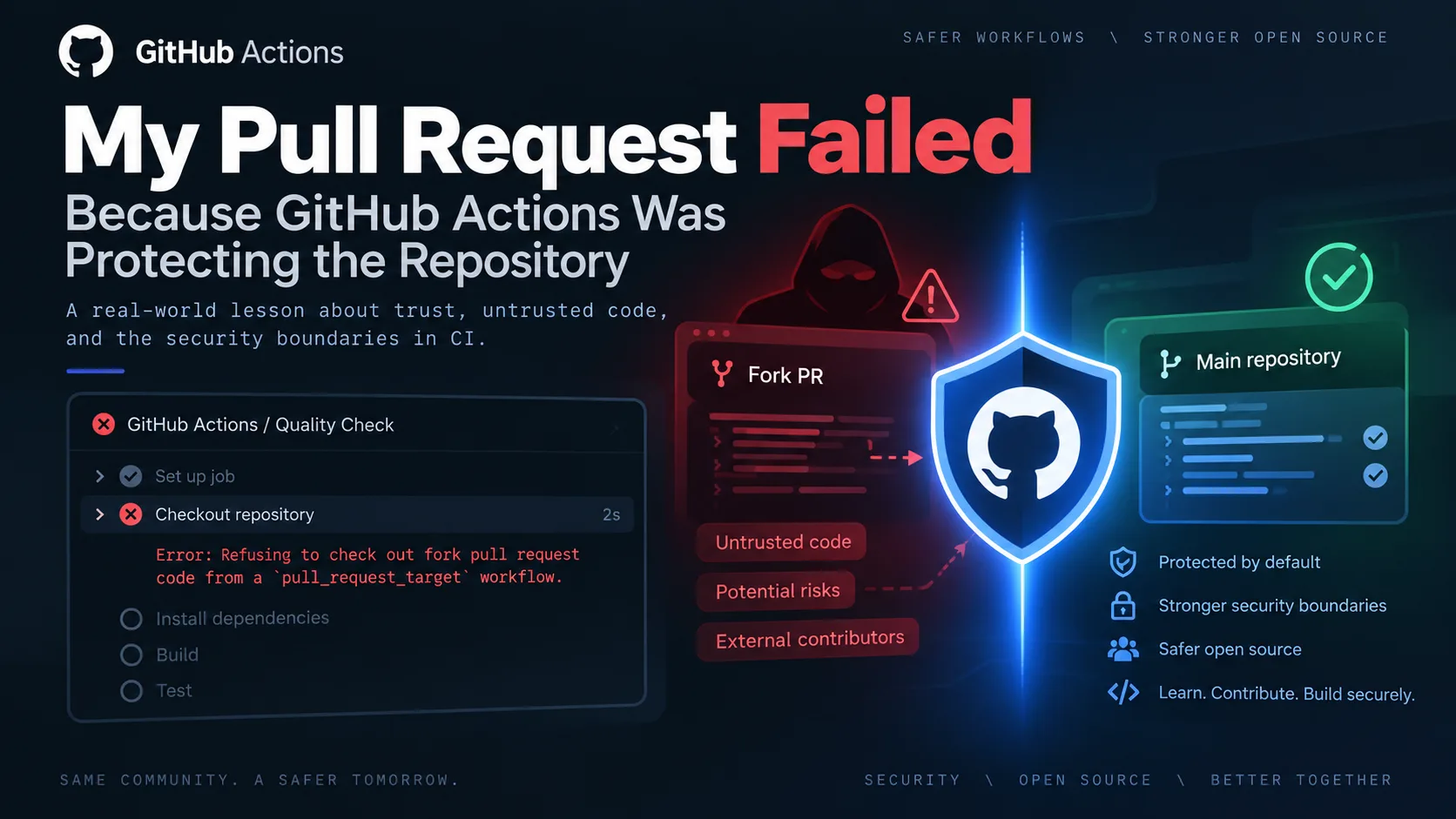
Sometimes the most useful security lessons don't start with a security audit.
They start with a failed CI job.
Recently, while contributing to an open-source project, I opened a pull request and expected the usual sequence:
checkout → install → build → test
Instead, the workflow stopped at actions/checkout.
The error was surprisingly explicit:
Refusing to check out fork pull request code from a
pull_request_targetworkflow.
At first, this looked like a CI configuration problem.
Maybe the checkout action needed another option. Maybe something had changed in a newer version.
There was even an escape hatch:
allow-unsafe-pr-checkout: true
Adding it would have been easy.
But the name alone should make you stop before doing that.
Why was checking out my pull request considered unsafe?
That question led me into an important GitHub Actions security boundary that is easy to miss:
on:
  pull_request:
and:
on:
  pull_request_target:
look similar.
They are not.
And choosing the wrong one can turn a normal CI workflow into a path for executing untrusted code with repository privileges.
The workflow looked perfectly normal
The project had a quality-check workflow for pull requests.
Simplified, its intent was something like this:
name: Quality Check

on:
  pull_request_target:
    branches:
      - main
    paths:
      - "src/**"
      - "tests/**"
      - "package.json"
      - "pnpm-lock.yaml"

jobs:
  quality:
    runs-on: ubuntu-latest

    steps:
      - uses: actions/checkout@v5

      # install dependencies
      # build
      # lint
      # test
Nothing here immediately looks dangerous.
It's a pull request.
We want to test the pull request.
So we check out its code and execute the project's quality checks.
But there's a more important question than:
What commands does this workflow execute?
The question is:
Whose code are we executing, and what privileges does it have while running?
That changes the entire security model.
Two events with very different trust models
GitHub provides both:
pull_request
and:
pull_request_target
They both respond to pull request activity, but they exist for different purposes.
Understanding that difference requires thinking about trusted and untrusted code.
pull_request: run CI against the proposed change
For a normal CI workflow, we might write:
name: Quality Check

on:
  pull_request:
    branches:
      - main

permissions:
  contents: read

jobs:
  quality:
    runs-on: ubuntu-latest

    steps:
      - uses: actions/checkout@v5

      - run: npm ci
      - run: npm test
This is the natural environment for:
build
lint
test
type-check
static analysis
because the workflow is supposed to process the code proposed by the contributor.
For pull requests coming from forks, GitHub applies restrictions to protect the target repository.
The important mental model is:
        Contributor's PR
               │
               ▼
        pull_request
               │
               ▼
      Restricted context
               │
               ▼
        Checkout PR code
               │
               ▼
      Build / lint / test
The code is untrusted.
And the environment is designed accordingly.
pull_request_target solves a different problem
Now consider:
on:
  pull_request_target:
The word target is important.
A pull_request_target workflow executes using the context of the base repository.
Its workflow definition comes from the trusted base branch rather than from the contributor's pull request.
That makes it useful for operations that need to interact with the repository while responding to an external pull request.
For example:
apply labels
comment on a PR
triage contributions
manage PR metadata
perform privileged repository automation
Conceptually:
        Contributor's PR
               │
               ▼
    pull_request_target
               │
               ▼
      Trusted base context
               │
               ▼
      Manage the pull request
Notice what's missing.
We aren't executing the contributor's application code.
That's intentional.
The problem starts when those worlds are mixed
Imagine this workflow:
name: PR Check

on:
  pull_request_target:

jobs:
  test:
    runs-on: ubuntu-latest

    steps:
      - uses: actions/checkout@v5
        with:
          ref: ${{ github.event.pull_request.head.sha }}

      - run: npm ci
      - run: npm test
We've now changed the architecture.
The workflow runs in a trusted context.
Then we explicitly fetch code controlled by the pull request author.
Then we execute it.
The trust boundary becomes:
┌───────────────────────────────┐
│       UNTRUSTED SOURCE        │
│                               │
│   Pull request from a fork    │
└──────────────┬────────────────┘
               │
               │ checkout PR code
               ▼
┌───────────────────────────────┐
│        TRUSTED CONTEXT        │
│                               │
│      pull_request_target      │
│                               │
│  GITHUB_TOKEN                 │
│  repository secrets           │
│  cache scope                  │
│  runner access                │
└──────────────┬────────────────┘
               │
               │ npm ci
               │ npm test
               ▼
        Untrusted code runs
        inside trusted context
That's the dangerous combination.
Repository code is executable input
This is the part that's easy to underestimate.
You might look at:
- run: npm ci
and think:
I'm only installing dependencies.
But dependency installation can execute lifecycle scripts.
Or:
- run: npm test
and think:
I'm only running tests.
But who controls the tests?
The pull request does.
The same applies to:
npm run build
pnpm install
make
./scripts/check.sh
A contributor may be able to modify:
package.json
build scripts
test files
Makefiles
configuration
dependencies
shell scripts
So when a CI job checks out a pull request, the repository itself needs to be treated as potentially executable input.
That gives us the dangerous equation:
UNTRUSTED CODE
      +
PRIVILEGED WORKFLOW
      =
SECURITY BOUNDARY VIOLATION
This is known as a "pwn request"
GitHub Security Lab describes this class of vulnerability as a pwn request.
The problem isn't that pull_request_target itself is insecure.
That's an important distinction.
The dangerous pattern is:
pull_request_target
        +
checkout untrusted PR
        +
execute that PR
pull_request_target has legitimate uses.
The vulnerability appears when the trusted and untrusted execution models are combined incorrectly.
And now actions/checkout actively protects against it
This is what made my failed CI job particularly interesting.
Recent versions of actions/checkout include protection against this exact pattern.
When a workflow running under a privileged event such as:
pull_request_target
tries to check out code from an external fork, actions/checkout can refuse the operation.
That's why I saw the error.
The action even provides an explicit opt-out:
- uses: actions/checkout@v5
  with:
    allow-unsafe-pr-checkout: true
But look carefully at that property name:
allow-unsafe-pr-checkout
Not:
allow-fork-checkout
Not:
enable-pr-checkout
GitHub is deliberately making the security implication visible.
The option exists for cases where someone has carefully evaluated the trust boundary and genuinely needs the behavior.
It should not be the default fix for a failing CI pipeline.
My first question became: why does this workflow need pull_request_target?
The workflow wasn't publishing a package.
It wasn't deploying anything.
It wasn't modifying repository contents.
It wasn't performing privileged PR management.
It was running quality checks.
In other words:
checkout
   ↓
install
   ↓
build
   ↓
lint
   ↓
test
That's exactly what pull_request is designed for.
So instead of bypassing the protection:
allow-unsafe-pr-checkout: true
the fix was to change the trust model.
Before
The relevant part looked conceptually like this:
name: Quality Check

on:
  push:
    branches:
      - main

  pull_request_target:
    branches:
      - main
    paths:
      - "src/**"
      - "tests/**"
      - "package.json"
      - "pnpm-lock.yaml"

jobs:
  quality:
    runs-on: ubuntu-latest

    steps:
      - uses: actions/checkout@v5

      # install
      # lint
      # test
For a workflow whose purpose is to execute the proposed changes, pull_request_target introduces a privileged context that isn't required.
After
The change is almost boring:
name: Quality Check

on:
  push:
    branches:
      - main

  pull_request:
    branches:
      - main
    paths:
      - "src/**"
      - "tests/**"
      - "package.json"
      - "pnpm-lock.yaml"

permissions:
  contents: read

jobs:
  quality:
    runs-on: ubuntu-latest

    steps:
      - uses: actions/checkout@v5

      # install
      # lint
      # test
The important change is just:
- pull_request_target:
+ pull_request:
And I would also make the permissions required by the CI job explicit:
permissions:
  contents: read
The YAML change is tiny.
The architectural change isn't.
Before and after: the actual security model
The security model before
                    Fork PR
                       │
                       ▼
              pull_request_target
                       │
             trusted base context
                       │
                       ▼
                checkout PR
                       │
                       ▼
                execute code
                       │
                       ▼
              ⚠ trust boundary
                 has been crossed
The security model after
                    Fork PR
                       │
                       ▼
                 pull_request
                       │
               restricted context
                       │
                       ▼
                checkout PR
                       │
                       ▼
              build / lint / test
                       │
                       ▼
                 CI result
Now the execution model matches the purpose of the workflow.
The lesson isn't "pull_request_target is bad"
That would be the wrong conclusion.
A better rule is:
Choose the event based on the trust level required by the job.
Consider two workflows.
Workflow A
It needs to:
checkout contributor code
install dependencies
compile
run tests
run linting
That's untrusted-code execution.
Use a low-privilege context such as:
pull_request
Workflow B
It needs to:
label the PR
comment on it
perform triage
update repository metadata
It may need a trusted repository context.
That's where:
pull_request_target
can make sense.
But don't then casually checkout and execute the contributor's code.
A mental model I now use
When reviewing a GitHub Actions workflow, I ask two questions.
Question 1: Does this job execute contributor-controlled code?
That includes obvious commands:
- run: ./script-from-the-repository.sh
but also less obvious ones:
- run: npm ci
- run: npm test
- run: npm run build
If yes, I treat the job as executing untrusted code.
Then I ask:
Question 2: Does this job have privileged access?
For example:
repository write permissions
secrets
publishing credentials
deployment credentials
privileged caches
internal infrastructure
self-hosted runners
If the answer to both questions is yes, the workflow deserves immediate attention.
Does the job execute PR code?
             │
      ┌──────┴──────┐
      NO           YES
      │             │
      ▼             ▼
  Lower risk   Does it hold privileges?
                     │
              ┌──────┴──────┐
              NO           YES
              │             │
              ▼             ▼
          Lower risk    ⚠ REVIEW THIS
The goal is simple:
Don't combine untrusted code execution with unnecessary privileges.
Separate CI from privileged automation
Suppose a project genuinely needs both.
It wants to:
- build and test external contributions;
- perform privileged actions after those checks.
Don't automatically put everything into one privileged workflow.
Separate responsibilities.
Workflow 1: untrusted CI
name: PR CI

on:
  pull_request:

permissions:
  contents: read

jobs:
  test:
    runs-on: ubuntu-latest

    steps:
      - uses: actions/checkout@v5

      - run: npm ci
      - run: npm test
Its responsibility is:
Determine whether the proposed code works.
Nothing more.
Workflow 2: trusted automation
A separate trusted workflow can perform operations that genuinely require additional permissions.
For example:
name: PR Metadata

on:
  pull_request_target:

permissions:
  contents: read
  pull-requests: write

jobs:
  metadata:
    runs-on: ubuntu-latest

    steps:
      # Work with PR metadata.
      # Do not execute contributor-controlled code.
Its responsibility is:
Manage the pull request.
Not:
Execute the pull request.
That distinction dramatically simplifies the security model.
For more complex cases where privileged work must happen after untrusted CI, GitHub also documents patterns using separate workflows such as workflow_run. But artifacts crossing from an untrusted workflow into a privileged one still need to be treated as untrusted data.
permissions is part of the architecture too
Changing the event is only part of hardening a workflow.
GitHub Actions provides a GITHUB_TOKEN, and its permissions should follow the principle of least privilege.
A CI workflow often needs little more than:
permissions:
  contents: read
A PR-management workflow might legitimately need:
permissions:
  contents: read
  pull-requests: write
A release workflow might need:
permissions:
  contents: write
The important question is not:
What permissions might this workflow eventually need?
It's:
What is the minimum permission this job needs to perform its responsibility?
A linter doesn't need to create releases.
A test suite doesn't need deployment credentials.
A build shouldn't receive package-publishing credentials just because another job publishes packages.
Permissions should follow responsibilities.
Secrets aren't the only thing worth protecting
It's tempting to think:
We don't use any secrets, so executing the PR here is fine.
That's incomplete.
The security boundary can include more than explicit secrets.
Depending on the workflow, there may also be:
GITHUB_TOKEN permissions
repository access
cache state
artifacts
package credentials
deployment environments
runner infrastructure
And self-hosted runners deserve particular attention.
If arbitrary external code runs on infrastructure connected to private systems, the threat model is very different from an isolated disposable GitHub-hosted runner.
So the right question isn't just:
Can this pull request read
MY_SECRET?
It's:
What can the environment access or modify while contributor-controlled code is running?
CI configuration is security architecture
One thing changed for me after investigating this issue.
I no longer see this:
on:
  pull_request_target:
as merely a CI trigger.
And I don't see this:
permissions:
  contents: write
as merely configuration.
Or this:
ref: ${{ github.event.pull_request.head.sha }}
as merely checkout behavior.
Together, these settings answer fundamental security questions:
Who controls the code?

Which version of the workflow runs?

Which credentials are available?

What can the job modify?

Which infrastructure can it access?
That's a security model.
Just written in YAML.
Why the failed pipeline was useful
The easiest response to my original failure would have been:
allow-unsafe-pr-checkout: true
The CI probably would have moved past the checkout step.
But the security warning wasn't the problem.
The workflow architecture was.
The better question was:
Why is a quality-check workflow asking to execute untrusted fork code inside a privileged context?
Once phrased that way, the solution became obvious.
It didn't need that context.
So I changed:
pull_request_target
to:
pull_request
and let the CI execute the proposed code in the security context intended for it.
Final takeaway
The one-line fix wasn't the interesting part.
This was:
- pull_request_target:
+ pull_request:
The interesting part was understanding why that line matters.
My rule now is simple:
Never execute untrusted pull request code with privileges it doesn't need.
Use pull_request when the job exists to build, lint, analyze, or test contributor code.
Use pull_request_target when you genuinely need the trusted base-repository context for PR automation — and keep contributor-controlled code out of that execution path.
Define explicit permissions.
Separate untrusted CI from privileged automation.
And when a security mechanism blocks something in your pipeline, don't immediately search for the flag that disables it.
First ask why the protection exists.
In my case, a failed checkout wasn't GitHub Actions getting in the way.
It was GitHub Actions pointing at a security boundary I hadn't paid enough attention to.
And that made the failed CI job more useful than a successful one would have been.
References
- GitHub Docs — Secure use reference, including guidance for mitigating untrusted code checkout in privileged workflows.
- GitHub Docs — Securely using pull_request_target, covering its trust model, fork checkout risks, hardening, and the
allow-unsafe-pr-checkoutprotection. - GitHub Security Lab — Keeping your GitHub Actions and workflows secure: Preventing pwn requests, with examples of how privileged PR workflows can become vulnerable.
- actions/checkout — current documentation for the built-in protection against unsafe fork PR checkout.
Comments(0)
Join the discussion by logging into your account.
No comments yet. Be the first to comment!