
Deployed AWS Infrastructure with Python + Terraform CDKTFPROBLEM
I wanted to create an AWS S3 bucket using Python + CDKTF instead of writing Terraform HCL. I also needed versioning, encryption, Block public access , and proper tags.
HOW I DEBUGGED IT
First, I checked my AWS access. I checked the Python and package versions first.
Instead of changing the system Python,
I created a virtual environment (venv) and installed the required packages there.
Normal/system Python → you tried it → it did NOT work
Python venv → you tried it → it WORKED Then I tested the Python code and ran
cdktf synth
After that, I ran:
cdktf diff to make sure everything looked right before deployment.
THE SOLUTION
cdktf deploy
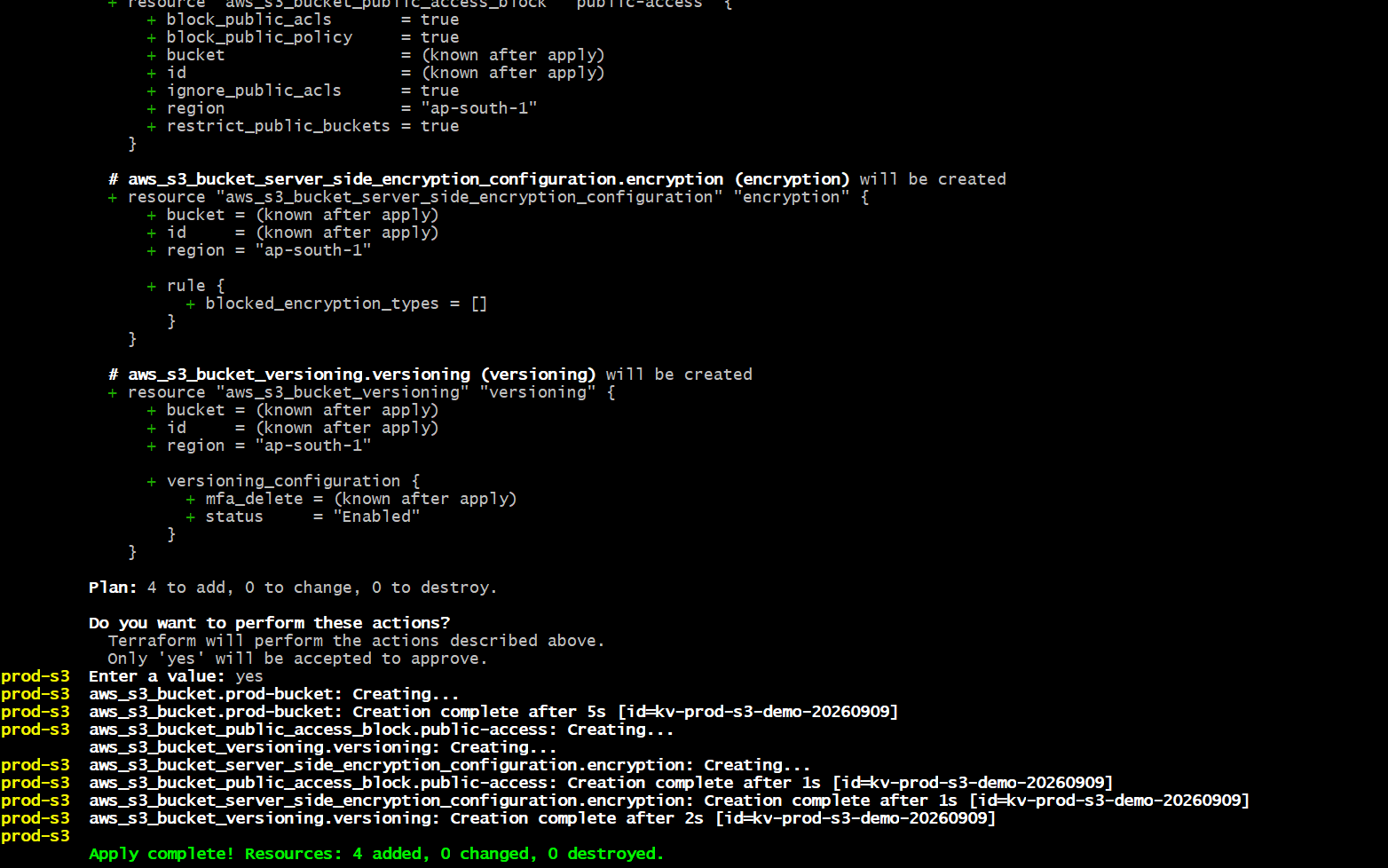
The S3 bucket was created successfully with versioning, encryption, public access blocked, and proper tags.
Has anyone else faced this problem?
Have you used Python + CDKTF for AWS infrastructure?
How did you fix it?
Note: All infrastructure images, official docs, and videos links are included on the last page
GitHub : https://github.com/ksaivishnusaikvs
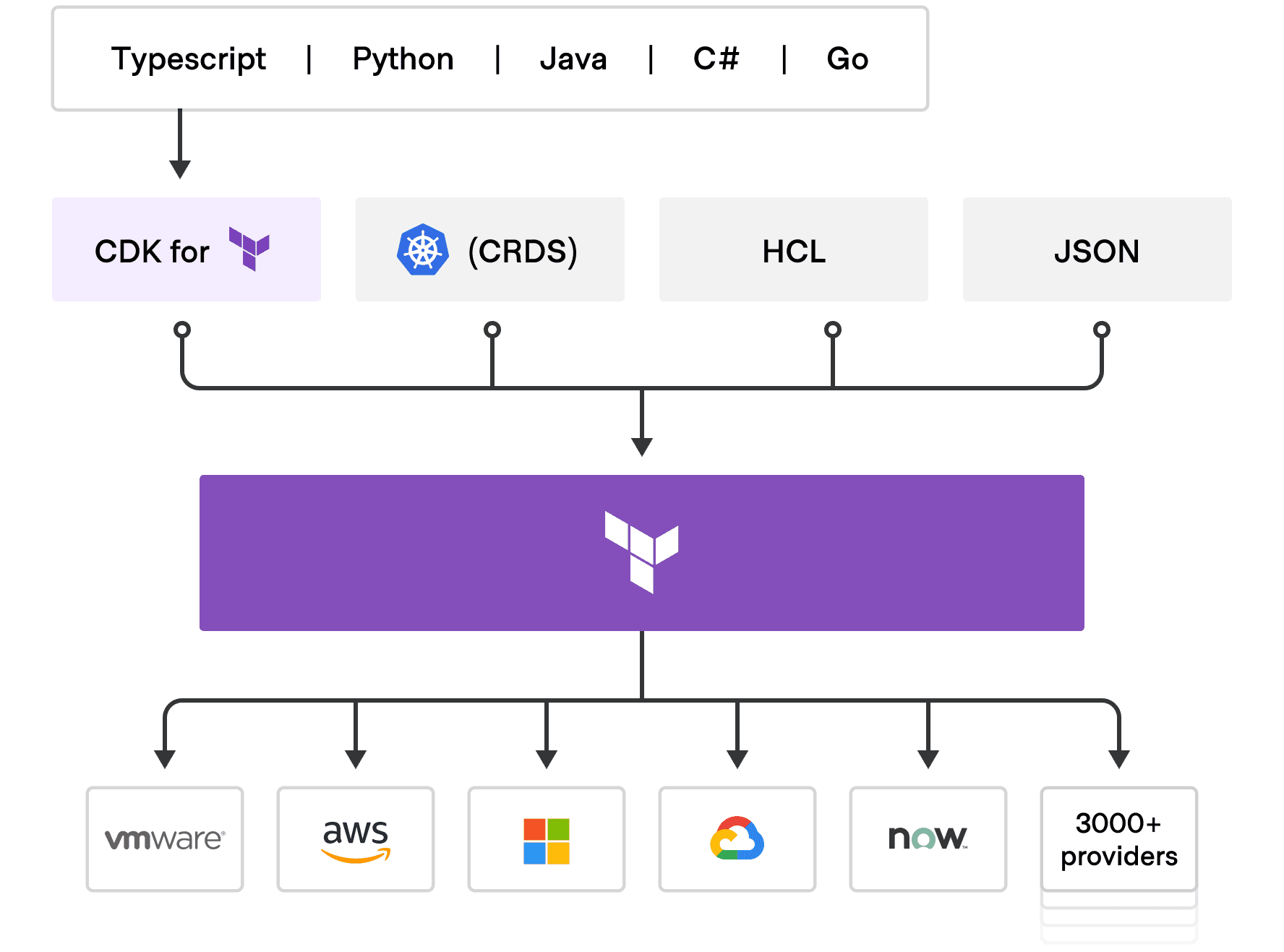
2. Prerequisites
Ubuntu EC2 instance, Python 3, pip, Node.js/npm, CDKTF CLI, Terraform CLIAWS CLIAWS credentials or an IAM role with permission to create the required S3 resources
Verify AWS Access aws sts get-caller-identity

Step 1: Create infrastructure: Create the CDKTF Project
cd ~
rm -rf prod-s3
mkdir prod-s3
cd prod-s3
python3 -m venv .venv
source .venv/bin/activate

pip install --upgrade pip
pip install cdktf constructs cdktf-cdktf-provider-aws
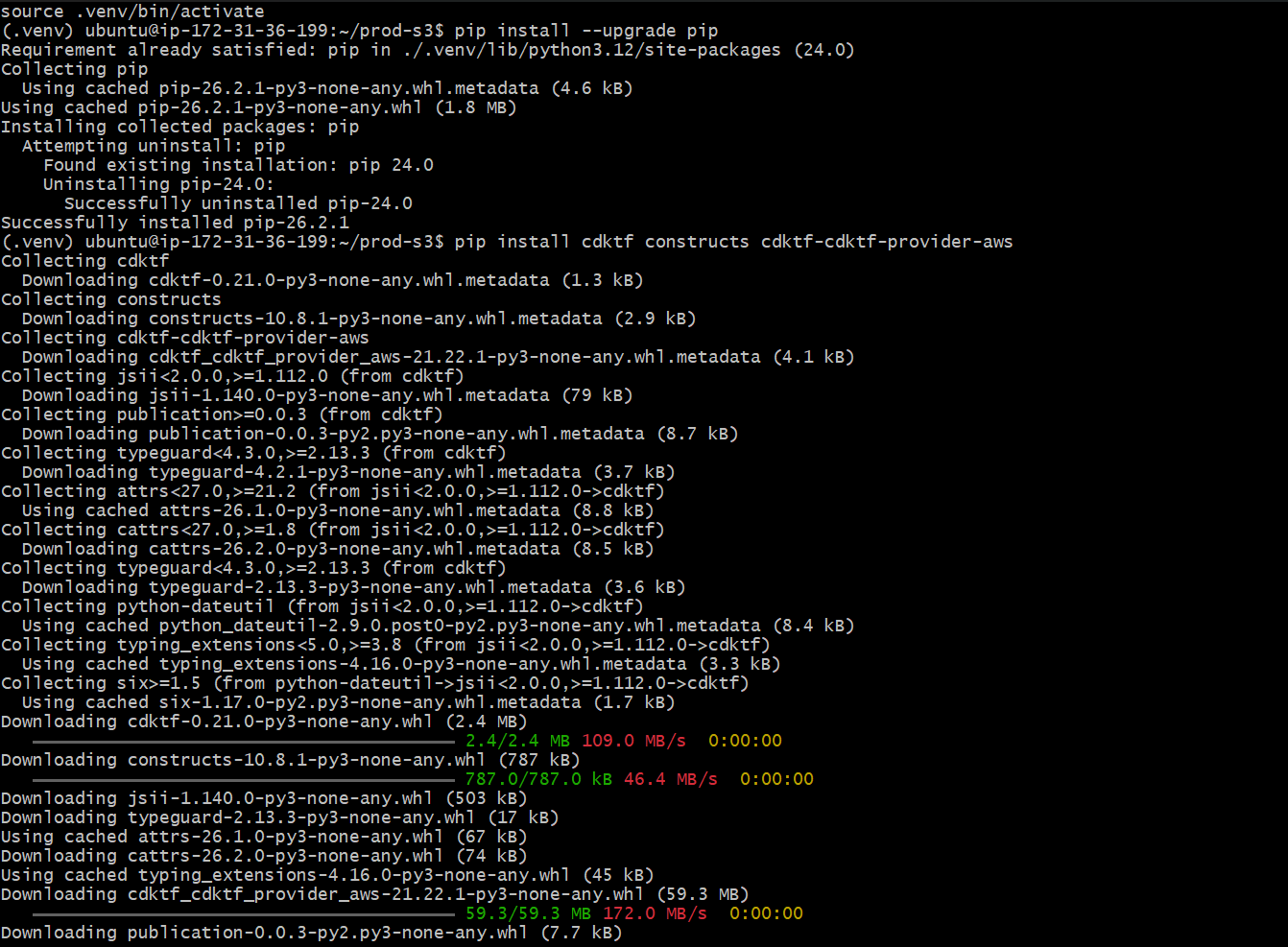
STEP2: Create the CDKTF configuration
cat > cdktf.json <<'EOF'
{
"language": "python",
"app": "python3 main.py"
}
EOF
This tells CDKTF that the application entry point is main.py and that Python is the projectlanguage.
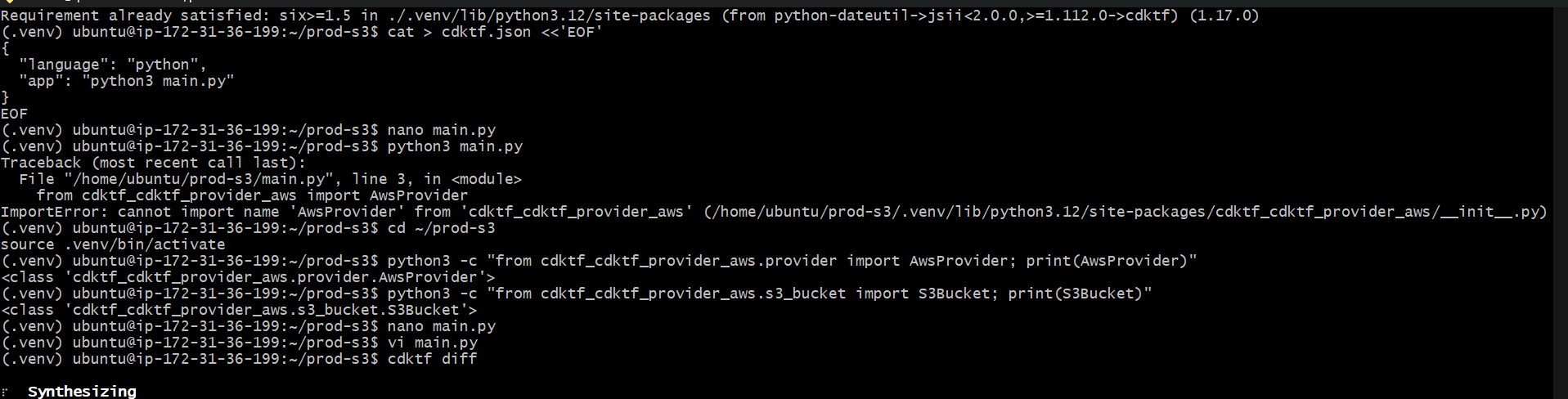
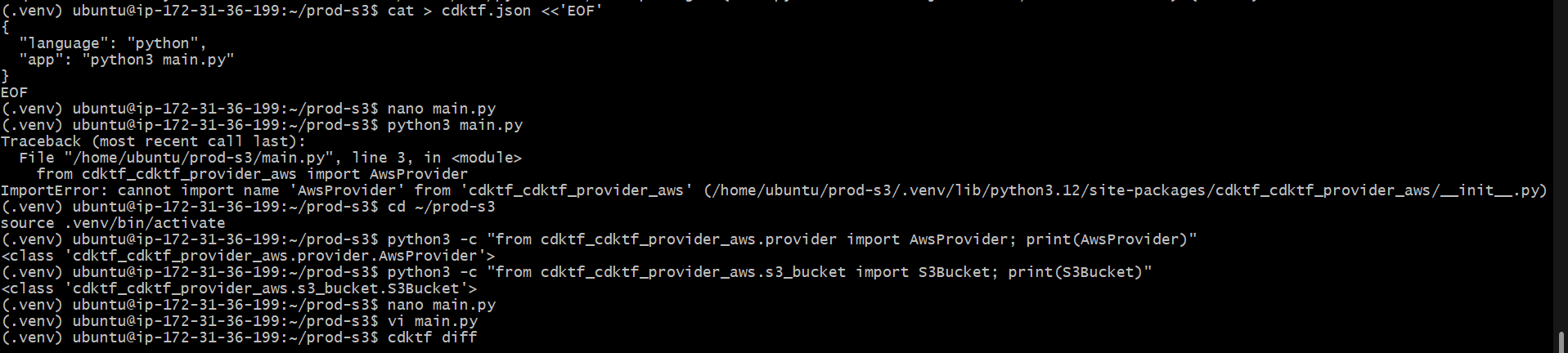
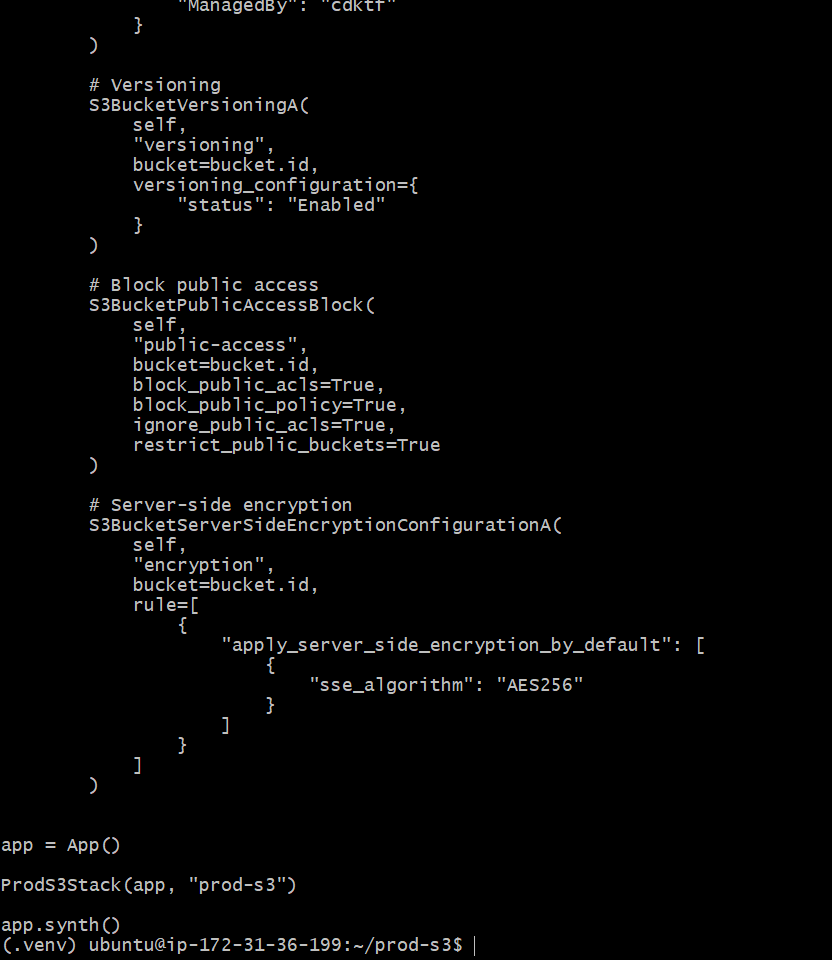
Step 3: Write code for infra Python Infrastructure Code. Create the infrastructure file
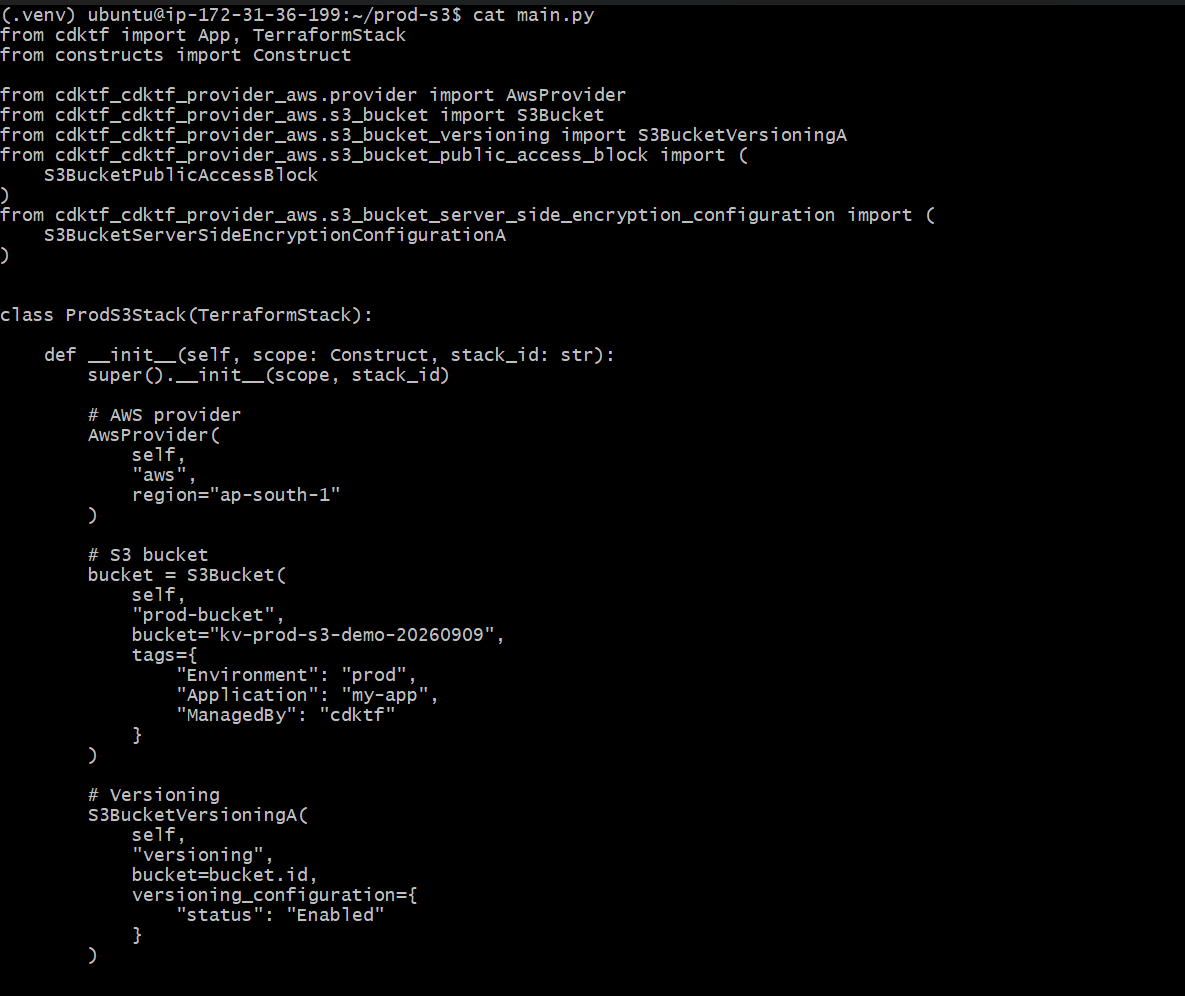
from cdktf import App, TerraformStack
from constructs import Construct

from cdktf_cdktf_provider_aws.provider import AwsProvider
from cdktf_cdktf_provider_aws.s3_bucket import S3Bucket
from cdktf_cdktf_provider_aws.s3_bucket_versioning import S3BucketVersioningA
from cdktf_cdktf_provider_aws.s3_bucket_public_access_block import (
	S3BucketPublicAccessBlock
)
from cdktf_cdktf_provider_aws.s3_bucket_server_side_encryption_configuration import (
    S3BucketServerSideEncryptionConfigurationA
)


class ProdS3Stack(TerraformStack):

	def __init__(self, scope: Construct, stack_id: str):
    	super().__init__(scope, stack_id)

    	# AWS provider
    	AwsProvider(
        	self,
        	"aws",
        	region="ap-south-1"
    	)

    	# S3 bucket
    	bucket = S3Bucket(
        	self,
        	"prod-bucket",
            bucket="kv-prod-s3-demo-20260909",
        	tags={
            	"Environment": "prod",
            	"Application": "my-app",
            	"ManagedBy": "cdktf"
        	}
    	)

    	# Versioning
    	S3BucketVersioningA(
        	self,
        	"versioning",
        	bucket=bucket.id,
        	versioning_configuration={
            	"status": "Enabled"
        	}
    	)

    	# Block public access
    	S3BucketPublicAccessBlock(
        	self,
        	"public-access",
        	bucket=bucket.id,
        	block_public_acls=True,
        	block_public_policy=True,
        	ignore_public_acls=True,
        	restrict_public_buckets=True
    	)

    	# Server-side encryption
        S3BucketServerSideEncryptionConfigurationA(
        	self,
        	"encryption",
        	bucket=bucket.id,
        	rule=[
            	{
                    "apply_server_side_encryption_by_default": [
                    	{
                            "sse_algorithm": "AES256"
                    	}
                	]
            	}
        	]
    	)


app = App()

ProdS3Stack(app, "prod-s3")

app.synth()
Step 4: What the Python Code Creates
AWS Provider: Uses ap-south-1 as the AWS region.
S3 Bucket: Creates the production bucket.
Tags: Adds Environment, Application, and ManagedBy tags for ownership and FinOps tracking.
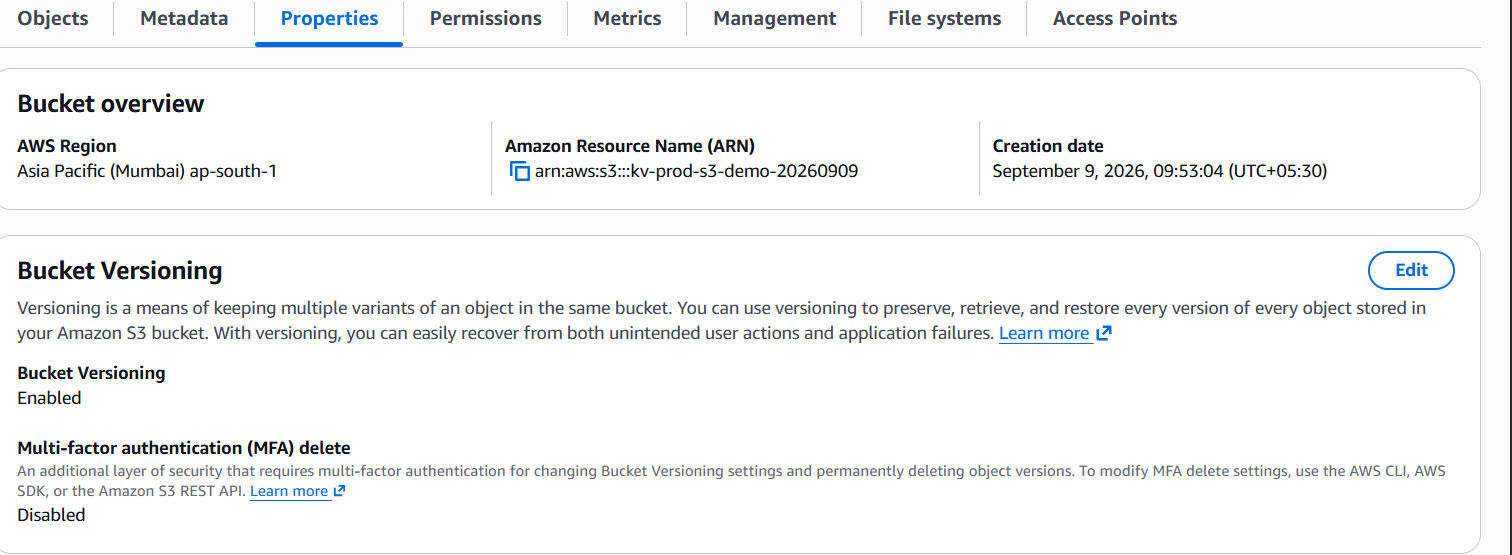
Versioning: Keeps object versions so accidental changes/deletions can be recovered.
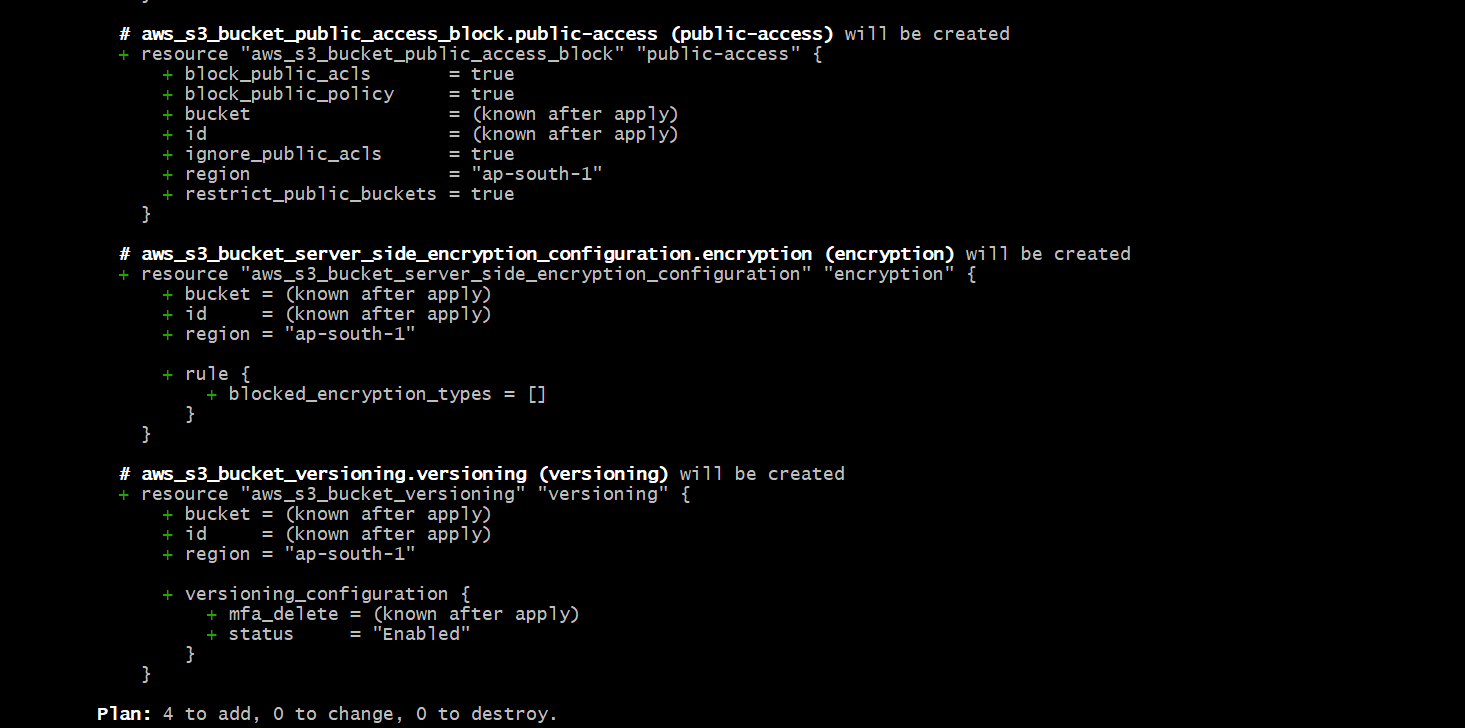
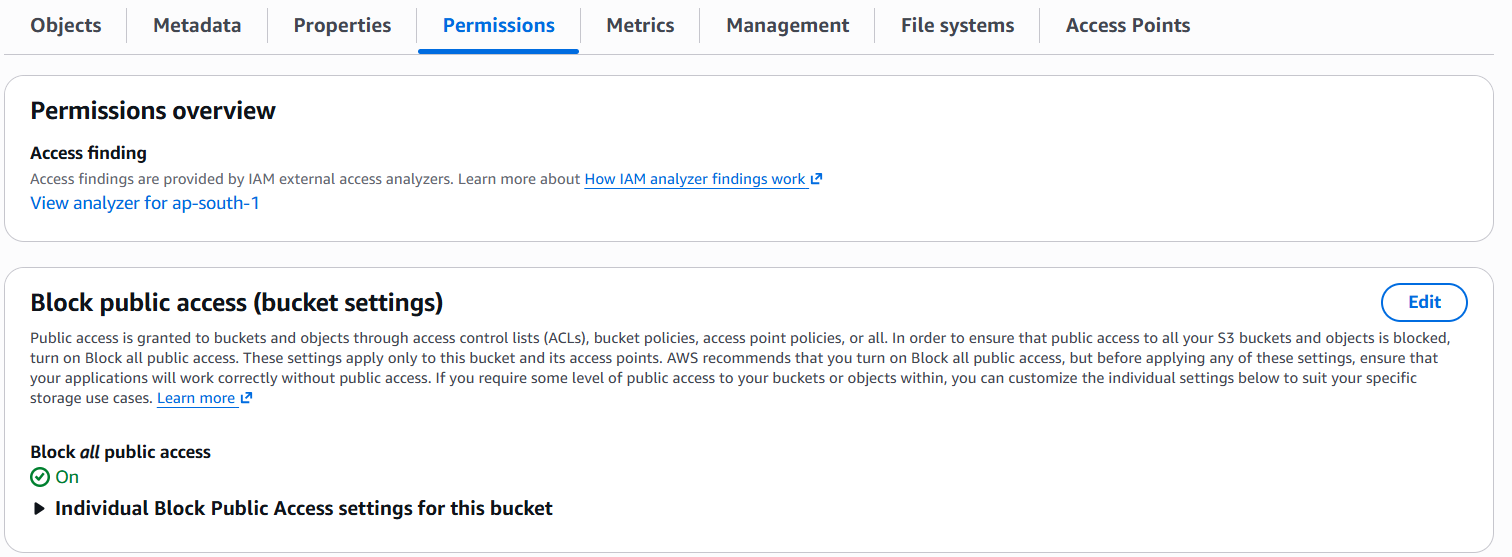
Public Access Block: Blocks public ACLs and public bucket policies.
Encryption: Enables S3 server-side encryption using AES256.
Step5: python3 main.py
Test the Python Code. If there is no Python traceback/error, the CDKTF application code is valid enough to synthesize.

Step6: cdktf synth CDKTF converts the Python infrastructure definition into Terraform configuration under the generated CDKTF output.

Step7: cdktf diff Review the resources before deployment. In the successful setup, the plan showed 4 resources to add and 0 to change or destroy.
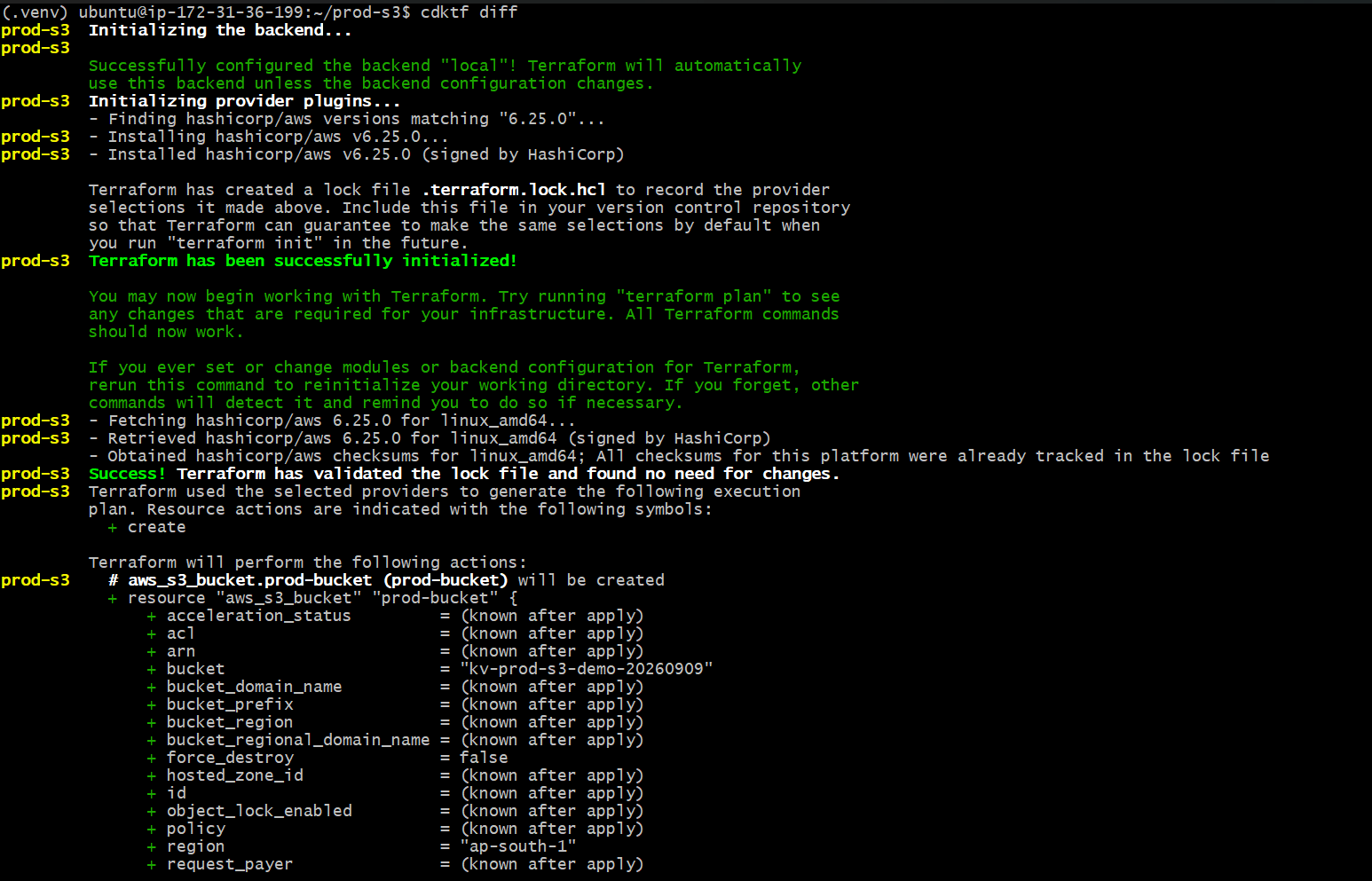
Step8: cdktf deploy When CDKTF asks for approval, choose Approve/yes. Terraform then creates the AWS resources
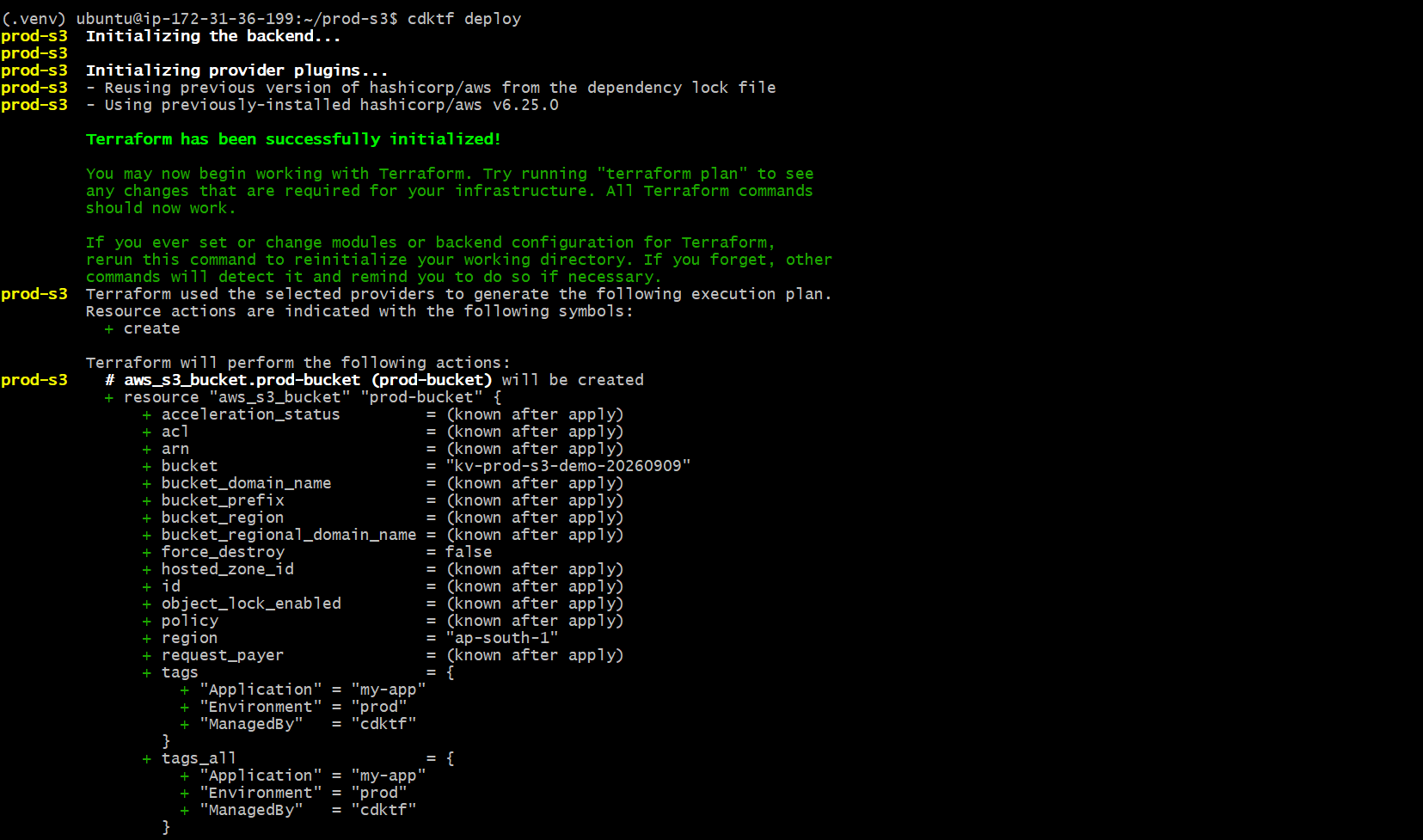
Step 9: See the image below; infra was created with Terraform/CDKTF using Python, and the data was validated
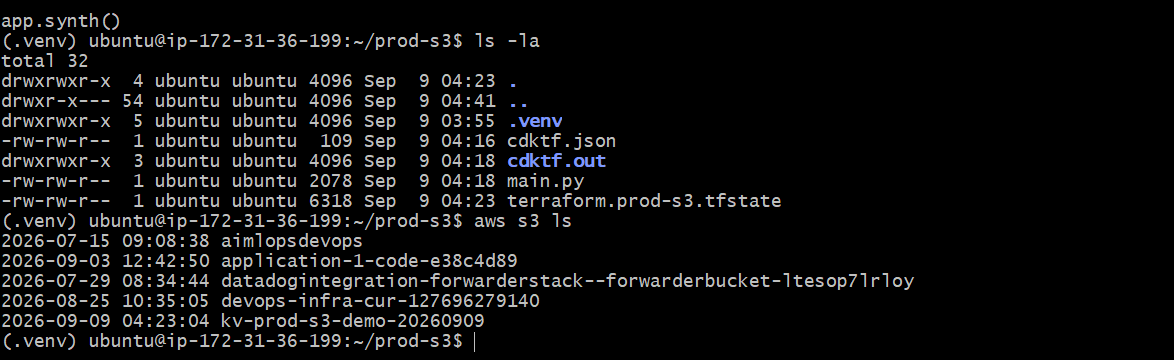
Step 10: Verify whether the S3 Bucket infra is created or not in the cloud are not state file create not in local
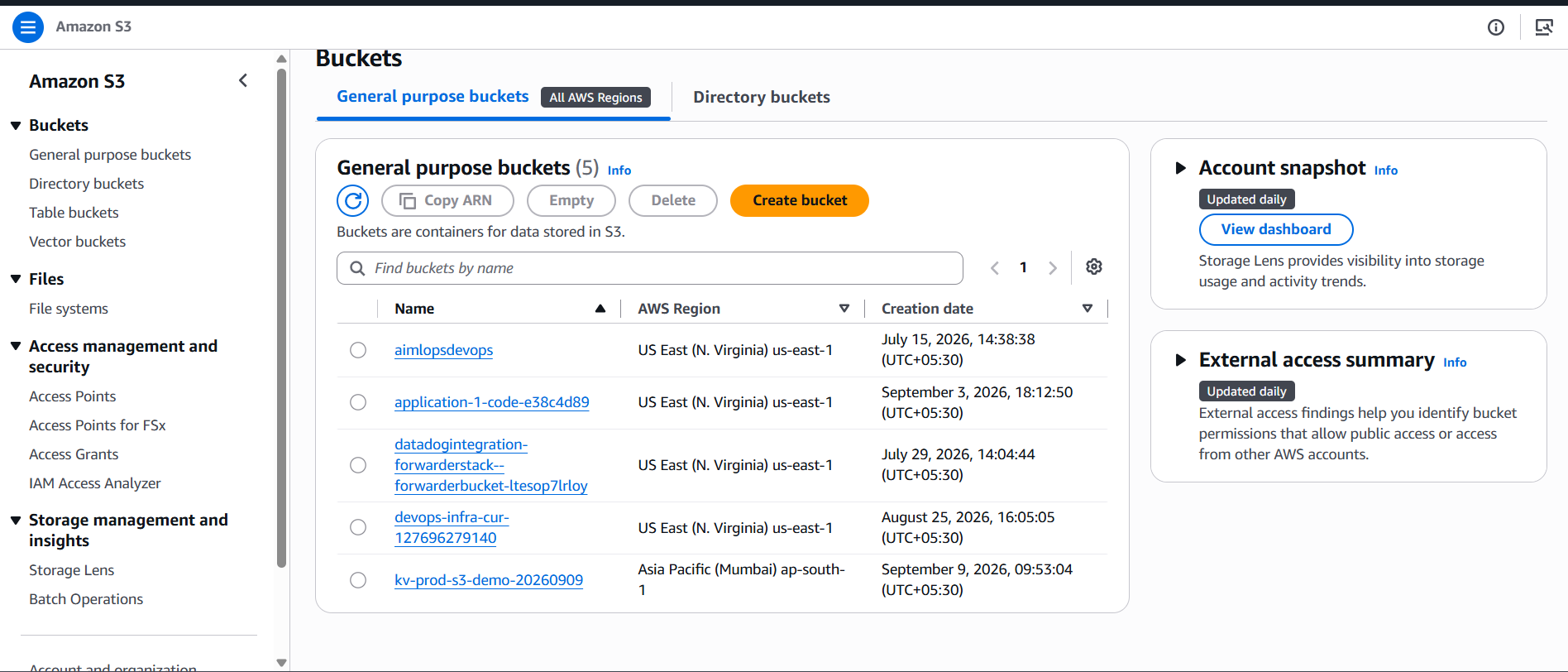
Step 11: Verify in the cloud ui the infrastructure resource is crete are not in cloud UI
my s3 create throw CDKTF; name: s3 kv-prod-s3-demo-20260909
TAGS show the Terraform file; compare the two images
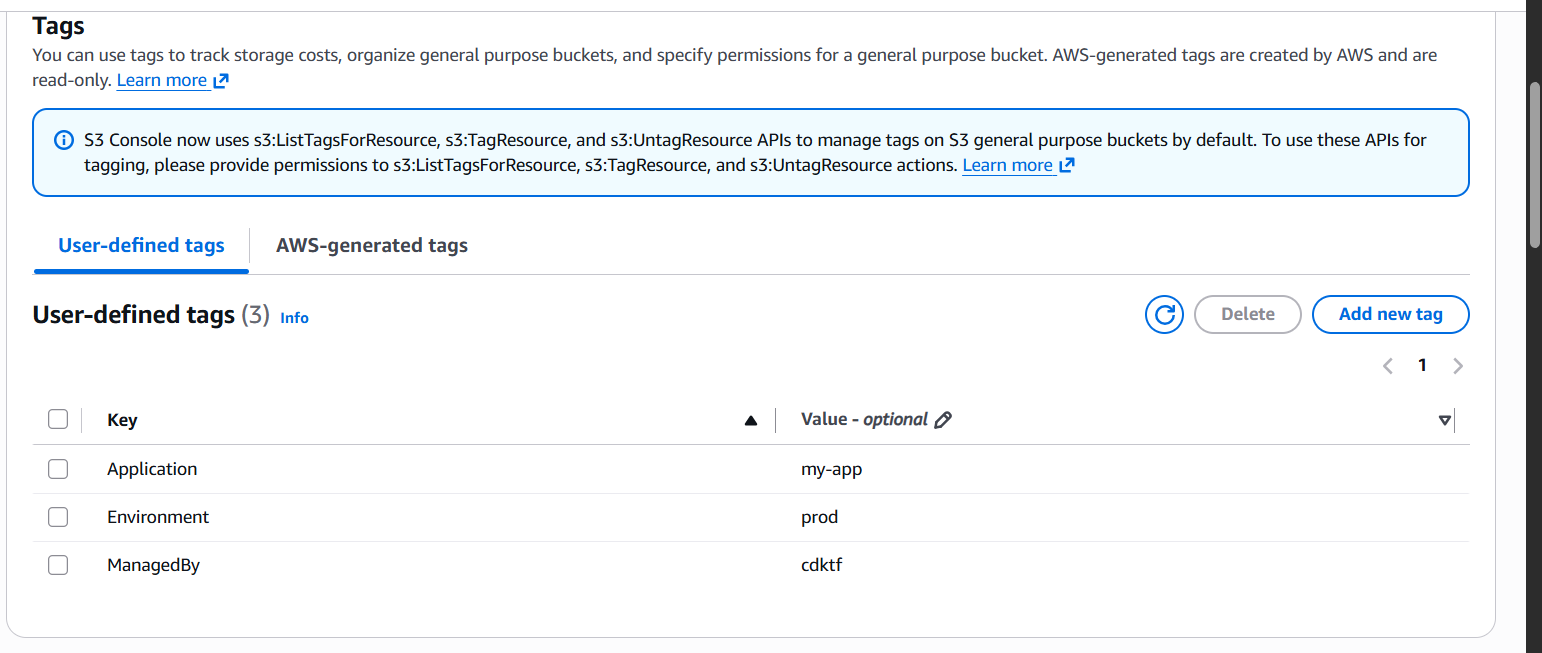
compare the tags in the below image both are matched
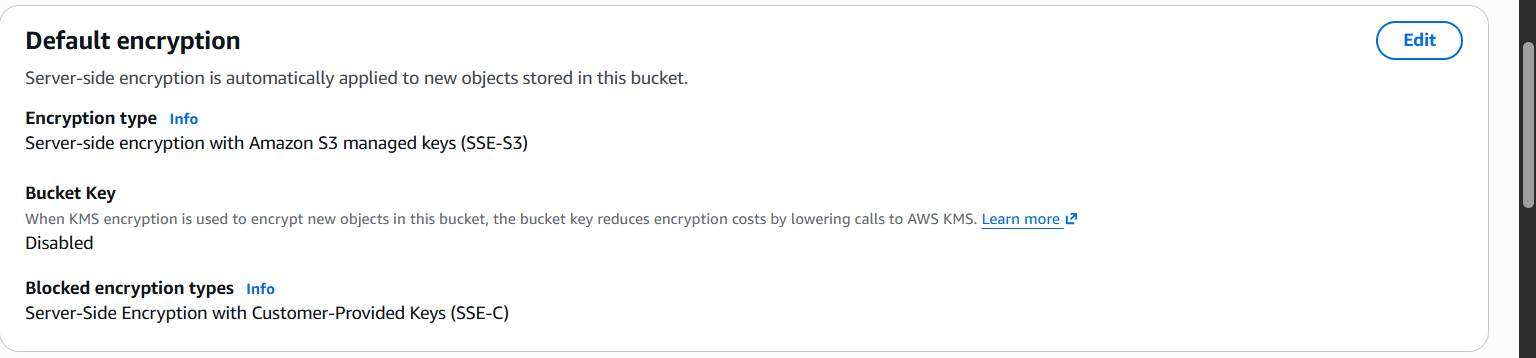
bucker version has enable
block the public acess
encryption has enabled
REFDOC:
Hashicorp Ofiical : https://developer.hashicorp.com/terraform/cdktf
AWS: https://aws.amazon.com/blogs/opensource/announcing-cdk-for-terraform-on-aws/
installsteps: 1:https://spacelift.io/blog/terraform-cdk
CDKTF official HashiCorp channel: https://www.youtube.com/watch?v=Y9suaDVT-SY&t=27s
https://developer.hashicorp.com/terraform/tutorials/cdktf/cdktf-install
DOCsteps: https://spacelift.io/blog/terraform-cdk




Comments(0)
Join the discussion by logging into your account.
No comments yet. Be the first to comment!