
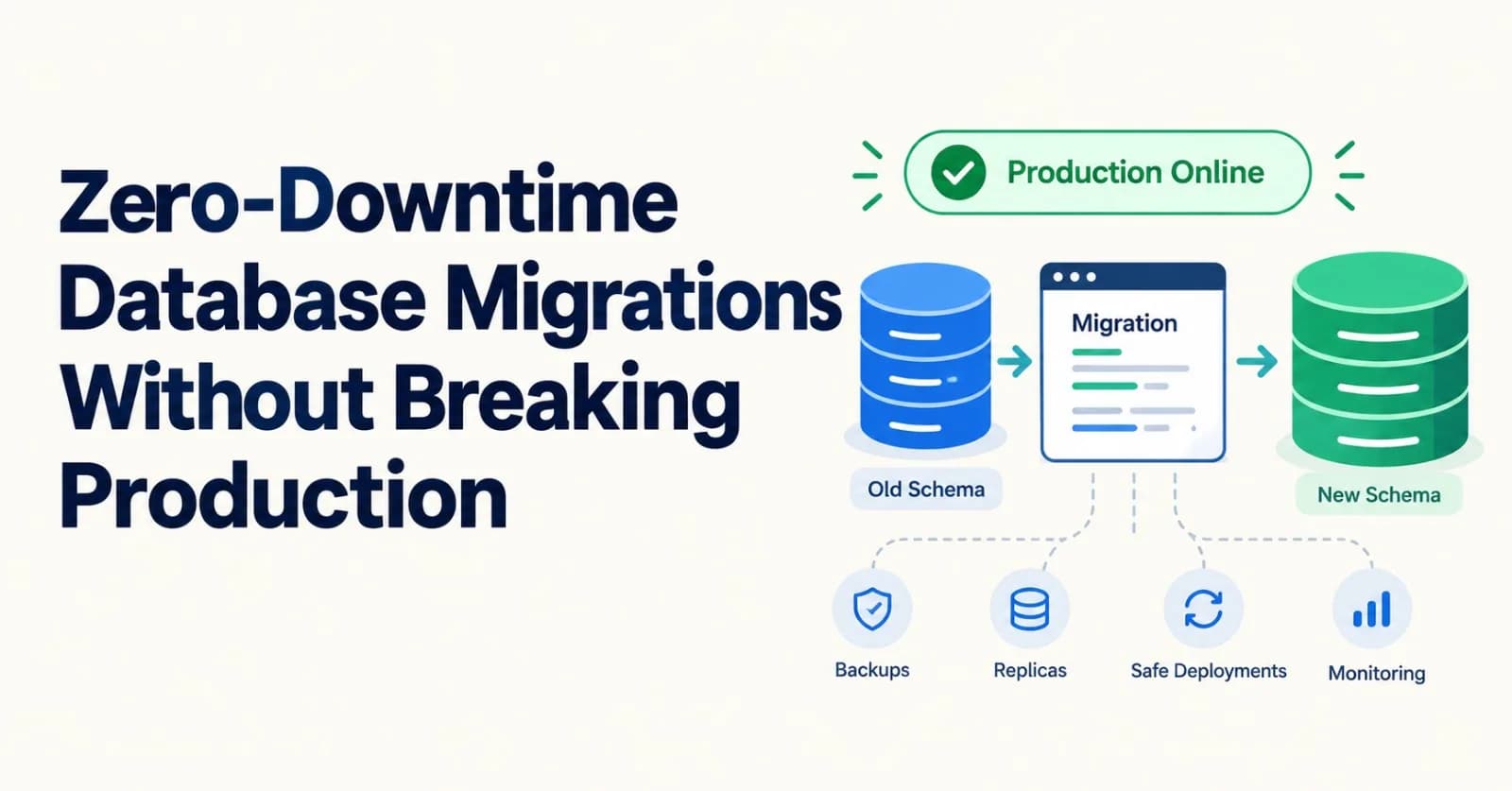
You rename a column. On your laptop it takes a few milliseconds. In production the error rate jumps, the pager goes off, and the rename has already happened, so you can't just roll back the deploy.
Migrations fail in production for two reasons, and neither shows up in testing.
The first is locks. A statement that waits for a lock can freeze every query behind it, even when the statement itself is fast.
The second is compatibility. While you deploy, old and new code run side by side. A schema change that only the new code understands breaks the old code.
Fix both and most scary migrations turn boring. This post covers each fix, the Postgres rules behind it, and code you can run.
Versions: PostgreSQL 18 is the current stable release as of late October 2026. Version 19 is at the release-candidate stage, and 14 reaches end of life on November 12. Most of the advice here holds for Postgres 12 and later. I'll say where it doesn't.
Problem 1: the lock queue
Most ALTER TABLE forms take an ACCESS EXCLUSIVE lock. The Postgres docs put it plainly: that's the lock you get unless the docs say otherwise for that form. It conflicts with every other lock mode, including the ACCESS SHARE lock that a plain SELECT holds.
That sounds fine if your ALTER takes a millisecond. The trap is the waiting.
If any query or transaction already holds a lock on the table, your ALTER has to wait for it. And while it waits, everything that arrives after it queues up behind it, even simple reads.
sequenceDiagram
    participant A as A slow report (holds ACCESS SHARE)
    participant B as Your ALTER TABLE (wants ACCESS EXCLUSIVE)
    participant C as Everyone else
    A->>A: running for 40 seconds
    B->>B: waits for the report to finish
    C->>B: new SELECTs and INSERTs queue behind the ALTER
    Note over C: The table looks frozen
    A-->>B: report finishes
    B-->>C: ALTER takes a millisecond, queue drains
So a fast migration can still cause an outage. All it needs is one long-running query at the wrong moment.
The fix: give up quickly, then retry
Set a short lock_timeout before the statement. If the lock isn't granted in time, the ALTER fails, the queue drains, and you try again a bit later.
Here's a helper that does exactly that:
import time

LOCK_NOT_AVAILABLE = "55P03"  # the SQLSTATE Postgres uses when lock_timeout expires


def is_lock_timeout(error) -> bool:
    code = getattr(error, "sqlstate", None) or getattr(error, "pgcode", None)  # psycopg 3, psycopg2
    return code == LOCK_NOT_AVAILABLE


def run_ddl(conn, statement, lock_timeout="2s", attempts=6, wait=2.0, sleep=time.sleep):
    """Run one DDL statement without letting it wait in the lock queue.
    It waits up to `lock_timeout` for its lock, gives up, and tries again a little later.
    Returns the attempt number that worked."""
    for attempt in range(1, attempts + 1):
        try:
            with conn.transaction():
                conn.execute(f"SET LOCAL lock_timeout = '{lock_timeout}'")
                conn.execute(statement)
            return attempt
        except Exception as error:
            if not is_lock_timeout(error) or attempt == attempts:
                raise
            sleep(wait * attempt)
A few things to know about it:
One transaction per attempt.
SET LOCALlasts only until the transaction ends, so the timeout can't leak into other work.Only lock timeouts are retried. Postgres reports them with SQLSTATE
55P03. Any other error is real and should stop the migration.The pauses grow. Each retry waits a little longer, which gives busy periods time to pass.
Use an autocommit connection. In psycopg 3 that's
autocommit=True. Otherwise the transaction block may turn into a savepoint inside a bigger transaction, and the lock stays held.
Two limits on lock_timeout are worth remembering:
It limits waiting, not running. It controls how long a statement waits for a lock. Once the lock is granted,
statement_timeoutis what bounds the run time.It's awkward for
CREATE INDEX CONCURRENTLY. That command waits on other transactions as part of its normal work, so a very shortlock_timeoutcan make it fail. Use0or a longer value for those, and check for invalid indexes afterwards.
Look before you leap. Before a risky
ALTER, check for long-running transactions on the table:SELECT pid, now() - xact_start AS age, state, left(query, 80) AS query FROM pg_stat_activity WHERE xact_start IS NOT NULL AND now() - xact_start > interval '30 seconds' ORDER BY xact_start;
And keep migrations small. When one ALTER TABLE has several subcommands, Postgres takes the strictest lock any of them needs. Splitting them up lets the cheap ones stay cheap.
Problem 2: two versions of your code run at once
Even a short deploy has an overlap. For a few minutes, some servers run the old code and some run the new. Blue-green and canary releases make that window longer.
So the rule for every schema change is this:
Every schema state must work with the code before it and the code after it.
A plain rename breaks that rule. Here it is in action, using SQLite so you can try it with no setup:
# from the tests below
db.execute("ALTER TABLE users RENAME COLUMN name TO full_name")
works(db, V1(), V1())  # False: the deployed code now errors on every request
In Postgres, RENAME is instant and doesn't touch stored data. That's the problem. The change lands immediately, and the old code has no idea the column moved.
The expand and contract pattern
The fix is to never change things in place. Add the new thing next to the old one, move everyone over, then remove the old one.
This is called parallel change, or expand and contract. Danilo Sato wrote it up on Martin Fowler's site in 2014, and Joshua Kerievsky had documented it as a refactoring strategy back in 2006. It has three phases: expand, migrate, contract. Because each phase is safe on its own, your code can be released in any of them.
Here's our rename done that way:
flowchart LR
    A["1. Expand<br/>add full_name"] --> B["2. Dual-write<br/>deploy v2"]
    B --> C["3. Backfill<br/>copy old rows"]
    C --> D["4. Switch reads<br/>deploy v3"]
    D --> E["5. Stop writing old<br/>deploy v4"]
    E --> F["6. Contract<br/>drop name"]
And the detail for each step:
Step | What happens | Versions running | Can you undo it? |
|---|---|---|---|
1. Expand | Add a nullable | v1 | Yes, drop the column |
2. Dual-write | Deploy v2: writes both columns, reads | v1 and v2 | Yes |
3. Backfill | Copy | v2 | Yes |
4. Switch reads | Deploy v3: reads | v2 and v3 | Yes |
5. Stop the old | Deploy v4: only knows | v3 and v4 | Yes, back to v3 |
6. Contract | Drop | v4 | No |
Only the last step is one-way.
The four app versions
Here they are as code. The tests below use these to check that every step is safe:
import sqlite3
from contextlib import closing

ORIGINAL = "CREATE TABLE users (id INTEGER PRIMARY KEY, name TEXT, email TEXT)"
EXPAND = "ALTER TABLE users ADD COLUMN full_name TEXT"
CONTRACT = "ALTER TABLE users DROP COLUMN name"


def connect(path):
    return sqlite3.connect(path, timeout=10, isolation_level=None)  # autocommit: one statement, one transaction


def create_database(path):
    with closing(connect(path)) as db:
        db.execute("PRAGMA journal_mode = WAL")  # lets a backfill and a writer overlap
        db.execute(ORIGINAL)


class V1:
    """The app today. It only knows about `name`."""

    def create(self, db, name, email):
        return db.execute("INSERT INTO users (name, email) VALUES (?, ?)", (name, email)).lastrowid

    def read(self, db, user_id):
        return db.execute("SELECT name FROM users WHERE id = ?", (user_id,)).fetchone()[0]


class V2(V1):
    """Dual-write: writes both columns, still reads the old one."""

    def create(self, db, name, email):
        return db.execute(
            "INSERT INTO users (name, full_name, email) VALUES (?, ?, ?)", (name, name, email)
        ).lastrowid


class V3(V2):
    """Reads the new column, falls back to the old one. Still writes both."""

    def read(self, db, user_id):
        return db.execute("SELECT COALESCE(full_name, name) FROM users WHERE id = ?", (user_id,)).fetchone()[0]


class V4:
    """Only knows about `full_name`."""

    def create(self, db, name, email):
        return db.execute("INSERT INTO users (full_name, email) VALUES (?, ?)", (name, email)).lastrowid

    def read(self, db, user_id):
        return db.execute("SELECT full_name FROM users WHERE id = ?", (user_id,)).fetchone()[0]


def works(db, writer, reader, name="Ada Lovelace"):
    """Can `reader` see the data that `writer` saved, without errors?"""
    try:
        return reader.read(db, writer.create(db, name, "[email protected]")) == name
    except sqlite3.OperationalError:
        return False
What the tests found
Once the new column exists, here's what happens when each version writes a row and each version reads it back:
Row written by | read by v1 | read by v2 | read by v3 | read by v4 |
|---|---|---|---|---|
v1 | ok | ok | ok | broken |
v2 | ok | ok | ok | ok |
v3 | ok | ok | ok | ok |
v4 | broken | broken | ok | ok |
"Broken" means the reader gets None instead of the name. No error is raised, which is worse. The data is just wrong.
Three lessons fall out of that table:
Neighbours are safe. v1 with v2, v2 with v3 and v3 with v4 can all run together in both directions. A normal rolling deploy only ever overlaps neighbours.
Skipping a step isn't safe. v1 with v4 and v2 with v4 both break. Don't jump from v1 straight to v4.
v3 is the bridge. Its fallback to the old column is what lets v4 start writing only the new one.
Traps in the steps
Backfill only after the last v1 is gone. An old instance that's still writing will keep creating rows with no
full_name. Run the backfill once everything writes both columns, then check for stragglers at the end.Relax the old column first. If
nameisNOT NULL, v4 can't insert without it. Drop that constraint before step 5. In Postgres,ALTER COLUMN name DROP NOT NULLis quick.Hunt for hidden readers. Indexes, views, triggers, reports, BI tools, other services and replication consumers may all depend on the old column. The app code isn't the only reader.
Watch your ORM. Some cache column lists or use
SELECT *. Deploy and restart before you rely on the new shape.Wait before you contract. The drop is the one step you can't undo. Leave the old column for a while, and take a backup first.
Prefer a trigger to dual-writing in the app? A database trigger can keep the two columns in sync, so old app versions don't need to change. The trade-off is logic that lives in the database, where it's easy to forget. Tools like pgroll automate a version of the whole pattern.
Backfilling without hurting anyone
The backfill is where good migrations go wrong. The tempting version is one statement:
UPDATE users SET full_name = name;On a big table that's a bad idea. It runs as one huge transaction. In Postgres an UPDATE writes a new version of every row it touches, so the table bloats, the write-ahead log floods, and replicas fall behind.
Do it in small batches instead. The code below uses SQLite so it runs anywhere. To use it on Postgres, swap the driver and change the ? placeholders to %s. The SQL itself is valid Postgres.
import time
from contextlib import closing

from rollout import connect


def backfill_full_name(path, batch_size=1000, pause=0.0, max_batches=None):
    """Copy users.name into users.full_name in small batches, one transaction each.
    Safe to stop and re-run: it only touches rows where full_name is still NULL."""
    last_id, copied, batches = 0, 0, 0
    while max_batches is None or batches < max_batches:
        with closing(connect(path)) as db:
            ids = [row[0] for row in db.execute(
                "UPDATE users SET full_name = name"
                " WHERE full_name IS NULL AND id IN ("
                "   SELECT id FROM users WHERE id > ? AND full_name IS NULL ORDER BY id LIMIT ?)"
                " RETURNING id",
                (last_id, batch_size),
            )]
        if not ids:
            break
        last_id, copied, batches = max(ids), copied + len(ids), batches + 1
        time.sleep(pause)  # breathe: let replicas and other queries catch up
    return copied
What makes it safe:
Small transactions. Each batch is its own transaction, so locks are short and nothing runs for long.
Walking forward by
id. The loop never revisits a row. That's what guarantees it finishes, even for rows that stayNULLbecausenamewasNULL.A
NULLfilter. It only touches rows that still need a value, so you can stop and re-run it at any time, and it never overwrites a value the new app wrote in the meantime.A pause between batches. On a real system, also watch replication lag and slow down when replicas fall behind.
When it finishes, verify before you move on:
SELECT count(*) FROM users WHERE full_name IS NULL AND name IS NOT NULL;
-- must be 0
Risky statements and their safer versions
Not every change needs the full pattern. Many have a safe form that runs in place. These facts come from the PostgreSQL 18 docs:
You want to | The risk | The safer way |
|---|---|---|
Add a nullable column | None: it's a metadata change | Just run it, with a |
Add a column with a non-volatile default, such as a constant or | Fast on modern Postgres | Just run it. The default is stored in metadata, with no rewrite |
Add a column with a volatile default, such as | Rewrites the whole table | Add it nullable, then backfill in batches |
Add | Scans the table under a heavy lock | Use a |
Add a | Scans the table under a heavy lock |
|
Add a foreign key | Scans, and locks both tables |
|
Create an index | Blocks writes while it builds |
|
Add a unique constraint | Builds an index under lock | Build the unique index concurrently, then attach it |
Change a column's type | Usually rewrites the table and its indexes | Expand and contract with a new column |
Rename a column or table | Instant, but breaks running code | Expand and contract |
Drop a column | Fast, but breaks code still using it | Stop using it first. Then drop |
A couple of details behind that table:
Some type changes skip the rewrite. If the new type is binary coercible and the
USINGclause doesn't change the data, there's no rewrite. Changingtexttovarcharis one example. Anything else, assume a rewrite, which can need up to double the disk space.DROP COLUMNdoesn't free space. It only hides the column. The space comes back gradually as rows are updated.VALIDATE CONSTRAINTis gentle. It takes only aSHARE UPDATE EXCLUSIVElock, so reads and writes carry on while it scans.
Adding NOT NULL
On PostgreSQL 12 and later, a valid CHECK constraint lets SET NOT NULL skip its scan:
ALTER TABLE users ADD CONSTRAINT users_email_not_null CHECK (email IS NOT NULL) NOT VALID;
ALTER TABLE users VALIDATE CONSTRAINT users_email_not_null;  -- scans, but doesn't block writes
ALTER TABLE users ALTER COLUMN email SET NOT NULL;           -- skips the scan: the CHECK proves it
ALTER TABLE users DROP CONSTRAINT users_email_not_null;      -- tidy up, in a separate command
The DROP has to be its own command. The docs say the scan is skipped only if the CHECK isn't dropped in the same command.
PostgreSQL 18 can do this directly, because it allows not-null constraints to be NOT VALID:
ALTER TABLE users ADD CONSTRAINT users_email_not_null NOT NULL email NOT VALID;
ALTER TABLE users VALIDATE CONSTRAINT users_email_not_null;
Adding a foreign key
ALTER TABLE orders ADD CONSTRAINT orders_user_fk
  FOREIGN KEY (user_id) REFERENCES users (id) NOT VALID;
ALTER TABLE orders VALIDATE CONSTRAINT orders_user_fk;
The first statement skips the scan and commits at once. New rows are checked from then on. The second checks the old rows without blocking writes.
Creating an index
CREATE INDEX CONCURRENTLY idx_orders_user_id ON orders (user_id);Plain CREATE INDEX lets reads through but blocks inserts, updates and deletes until it finishes. The CONCURRENTLY form avoids that, at a price:
It does more work. It scans the table twice and waits for existing transactions to finish.
It can't run inside a transaction block. That's why
run_ddlabove isn't for it.It can fail and leave a mess. A failed build leaves an invalid index behind. Drop it and try again.
SELECT indexrelid::regclass FROM pg_index WHERE NOT indisvalid;
DROP INDEX CONCURRENTLY idx_orders_user_id;
For rebuilding an existing index, REINDEX CONCURRENTLY is available from Postgres 12.
Adding a unique constraint
Build the index first, then promote it. The promotion is quick:
CREATE UNIQUE INDEX CONCURRENTLY users_email_key ON users (email);
ALTER TABLE users ADD CONSTRAINT users_email_key UNIQUE USING INDEX users_email_key;
Tools that help
You don't have to do all of this by hand:
Tool | What it does |
|---|---|
squawk | A linter for Postgres migrations. It reads your SQL without connecting to a database and flags statements that risk downtime. Good in CI |
pgroll | Runs a migration as two schema versions at once, using views, so old and new clients both work. You start it, complete it, or roll it back. Needs Postgres 14 or later |
strong_migrations | Catches unsafe migrations in Rails apps |
django-pg-zero-downtime-migrations | The same idea for Django |
For MySQL, the rules differ and shops often reach for tools like gh-ost or pt-online-schema-change. The expand and contract pattern itself works on any database.
Which technique do you need?
Here's the question that decides it:
flowchart TD
    A["A schema change"] --> B{"Does the code that is running now<br/>still work after it?"}
    B -->|"Yes"| C{"Will it hold a heavy lock<br/>or rewrite the table?"}
    B -->|"No"| D["Expand and contract"]
    C -->|"No"| E["Run it with lock_timeout and retries"]
    C -->|"Yes"| F["Use the safe form: NOT VALID, CONCURRENTLY, batches"]
Before you run it
Rehearse on production-sized data. A migration that takes a second on 10,000 rows can take an hour on 100 million. Test on a copy.
Lint in CI. Let a tool like squawk reject the dangerous statements before a human has to remember them.
Run migrations as their own step. Not at app startup, where ten instances can race each other.
Set a default
lock_timeoutfor the migration role. Then a forgotten timeout can't hurt you.Keep each migration small. One risky statement at a time is easy to reason about and easy to retry.
Pick a quiet moment. Retries still work at peak, but fewer long reports are running at night.
Decide the undo first. Write down how you'd reverse each step before you start.
The short version
Migrations break production through locks and through version overlap.
Always run
ALTERwith a shortlock_timeoutand retry. Don't let it wait in the queue.Never change a column in place. Expand, migrate, contract, and only contract once nothing uses the old shape.
Backfill in small, resumable batches, and verify at the end.
Use the safe forms:
NOT VALIDwithVALIDATE,CONCURRENTLY, and the unique-index trick.
The tests
The results above come from these tests. Create test_migrations.py next to the other files:
import os
import tempfile
import threading
from contextlib import closing, contextmanager
from itertools import product

from backfill import backfill_full_name
from ddl import run_ddl
from rollout import CONTRACT, EXPAND, V1, V2, V3, V4, connect, create_database, works

ALL = {"v1": V1(), "v2": V2(), "v3": V3(), "v4": V4()}


def new_db():
    path = os.path.join(tempfile.mkdtemp(), "app.db")
    create_database(path)
    return path


def null_count(path):
    with closing(connect(path)) as db:
        return db.execute("SELECT COUNT(*) FROM users WHERE full_name IS NULL AND name IS NOT NULL").fetchone()[0]


def coexist(db, running):
    """Every running version must be able to read what every other running version writes."""
    return all(works(db, ALL[w], ALL[r]) for w, r in product(running, repeat=2))


# ---- the problem: a plain rename -------------------------------------------------------------

def test_a_plain_rename_breaks_the_running_app():
    path = new_db()
    with closing(connect(path)) as db:
        assert works(db, V1(), V1())
        db.execute("ALTER TABLE users RENAME COLUMN name TO full_name")
        assert not works(db, V1(), V1())  # the code that is still deployed now errors on every request


# ---- the pattern: which versions can run together once the new column exists -----------------

def test_compatibility_matrix_after_expand():
    path = new_db()
    with closing(connect(path)) as db:
        db.execute(EXPAND)
        ok = {(w, r): works(db, ALL[w], ALL[r]) for w, r in product(ALL, repeat=2)}
    # rows written by v1 have no full_name; rows written by v4 have no name
    assert ok[("v1", "v4")] is False and ok[("v4", "v1")] is False and ok[("v4", "v2")] is False
    assert ok[("v1", "v1")] and ok[("v1", "v2")] and ok[("v1", "v3")]
    assert ok[("v2", "v1")] and ok[("v2", "v4")] and ok[("v3", "v4")] and ok[("v4", "v3")]


def test_neighbouring_versions_are_safe_but_skipping_a_step_is_not():
    path = new_db()
    with closing(connect(path)) as db:
        db.execute(EXPAND)
        for running in (["v1", "v2"], ["v2", "v3"], ["v3", "v4"]):
            assert coexist(db, running), running
        assert not coexist(db, ["v1", "v4"])            # skipped two steps
        assert not coexist(db, ["v2", "v4"])            # skipped one


def test_before_the_expand_step_the_new_code_cannot_run():
    path = new_db()
    with closing(connect(path)) as db:
        assert not works(db, V2(), V2())                # deploying v2 first would break
        assert coexist(db, ["v1"])


# ---- the whole rollout, step by step -----------------------------------------------------------

def test_full_rollout_never_breaks_a_running_version():
    path = new_db()
    with closing(connect(path)) as db:
        for i in range(50):
            V1().create(db, f"user {i}", f"u{i}@example.com")       # data that exists before we start

        assert coexist(db, ["v1"])
        db.execute(EXPAND)
        assert coexist(db, ["v1"])
        assert coexist(db, ["v1", "v2"])          # rolling deploy of v2
        assert coexist(db, ["v2"])
        assert backfill_full_name(path, batch_size=20) > 0           # only after every v1 is gone
        assert null_count(path) == 0
        assert coexist(db, ["v2", "v3"])
        assert coexist(db, ["v3", "v4"])
        assert coexist(db, ["v4"])

        # Contract. Safe only because v4 is the only version left.
        db.execute(CONTRACT)
        assert coexist(db, ["v4"])
        assert not works(db, V3(), V3())                              # too early for v3 would have been an outage


# ---- the backfill ---------------------------------------------------------------------------------

def seed(path, rows):
    with closing(connect(path)) as db:
        db.execute("BEGIN")
        db.executemany("INSERT INTO users (name, email) VALUES (?, ?)", [(f"user {i}", f"u{i}@x.com") for i in range(rows)])
        db.execute("COMMIT")
        db.execute(EXPAND)


def test_backfill_copies_everything_in_small_batches():
    path = new_db()
    seed(path, 2_500)
    assert backfill_full_name(path, batch_size=500) == 2_500
    assert null_count(path) == 0
    with closing(connect(path)) as db:
        assert db.execute("SELECT COUNT(*) FROM users WHERE name != full_name").fetchone()[0] == 0


def test_backfill_finishes_even_when_some_names_are_null():
    path = new_db()
    seed(path, 10)
    with closing(connect(path)) as db:
        db.executemany("INSERT INTO users (name, email) VALUES (NULL, ?)", [(f"n{i}@x.com",) for i in range(10)])
    # Rows whose name is NULL stay NULL after the copy. Walking forward by id means we never revisit them.
    assert backfill_full_name(path, batch_size=5, max_batches=50) == 20


def test_backfill_can_be_stopped_and_resumed():
    path = new_db()
    seed(path, 2_000)
    assert backfill_full_name(path, batch_size=500, max_batches=2) == 1_000   # interrupted halfway
    assert null_count(path) == 1_000
    assert backfill_full_name(path, batch_size=500) == 1_000                  # picks up where it left off
    assert backfill_full_name(path, batch_size=500) == 0                      # re-running is harmless


def test_backfill_does_not_overwrite_newer_values():
    path = new_db()
    seed(path, 10)
    with closing(connect(path)) as db:
        db.execute("UPDATE users SET full_name = 'changed by the new app' WHERE id = 3")
    backfill_full_name(path, batch_size=4)
    with closing(connect(path)) as db:
        assert db.execute("SELECT full_name FROM users WHERE id = 3").fetchone()[0] == "changed by the new app"


def test_backfill_while_the_new_app_keeps_writing():
    path = new_db()
    seed(path, 3_000)
    stop = threading.Event()
    written = []

    def writer():
        with closing(connect(path)) as db:
            while not stop.is_set():
                written.append(V2().create(db, f"live {len(written)}", "[email protected]"))

    thread = threading.Thread(target=writer)
    thread.start()
    backfill_full_name(path, batch_size=250)
    stop.set()
    thread.join()

    assert written, "the writer should have inserted rows during the backfill"
    assert null_count(path) == 0                          # old rows were backfilled, new rows were dual-written


def test_a_straggling_v1_after_the_backfill_leaves_a_gap():
    path = new_db()
    seed(path, 10)
    backfill_full_name(path)
    with closing(connect(path)) as db:
        V1().create(db, "late", "[email protected]")        # an old instance that was still running
    assert null_count(path) == 1                          # why you verify at the end, and re-run if needed
    backfill_full_name(path)
    assert null_count(path) == 0


# ---- lock_timeout + retry -------------------------------------------------------------------------

class LockTimeout(Exception):
    sqlstate = "55P03"


class OtherError(Exception):
    sqlstate = "42601"


class FakeConn:
    def __init__(self, fail_times=0, error=LockTimeout):
        self.fail_times, self.error, self.log, self.statements_attempted = fail_times, error, [], 0

    @contextmanager
    def transaction(self):
        self.log.append("BEGIN")
        try:
            yield
        except Exception:
            self.log.append("ROLLBACK")
            raise
        self.log.append("COMMIT")

    def execute(self, sql):
        self.log.append(sql)
        if not sql.startswith("SET LOCAL"):
            self.statements_attempted += 1
            if self.statements_attempted <= self.fail_times:
                raise self.error("could not obtain lock on relation \"users\"")


def test_ddl_runs_with_a_short_lock_timeout_inside_one_transaction():
    conn = FakeConn()
    assert run_ddl(conn, "ALTER TABLE users ADD COLUMN full_name text") == 1
    assert conn.log == ["BEGIN", "SET LOCAL lock_timeout = '2s'", "ALTER TABLE users ADD COLUMN full_name text", "COMMIT"]


def test_ddl_retries_with_growing_pauses_when_the_lock_times_out():
    conn, pauses = FakeConn(fail_times=2), []
    assert run_ddl(conn, "ALTER TABLE users DROP COLUMN name", sleep=pauses.append) == 3
    assert pauses == [2.0, 4.0]
    assert conn.log.count("ROLLBACK") == 2 and conn.log.count("COMMIT") == 1


def test_ddl_gives_up_after_the_last_attempt():
    conn = FakeConn(fail_times=99)
    try:
        run_ddl(conn, "ALTER TABLE users DROP COLUMN name", attempts=3, sleep=lambda s: None)
        raise AssertionError("should have raised")
    except LockTimeout:
        assert conn.statements_attempted == 3


def test_other_errors_are_not_retried():
    conn = FakeConn(fail_times=1, error=OtherError)
    try:
        run_ddl(conn, "ALTER TABLE", sleep=lambda s: None)
        raise AssertionError("should have raised")
    except OtherError:
        assert conn.statements_attempted == 1
Run it with pytest -q. The tests use SQLite, so they check the compatibility story: which versions can run together, and that the backfill behaves. They need SQLite 3.35.5 or newer. DROP COLUMN and RETURNING arrived in 3.35.0, and 3.35.5 fixed DROP COLUMN bugs that could corrupt a database file. Check yours with python -c "import sqlite3; print(sqlite3.sqlite_version)".
They can't check Postgres locking. For that, the docs and your own staging database are the source of truth.
Checked against the PostgreSQL 18 documentation and the other sources below on October 29, 2026. Postgres behavior is stable but not frozen, so confirm details for your version before you rely on them.
Sources
Comments(0)
Join the discussion by logging into your account.
No comments yet. Be the first to comment!