
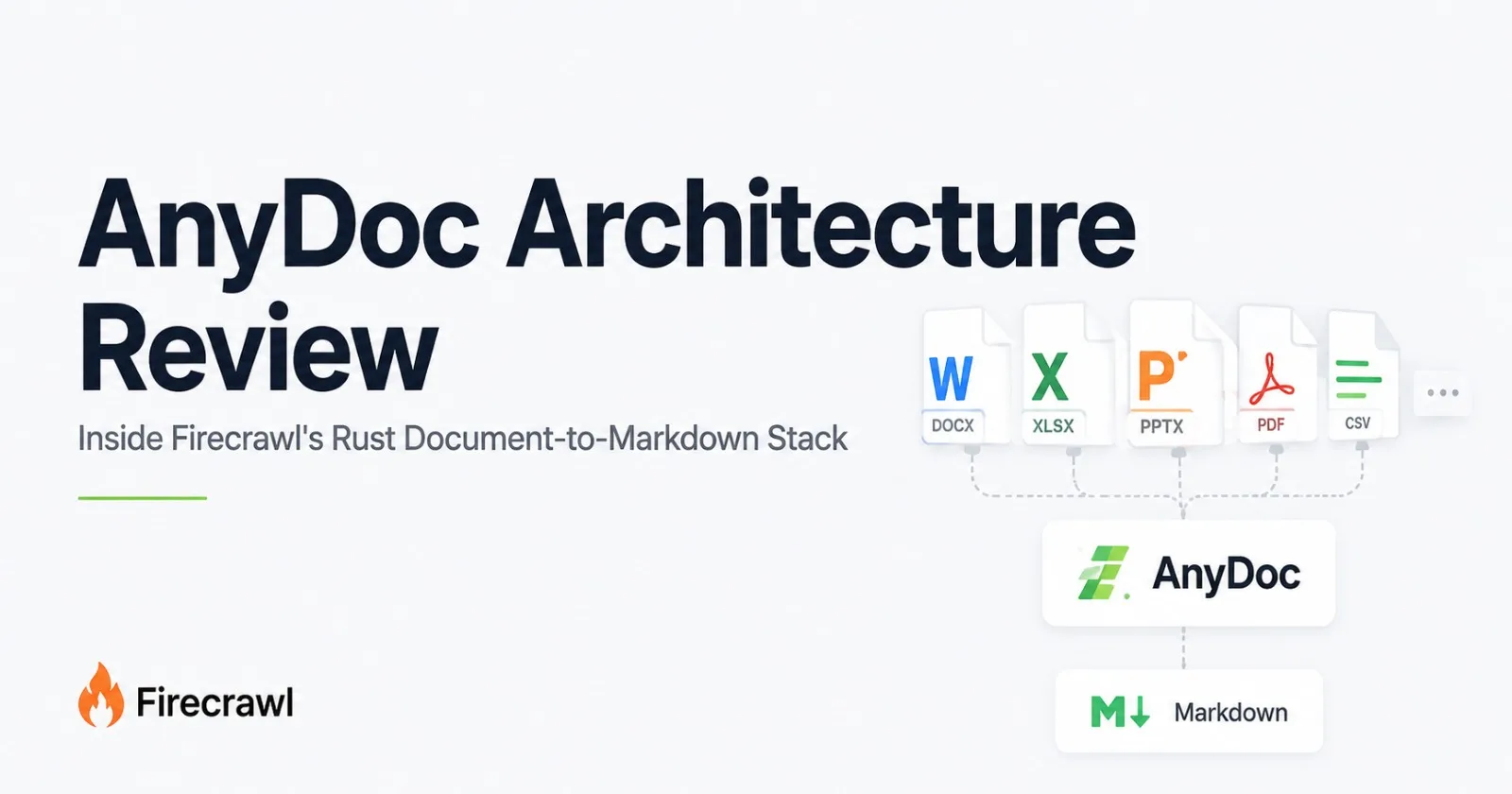
Every document pipeline eventually runs into the same problem: users do not upload documents in a format chosen by your engineering team.
They upload a .docx contract, an old .xls spreadsheet, a PowerPoint deck, an .epub, a CSV export, or a PDF that was scanned twenty years ago.
The usual response is to assemble a collection of converters. One library handles Word documents. Another handles PDFs. Something else handles spreadsheets. Then there is OCR for scanned pages, custom cleanup for tables, and a growing pile of edge cases where two converters produce completely different output for the same kind of document.
Firecrawl's answer is not another universal parser built around a single abstraction.
It is a pair of Rust libraries with different responsibilities: AnyDoc for fourteen non-PDF document formats, and pdf-inspector for PDF classification and extraction. AnyDoc can also route text-based PDFs through pdf-inspector, giving developers one entry point for the broader document set.
Both projects were announced by Firecrawl on August 6, 2026, and both are already used inside Firecrawl's own /parse and /scrape pipelines. (Firecrawl)
The interesting question is not whether the libraries are fast.
It is whether the architecture behind them is a sensible foundation for real document pipelines.
Why two libraries instead of one?
At first glance, splitting document parsing across two repositories seems like unnecessary complexity.
It is actually one of the more sensible design decisions in the stack.
Firecrawl describes AnyDoc as the non-PDF half of the system. It supports Word, PowerPoint, Excel, OpenDocument, RTF, EPUB, and CSV. pdf-inspector, meanwhile, deals specifically with PDFs and the unusual problems their structure creates.
That separation matters because PDFs are not simply another office-document format.
A PDF is fundamentally a layout-oriented representation. Extracting useful text often means understanding positioned glyphs, font encodings, page geometry, tables, columns, images, and the difference between a real text layer and a scanned page.
Word and spreadsheet formats expose something closer to structured document data.
Putting those problems in separate engines avoids the temptation to force every format through one overly generic parser.
The repositories are still conceptually related: both are written in Rust, execute locally, require no API key, and are designed to produce Markdown without bringing in a large system runtime.
Firecrawl says the two libraries are deliberately separate products rather than one project that gradually grew into everything.
That is a good distinction.
Inside AnyDoc: many formats, one output model
AnyDoc's core design is easier to understand as a pipeline:
flowchart LR
    A[Document Input] --> B{Format Detection}

    B -->|DOC / DOCX / DOCM| C[Word Parser]
    B -->|PPT / PPTX / PPTM| D[Presentation Parser]
    B -->|XLS / XLSX / XLSM / XLSB| E[Spreadsheet Parser]
    B -->|ODT / ODS / ODP| F[OpenDocument Parser]
    B -->|RTF / EPUB / CSV| G[Other Format Parsers]
    B -->|PDF| H[pdf-inspector]

    C --> I[Shared Document Model]
    D --> I
    E --> I
    F --> I
    G --> I
    H --> J{Page Classification}

    J -->|Text-based| K[Native PDF Extraction]
    J -->|Scanned / Image-based| L[External OCR]
    J -->|Mixed| M[Native Extraction + OCR]

    K --> N[Markdown]
    L --> N
    M --> N

    I --> N[GitHub-Flavored Markdown]
The supported format set covers:
DOC
DOCX
DOCM
PPT
PPTX
XLS
XLSX
XLSM
ODT
ODS
ODP
RTF
EPUB
CSV
The current project also recognizes related extensions such as .pps, .pot, .pptm, .ppsx, .ppsm, and .xlsb. (GitHub)
The important architectural choice is not the number of extensions.
It is the shared document model.
Instead of having every parser produce Markdown independently, the format-specific parsers normalize their input into a common representation containing blocks, inline content, tables, notes, and embedded assets. A single Markdown serializer then handles the final output.
That gives the project something resembling a compiler architecture:
many front ends → one intermediate representation → one back end
It is a simple idea, but it solves a real maintenance problem.
Suppose table escaping is wrong in the Markdown output. Without a shared representation, that bug could exist independently in the DOCX, RTF, ODT, and presentation converters.
With a shared representation, the serializer can fix the problem once.
The same principle applies to headings, links, lists, tables, footnotes, and other structures.
Content-based detection is a small feature with big consequences
Another useful choice is that AnyDoc does not blindly trust the file extension.
The library inspects the content itself where the format provides a signature or internal marker. PDFs expose a PDF header. RTF has a recognizable opening group. OLE formats expose stream information. ZIP-based formats such as Office and OpenDocument files expose package metadata.
That means a file called invoice.docx can still be identified from its actual contents.
CSV is the awkward exception because it does not contain a reliable binary signature. AnyDoc therefore needs the extension or an explicit format when the input is ambiguous. (GitHub)
That is exactly the kind of edge case a production ingestion system needs to know about.
A parser that works perfectly when every filename is correct is not much help when files arrive from users, email systems, cloud storage exports, and legacy applications.
Errors are treated as part of the API
AnyDoc also has explicit conversion errors rather than reducing every failure to a generic exception.
Its ConvertError variants include:
UnsupportedMalformedEncryptedResourceLimitMissingPartIo
The distinction is useful in an ingestion pipeline.
An encrypted document is not the same problem as a corrupt document. A file exceeding a safety limit is not the same as a file whose structure is malformed.
That allows the caller to make different decisions rather than treating every failed conversion as the same event.
The library's documented behavior is also intentionally permissive about partial structure: it returns an error when no meaningful Markdown can be produced, rather than failing merely because some part of a document is imperfect. (GitHub)
For a batch pipeline, that is a sensible philosophy.
pdf-inspector: classify first, OCR second
The more interesting piece of the stack may actually be pdf-inspector.
The project's core idea is simple:
Do not OCR a page until you know you need to.
pdf-inspector examines the internal structure of a PDF instead of rendering every page and sending everything through OCR.
Its classifier looks for PDF text and image operators such as Tj, TJ, and Do, and can classify pages as:
TextBasedScannedImageBasedMixed
The current documentation puts classification at roughly 10–50 ms, with confidence information and a list of pages that require OCR. (GitHub)
That page-level routing is important.
A 200-page PDF is not necessarily a 200-page OCR job.
You could have 180 pages with a perfectly usable text layer and 20 scanned pages. Sending all 200 pages through OCR wastes compute and introduces an unnecessary dependency.
pdf-inspector instead gives the caller enough information to separate those cases.
Text-based pages can be extracted locally, including position information, font information, reading-order reconstruction, and Markdown conversion.
The project also includes table detection using both geometric information from PDF drawing operations and heuristics based on text alignment.
The Fire-PDF connection
This is not merely a benchmark optimization.
Firecrawl says pdf-inspector is part of the architecture behind its hosted Fire-PDF pipeline, where the goal is to avoid sending text pages through expensive vision/OCR processing.
Firecrawl gives an illustrative case of a 200-page report with 150 text pages: those pages can skip the GPU entirely.
The company says the resulting Fire-PDF pipeline is 3.5x to 5x faster than the previous approach. (Firecrawl)
Those are Firecrawl's own performance claims, so they should be treated as such.
But the architectural reasoning is sound independently of the exact multiplier:
classification is cheaper than OCR, so classification should happen first.
The AnyDoc benchmark
This is where some caution is needed.
The August 6 launch announcement reported a 4.4 ms median conversion time and an overall quality score of 81 for AnyDoc.
The current repository benchmark has since changed to:
Tool | Formats Covered | Median ms | Docs Judged | Quality |
|---|---|---|---|---|
AnyDoc | 14 / 14 | 4.7 | 94 | 80 |
Mammoth | 1 / 14 | 52.5 | 8 | 70 |
MarkItDown | 6 / 14 | 134.8 | 33 | 65 |
Pandoc | 5 / 14 | 102.1 | 34 | 57 |
Docling | 4 / 14 | 513.6 | 21 | 57 |
Unstructured | 8 / 14 | 572.9 | 58 | 65 |
LibreOffice | 12 / 14 | 1129.5 | 87 | 40 |
The change is small, but worth mentioning.
A technical article published on August 31 should not quietly repeat launch-day numbers when the project repository has since changed its benchmark results.
More importantly, the benchmark methodology deserves attention.
The quality score is produced by an LLM judge, currently Claude Sonnet 5, comparing tool output with ground truth. The evaluation considers completeness, structure, formatting, and cleanliness. Outputs are judged blind, with the comparisons swapped to reduce position bias.
The benchmark also uses a non-redistributable corpus selected by Firecrawl.
That does not make it useless.
It just means the correct interpretation is:
The benchmark provides useful evidence about AnyDoc's performance on Firecrawl's corpus under Firecrawl's evaluation methodology.
It does not prove that AnyDoc will always beat every other parser on every document.
There is an especially important caveat here: the tools support different numbers of formats.
Mammoth's score represents one format.
AnyDoc's score spans fourteen.
That is why the per-format results are arguably more interesting than the headline average. The current repository reports AnyDoc leading on every judged format except EPUB, according to its own benchmark. (GitHub)
pdf-inspector's benchmark is a different story
pdf-inspector uses an external corpus rather than the AnyDoc benchmark corpus.
Its current published results use the 200-document opendataloader-bench corpus, with OCR disabled, and evaluate dimensions including reading order, table structure, and heading detection.
The July 31 benchmark revision reports:
Engine | Overall | Reading Order | Tables | Headings | 200-Document Runtime |
|---|---|---|---|---|---|
pdf-inspector | 0.875 | 0.915 | 0.814 | 0.788 | 0.470s |
LiteParse | 0.873 | 0.913 | 0.693 | 0.811 | 0.750s |
OpenDataLoader | 0.831 | 0.902 | 0.489 | 0.739 | 2.569s |
PyMuPDF4LLM | 0.735 | 0.886 | 0.401 | 0.424 | 17.117s |
MarkItDown | 0.589 | 0.844 | 0.273 | 0.000 | 16.165s |
The results were refreshed on July 31, 2026 using pdf-inspector 0.2.6 and the corresponding versions of the comparison tools. Runtime was measured over repeated complete-corpus runs with a warm-up excluded.
The margin over LiteParse on the overall score is tiny: 0.875 vs. 0.873.
That is important.
It means the interesting story is not “pdf-inspector destroys every competing parser.”
It is that pdf-inspector sits at the top of this particular evaluation while also being extremely fast, and it does so with a design specifically focused on native PDF extraction and OCR routing.
That is a more credible conclusion.
Trying AnyDoc
The API is intentionally small.
Node.js
import { toMarkdown } from '@firecrawl/anydoc';

const markdown = await toMarkdown('contract.docx');
Python
import anydoc

markdown = anydoc.to_markdown("contract.docx")
Rust
let markdown = anydoc::to_markdown("contract.docx")?;There is also a WebAssembly build for browser environments and a command-line interface:
npx @firecrawl/anydoc report.docx -o report.mdThe CLI can read from standard input as well, which is useful for pipeline-style processing.
The API also exposes a lower-level document representation when callers need more than serialized Markdown. That matters because Markdown is not the only useful output of a document parser.
The parser can retain embedded binary assets inside the document model, including information such as media type and source part. (GitHub)
The image limitation is worth knowing
There is an important detail hidden behind the phrase “Markdown conversion.”
Markdown cannot directly contain arbitrary binary image data.
AnyDoc therefore keeps embedded assets available on the structured document model, while an embedded image in the Markdown output is represented by its alt text rather than automatically becoming a local Markdown image reference. Images that already point to an external URL can become ordinary Markdown images. (GitHub)
That distinction matters for AI pipelines.
For a text-heavy contract, it may barely matter.
For a PowerPoint full of diagrams, screenshots, or embedded images, it can matter a lot.
The parser and the Markdown serializer are therefore not equivalent to a full visual reproduction of the source document.
Scanned PDFs are still a boundary
The same principle applies to PDFs.
AnyDoc can process text-based PDFs through pdf-inspector, but it is not a complete OCR system.
The current Agent Skill documentation explicitly says scanned and image-only PDFs need OCR and are unsupported by the local AnyDoc path. Firecrawl's hosted Parse infrastructure can provide that missing OCR layer. (Agent Skill)
That is not necessarily a weakness.
It is a boundary in the architecture.
AnyDoc is primarily a local document parser.
pdf-inspector is primarily a local PDF classifier and native extractor.
OCR remains a separate, more computationally expensive stage when the source contains no usable text layer.
For developers building their own pipeline, that separation is useful because it lets them decide where and how OCR should happen.
The Agent Skill angle
AnyDoc also ships as an Agent Skill.
Installing it is as simple as:
npx skills add firecrawl/anydoc
The skill instructs compatible coding agents to use the AnyDoc CLI when they encounter supported document formats.
The repository lists Claude Code, Codex, Cursor, and OpenCode among compatible environments.
That is an interesting direction for developer tooling.
Traditionally, a parser is something a programmer imports.
With agent skills, the parser can become something the agent itself knows how to discover and invoke when a document appears in its working environment.
That does not replace conventional package APIs, but it creates another distribution layer between infrastructure and the agent that uses it.
What the project still has to prove
AnyDoc is promising, but its benchmarks should not hide the fact that document parsing is an ugly problem.
Real production files contain:
broken exports
malformed OOXML
password-protected documents
proprietary extensions
enormous spreadsheets
unusual font encodings
tables designed for humans rather than machines
presentations filled with positioned text boxes
scanned documents
embedded objects that do not map neatly to Markdown
Firecrawl has already invested in a serious test setup.
The repository contains a committed fixture corpus, snapshot tests, mutation testing, and per-format fuzz targets. That is exactly the kind of infrastructure a parser needs because document bugs tend to hide in edge cases rather than happy-path examples. (GitHub)
But sophisticated testing does not eliminate the long tail.
A library that is only weeks old has not yet had years of weird customer documents thrown at it.
That is the biggest unknown.
Verdict
The strongest part of Firecrawl's document stack is not the 4.7 ms benchmark number.
It is the architecture.
AnyDoc takes many document formats and funnels them into a common document model before producing one consistent Markdown representation. pdf-inspector treats PDFs as a specialized problem, classifies their pages before OCR, extracts native text when possible, and leaves the expensive cases for a separate stage.
That is a much more convincing design than simply claiming to support “every document.”
The benchmarks are encouraging, especially the combination of broad coverage and low conversion latency in AnyDoc, and the strong reading-order and table results in pdf-inspector. But they should still be read as benchmark snapshots, not universal performance guarantees.
There are also clear boundaries.
AnyDoc does not eliminate OCR.
Embedded assets are retained in the document model rather than magically becoming fully reproduced Markdown.
And the project has not had years to encounter the stranger documents that eventually define production parser reliability.
Still, the architectural direction makes sense.
The best document parser is not necessarily the one with the longest list of supported extensions or the lowest number in a benchmark table.
It is the one that lets the rest of your system stop caring what kind of document arrived.
That is what AnyDoc is trying to accomplish.
One API for the messy input. One document model in the middle. One consistent output on the other side.
And if that architecture survives the ugly documents waiting in production, Firecrawl may have built something considerably more useful than another document-to-Markdown converter.
Comments(0)
Join the discussion by logging into your account.
No comments yet. Be the first to comment!