
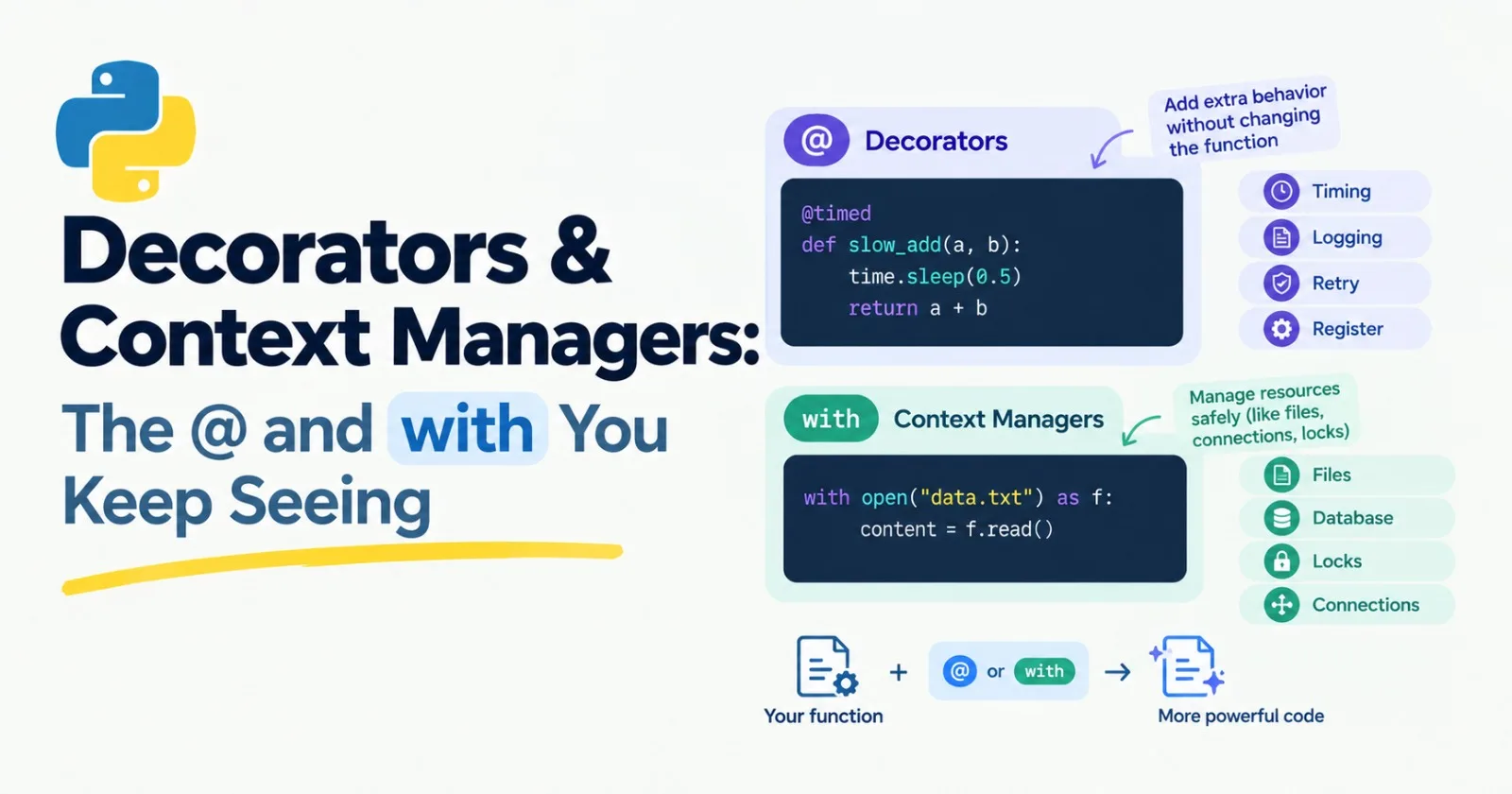
Open almost any modern Python project and you'll spot two things quickly. Lines that start with @, like @app.get("/hello"). And blocks that start with with, like with torch.no_grad():.
They look like magic if nobody explains them. They're not. Both are built from ideas you already met: functions as values and closures from Post 6, and generators from Post 7. This post is core, because FastAPI, PyTorch, and plenty of AI libraries lean on both.
The problem decorators solve
Say you want to know how long a function takes. You could add timing code to it. Then you want the same for five other functions. Then you want to add logging. Soon every function is half timing code and half the thing it was meant to do.
What you'd like is a way to wrap extra behavior around a function without touching its insides. That's what a decorator does.
Building a decorator by hand
A decorator is a function that takes a function and returns a new, improved function. Here's one that measures time:
import time

def timed(func):
    def wrapper(*args, **kwargs):
        start = time.perf_counter()
        result = func(*args, **kwargs)
        elapsed = time.perf_counter() - start
        print(f"{func.__name__} took {elapsed:.3f} seconds")
        return result
    return wrapper
Take it slowly, because everything in there comes from Post 6:
timedtakes a function calledfunc.Inside, it defines
wrapper, a new function that starts a clock, calls the originalfunc, stops the clock, prints the time, and returns the original result.*argsand**kwargslet the wrapper accept whatever the original function accepts and pass it along.wrapperis a closure. It remembersfuncaftertimedhas finished.timedreturnswrapper, without calling it.
Now use it:
def slow_add(a, b):
    time.sleep(0.5)
    return a + b

slow_add = timed(slow_add)

print(slow_add(2, 3))
# slow_add took 0.500 seconds
# 5
We replaced slow_add with the wrapped version. Python has a shortcut for exactly this pattern, and that's the @ symbol:
@timed
def slow_add(a, b):
    time.sleep(0.5)
    return a + b
Those two versions do the same thing. @timed above a function simply means slow_add = timed(slow_add). That's all it is.
A small fix: functools.wraps
There's one annoying side effect. After decorating, the function forgets who it is:
print(slow_add.__name__) # wrapperThat's because slow_add is now really the wrapper function. It can mess up error messages, logs, and tools that look at function names. The standard fix is to add @wraps(func) to the wrapper:
from functools import wraps

def timed(func):
    @wraps(func)
    def wrapper(*args, **kwargs):
        start = time.perf_counter()
        result = func(*args, **kwargs)
        elapsed = time.perf_counter() - start
        print(f"{func.__name__} took {elapsed:.3f} seconds")
        return result
    return wrapper
Now slow_add.__name__ correctly says slow_add. Treat @wraps as a habit you always include. It's a decorator that's used inside a decorator, which is a fun thing to notice.
Decorators that take settings
Often you want to customize a decorator, like @retry(attempts=5). That needs one more layer, and this is the part that confuses everyone at first. Here's the retry helper from Post 6, rewritten as a decorator:
def retry(attempts=3, delay=0.5):
    def decorator(func):
        @wraps(func)
        def wrapper(*args, **kwargs):
            for attempt in range(1, attempts + 1):
                try:
                    return func(*args, **kwargs)
                except Exception as error:
                    print(f"Attempt {attempt} failed: {error}")
                    if attempt == attempts:
                        raise
                    time.sleep(delay)
        return wrapper
    return decorator
Three layers, each with one job:
retry(...)takes the settings and returns a decorator.decorator(func)takes the function and returns the wrapper.wrapper(...)is what actually runs each time you call the function.
So @retry(attempts=5) first calls retry(attempts=5), which hands back a decorator, and then that decorator is applied to the function below it. If three layers feels like a lot, it is. Read it twice, then type it out yourself.
Decorators that register instead of wrap
Not every decorator changes the function. Some just make a note of it and hand it back unchanged. This is how web frameworks find your route handlers, and it's how many AI frameworks keep track of the tools a model is allowed to call.
tools = {}

def tool(func):
    tools[func.__name__] = func
    return func

@tool
def get_weather(city):
    return f"Sunny in {city}"

print(tools["get_weather"]("Lisbon"))    # Sunny in Lisbon
print(list(tools))                       # ['get_weather']
Remember the dictionary of functions from Post 6? This is the tidy version. Mark a function with @tool and it lands in the registry. When a model asks for get_weather by name, you look it up and run it.
When you see @app.get("/hello") in FastAPI, it's the same family of idea: it tells the framework "when someone visits /hello, run this function."
A few built-in decorators worth knowing
@cache(fromfunctools) remembers results, so calling a function again with the same input returns instantly:
from functools import cache

@cache
def expensive_lookup(word):
    print(f"Computing for {word}...")
    return len(word) * 10

print(expensive_lookup("hello"))    # Computing for hello...  then 50
print(expensive_lookup("hello"))    # 50  (no computing this time)
Two warnings. The inputs must be things that can be dictionary keys, so passing a list fails (remember Post 5). And don't cache anything where you want a fresh answer each time, like most model calls.
@staticmethod,@property, and@dataclassshow up when we cover classes in the next post.
Context managers: cleaning up after yourself
Now the with statement. Some things need to be opened and then closed properly: files, network connections, database sessions, locks. If you forget to close them, or your program crashes in the middle, you get leaks and strange bugs.
You've already seen the fix:
with open("demo.txt", "w", encoding="utf-8") as file:
    file.write("hello")

print(file.closed)    # True
When the with block ends, the file is closed. Always. Even if an error happens inside the block. That guarantee is the whole point.
You can open more than one thing in the same line:
with open("demo.txt") as src, open("copy.txt", "w") as dst:
    dst.write(src.read())
How with works
Anything that works with with is called a context manager. It's an object with two special methods: one that runs when you enter the block, and one that runs when you leave, no matter how you leave. Here's a timer built that way:
import time

class Timer:
    def __enter__(self):
        self.start = time.perf_counter()
        return self

    def __exit__(self, exc_type, exc_value, traceback):
        self.elapsed = time.perf_counter() - self.start
        print(f"Took {self.elapsed:.2f} seconds")
        return False

with Timer():
    time.sleep(0.3)
# Took 0.30 seconds
We haven't covered classes yet (that's Post 9), so just read this as a recipe for now. __enter__ is the setup. __exit__ is the cleanup. If an error happened inside the block, the three extra arguments describe it, and returning False means "let the error carry on."
The easy way: @contextmanager
Writing a whole class for a small job is a bit much. Python has a shortcut that uses a generator, which you met in Post 7. Everything before yield is setup, and everything after is cleanup:
from contextlib import contextmanager
import time

@contextmanager
def timer(label):
    start = time.perf_counter()
    try:
        yield
    finally:
        elapsed = time.perf_counter() - start
        print(f"{label} took {elapsed:.2f} seconds")

with timer("sleeping"):
    time.sleep(0.3)
# sleeping took 0.30 seconds
The try and finally matter. Code in finally always runs, even if the block inside with raises an error. So the timer still reports in a crash:
with timer("crashing"):
    raise ValueError("oops")
# crashing took 0.00 seconds
# then the ValueError appears as usual
Notice how this ties together. @contextmanager is a decorator, wrapped around a generator, producing something you use with with. If that sentence made sense, you've understood the last three posts.
Where you'll see these in AI work
with torch.no_grad():switches off gradient tracking while you run a model for predictions, then switches it back on afterward. You'll write it often once we reach PyTorch. (It can also be used as a decorator, so you'll see both styles.)Network and database sessions that must close cleanly.
Temporary settings, like running a block of code with a different configuration and then restoring the original.
Timing and tracing blocks of code, like our
timer.Route handlers and tools registered with decorators in web and agent frameworks.
Mini project: a small toolkit
Let's combine everything in one file. Create toolkit.py with the timed decorator, the retry decorator, and the timer context manager from above, then add this at the bottom:
import random

@timed
@retry(attempts=4, delay=0.1)
def fake_model_call(prompt):
    time.sleep(0.2)
    if random.random() < 0.5:
        raise RuntimeError("Model busy")
    return f"Answer to: {prompt}"


with timer("whole batch"):
    for prompt in ["What is a decorator?", "What is a context manager?"]:
        print(fake_model_call(prompt))
Run it a few times. The failures are random, so every run looks a little different. A run with one failed attempt might print:
Attempt 1 failed: Model busy
fake_model_call took 0.500 seconds
Answer to: What is a decorator?
fake_model_call took 0.200 seconds
Answer to: What is a context manager?
whole batch took 0.70 seconds
A detail worth noticing: when you stack decorators, the one closest to the function is applied first. So @retry wraps the function, and then @timed wraps that. That means the time you see includes the retries and the waiting between them. If you swapped the two lines, timed would report only a single attempt each time.
You've just written the core of a tool that real AI apps need: a function that measures itself, tries again when it fails, and sits inside a timed block. And none of that code is inside the function that makes the model call.
Make it yours
Add a
@log_callsdecorator that prints the function name and its arguments before each call.Write your own simple cache using a dictionary, then compare it with
@cache.Write a context manager that temporarily changes a value in a dictionary and puts the original back afterward.
Add a
max_total_secondssetting toretryso it gives up if too much time has passed.
Practice
About 20 minutes of real effort on each before asking for help.
Write a
@shoutdecorator that makes any function's returned text uppercase.Write a
@count_callsdecorator that keeps track of how many times a function has been called. (Hint: you can store the count on the wrapper itself, likewrapper.calls = 0.)Write a context manager with
@contextmanagerthat prints "Entering" when the block starts and "Leaving" when it ends, even if there's an error.Use
@cacheon a recursive Fibonacci function and compare how longfib(35)takes with and without it.Without using
@, write the exact equivalent of decorating a function with@timed.
Then ask an AI tutor to review your code, not rewrite it.
What to take away
A decorator is a function that takes a function and returns a new one.
@nameis just a shortcut forfunc = name(func).Use
@wraps(func)inside every decorator you write.A decorator with settings has three layers: settings, function, wrapper.
Some decorators wrap, and some simply register a function and return it unchanged.
A context manager guarantees setup and cleanup around a block of code, even when something goes wrong.
@contextmanagerlets you build one with a generator and atry/finally.
Previous: Post 7, Iterators, Generators & Comprehensions
Next in the series: Post 9, OOP the Practical Way, where we cover classes, dataclasses, and when to use composition instead of inheritance.
Comments(0)
Join the discussion by logging into your account.
No comments yet. Be the first to comment!