
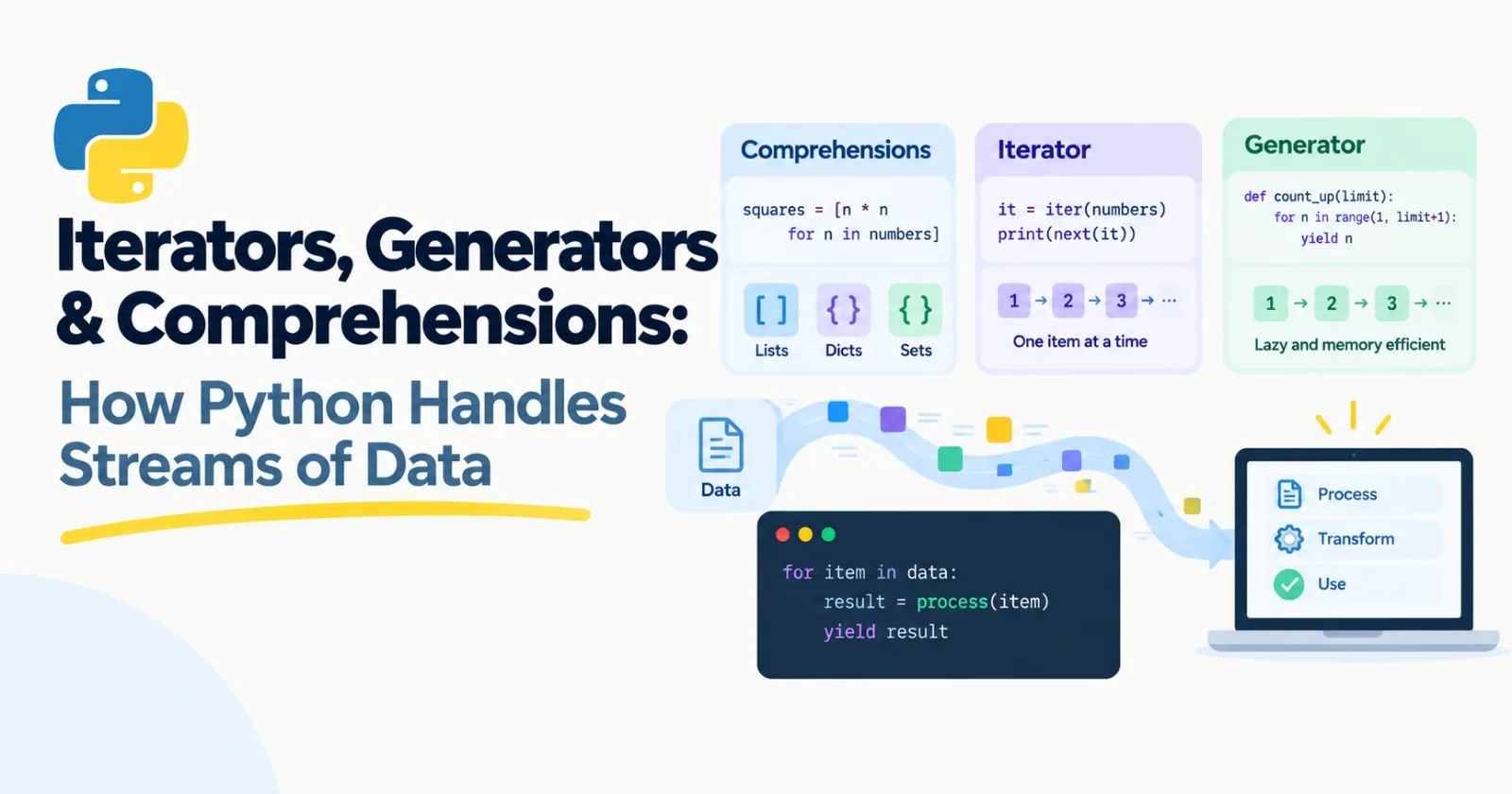
When you chat with an AI model and the answer appears word by word, instead of all at once, something specific is happening in the code. The text is arriving in small pieces, and your program is handling each piece as it shows up.
The Python feature behind that is called a generator. This post explains generators, along with the ideas they're built on: comprehensions and iterators. They're core, so I'd read them all. You'll use them for reading big datasets, building pipelines, batching requests, and streaming model output.
Comprehensions: loops in one line
Here's a loop you've probably written something like before. It builds a list of squares:
numbers = [1, 2, 3, 4, 5, 6]

squares = []
for n in numbers:
    squares.append(n * n)
A list comprehension does the same job in one line:
squares = [n * n for n in numbers]
print(squares)    # [1, 4, 9, 16, 25, 36]
Read it like English: "give me n * n for each n in numbers."
You can add a filter at the end:
evens = [n for n in numbers if n % 2 == 0]
print(evens)    # [2, 4, 6]
And combine the two:
words = ["banana", "fig", "cherry", "kiwi"]

print([w.upper() for w in words if len(w) > 3])
# ['BANANA', 'CHERRY', 'KIWI']
Remember map and filter from the last post? Comprehensions do the same things, and most Python programmers find them easier to read. You'll see them far more often.
The same idea works for dictionaries and sets, just with different brackets:
print({w: len(w) for w in words})
# {'banana': 6, 'fig': 3, 'cherry': 6, 'kiwi': 4}

print({len(w) for w in words})
# {3, 4, 6}
You can even loop over a list of lists in one go. Read it left to right, like two loops stacked together:
grid = [[1, 2], [3, 4], [5]]
print([x for row in grid for x in row])
# [1, 2, 3, 4, 5]
One piece of advice: comprehensions are for simple jobs. If you find yourself squeezing in several conditions and nested logic, a normal loop is kinder to whoever reads it next, and that person is often you in three months.
What a for loop really does
Let's look under the hood of for. Two words matter here.
An iterable is anything you can loop over: a list, a string, a dictionary, a file.
An iterator is the object that actually hands out the items one at a time and remembers where it is.
You can see this by hand with iter() and next():
letters = ["a", "b", "c"]
it = iter(letters)

print(next(it))    # a
print(next(it))    # b
print(next(it))    # c
print(next(it))    # StopIteration error
When there's nothing left, Python raises a StopIteration signal. A for loop is just a tidy wrapper around exactly this: it asks for an iterator, keeps calling next, and quietly stops when it sees StopIteration.
Here's the part that catches people out. An iterator gets used up:
it = iter([1, 2, 3])
print(list(it))    # [1, 2, 3]
print(list(it))    # []
The second time, there's nothing left, so you get an empty list. Keep that in mind, because generators behave the same way.
Two built-in helpers you'll use all the time. enumerate gives you a counter along with each item, and zip walks through two lists side by side:
for i, word in enumerate(["a", "b"], start=1):
    print(i, word)
# 1 a
# 2 b

questions = ["q1", "q2", "q3"]
answers = ["a1", "a2"]

for q, a in zip(questions, answers):
    print(q, a)
# q1 a1
# q2 a2
Notice that zip stops at the shorter list. The third question quietly disappears. That's useful to know when you pair up questions and answers in an evaluation set.
Generators: functions that pause
Now the main event. A normal function runs from top to bottom and returns once. A generator function can hand back a value, pause right there, and pick up where it left off the next time you ask. The magic word is yield.
def count_up(limit):
    n = 1
    while n <= limit:
        yield n
        n += 1

for number in count_up(3):
    print(number)
# 1
# 2
# 3
Instead of return, it uses yield. Each time the loop asks for a value, the function runs until it hits yield, hands the value over, and freezes. When the loop asks again, it wakes up on the line after yield.
To see how lazy that really is, add some prints:
def noisy():
    print("starting")
    yield 1
    print("middle")
    yield 2
    print("done")

gen = noisy()
print("created")
print(next(gen))
print(next(gen))
Output:
created
starting
1
middle
2
Look at the order. Creating the generator printed nothing. The function body doesn't start until the first next(). And "done" hasn't shown up yet, because we never asked for a third value. Generators do work only when you ask, and only as much as you ask for.
Just like iterators, a generator is used up after one pass.
Why lazy matters: memory
Here's the real payoff. Compare building a million squares as a list with a generator:
import sys

big_list = [n * n for n in range(1_000_000)]
big_gen = (n * n for n in range(1_000_000))

print(sys.getsizeof(big_list))    # about 8,000,000 bytes
print(sys.getsizeof(big_gen))     # about 200 bytes
The only difference in the code is the brackets. Square brackets build the whole list in memory right now. Round brackets make a generator expression, which holds almost nothing and produces each value when asked. (The list's size doesn't even count the numbers inside it, so the real gap is bigger.)
A million numbers is no problem for a modern computer. But replace that with a dataset of 50 million text records and it's a different story. With a generator, your program handles one record at a time, and memory stays small whether the file has a thousand lines or a billion.
Functions like sum, max, and any accept generator expressions directly, no extra brackets needed:
print(sum(n * n for n in range(10))) # 285Reading big files, one line at a time
Files are lazy too. Looping over a file gives you one line at a time, without loading the whole thing:
def read_lines(path):
    with open(path, encoding="utf-8") as file:
        for line in file:
            yield line.strip()
(The with line makes sure the file gets closed properly. We'll cover that in the next post.)
Now you can chain generators together into a pipeline, where each step takes one item, does something, and passes it on:
def keep_real_text(lines, min_length=20):
    for line in lines:
        if len(line) >= min_length:
            yield line
Neither step ever holds the whole dataset. One line flows through at a time. This is how people clean huge text collections for AI training and search without needing a monster computer.
Streaming model output
Now back to where we started. When you ask a model to stream its reply, the answer arrives in small chunks as it's produced. Many model libraries hand you those chunks as something you can loop over, which means a generator or an iterator under the hood.
You can fake the whole thing to feel how it works:
import time

def fake_model_stream(text):
    for word in text.split():
        time.sleep(0.2)
        yield word + " "

for chunk in fake_model_stream("Generators make streaming feel natural"):
    print(chunk, end="", flush=True)
print()
Run it and the sentence appears one word at a time. Two small details: end="" stops print from adding a new line after each chunk, and flush=True makes the text show on screen immediately instead of waiting.
When we build our first LLM app in Post 49, the code that handles a streamed reply will look almost exactly like this loop.
Batching: a pattern you'll use constantly
AI services often work better, and cheaper, when you send items in groups instead of one by one. Embedding thousands of documents is a classic case. So you need a way to chop a stream of items into batches.
For a list, it's quick:
def batches_list(items, size):
    for start in range(0, len(items), size):
        yield items[start:start + size]

for batch in batches_list(list(range(10)), 4):
    print(batch)
# [0, 1, 2, 3]
# [4, 5, 6, 7]
# [8, 9]
But that needs the whole list in memory. In the mini project below, we'll write a version that works on any stream.
(If you're on Python 3.12 or newer, there's also itertools.batched, which does this for you. It's good to know, and it's even better to have written one yourself first.)
Mini project: a lazy text pipeline
Let's put it all together. We'll read a file line by line, throw away blank and very short lines, and group what's left into batches of three, like you would before sending text to an embedding service. We won't call any real service. We'll just count.
First, create a file called notes.txt with this content (include the blank line):
Python generators are lazy and save memory.

ok
A batch groups several items together before processing.
Streaming sends output in small chunks as it is made.
short line
Comprehensions are a compact way to build collections.
Iterators remember where they are in a sequence.
Decorators come in the next post of this series.
Then create pipeline.py:
def read_lines(path):
    with open(path, encoding="utf-8") as file:
        for line in file:
            yield line.strip()


def keep_real_text(lines, min_length=20):
    for line in lines:
        if len(line) >= min_length:
            yield line


def batches(items, size):
    batch = []
    for item in items:
        batch.append(item)
        if len(batch) == size:
            yield batch
            batch = []
    if batch:
        yield batch


lines = read_lines("notes.txt")
good_lines = keep_real_text(lines)

for number, batch in enumerate(batches(good_lines, size=3), start=1):
    print(f"Batch {number}: {len(batch)} lines")
You should see:
Batch 1: 3 lines
Batch 2: 3 lines
Here's the thing worth noticing. The two lines that create lines and good_lines do no work at all. They just set up the pipeline. The reading, filtering, and batching only happen once the for loop at the bottom starts asking for values. And at any moment, only a few lines are in memory.
The batches function collects items into a small list, yields it when it's full, and then yields whatever is left over at the end. That last if batch: check is easy to forget, and without it you'd lose the final partial batch.
Make it yours
Print the first 40 characters of each line in a batch.
Replace the
printwith a fakeembed(batch)function that returns the length of each line.Use
itertools.isliceto process only the first 100 lines.Generate a file with a million lines and run the pipeline on it. Then change
read_linesto return a list instead, and compare how the memory use feels.
Practice
About 20 minutes of real effort on each.
Use a comprehension to turn a sentence into a list of its word lengths.
Use two lists and a dictionary comprehension (with
zip) to build a dictionary from names and ages.Write a generator
countdown(n)that yieldsn, thenn - 1, down to 1.Write a generator
fibonacci()that goes on forever, and use a loop withbreakto print the first 10 numbers.Change
read_linesso it only yields lines that contain a keyword you pass in.
After you've tried, ask an AI tutor to review your code, not rewrite it.
What to take away
A comprehension builds a list, dictionary, or set in one readable line.
A
forloop asks an iterable for an iterator and callsnextuntilStopIteration.Iterators and generators get used up after one pass.
A generator uses
yieldto hand back one value at a time and pause in between.Generators are lazy, so they keep memory small and let you work with data of any size.
Streaming model output, file pipelines, and batching all rely on this idea.
Previous: Post 6, Functions in Depth
Next in the series: Post 8, Decorators & Context Managers, which explains the with statement and the @ lines you'll see all over FastAPI and PyTorch code.
Comments(0)
Join the discussion by logging into your account.
No comments yet. Be the first to comment!