
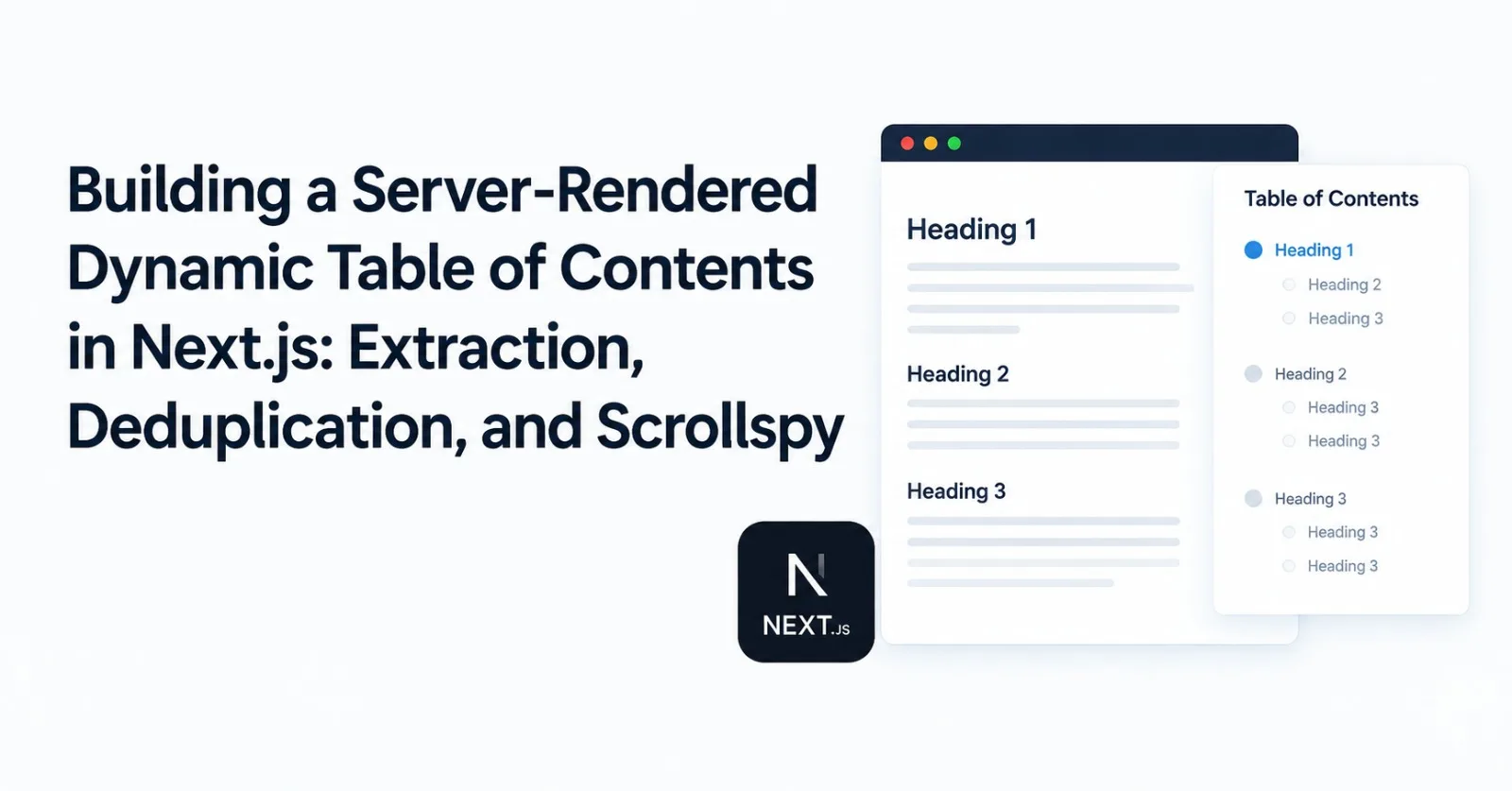
When building a technical publication platform or documentation site, a Table of Contents (TOC) is not a cosmetic accessory—it is the primary navigation spine of long-form articles. Readers rely on it to gauge article depth, jump to relevant code blocks, and track their reading progress.
Yet, if you look at how most blogs and modern React frameworks implement a dynamic Table of Contents, you will almost always find the same naive client-side pattern:
// ❌ The fragile client-side pattern found across tutorials:
useEffect(() => {
  const headings = document.querySelectorAll('h2, h3');
  headings.forEach((heading) => {
    heading.id = heading.textContent.toLowerCase().replace(/\s+/g, '-');
  });
  setToc(Array.from(headings).map(h => ({ id: h.id, text: h.textContent })));
}, []);
In development, this looks fine. In production, this naive pattern introduces four critical architectural flaws:
Broken Initial Deep-Linking: When a reader clicks a link shared on Twitter or Slack with an anchor fragment (
https://example.com/blog/my-guide#database-schema), the browser immediately tries to scroll to#database-schemabefore React mounts. Because the client script hasn't run yet, no element with that ID exists in the DOM. The browser gives up, and the user stays stranded at the top of the page.Cumulative Layout Shift (CLS): If your TOC renders in a sticky sidebar or an in-article card, rendering it inside a client
useEffectmeans the initial SSR payload contains an empty container. Once hydration finishes and the effect runs, the layout shifts violently, degrading Core Web Vitals.SEO Degradation: Search engine crawlers (Google, Bing) index headings and section anchors during the initial HTML crawl to generate rich "Jump to section" sitelinks in search results. If heading IDs are only injected by client-side JavaScript, crawlers frequently miss them.
Slug Collisions and Mangled Nested HTML: Blog authors frequently reuse heading titles within a single post—such as having "Overview", "Code Example", or "Conclusion" under multiple sections. Naive slugifiers generate identical duplicate IDs, rendering anchor navigation broken. Furthermore, if a heading contains nested markup like
<h2>Deploying with <code>Docker</code> & Kubernetes</h2>, naive string operations produce malformed garbage likedeploying-with-codedockercode-amp-kubernetes.
In this guide, we break down how we engineered the end-to-end Table of Contents system in ZyVOP: a high-performance, server-rendered pipeline in Next.js and TypeScript that parses HTML headings, decodes entities, resolves duplicate slugs, pre-injects anchor IDs on the server, and powers a buttery-smooth, hybrid client-side scrollspy.
1. Architecture Overview: Server-Rendered Pipeline
To achieve zero Cumulative Layout Shift and guaranteed anchor reliability, the extraction of TOC items and injection of heading IDs must happen during server-side rendering (SSR), before a single byte of HTML is transmitted to the client.
flowchart TD
subgraph Server["Next.js Server Component (SSR / ISR)"]
RawHTML["Post HTML Content<br/>(Markdown rendered or DB HTML)"] --> Engine["buildTocFromHtml()<br/>(lib/toc.ts)"]
Engine --> InjectedHTML["HTML with Injected Unique IDs<br/><h2 id='architecture-2'>...</h2>"]
Engine --> SerializedTOC["Structured TOC Array<br/>TocItem[] { id, text, level }"]
InjectedHTML --> SSRDoc["Rendered HTML Document<br/>(Zero CLS / Instant Browser Anchors)"]
end
subgraph Client["Browser Hydration & Interaction"]
SSRDoc --> BrowserDOM["Browser DOM (IDs already exist)"]
SerializedTOC --> ClientControls["TOC Client Components"]
ClientControls --> Drawer["Desktop Sticky Reader Bar<br/>(StickyPostTocDrawer)"]
ClientControls --> MobileFAB["Mobile Floating Action Button<br/>(MobileTocFab)"]
ClientControls --> Dropdown["Scroll-Triggered Dropdown<br/>(StickyTocDropdown)"]
BrowserDOM --> Scrollspy["Hybrid Scrollspy Engine<br/>(IntersectionObserver + getBoundingClientRect)"]
Scrollspy --> ActiveHighlight["Active Heading State & Hash Sync"]
endBy decoupling heading processing into a deterministic server-side transform, we achieve:
Zero Client Parsing Overhead: The client browser never parses or queries the DOM tree just to construct the TOC.
Instant Deep Linking: Direct URL fragments resolve on the very first HTML paint before JavaScript executes.
Compact JSON Serialization: The TOC passed from Server Components to Client Components is a lightweight JSON array (
[{ id, text, level }]).
2. Server-Side Extraction & ID Injection: lib/toc.ts
Many teams attempt to use full headless DOM libraries like jsdom or cheerio on the server to parse headings. While functional, pulling massive DOM parsers into Next.js Server Components or Edge runtimes introduces heavy bundle sizes, slow memory overhead, and latency on every render.
In ZyVOP, we built a zero-dependency, single-pass streaming parser in lib/toc.ts:
Data Structures & Helpers
export type TocItem = {
id: string;
text: string;
level: number;
};
// 1. Slugify helper: strips HTML tags, symbols, and normalizes hyphens
function slugify(text: string): string {
const base = text
.toLowerCase()
.trim()
.replace(/<[^>]*>/g, '') // Strip any lingering tags
.replace(/[^a-z0-9\s-]/g, '') // Strip special punctuation
.replace(/\s+/g, '-') // Replace whitespace with hyphens
.replace(/-+/g, '-'); // Deduplicate hyphens
return base || 'section';
}
// 2. Decode common HTML entities that appear inside headings
function decodeHtml(text: string): string {
const entities: Record<string, string> = {
'&': '&',
'<': '<',
'>': '>',
'"': '"',
''': "'",
''': "'",
'/': '/',
' ': ' ',
'—': '—',
'–': '–',
};
return text.replace(/&[#\w]+;/gi, (match) => entities[match] || match);
}The Extraction and Injection Engine
The buildTocFromHtml function performs four critical tasks in a single pass:
Matches
h1throughh4tags and their inner content with regex.Strips nested HTML tags (e.g.
<code>,<span>,<strong>) to extract clean human-readable text.Resolves slug collisions by maintaining a frequency tracking map.
Preserves any pre-existing author IDs, or injects the generated ID cleanly back into the HTML tag.
export function buildTocFromHtml(inputHtml: string): { html: string; toc: TocItem[] } {
  if (!inputHtml) return { html: '', toc: [] };

  // Frequency map to track slug occurrences and eliminate collisions
  const used = new Map<string, number>();
  const toc: TocItem[] = [];

  // Match h1-h4 tags, capturing attributes and inner HTML content
  const re = /<h([1-4])(\s+[^>]*)?>([\s\S]*?)<\/h\1>/gi;
  let html = inputHtml;

  html = html.replace(re, (match, lvl, attrs = '', inner) => {
    // 1. Strip inner HTML tags to get raw text, then decode entities
    let rawText = String(inner).replace(/<[^>]+>/g, '').trim();
    const text = decodeHtml(rawText);

    // 2. Check if the author already provided an explicit ID
    let idMatch = String(attrs).match(/\sid=["']([^"']+)["']/i);
    let id = idMatch ? idMatch[1] : slugify(text);

    // 3. Collision Resolution: Append numeric suffix for duplicate IDs
    const count = used.get(id) || 0;
    if (count > 0) {
      id = `${id}-${count + 1}`;
    }
    used.set(idMatch ? idMatch[1] : slugify(text), count + 1);

    // 4. Record the structured TOC item
    toc.push({ id, text, level: Number(lvl) });

    // 5. In-place attribute injection into the HTML tag
    const hasId = /\sid=["'][^"']+["']/.test(attrs);
    const withId = hasId
      ? String(attrs).replace(/\sid=["'][^"']+["']/, ` id="${id}"`)
      : `${attrs || ''} id="${id}"`;

    return `<h${lvl}${withId}>${inner}</h${lvl}>`;
  });

  return { html, toc };
}
Why Collision Resolution is Mandatory
Consider an article with this heading structure:
## Setup
### Prerequisites
...
## Production Deployment
### Prerequisites
Without collision handling, both "Prerequisites" sections receive id="prerequisites". When a reader clicks the second "Prerequisites" link in the TOC, the browser jumps to the first one at the top of the article.
With ZyVOP's tracking map:
The first receives:
id="prerequisites"The second receives:
id="prerequisites-2"
Every heading anchor is mathematically guaranteed to be unique and deterministic.
3. Server-Side Integration in Next.js Server Components
Because buildTocFromHtml is a pure function that operates on strings, it executes seamlessly inside Next.js Server Components without any client runtime penalty.
In app/publication/[id]/[slug]/page.tsx:
import { buildTocFromHtml } from '@/lib/toc';
import PublicationStickyBars from '@/components/publication/article/PublicationStickyBars';
import PublicationPostContent from '@/components/publication/article/PublicationPostContent';

export default async function PublicationPostPage({ params }: PageProps) {
  const post = await getPostBySlug(params.slug);

  // 1. Execute TOC extraction and ID injection during Server-Side Rendering
  const { html: contentWithIds, toc } = buildTocFromHtml(post.content || '');

  return (
    <div className="w-full relative bg-primary">
      {/* 2. Render content with pre-injected IDs (Zero CLS) */}
      <article className="max-w-2xl mx-auto">
        <div dangerouslySetInnerHTML={{ __html: contentWithIds }} />
      </article>

      {/* 3. Pass lightweight serialized TOC array to interactive Client UI */}
      <PublicationStickyBars
        post={post}
        toc={post.generateTOC ? toc : []}
      />
    </div>
  );
}
When the browser receives the response stream from Next.js, every <h2 id="..."> is already present. If the incoming request has #architecture-overview in the URL, the browser jumps directly to that element immediately.
4. The Hybrid Scrollspy: components/prose/toc/toc-client.tsx
Now comes the client-side challenge: How do you highlight the currently active heading as the user scrolls?
The IntersectionObserver Trap
Most developers implement scrollspy using standard IntersectionObserver:
// ❌ Why simple IntersectionObserver fails on long blog posts
const observer = new IntersectionObserver((entries) => {
  entries.forEach((entry) => {
    if (entry.isIntersecting) setActiveId(entry.target.id);
  });
});
Here is why this fails in the real world:
The Long Section Problem: If a section has 3,000 words of text, code snippets, and diagrams, the heading scrolls off the top of the screen within seconds. Once it leaves the top of the viewport,
entry.isIntersectingbecomesfalse. For the next 5 minutes while the user reads that section, no heading is active in the TOC.Rapid Scrolling Desync: Fast momentum scrolling on mobile or trackpads can jump past multiple threshold boundaries in a single animation frame, leaving the observer out of sync.
The ZyVOP Hybrid Algorithm
To solve this, components/prose/toc/toc-client.tsx implements a hybrid scrollspy combining:
Geometric Relative Position Calculation: Checking the vertical bounding rect of all headings relative to a defined reading threshold (
top - offset <= 0).IntersectionObserver: Triggering re-computation with minimal CPU overhead when headings cross boundaries.
Passive Window Scroll Fallback: Ensuring synchronization during continuous wheel and trackpad gestures.
'use client';
import React, { useCallback, useEffect, useState } from 'react';
import { type TocItem } from '@/lib/toc';

export default function TocClient({
  items,
  offset = 120, // Offset accounting for fixed headers and reader bars
}: {
  items: TocItem[];
  offset?: number;
}) {
  const [activeId, setActiveId] = useState<string | null>(null);

  useEffect(() => {
    if (typeof window === 'undefined' || !items.length) return;

    // Geometric calculation: Find the last heading that has passed the reading threshold
    const computeActive = () => {
      const els = items
        .map((i) => document.getElementById(i.id))
        .filter(Boolean) as HTMLElement[];

      if (!els.length) return;

      const tops = els.map((h) => h.getBoundingClientRect().top - offset);
      const aboveIdxs: number[] = [];
      tops.forEach((t, idx) => {
        if (t <= 0) aboveIdxs.push(idx);
      });

      // The active heading is the LAST one whose top is above the threshold
      let idx: number;
      if (aboveIdxs.length > 0) {
        idx = aboveIdxs[aboveIdxs.length - 1];
      } else {
        idx = 0; // Default to first heading if still above content
      }

      const id = els[idx].id;
      setActiveId((prev) => (prev === id ? prev : id));
    };

    // Run on initial load
    computeActive();

    // IntersectionObserver watches headings crossing the top viewport threshold
    const observer = new IntersectionObserver(
      () => {
        computeActive();
      },
      {
        rootMargin: `-${offset}px 0px -80% 0px`,
        threshold: [0, 1],
      }
    );

    items.forEach((item) => {
      const el = document.getElementById(item.id);
      if (el) observer.observe(el);
    });

    // Passive scroll listener ensures smooth tracking during fast scrolls
    const onScroll = () => {
      computeActive();
    };
    window.addEventListener('scroll', onScroll, { passive: true });
    window.addEventListener('resize', onScroll);

    return () => {
      observer.disconnect();
      window.removeEventListener('scroll', onScroll);
      window.removeEventListener('resize', onScroll);
    };
  }, [items, offset]);
URL Hash Synchronization Without Cluttering History
When a user clicks an item in the TOC, you want two things to happen:
Smoothly scroll the target heading into view.
Update the browser's address bar to
#target-idso the user can copy the URL to that exact section.
However, calling window.location.hash = id or history.pushState causes a terrible user experience: it pushes an entry to the browser history stack every time the user clicks a section. If a reader clicks through 5 headings, they have to press the browser's "Back" button 5 times just to return to the previous page.
ZyVOP solves this using window.history.replaceState:
const onClick = useCallback((e: React.MouseEvent<HTMLAnchorElement>, id: string) => {
    e.preventDefault();
    const el = document.getElementById(id);
    if (!el) return;

    // 1. Smooth scroll directly to the element
    el.scrollIntoView({ behavior: 'smooth', block: 'start', inline: 'nearest' });

    // 2. Non-destructive URL update (replaces current entry instead of pushing)
    if (typeof window !== 'undefined') {
      window.history.replaceState(null, '', `#${id}`);
    }

    setActiveId(id);
  }, []);
CSS Sticky Header Clearance: scroll-margin-top
When you click an anchor link, the browser scrolls the heading to the very top edge of the viewport (top: 0). If your application has a fixed navigation bar or sticky reader bar (e.g., 64px or 80px high), the heading will be hidden directly underneath your header.
Instead of hacking JavaScript scroll offsets, modern CSS solves this cleanly with scroll-margin-top:
/* Ensure all article headings clear sticky bars when scrolled into view */
.prose h1,
.prose h2,
.prose h3,
.prose h4 {
  scroll-margin-top: 6rem; /* 96px clearance */
}
Or using Tailwind CSS utility classes: scroll-mt-24 or scroll-mt-28.
5. Multi-Surface Responsive UI Design
A dynamic Table of Contents should adapt to the user's reading context. In ZyVOP, we surface the TOC across four distinct interaction surfaces:
1. Desktop Reader Bar Outline Drawer
Located in components/post/reader/sticky-post-toc-drawer.tsx, the TOC is embedded directly into the sticky reader header:
<button
  type="button"
  onClick={() => setIsTocOpen(!isTocOpen)}
  className="inline-flex items-center gap-1.5 px-2.5 py-1.5 rounded-full text-xs font-medium border"
  aria-expanded={isTocOpen}
  aria-label="Toggle Table of Contents"
>
  <List className="w-3.5 h-3.5 text-blue-500 shrink-0" />
  <span>Outline</span>
  <ChevronDown className={`w-3.5 h-3.5 ${isTocOpen ? 'rotate-180' : ''}`} />
</button>
When opened, it displays a sleek floating panel with backdrop blur (backdrop-blur-[2px]) positioned next to the article actions.
2. Mobile Floating Action Button (FAB) Bottom Sheet
On smaller viewports, a persistent sidebar or sticky drawer takes up too much screen real estate. components/prose/toc/mobile-toc-fab.tsx renders a floating action button at the bottom-right (bottom-28 right-6) on mobile screens (xl:hidden).
When tapped, it animates a bottom sheet up with spring physics (ease-[cubic-bezier(0.32,0.72,0,1)]) and locks body scrolling:
useEffect(() => {
  if (isOpen) {
    document.body.style.overflow = 'hidden';
  } else {
    document.body.style.overflow = 'unset';
  }
  return () => {
    document.body.style.overflow = 'unset';
  };
}, [isOpen]);
3. Scroll-Triggered Floating Header Dropdown
In components/prose/toc/sticky-toc-dropdown.tsx, the TOC trigger automatically slides in from the top only after the reader has scrolled past the hero header (window.scrollY > 400), remaining tucked away until needed.
4. Real-Time Editor Live Preview
In components/editor/EditorPreview.tsx, as authors draft content in the markdown/rich-text editor, the TOC updates in real time using useMemo:
const { html: contentWithIds, toc } = useMemo(() => {
  return buildTocFromHtml(content || '');
}, [content]);
Indentation is computed dynamically from heading levels:
style={{ paddingLeft: `${Math.max(0, (item.level - 2) * 16)}px` }}This gives writers immediate visual feedback on their document hierarchy before hitting publish.
6. The End-to-End Author Opt-In Pipeline (generateTOC)
Not every article needs a Table of Contents. Short announcements, short personal essays, or single-thought posts feel cluttered with a TOC.
To give authors full control, ZyVOP supports an end-to-end generateTOC configuration flag across all layers of the stack:
CLI & GitOps Syndication: Authors can declare
generateTOC: trueorgenerate_toc: truein markdown frontmatter. The ZyVOP CLI (zyvop-cli/src/publish-payload.js) normalizes this field into the API payload.Database & GraphQL Schema: The
Postentity in Prisma and Postgres storesgenerateTOC: Boolean(defaulting tofalse).Editor Publishing Drawer: In
GeneralOptionsTab.tsx, authors can toggle a switch: "Auto-generate Table of Contents".Rendering Gate: If
generateTOCis false or the article contains 0 headings, the TOC drawers, FABs, and outline triggers are completely omitted from the DOM, saving runtime overhead.
7. Key Takeaways & Best Practices
Building a production-ready Table of Contents involves far more than running querySelectorAll('h2'). Here is the checklist to ensure your implementation is robust:
Requirement | Naive Client Approach | ZyVOP Production Architecture |
|---|---|---|
Rendering Phase | Client | Server-Side Rendering (SSR) |
Initial Deep-Links | ❌ Fails (IDs do not exist on initial HTML paint) | ✅ Instant browser scroll on page load |
Cumulative Layout Shift | ❌ Shifts layout when TOC mounts | ✅ 0 CLS (Pre-computed on server) |
SEO Sitelinks | ❌ Often missed by search crawlers | ✅ Fully indexed static anchor tags |
Slug Collisions | ❌ Duplicate IDs ( | ✅ Frequency Map deduplication ( |
Nested HTML Headings | ❌ Broken strings ( | ✅ Tag stripping + entity decoding |
Scrollspy Reliability | ❌ Broken on long sections (>1,000px) | ✅ Hybrid BoundingRect + IntersectionObserver |
History Navigation | ❌ Pollutes history with | ✅ |
Header Clearance | ❌ Obscured under sticky navigation | ✅ CSS |
By moving heading extraction and ID injection to the server, resolving duplicate slugs deterministically, and pairing it with a resilient hybrid scrollspy, you create a fast, accessible, and glitch-free reading experience for your users.
Comments (2)
Join the discussion by logging into your account.
Igor Ganapolsky
The frequency map records the base slug, then emits prerequisites-2 without reserving that suffixed id. A later heading that slugifies to prerequisites-2, or an author id of prerequisites-2, gets the same id, so the duplicate comes back. Store the id you actually write, and if that key is already taken, keep incrementing. computeActive also calls getBoundingClientRect on every heading from both the IntersectionObserver callback and a passive scroll listener. That is layout work on every frame. One requestAnimationFrame is enough. The diagram says the active heading syncs the hash, but replaceState only runs in the click handler, so a URL copied while reading still names the last click.