
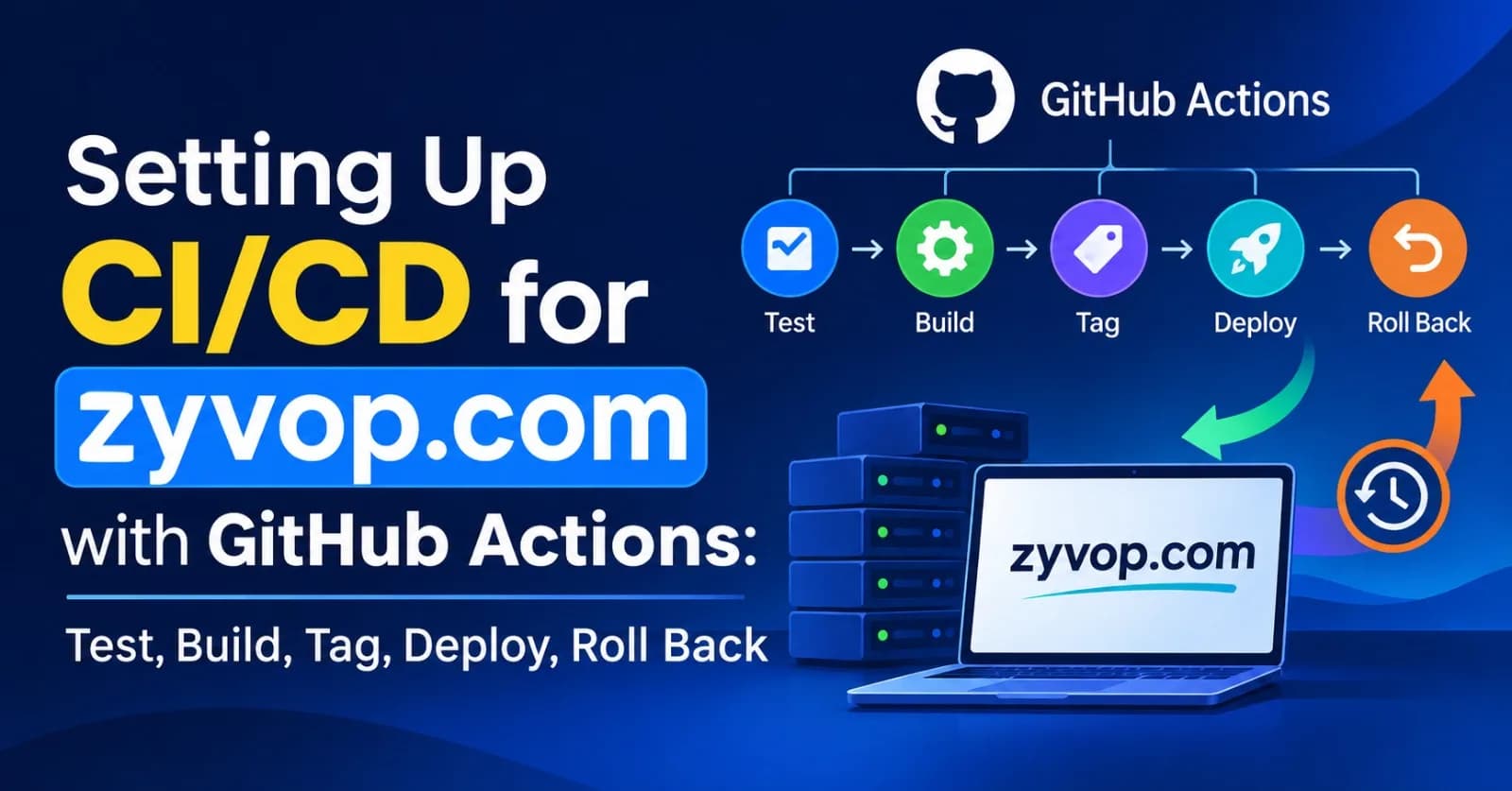
At the end of my zero-downtime post, I promised to run all of it from a pipeline, so that a deploy is a merge instead of a ritual. This is that post.
By the end, one merge to main will:
Run lint and tests.
Build a Docker image and tag it with the exact git commit SHA.
Push it to a registry.
Wait for my approval (if my GitHub plan supports it, more on that below).
Run database migrations once.
Roll the new version across my servers using the rolling deploy script from the last post.
Smoke test the live site and check it's really serving the new version.
And one button rolls back to the previous release, through the same path.
I'm using GitHub Actions because the code lives on GitHub. The ideas carry over to GitLab CI, CircleCI and friends.
A quick vocabulary note. Continuous integration means every change is built and tested automatically before it merges. Continuous delivery means every merged change is ready to ship. Continuous deployment means it ships automatically. I'm aiming for continuous delivery with a gate: fully automatic up to the registry, then one deliberate step for production.
One caution before the code: action versions move fast. The versions below were current when I wrote this, but I check each action's releases page and pin to a commit SHA (more on that in the security section).
TL;DR
ci.ymlruns lint and tests on every pull request, anddeploy.ymlreuses it.deploy.ymlruns on every merge tomain: CI, then build and push an image tagged with the full git SHA, then migrate once, then rolling deploy, then smoke test.rollback.ymlis a manual button. It redeploys any earlier SHA (the previous release by default) through the same path, with no migrations.Security: least-privilege tokens, environment-scoped secrets, and an SSH key that can only run one forced command, which validates its input.
Biggest gotchas: lowercase image names, hosted runners vs. my SSH firewall, which approval features my GitHub plan has, and the solo-owner "prevent self-review" trap.
The pipeline at a glance
flowchart LR
    PR[Open pull request] --> CI[CI: lint and tests]
    CI --> MERGE[Merge to main]
    MERGE --> T[Tests run again on main]
    T --> B["Build image<br/>tag = git SHA"]
    B --> P[Push to registry]
    P --> A{{"Approval gate"}}
    A --> M[Migrate once]
    M --> R[Rolling deploy]
    R --> S{"Smoke test<br/>passes?"}
    S -- Yes --> LIVE[Live on zyvop.com]
    S -- No --> RB[Run the rollback workflow]
Three workflow files make this happen:
flowchart LR
    PR([Pull request]) --> CIW["ci.yml<br/>lint and tests"]
    PUSH([Push to main]) --> DEP["deploy.yml<br/>ci, build, deploy"]
    DEP -- calls --> CIW
    MAN([Manual run]) --> RBW["rollback.yml<br/>redeploy an earlier SHA"]
File | Trigger | What it does |
|---|---|---|
| Pull requests, and called by | Lint, tests, build check |
| Push to | CI, then build and push image, then migrate, deploy, smoke test |
| Manual ( | Deploy an earlier SHA, then smoke test |
What I'm assuming
This post builds directly on the last two, so I'm assuming the same setup:
A Node app running in Docker, with the code on GitHub.
Three app servers behind a load balancer.
A deploy host (it can be the load balancer machine) that can SSH to the app servers and runs the
deploy-rolling.shandlb.shscripts from the zero-downtime post.A
compose.ymlon each app server withimage: ghcr.io/your-github-username/zyvop:${APP_VERSION}.Images stored in GitHub Container Registry (GHCR).
Placeholders to replace: your-github-username, deploy.zyvop.com, and the paths under /srv/zyvop.
In GitHub, I'll create these (Settings, then Secrets and variables, or the production environment):
Name | Kind | Value |
|---|---|---|
| Secret | Private half of a dedicated deploy key |
| Secret | The deploy host's SSH host key line |
| Variable |
|
Step 1: Continuous integration on every pull request
# .github/workflows/ci.yml
name: CI

on:
  pull_request:
  workflow_call:            # lets deploy.yml reuse these checks

permissions:
  contents: read

concurrency:
  group: ci-${{ github.event_name }}-${{ github.ref }}
  cancel-in-progress: ${{ github.event_name == 'pull_request' }}

jobs:
  test:
    runs-on: ubuntu-latest
    timeout-minutes: 15

    services:
      postgres:
        image: postgres:17        # use the same major version as production
        env:
          POSTGRES_PASSWORD: postgres
        ports:
          - 5432:5432
        options: >-
          --health-cmd "pg_isready -U postgres"
          --health-interval 5s
          --health-timeout 5s
          --health-retries 10
      redis:
        image: redis:7            # same here
        ports:
          - 6379:6379
        options: >-
          --health-cmd "redis-cli ping"
          --health-interval 5s
          --health-timeout 5s
          --health-retries 10

    env:
      DATABASE_URL: postgres://postgres:postgres@localhost:5432/postgres
      REDIS_URL: redis://localhost:6379

    steps:
      - uses: actions/checkout@v7

      - uses: actions/setup-node@v7
        with:
          node-version: 24        # match the Node version in the Dockerfile
          cache: npm

      - run: npm ci
      - run: npm run lint
      - run: npm test
      - run: npm run build --if-present
What's going on:
permissions: contents: readmeans the token this workflow gets can only read my code. I only add more permissions to the specific jobs that need them.servicesstarts real Postgres and Redis containers next to the tests, with health checks so the tests don't start before the databases are ready. Because the job runs directly on the runner, they're reachable onlocalhost.concurrencycancels superseded runs on a pull request (when I push another commit), but never cancels a run onmain. Cancelling a CI run that's headed for deployment would silently drop it.workflow_callis what letsdeploy.ymlrun the exact same checks, so I don't maintain two copies of my test steps.npm ciinstalls exactly what's in the lockfile, which is what I want in CI.timeout-minutesstops a hung job from burning minutes.
Then I turn on branch protection for main: require a pull request, require the test check to pass, and restrict who can push directly. CI that doesn't block merges is only a suggestion.
Step 2: A Dockerfile that builds the same image everywhere
# Dockerfile
FROM node:24-slim AS build
WORKDIR /app
COPY package.json package-lock.json ./
RUN npm ci
COPY . .
RUN npm run build --if-present
RUN npm prune --omit=dev

FROM node:24-slim
ENV NODE_ENV=production
WORKDIR /app
COPY --from=build --chown=node:node /app ./

# Declared late so a new SHA doesn't invalidate the layers above it
ARG APP_VERSION=dev
ENV APP_VERSION=$APP_VERSION

USER node
EXPOSE 3000
CMD ["node", "server.js"]
Why it looks like this:
Multi-stage build: the final image has production dependencies only, with no build tools.
Runs as the non-root
nodeuser.Exec-form
CMD, as in the last post, soSIGTERMreaches Node directly and graceful shutdown works.The version is baked into the image.
APP_VERSIONis the git SHA, so a container always reports what it really is, including after a rollback. That's what feeds theX-App-Versionheader my smoke test checks. Putting theARGafter the install steps keeps Docker's layer cache valid when only the SHA changes.My migration command must exist in this image. If it needs dev dependencies, I either keep them or run migrations from a dedicated image.
And a .dockerignore so secrets and junk never get copied into the image:
.git
node_modules
.env
*.log
Step 3: Build once, tag with the git SHA
This is the build job in deploy.yml (the full file is in Step 5).
build:
    needs: ci
    runs-on: ubuntu-latest
    timeout-minutes: 20
    permissions:
      contents: read
      packages: write
    steps:
      - uses: actions/checkout@v7

      - uses: docker/setup-buildx-action@v4

      - uses: docker/login-action@v4
        with:
          registry: ghcr.io
          username: ${{ github.actor }}
          password: ${{ secrets.GITHUB_TOKEN }}

      - uses: docker/build-push-action@v7
        with:
          context: .
          push: true
          tags: ${{ env.IMAGE }}:${{ github.sha }}
          build-args: |
            APP_VERSION=${{ github.sha }}
          cache-from: type=gha
          cache-to: type=gha,mode=max
The principles:
One image per commit, tagged with the full SHA, never
latest. The SHA tells me exactly which code is running, and it gives rollback a precise target.Build once, deploy that same artifact. I never rebuild for production. What passed the tests is what ships.
The built-in
GITHUB_TOKENis enough to push. No personal access token needed. Only this job getspackages: write.The image name is hardcoded in lowercase (
env.IMAGE). Docker image names must be lowercase, andgithub.repositorykeeps whatever capitalization my username has, so deriving the name from it can break the push.Tags can be moved. I never overwrite an existing SHA tag. If I wanted a hard guarantee, I'd deploy by digest (
image@sha256:...) instead of by tag.Layer caching (
type=gha) makes most builds much faster. If it silently stops working, I check the Docker actions are current, since the cache backend has changed in the past.Old images pile up. Rollback only works if the old image still exists, so any cleanup policy has to keep the last several releases.
Step 4: Prepare the servers for CI
This is the part I think matters most. A CI system that can SSH into production is a powerful thing to hand out, so I give it as little power as possible.
A deploy user with a key that can only do one thing
I generate a dedicated key pair, just for this:
ssh-keygen -t ed25519 -f zyvop-deploy -C github-actions-deploy -N ""The private key goes into the DEPLOY_SSH_KEY secret. The public key goes into ~deploy/.ssh/authorized_keys on the deploy host, with a forced command:
restrict,command="/srv/zyvop/ci-entry.sh" ssh-ed25519 AAAA...your-public-key... github-actions-deployrestrict turns off port forwarding, agent forwarding, X11 forwarding, and terminal allocation. command= means that whatever the client asks for, the server runs ci-entry.sh instead, and passes the client's request along in SSH_ORIGINAL_COMMAND. So even if this key leaked, it can't open a shell. It can only ask my script for three things.
#!/usr/bin/env bash
# /srv/zyvop/ci-entry.sh
# The only thing the CI key may run. Anything else is rejected.
set -euo pipefail

cmd="${SSH_ORIGINAL_COMMAND:-}"
if [[ "$cmd" == *$'\n'* ]]; then
  echo "unexpected input" >&2
  exit 2
fi

read -r action version extra <<< "$cmd"
action="${action:-}"
version="${version:-}"
extra="${extra:-}"

valid_sha() { [[ "$1" =~ ^[0-9a-f]{40}$ ]]; }

if [[ -n "$extra" ]]; then
  echo "unexpected arguments" >&2
  exit 2
fi

case "$action" in
  migrate)
    valid_sha "$version" || { echo "invalid version" >&2; exit 2; }
    exec /srv/zyvop/migrate.sh "$version"
    ;;
  deploy)
    valid_sha "$version" || { echo "invalid version" >&2; exit 2; }
    exec /srv/zyvop/deploy-rolling.sh "$version"
    ;;
  previous)
    [[ -z "$version" ]] || { echo "unexpected arguments" >&2; exit 2; }
    exec /srv/zyvop/previous-release.sh
    ;;
  *)
    echo "not allowed" >&2
    exit 2
    ;;
esac
The important habit here is validating input. The version must be exactly 40 lowercase hex characters, so nothing like abc; rm -rf / can get through, and nothing is ever passed to a shell for evaluation.
The three helper scripts
#!/usr/bin/env bash
# /srv/zyvop/migrate.sh <sha>
# Run database migrations once, using the image that is about to be deployed.
set -euo pipefail
VERSION="$1"
docker run --rm --env-file /srv/zyvop/app.env \
  "ghcr.io/your-github-username/zyvop:${VERSION}" \
  npm run migrate
#!/usr/bin/env bash
# /srv/zyvop/previous-release.sh
# Print the most recent release that differs from the current one.
set -euo pipefail
awk '{print $2}' /srv/zyvop/releases.log \
| tac \
| awk 'NR==1 {current=$0; next} $0 != current && !found {print; found=1}'(The last awk deliberately reads to the end instead of exiting at the first match. Exiting early makes tac die from a broken pipe on a very long log, and the script would print the right answer but still report failure.)
And one small addition to deploy-rolling.sh from the last post, at the very end, after the loop. It's only reached if every server succeeded:
echo "$(date -u +%Y-%m-%dT%H:%M:%SZ) $VERSION" >> /srv/zyvop/releases.log
echo "Deploy of $VERSION complete"
That log is how "previous release" is defined. Migrations run as their own step, once, before any server is touched. That's the rule from the last post: never from every server's startup script.
Servers have to pull the image
Each app server needs to be logged in to GHCR (docker login ghcr.io) with a token that can only read packages. I do this once and Docker keeps the credential in its config file. GitHub's registry is picky about which token types it accepts, so I check the current docs before creating one.
Can the runner even reach my server?
GitHub-hosted runners connect from a large set of IP addresses. GitHub publishes the ranges, but they're big and they change, so allowlisting them in a firewall isn't practical. My realistic options:
Key-only SSH on a hardened deploy host: passwords off, a forced-command key (as above), fail2ban, and nothing else on that machine worth stealing.
A self-hosted runner inside my private network, which needs no inbound SSH from the internet at all. The tradeoff is that I now maintain the runner.
A private tunnel or VPN that the workflow joins before deploying.
I start with the first option and move to the second if the exposure bothers me.
Pin the server's identity
I don't let the workflow trust whatever answers on port 22. I get the host key once, compare its fingerprint with the server's own, and store the line as DEPLOY_KNOWN_HOSTS:
ssh-keyscan -t ed25519 deploy.zyvop.com                  # the line to store
ssh-keygen -lf /etc/ssh/ssh_host_ed25519_key.pub         # run on the server, compare the fingerprint
Step 5: The full deploy workflow
# .github/workflows/deploy.yml
name: Deploy

on:
  push:
    branches: [main]

permissions:
  contents: read

env:
  IMAGE: ghcr.io/your-github-username/zyvop    # all lowercase

jobs:
  ci:
    uses: ./.github/workflows/ci.yml

  build:
    needs: ci
    runs-on: ubuntu-latest
    timeout-minutes: 20
    permissions:
      contents: read
      packages: write
    steps:
      - uses: actions/checkout@v7

      - uses: docker/setup-buildx-action@v4

      - uses: docker/login-action@v4
        with:
          registry: ghcr.io
          username: ${{ github.actor }}
          password: ${{ secrets.GITHUB_TOKEN }}

      - uses: docker/build-push-action@v7
        with:
          context: .
          push: true
          tags: ${{ env.IMAGE }}:${{ github.sha }}
          build-args: |
            APP_VERSION=${{ github.sha }}
          cache-from: type=gha
          cache-to: type=gha,mode=max

  deploy:
    needs: build
    runs-on: ubuntu-latest
    timeout-minutes: 30
    environment:
      name: production
      url: https://zyvop.com
    concurrency:
      group: deploy-production
      cancel-in-progress: false

    env:
      DEPLOY_HOST: ${{ vars.DEPLOY_HOST }}
      SHA: ${{ github.sha }}

    steps:
      - name: Configure SSH
        env:
          DEPLOY_SSH_KEY: ${{ secrets.DEPLOY_SSH_KEY }}
          DEPLOY_KNOWN_HOSTS: ${{ secrets.DEPLOY_KNOWN_HOSTS }}
        run: |
          install -m 700 -d ~/.ssh
          printf '%s\n' "$DEPLOY_SSH_KEY" > ~/.ssh/id_ed25519
          chmod 600 ~/.ssh/id_ed25519
          printf '%s\n' "$DEPLOY_KNOWN_HOSTS" > ~/.ssh/known_hosts

      - name: Run database migrations (once)
        run: ssh -o BatchMode=yes deploy@"$DEPLOY_HOST" "migrate $SHA"

      - name: Rolling deploy
        run: ssh -o BatchMode=yes deploy@"$DEPLOY_HOST" "deploy $SHA"

      - name: Smoke test
        run: |
          for i in $(seq 1 10); do
            v=$(curl -fsS --max-time 5 -D - -o /dev/null https://zyvop.com/healthz \
                | tr -d '\r' | awk -F': ' 'tolower($1)=="x-app-version" {print $2}')
            if [ "$v" != "$SHA" ]; then
              echo "request $i served version '${v:-none}', expected $SHA" >&2
              exit 1
            fi
          done
          echo "zyvop.com is serving $SHA"
Walking through the new parts:
needschains the jobs:ci, thenbuild, thendeploy. If tests fail, nothing is built. If the build fails, nothing deploys.The deploy job never checks out my code. It doesn't need to. The scripts already live on the server, and the job only asks them to deploy a specific SHA.
Values go through
env, not straight intorun:. Writing${{ ... }}inside a shell script pastes text into the script before it runs, which is how injection bugs happen when the value is something an outsider controls, like a PR title or branch name. Mine are trusted, but I use the safe habit everywhere.BatchMode=yesmakes SSH fail immediately instead of hanging on a prompt. With the pinnedknown_hosts, it also refuses to talk to an unknown server.concurrencywithcancel-in-progress: falsemeans two deploys can never run at the same time. A deploy waiting behind a running one gets replaced if a newer one arrives, so a stale deploy never jumps the queue.The smoke test checks the version, not just a 200. It makes ten requests and every one must return an
X-App-Versionheader equal to the SHA I just shipped. That catches the nasty case where the deploy "succeeded" but traffic is still reaching an old server. The header comes from the middleware I added in the last post. I use/healthzbecause CDNs usually don't cache it. If mine does, I add a bypass rule for it.
Here's the whole thing in motion:
sequenceDiagram
    actor Dev as Me
    participant GH as GitHub Actions
    participant REG as GHCR
    actor Rev as Approver
    participant DH as Deploy host
    participant AS as App servers

    Dev->>GH: Merge to main
    GH->>GH: Lint and tests
    GH->>REG: Push image tagged with the SHA
    GH->>Rev: Request approval for production
    Rev-->>GH: Approve
    GH->>DH: ssh migrate SHA
    DH-->>GH: Migrations done
    GH->>DH: ssh deploy SHA
    loop each app server, one at a time
        DH->>AS: Drain, pull the SHA, restart
        AS-->>DH: /readyz is OK
        DH->>AS: Back in rotation
    end
    DH-->>GH: Exit 0
    GH->>GH: Smoke test checks X-App-Version
Step 6: Gate production with an Environment
The environment: production line is where my approval gate lives. In the repository settings, I create an environment named production and configure it.
What GitHub gives me depends on my plan and whether the repository is public. This is from GitHub's docs as I read them, and plans change, so I check the current documentation:
Repository | Environments and environment secrets | Deployment branch limits | Required reviewers |
|---|---|---|---|
Public (any plan) | Yes | Yes | Yes |
Private on Pro or Team | Yes | Yes | No |
Private on Enterprise | Yes | Yes | Yes |
Private on Free | No | No | No |
Where I have them, these are the settings I use:
Required reviewers: I can list up to six people or teams, and one approval is enough. The job pauses before it starts, and it can't read the environment's secrets until someone approves.
Deployment branches:
mainonly. A workflow run from any other branch can't deploy to production or touch its secrets, even if someone edits the workflow.Environment secrets hold the SSH key and known hosts, so they exist only for jobs that deploy to
production.
The solo-owner trap: "Prevent self-review" stops whoever triggered the deployment from approving it. If I'm the only reviewer and I merge my own change, I'm locked out of my own deploy. When I'm the only person, I leave that setting off.
If my plan has no required reviewers
I still want a deliberate human step before production. The simplest version is to make the whole pipeline manual:
on:
  workflow_dispatch:      # I press "Run workflow" on main when I'm ready to ship
CI, build, and deploy all still run in order; the only difference is that I press the button instead of the merge triggering it. I also add if: github.ref == 'refs/heads/main' to the build and deploy jobs, so a run started from another branch does nothing. On a plan with no environments at all, I drop the environment: block and use repository secrets instead. Deploying only on version tags (on: push: tags: ['v*']) works too, if I want a release ritual.
Step 7: Roll back with one click
Rollback uses the same path as a normal deploy, so it's something I run often enough to trust.
# .github/workflows/rollback.yml
name: Rollback

on:
  workflow_dispatch:
    inputs:
      sha:
        description: "Full 40-character git SHA to deploy (leave empty for the previous release)"
        required: false
        type: string

permissions:
  contents: read

jobs:
  rollback:
    runs-on: ubuntu-latest
    timeout-minutes: 30
    environment:
      name: production
      url: https://zyvop.com
    concurrency:
      group: deploy-production
      cancel-in-progress: false

    env:
      DEPLOY_HOST: ${{ vars.DEPLOY_HOST }}
      INPUT_SHA: ${{ inputs.sha }}

    steps:
      - name: Configure SSH
        env:
          DEPLOY_SSH_KEY: ${{ secrets.DEPLOY_SSH_KEY }}
          DEPLOY_KNOWN_HOSTS: ${{ secrets.DEPLOY_KNOWN_HOSTS }}
        run: |
          install -m 700 -d ~/.ssh
          printf '%s\n' "$DEPLOY_SSH_KEY" > ~/.ssh/id_ed25519
          chmod 600 ~/.ssh/id_ed25519
          printf '%s\n' "$DEPLOY_KNOWN_HOSTS" > ~/.ssh/known_hosts

      - name: Pick the version to deploy
        id: target
        run: |
          if [ -n "$INPUT_SHA" ]; then
            target="$INPUT_SHA"
          else
            target=$(ssh -o BatchMode=yes deploy@"$DEPLOY_HOST" "previous")
          fi
          if ! [[ "$target" =~ ^[0-9a-f]{40}$ ]]; then
            echo "Not a valid 40-character SHA: '$target'" >&2
            exit 1
          fi
          echo "sha=$target" >> "$GITHUB_OUTPUT"

      - name: Deploy it (no migrations)
        env:
          SHA: ${{ steps.target.outputs.sha }}
        run: ssh -o BatchMode=yes deploy@"$DEPLOY_HOST" "deploy $SHA"

      - name: Smoke test
        env:
          SHA: ${{ steps.target.outputs.sha }}
        run: |
          for i in $(seq 1 10); do
            v=$(curl -fsS --max-time 5 -D - -o /dev/null https://zyvop.com/healthz \
                | tr -d '\r' | awk -F': ' 'tolower($1)=="x-app-version" {print $2}')
            if [ "$v" != "$SHA" ]; then
              echo "request $i served version '${v:-none}', expected $SHA" >&2
              exit 1
            fi
          done
          echo "zyvop.com is serving $SHA"
Two copies of the SSH and smoke-test steps is a bit repetitive. They could move into a shared composite action, but I'm leaving them inline here so each file reads top to bottom.
flowchart TD
    BAD[Smoke test fails or alerts fire] --> RUN[Run the Rollback workflow]
    RUN --> WHICH{"SHA provided?"}
    WHICH -- Yes --> T1[Use that SHA]
    WHICH -- No --> T2[Ask the deploy host for the previous release]
    T2 --> T1
    T1 --> DEP[Rolling deploy, no migrations]
    DEP --> OK{"Healthy?"}
    OK -- Yes --> INV[Investigate and fix forward]
    OK -- No --> ESC["Pick an older SHA, or fix forward fast"]
Things worth knowing:
Rollback restores code, not data. If the bad release ran a migration, the old code now runs against the new schema. That's exactly why every migration has to be backward compatible and why destructive "contract" steps ship later (expand and contract, from the last two posts). If I follow that rule, rolling back is safe.
"Previous" is relative to what's live. If I roll back from B to A, then trigger a rollback again with no SHA, "previous" is B, the bad one. When in doubt, I pass an explicit SHA. GitHub's Environments page also shows my deployment history, which helps me pick one.
The image must still exist. That's the registry retention point from Step 3.
Step 8: Locking the pipeline down
A pipeline that can deploy to production is also an attack target. These are the habits I follow:
Least-privilege tokens.
permissions: contents: readat the top of every workflow, plus a repository-level default of read-only for the workflow token. Jobs ask for more only where they need it (packages: writeon the build job).Pin actions to a full commit SHA. A version tag like
@v7can be moved by whoever controls the action's repository, and these actions run with my secrets in reach. GitHub's own docs recommend pinning to a commit SHA. The examples here use tags so they stay readable. In my real workflows I pin and leave the version in a comment, and let Dependabot update them:# .github/dependabot.yml version: 2 updates: - package-ecosystem: "github-actions" directory: "/" schedule: interval: "weekly"Never paste outside-controlled text into
run:. PR titles, branch names, and issue text can contain shell syntax. Pass them throughenvinstead.Be very careful with
pull_request_target. It runs with secrets in the context of the base repository, so checking out and running a pull request's code there is a classic way to leak them. Recent versions ofactions/checkoutrefuse to check out fork PR code in that situation unless I explicitly override it, and I never do.Fork PRs don't get my secrets. Regular
pull_requestruns from forks have no secrets and a read-only token, which is why CI never needs any.The SSH key is boxed in: forced command, validated input, pinned host key, and (where my plan allows) stored as an environment secret limited to
main.Branch protection on
main: pull request required, CI required, no direct pushes. Otherwise anyone who can push can ship.Registry credentials on servers are read-only.
If I deploy to a cloud provider, I'd use OIDC (short-lived credentials issued per run) instead of storing long-lived keys in GitHub at all.
Treat third-party actions as code I'm running. I prefer official ones (
actions/*,docker/*) and read anything else first.
Step 9: Keep it fast and cheap
Cache dependencies:
setup-nodewithcache: npm, and Docker layers withtype=gha.Keep
ciandbuildas separate jobs so a failing test never wastes a Docker build.Skip pointless runs:
paths-ignorefor docs-only changes on the pull request workflow.Set
timeout-minuteseverywhere.Know my limits. Private repositories get a monthly allowance of free Actions minutes that depends on the plan, and prices and limits change. I check the current numbers instead of assuming.
Get told when it breaks. I turn on notifications for failed workflow runs, so a red deploy doesn't sit unnoticed.
When it goes wrong
Symptom | Likely cause |
|---|---|
Push to | Missing |
| The public key isn't in |
|
|
Server can't pull the image | The app server isn't logged in to GHCR, or the token is expired or lacks read access |
The job sits at "waiting" | It's waiting for a required reviewer, or "prevent self-review" is blocking me |
| The SHA isn't exactly 40 lowercase hex characters |
Smoke test says a different version | A server didn't update, or a CDN or proxy is caching the response |
Everything is green but the site is broken | The smoke test is too shallow, so I add a real user-path check |
Mistakes I'm trying not to make
Rebuilding for production. If prod isn't the image CI tested, CI proved nothing.
Tagging
latest. Nothing to roll back to, nothing to audit.Giving CI an unrestricted SSH key. A leaked key then means a leaked server.
Deploying from any branch. Limit it to
main.Skipping the smoke test, or only checking for a 200.
Running migrations from every server, or during rollback.
Letting two deploys run at once.
Untested rollback. The first time I use it shouldn't be an emergency.
Floating action versions on a workflow with production access.
Pasting
${{ }}into shell scripts with outside-controlled values.
My CI/CD checklist
ci.ymlruns lint and tests on every pull request, with real Postgres and RedisBranch protection on
main: pull request and CI requiredDockerfile is multi-stage, non-root, exec-form
CMD, with the SHA baked in.dockerignorekeeps.git,.env, andnode_modulesout of the imageImages are built once, tagged with the full SHA, never
latestImage name is lowercase, and old images are kept long enough to roll back
Dedicated deploy key with
restrictand a forced command, and a validating entry scriptKnown hosts pinned, host fingerprint checked
App servers can pull from the registry with a read-only token
productionenvironment with secrets,main-only deployments, and reviewers where my plan allowsDeploys serialized with
concurrencyMigrations run once, before the rolling deploy, and never on rollback
Smoke test checks
X-App-Versionagainst the SHARollback workflow tested before I need it
Actions pinned to commit SHAs, with Dependabot keeping them current
Notifications on for failed runs
Final thoughts
None of this is exotic. It's a handful of small decisions: build once, tag by SHA, give automation the least power that works, check what's really running, and make the way back as easy as the way forward. Together they turn a deploy from something I do carefully into something that simply happens, and that's the point where I can start shipping small changes often.
A pipeline can only tell me the deploy finished. It can't tell me the site is healthy an hour later. That's what monitoring is for, and it's the natural next post in this series.
How do you gate production deploys, and have you ever had a pipeline do something you didn't expect? Tell me in the comments and I'll cover it in a follow-up.
Comments(0)
Join the discussion by logging into your account.
No comments yet. Be the first to comment!