
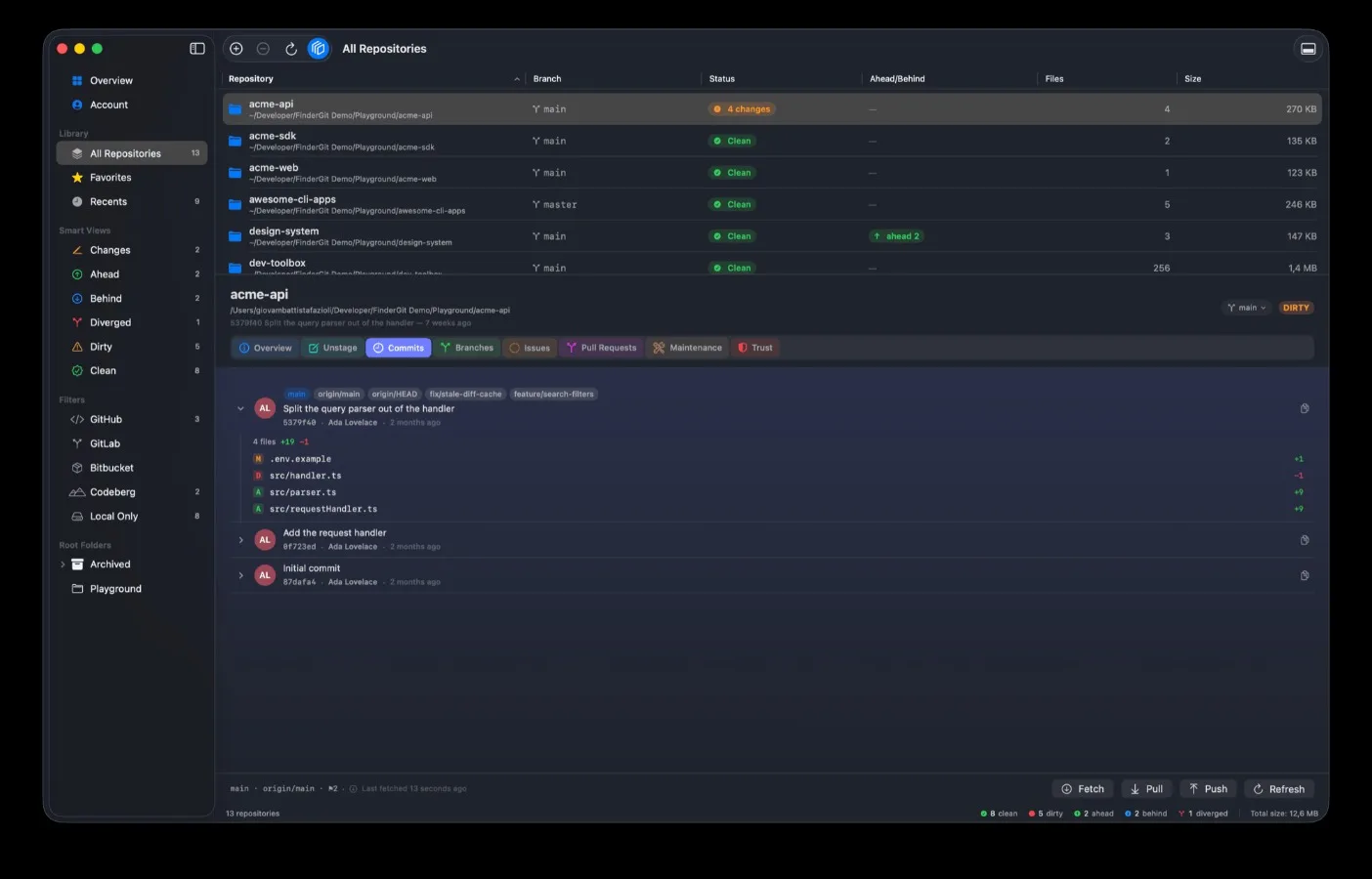
There’s a moment, reading a commit list, where you want to know one small thing: which files did that one touch? Until this week FinderGit’s answer was to send you somewhere else. Now every commit has a chevron, and opening it is exactly like opening a folder.
Underneath you get the files that commit changed, with git’s own status letter beside each one, the old name when something was renamed, and that file’s own line counts. Click a file and its diff opens — scoped to what that single commit did to that single file, read-only, nothing to accidentally stage or revert. Deleted files open too, because what a commit removed is often the part worth reading. Merge commits finally list what they brought in, instead of the nothing they used to show.
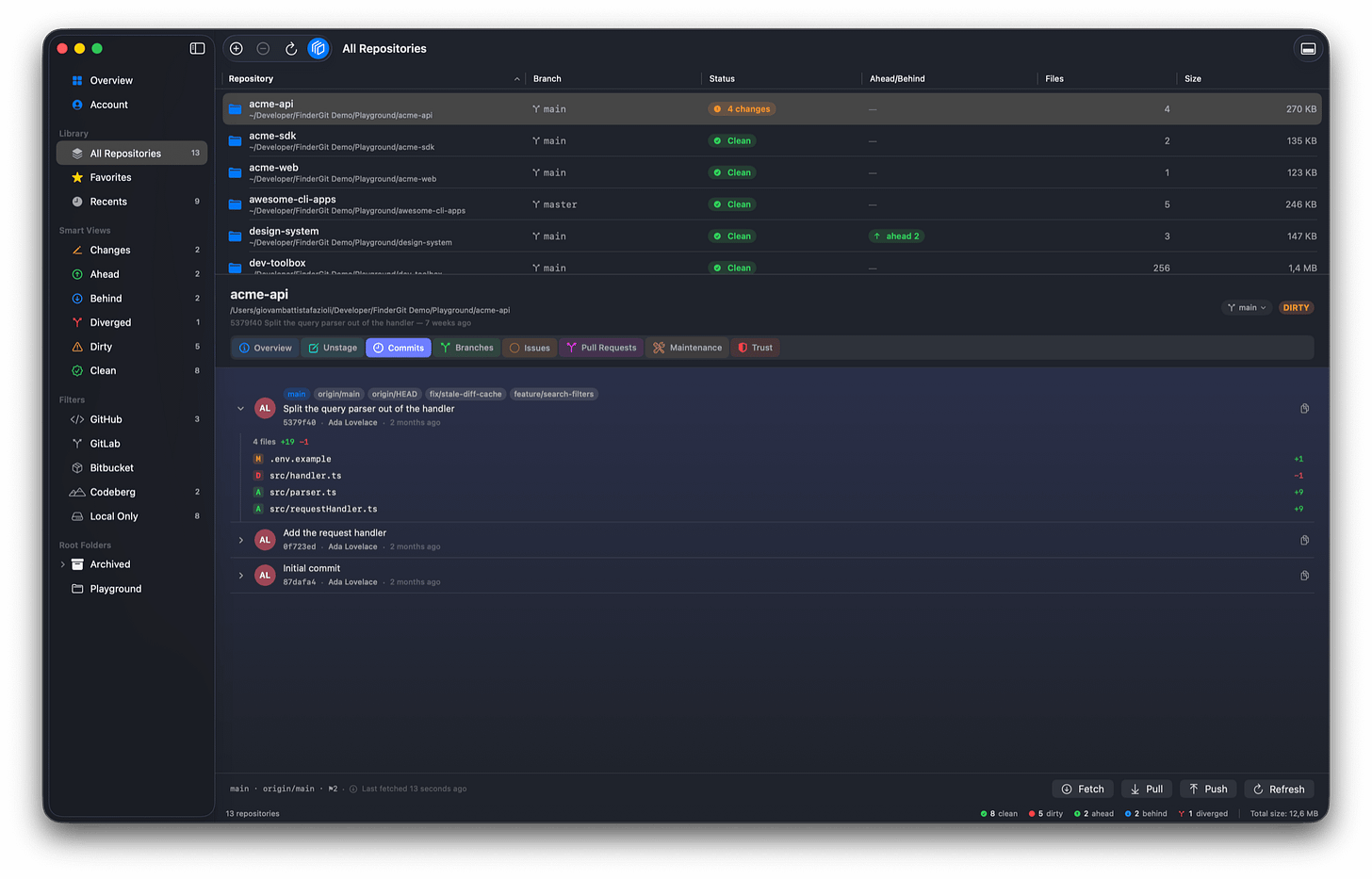
The second thing you’ll notice is smaller and, honestly, more overdue. Rows light up under the pointer now. Everywhere — the branch list, the changed files, the stashes, the clone picker, the settings, the breadcrumb. Several of those rows already did something when you clicked them, and nothing on screen ever suggested they would. That’s the difference between a list you read and a list you use. While I was in there, whole rows became clickable where only a word used to be: a file in the Unstage tab opens its diff from anywhere along the row, not just from the characters of its path.
The Branches tab got rebuilt around the same idea. The branch you’re on is pinned at the top in its own card, with its upstream and how far ahead or behind you are, so it never scrolls out of sight. Local and Remote are now two separate groups, each with a count and proper separated rows, instead of two captions floating over undifferentiated text.
And then the one I’m most pleased about: issues and pull requests open in place. The full description, rendered properly — headings, lists, links, code — with the author and the date, then the discussion underneath. A long description folds behind a Show more so one verbose issue can’t push everything else off screen.
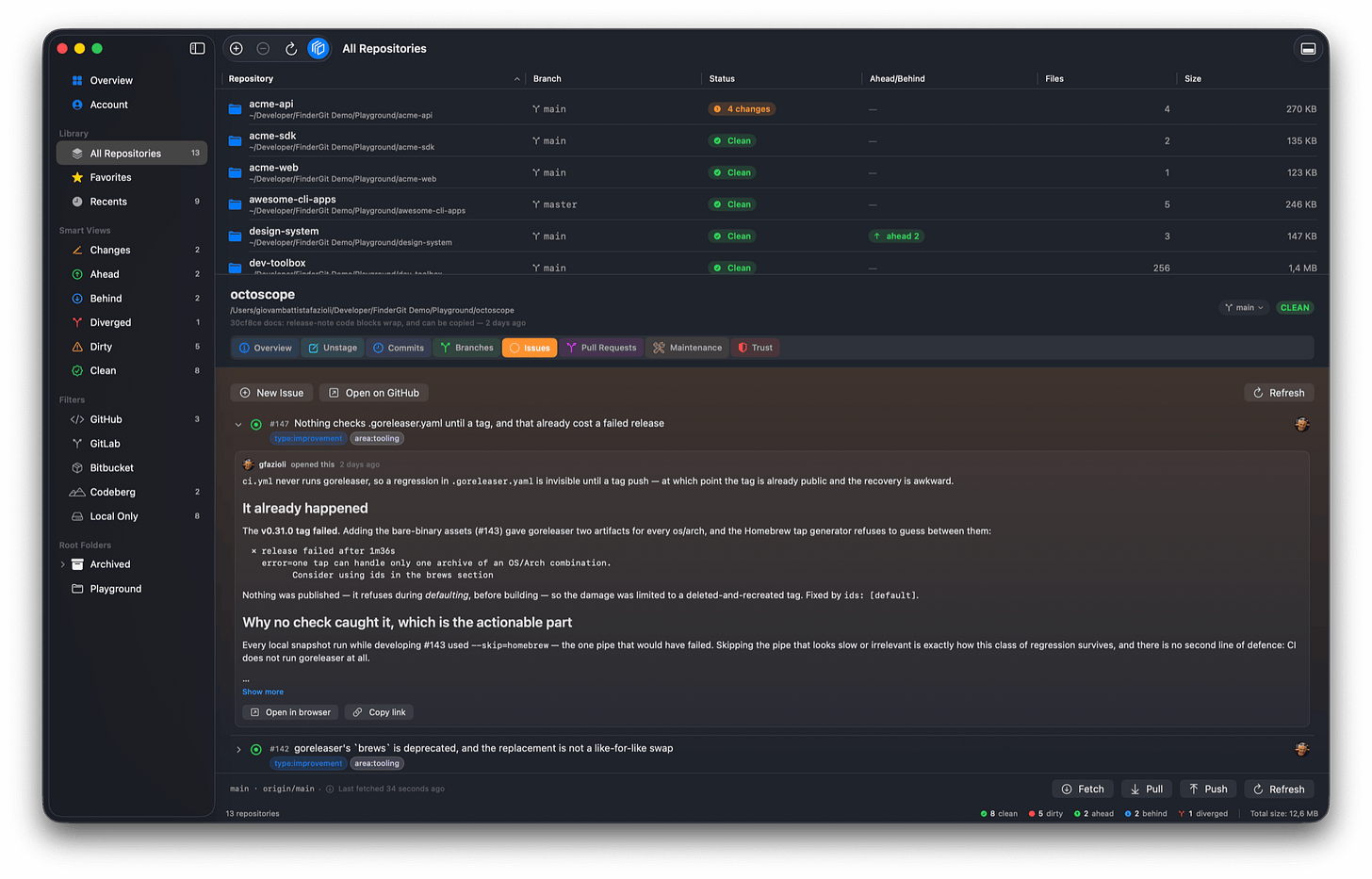
On a pull request that means the whole conversation, not just the comments tab: the body a reviewer submitted with their verdict, and the notes pinned to individual lines of a file, each labelled for what it is. A pull request reviewed entirely inline — which is how most of them are — used to look as though nobody had said a word.
One deliberate omission there. Images referenced in a description are not downloaded. An issue can be filed by anyone, and quietly fetching an image it names would tell whoever wrote it your IP address and the moment you read it. Open in browser and Copy link sit underneath for the parts FinderGit doesn’t render itself.
Everything above is translated into Italian, French, German and Spanish.
The bug I’d rather tell you about
Discarding a file whose name contains *, ? or square brackets could revert a different file — one that happened to match the pattern. Discard has no undo.
The mechanism is a nasty little corner of git. git restore -- 'a[1].txt' doesn’t restore the file called a[1].txt; the brackets are read as a pattern, so it matched a1.txt and reverted the uncommitted work there instead. The same slip made Stage act on more files than you’d selected, and made a single file’s diff show a neighbour’s changes under the wrong name. Every path FinderGit hands to git is now taken literally.
If you’ve never named a file that way, this never touched you. If you have, it did so without saying anything, which is the part that bothered me.
Three smaller fixes came along with it. The Branches tab used to list origin among the remote branches, complete with a Checkout button git would have refused — that was the remote’s own name leaking through a filter that could never match it. A file-status tooltip was sharing a translation with the panel that counts dirty repositories, so it read as a plural in Italian, French and Spanish; English looked fine, which is why it survived this long. And a commit whose file list can’t be decoded is now refused outright rather than shown, because clicking a row in that state would have opened the wrong file’s diff, or none at all.
FinderGit is free, a universal binary (Apple Silicon + Intel), runs on macOS 15+, and is signed and notarized.
FinderGit for macOS — Website: https://findergit.app
Download: https://findergit.app/download
Comments(0)
Join the discussion by logging into your account.
No comments yet. Be the first to comment!