
FinderGit 0.39.0 is out, and it is the release where three long-standing I wish it could… items finally landed.
Commit messages, on your own key if you want one
The free built-in mode stays exactly as it was — nothing to set up, nothing changes, and it is still the default. What is new sits beside it: you can bring your own provider and your own key.
When you do, the key is kept in the macOS Keychain under an entry of its own, and the diff travels straight from your Mac to the service you picked. It does not pass through FinderGit at all. Point it at a server running on your own machine and nothing leaves the Mac in the first place.
The key is checked before it is stored, so one that would be refused never gets saved. And when the check cannot reach a verdict — the service is down, the network is odd — the status line says the key was saved unconfirmed, rather than claiming more than it knows.
Every change to Kaleidoscope, as one changeset
If you use Kaleidoscope, you could already send a single file’s diff. Now you can send the lot.
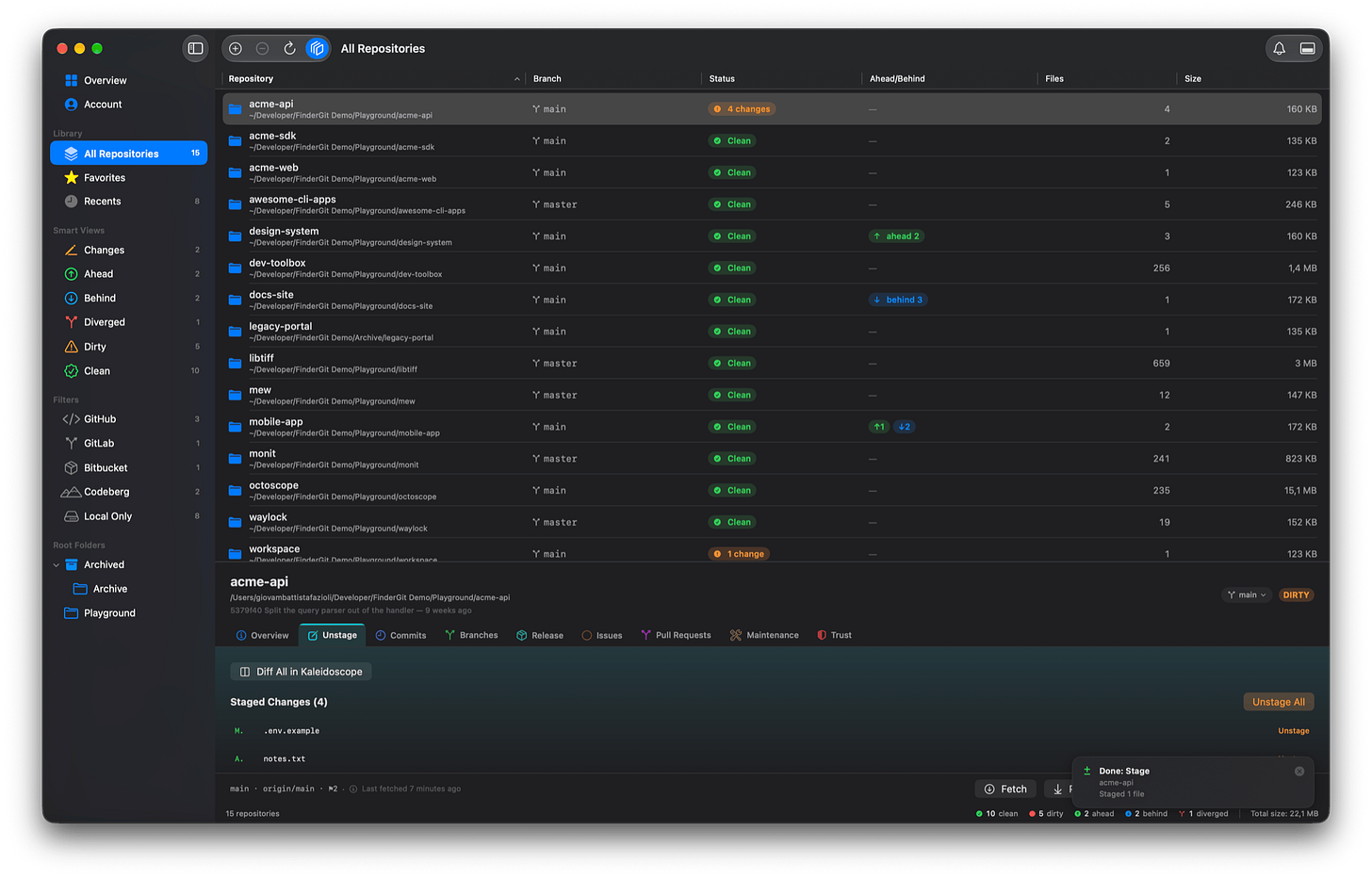
Diff All sits at the top of the file list on the Unstage tab. Staged and unstaged changes go over together, in one changeset.
Filter the tab to a directory and only that directory goes. Every comparison is pinned to the same commit, so a commit landing while the files are being prepared cannot mix two baselines into one review. And what cannot be sent — a directory, a submodule, a file git will not hand over — is listed underneath with the reason, instead of quietly missing from the changeset.
The file that made your repository heavy
This is the one I have wanted for years. A repository that has become enormous can now name the object responsible.
Largest objects in history lists the twenty biggest, each with the path it was stored under — including files deleted from your working tree years ago, which is precisely why you could never find them by looking at your folder.
The signal worth knowing about: an object sitting under a top-level folder your checkout does not have. That is the signature of a clone that swallowed a larger upstream.
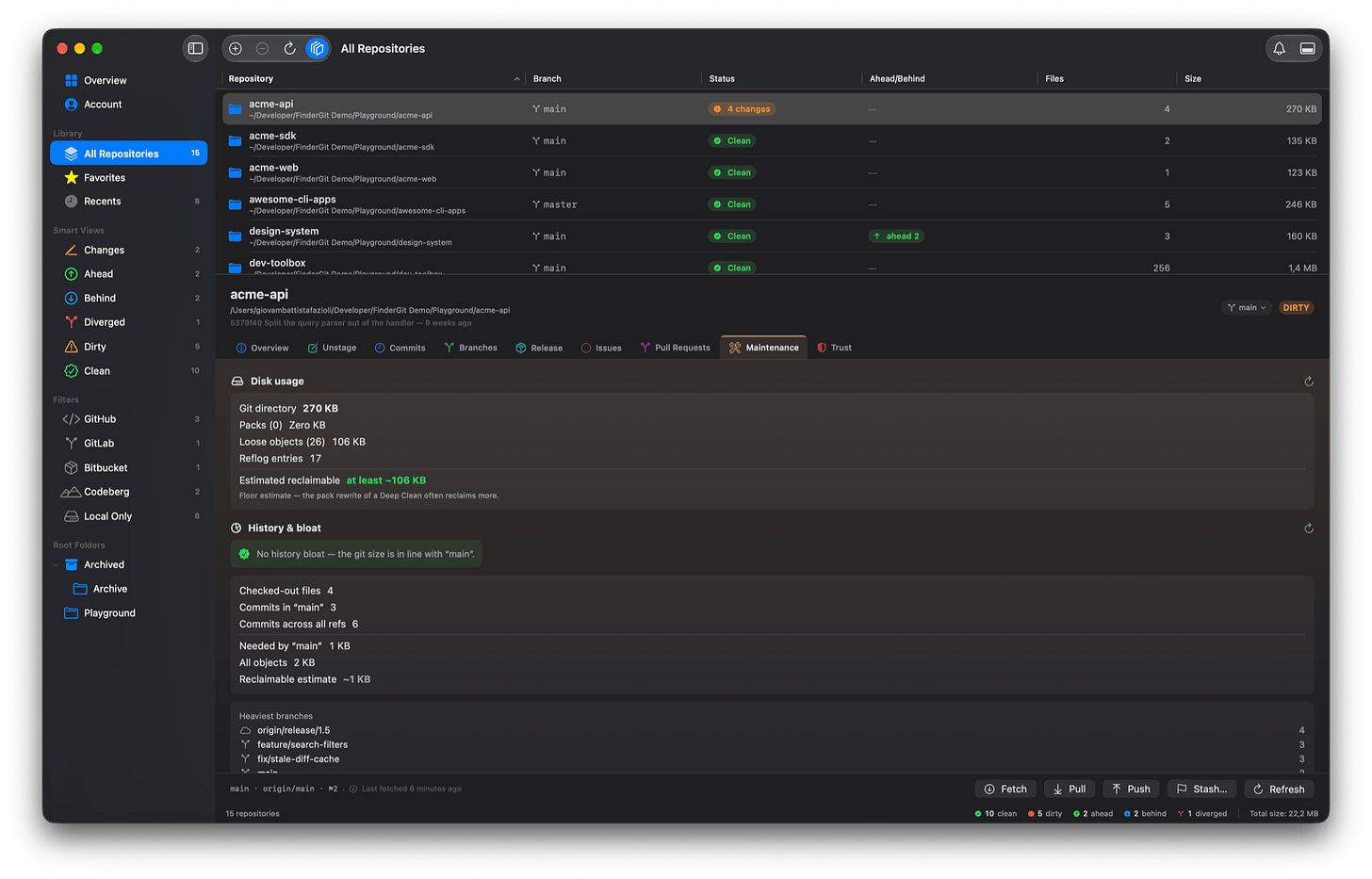
The Maintenance tab separates a repository that is bloated from one that is merely big — a monorepo is legitimately gigabytes; a fork whose history swallowed one weighs the same and is a mistake.
Removing that history for good comes as a runbook, not a button. Show the rewrite runbook… hands you the exact commands for the paths you tick, to run against a fresh clone rather than your own folder. It opens with what it costs, before a single command: every commit from the first changed one onward gets a new identity, everyone else has to clone again, and open pull requests point at commits that no longer exist. FinderGit never runs them, deliberately — a rewrite cannot be undone and its blast radius reaches every clone.
And the quieter half
Every release the app carries is now readable in one window, under Help → Release Notes…, with the ones you have not read still marked. If an update arrived while you were busy, you can still catch up instead of losing the panel you dismissed.
Two windows can no longer act on the same repository at once, either. Each window used to keep its own idea of what was running, so a fetch in one and a pull in the other could reach the same folder together. A scheduled fetch now steps aside for you rather than refusing you.
FinderGit is free, a universal binary (Apple Silicon + Intel), runs on macOS 15+, and is signed and notarized.
FinderGit for macOS — Website: https://findergit.app · Download: https://findergit.app/download
Comments (0)
Join the discussion by logging into your account.
No comments yet. Be the first to comment!