
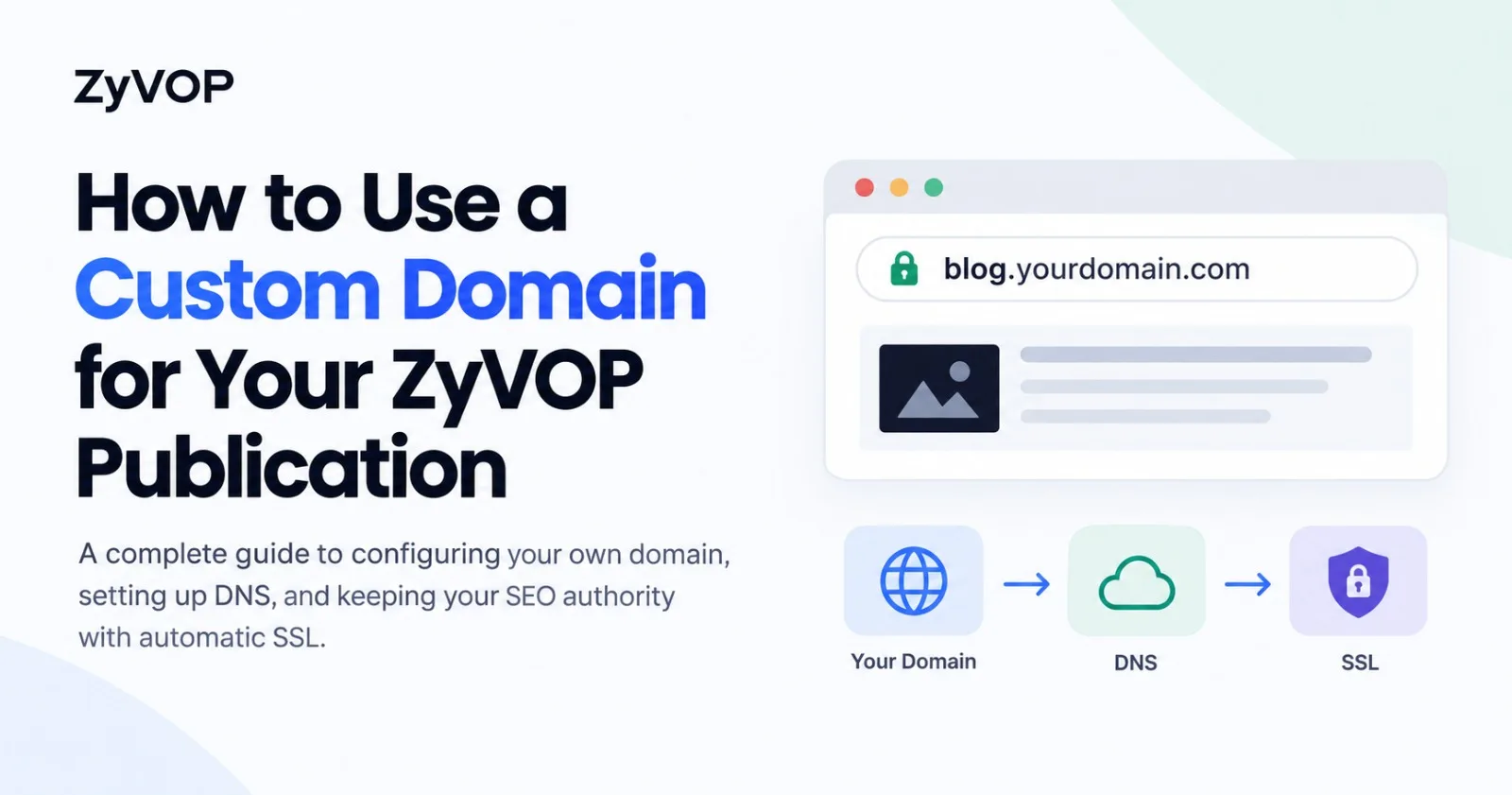
When engineers read technical content, the URL in the browser sends an immediate trust signal. An architectural deep-dive hosted on blog.yourbrand.dev/distributed-locks carries immediate credibility; the same article published on a shared platform path like platform.com/@user/12345 always feels like a guest post on rented land.
Yet connecting a custom domain to a modern publishing engine often turns into a minefield of edge cases:
DNS Protocol Limits: RFC 1034 prohibits standard CNAME records on root apex domains, creating routing headaches for writers who want clean root URLs.
Certificate Handshake Loops: Managing upstream TLS alongside third-party DNS proxies (like Cloudflare orange-cloud) frequently causes verification to stall or certificates to fail renewal.
SEO Cannibalization: Cross-posting to community feeds without strict edge-level canonical rewriting splits your domain authority, leaving external aggregators ranking above your primary site.
Link Rot on Plan Changes: Most hosted platforms abruptly disconnect custom domains the instant a subscription lapses, returning 404s and permanently damaging hard-earned backlinks.
ZyVOP was architected to eliminate these failure modes. On Founding Pro, you can attach your personal domain or company publication in minutes—complete with automated edge TLS, host-level 308 normalization, dynamic XML sitemaps, and built-in canonical protection.
This guide walks through the exact mechanics of ZyVOP's custom domain engine and provides step-by-step instructions to configure your DNS correctly on the first attempt.
1. System Architecture: Decoupled Identity & Edge Ingress
ZyVOP strictly decouples the human developer from the publication brand:
Developer Profile (
zyvop.com/author/:username): Your personal identity on the ZyVOP developer network. Houses your personal bio, avatar, followers, comments, and global bylines.Publication (
blog.yourdomain.comoryourdomain.com): Your independent media asset. Features custom typography, dark/light brand logos, custom favicon, static pages (/about,/projects), Google AdSense (/ads.txt), and dedicated feeds.
graph TD
    subgraph Ingress Layer [Edge Routing & Ingress]
        UserReq["Reader / Crawler Request"] --> CF["Cloudflare for SaaS / Apex Gateway"]
        CF --> EdgeProxy["ZyVOP Edge Proxy (proxy.ts)"]
    end

    subgraph Edge Resolution [Edge Resolution & Route Rewriting]
        EdgeProxy --> CheckStatus{"Domain Status"}
        CheckStatus -->|PENDING / VERIFYING| Platform["Fallback to zyvop.com (Zero Downtime)"]
        CheckStatus -->|ACTIVE| RoutingPrecedence["Edge Route Precedence"]
        RoutingPrecedence --> Favicon["/favicon.ico -> Custom Favicon"]
        RoutingPrecedence --> Sitemap["/sitemap.xml -> Dynamic Sitemap Feed"]
        RoutingPrecedence --> Robots["/robots.txt -> Publication Robots Engine"]
        RoutingPrecedence --> RSS["/rss.xml -> RSS 2.0 Feed"]
        RoutingPrecedence --> IndexNow["/:key.txt -> Instant Bing/Yandex Verification"]
        RoutingPrecedence --> Pages["/about -> Publication Static Page"]
        RoutingPrecedence --> Articles["/:slug -> Custom-Branded Article View"]
    end
The Dual-Engine Ingress Strategy
Custom Subdomains (
blog.yourcompany.com,notes.dev): Powered by Cloudflare for SaaS Custom Hostnames. A simpleCNAMErecord routes incoming HTTPS requests directly through ZyVOP's global CDN edge with automated TLS provisioning.Root / Apex Domains (
yourcompany.com): When apex routing is enabled, traffic resolves via dedicatedArecords and cryptographic proxy headers (x-zyvop-vercel-gateway-secret), or via anALIAS/ANAMEroot flattening record.
2. Step-by-Step Configuration Guide
Connecting a custom domain to your ZyVOP publication takes four simple steps:
Step 1: Open the Publication Routing Hub
Navigate to your ZyVOP settings at /settings?tab=publication and select the Domain & Routing sub-tab.
/settings?tab=publication
  ├── [General]           Identity & Socials
  ├── [Appearance]        Logos, Favicon & Layout Engine (Magazine / Stacked / Grid)
  ├── [Domain & Routing]  Custom Domains, DNS Records & Canonical Mode  <-- SELECT
  ├── [Pages & Nav]       Static Pages (/about) & 301 Redirect Rules
  ├── [SEO & Export]      Decoupled OpenGraph Cards & Markdown ZIP Export
  └── [Monetization]      AdSense Publisher ID & ads.txt
If you are on the Founding Pro tier, the domain management card will be unlocked and ready for input.
Step 2: Enter Your Domain
In the Custom domain input, enter the address you want to connect:
Recommended Subdomain:
blog.yourname.comordev.yourcompany.comWWW Subdomain:
www.yourbrand.com
Note: System domains ending in
zyvop.comorzyvop.devare managed internally and cannot be entered.
Step 3: Configure Your DNS Provider
Once you submit your hostname, ZyVOP calculates the exact DNS requirements for your provider (Cloudflare, Namecheap, AWS Route 53, Porkbun, or Google Cloud DNS).
Standard Subdomain Record (CNAME):
Type | Name / Host | Target / Value | TTL | Proxy Status |
|---|---|---|---|---|
CNAME |
|
| Auto (or 300) | DNS-Only (Grey Cloud) |
sequenceDiagram
    autonumber
    actor Dev as Developer
    participant DNS as DNS Provider (Cloudflare / Route 53)
    participant Zyvop as ZyVOP Backend & Edge
    participant EdgeCA as Cloudflare Managed CA

    Dev->>Zyvop: Add Custom Domain (blog.acme.dev)
    Zyvop->>EdgeCA: Register Custom Hostname
    Dev->>DNS: Add CNAME blog -> cname.zyvop.com (DNS-Only)
    Dev->>Zyvop: Click "Check DNS & SSL"
    Zyvop->>DNS: Resolve CNAME target
    DNS-->>Zyvop: Validated: points to cname.zyvop.com
    Zyvop->>EdgeCA: Request TLS Certificate Provisioning
    EdgeCA-->>Zyvop: Status: ACTIVE / SSL Issued
    Zyvop-->>Dev: Domain Status: Verified (ACTIVE)
Crucial Cloudflare Rule: If your DNS is managed on Cloudflare, set the CNAME record to DNS-Only (Grey Cloud). Enabling the orange cloud during provisioning intercepts the HTTP/TLS ownership challenge, causing certificate validation to hang in
VERIFYING.
Root / Apex Domain (When Direct Apex is Enabled):
If configuring a root domain (acme.dev), ZyVOP displays an A record pointing to the designated edge IP, plus an ownership TXT record (e.g. _zyvop-challenge.acme.dev). If direct apex is disabled on your cluster, configure www.acme.dev via CNAME and set a 301 forward rule from acme.dev to www.acme.dev at your registrar.
Step 4: Verify and Activate
Click Check DNS & SSL. ZyVOP verifies your CNAME target in real-time, confirms CA issuance, and sets your domain status to Verified (ACTIVE).
3. Edge Routing and First-Class Protocols
Once your domain is ACTIVE, ZyVOP's edge proxy automatically serves your entire publication ecosystem directly from your branded URL:
Dynamic Technical SEO (
/sitemap.xml): Automatically generates an index of all published articles and static pages with correct<loc>,<lastmod>, and<changefreq>tags.Crawler Directives (
/robots.txt): Emits publication-scoped directives linking to your custom domain's sitemap and honoring your AI Crawler opt-in/opt-out settings.Syndication Feeds (
/rss.xml): Serves a full RSS 2.0 feed with complete syntax-highlighted code enclosures and publication branding, ready for Feedly, Inoreader, and newsletter parsers.Instant Indexing (
/<indexnow-key>.txt): Serves your unique IndexNow protocol key, notifying Bing, Yandex, and other search engines immediately when you publish a new article.Brand Favicon (
/favicon.ico): Dynamically redirects to your uploaded 32x32 publication favicon (or gracefully falls back to your profile avatar).Monetization (
/ads.txt): Outputs validated Google AdSense publisher declarations if monetization is enabled in your settings.
4. Canonical SEO: Mode A vs. Mode B
Developers often worry about splitting search authority when moving to a custom domain. ZyVOP solves this through an automated, centralized canonical resolution engine (resolveCanonicalUrl):
flowchart LR
    subgraph ModeA [Mode A: Full 301 Migration]
        ZyvopURL_A["zyvop.com/@user/my-post"] -->|HTTP 301 Permanent Redirect| CustomURL_A["blog.acme.dev/my-post"]
    end

    subgraph ModeB [Mode B: Network-Integrated Syndication]
        ZyvopURL_B["zyvop.com/my-post"] -.->|rel='canonical'| CustomURL_B["https://blog.acme.dev/my-post"]
        ZyvopURL_B -->|Remains Discoverable on| ZyvopFeed["ZyVOP Global Developer Feed"]
    end
Mode A: Full 301 Permanent Migration
How it works: Any request to
zyvop.com/@user/slugis immediately redirected via HTTP 301 tohttps://blog.yourdomain.com/slug.When to use: When you want all past and future traffic to land exclusively on your independent website. Search engines transfer 100% of accumulated link equity to your new domain.
Mode B: Network-Integrated (Discovery + Canonical Ownership)
How it works: Your post remains readable on the ZyVOP community feed, trending tabs, and topic collections. However, the HTML source contains:
<link rel="canonical" href="https://blog.yourdomain.com/slug" />When to use: When you want the viral reach, comments, and developer discovery of the ZyVOP network, while Google attributes 100% of the SEO search ranking to your personal custom domain.
5. Multi-Domain Support & Host Normalization
ZyVOP allows you to register secondary custom domains (e.g., holding both www.acme.dev and blog.acme.dev).
When multiple domains are connected:
One domain is marked Primary in the UI.
If a reader or bot arrives on a non-primary active domain, ZyVOP's edge proxy issues an immediate HTTP 308 Permanent Redirect to the primary host, strictly preserving the original pathname and query parameters:
Request:  http://www.acme.dev/system-design?ref=hackernews
Response: 308 Permanent Redirect -> https://blog.acme.dev/system-design?ref=hackernews
This prevents duplicate-content penalties across your brand aliases.
6. The Downgrade Grace Period: Zero Broken Backlinks
Most developer platforms ruthlessly disable custom domains the exact hour a subscription expires, instantly breaking inbound links, dropping search ranks, and serving generic 404 or certificate error pages.
ZyVOP protects your SEO through an automated Downgrade Grace Period (downgradeGraceEndsAt):
stateDiagram-v2
    [*] --> Active: Founding Pro Active
    Active --> GracePeriod: Plan Downgraded / Card Expired
    state GracePeriod {
        [*] --> Preserved: Canonical URLs & Domain Live
        Preserved --> GraceActive: Search engines update links
    }
    GracePeriod --> Redirecting: Grace Period Expires (30 Days)
    Redirecting --> Restored: Pro Resubscribed
    state Redirecting {
        [*] --> HTTP308: 308 Permanent Redirect to zyvop.com/author/:user
    }
    Restored --> Active: Instant One-Click Reactivation
During Grace: Your custom domain and canonical headers remain active. No traffic is dropped while you resolve billing or plan transitions.
Post-Grace (
REDIRECTING): If not renewed, the domain transitions to a managed redirect state, routing visitors and search spiders cleanly back to your verified author profile (zyvop.com/author/:username) via HTTP 308 instead of failing abruptly.Instant Restoration: Reactivating Pro restores custom domain routing immediately without having to re-provision DNS records.
7. Custom Domain Pre-Flight Checklist
Before publicizing your new publication, run this quick pre-flight verification:
DNS CNAME Added: Host points to
cname.zyvop.comand is marked DNS-Only (not proxied by intermediate CDNs).Status Verified: Status in
/settings?tab=publicationdisplays a green Verified badge.Primary Domain Set: Marked as Primary if multiple hostnames are connected.
Favicon & Logo Uploaded: Appearance tab configured with light/dark SVGs and a crisp favicon.
Technical Feeds Accessible:
https://yourdomain.com/sitemap.xmlreturns valid XML.https://yourdomain.com/robots.txtpoints to your sitemap.https://yourdomain.com/rss.xmlparses cleanly in your feed reader.
Canonical Verified: Inspect page source on an article to confirm
<link rel="canonical">points to your custom domain.
Conclusion: Build on Land You Own
Your custom domain is the single permanent digital asset in your engineering career. Publishing platforms, social networks, and algorithms inevitably change, but incoming backlinks, search engine rank, and reader bookmarks anchored to your personal domain remain yours forever.
With ZyVOP, you don't have to choose between managing fragile self-hosted infrastructure and being trapped in a closed blogging network. You get the discovery of a global developer feed with the complete authority and independence of your own custom domain.
Head to ZyVOP Publication Settings, add your DNS record, and connect your custom domain today.
Comments(0)
Join the discussion by logging into your account.
No comments yet. Be the first to comment!