
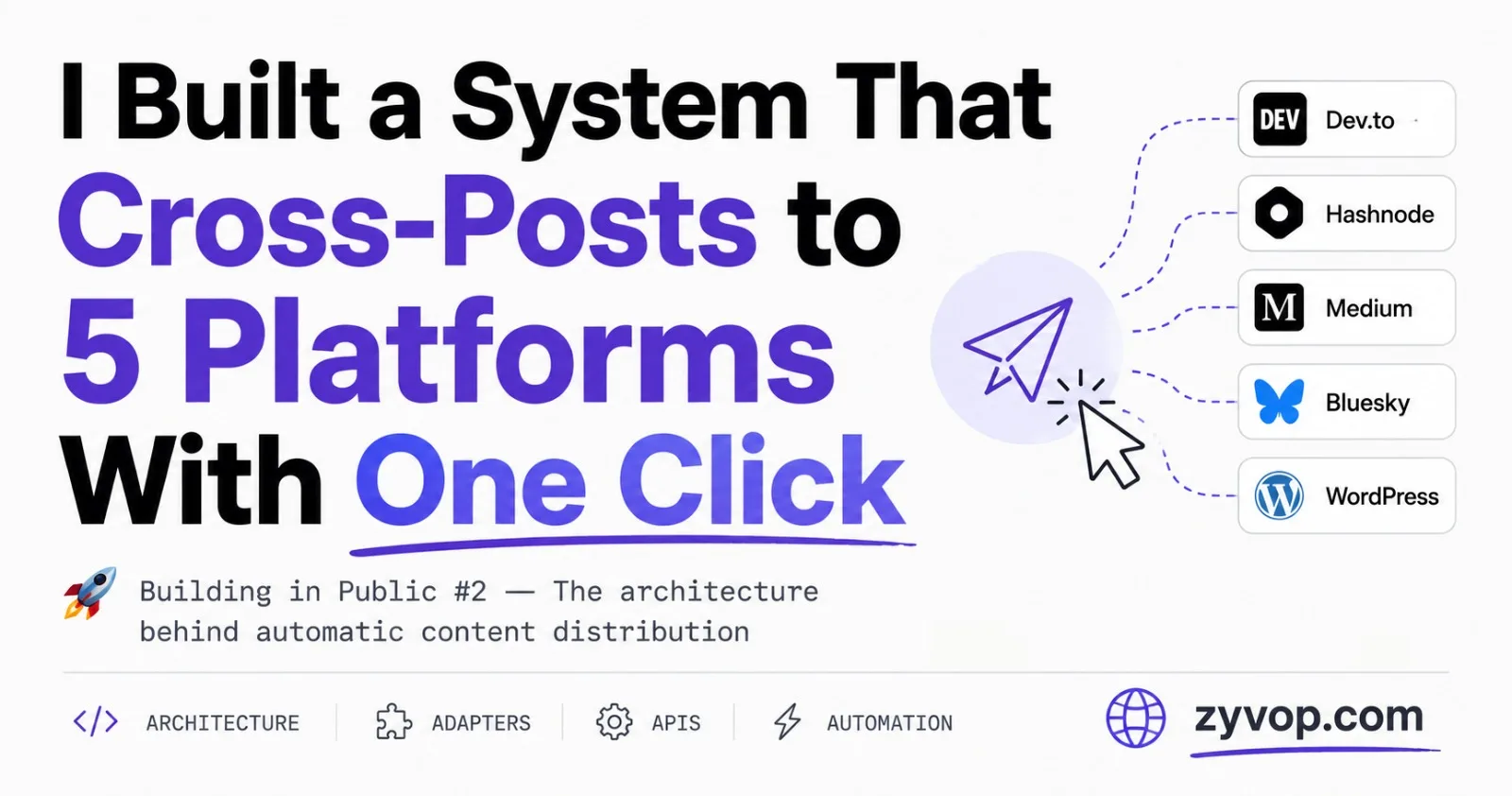
Every time I publish a blog post on ZyVop, I want it to also appear on Dev.to, Hashnode, Medium, Bluesky, and WordPress. Manually? That's 20 minutes of copy-pasting, reformatting, and fixing broken code blocks. Five times. For every post.
So I built a cross-posting engine that does it in one click.
This post walks through the adapter pattern I used, the bizarre API inconsistencies across platforms, the content transformation pipeline, and the error handling strategy that makes the whole thing resilient.
The Problem
Content distribution is one of those problems that sounds simple until you actually do it. Each platform:
Has a different API (REST, GraphQL, AT Protocol)
Expects a different content format (Markdown, HTML, rich text)
Has different tag limits (Dev.to: 4 tags, Hashnode: 5, Medium: 5)
Handles authentication differently (API keys, OAuth tokens, app passwords)
Some support updating posts, some don't
I needed a design that could handle all of this without turning into spaghetti.
The Adapter Pattern
The core idea is simple: every platform implements the same interface. The orchestrator doesn't care about API details — it just calls publish() on each adapter.
Cross-Post Architecture
flowchart LR
    A[Post Published] --> B[CrossPostService]
    B --> C{Platform Enabled?}
    C -->|Dev.to| D[DevToAdapter]
    C -->|Hashnode| E[HashnodeAdapter]
    C -->|Medium| F[MediumAdapter]
    C -->|Bluesky| G[BlueskyAdapter]
    C -->|WordPress| H[WordpressAdapter]
    D --> I[Persist Results]
    E --> I
    F --> I
    G --> I
    H --> I
Each adapter is a standalone NestJS injectable service. The orchestrator checks which platforms the user enabled, verifies they've configured their API keys, and fires off each adapter:
export interface CrossPostResult {
  platform: string;
  success: boolean;
  url?: string;
  error?: string;
}
This return type is the contract. Every adapter returns the same shape — whether it succeeded, the published URL, or what went wrong.
The orchestrator just loops through:
if (post.crossPostToDevTo && userDevToApiKey) {
  results.push(await this.devTo.publish(post, author, userDevToApiKey));
}

if (post.crossPostToHashnode && userHashnodeApiKey) {
  results.push(await this.hashnode.publish(post, author, userHashnodeApiKey));
}

// ... same pattern for Medium, Bluesky, WordPress
No if-else hell. No platform-specific branching in the orchestrator. Each adapter owns its own complexity.
The Content Transformation Problem
Here's where things get interesting. My blog stores content as HTML (it uses a rich text editor). But Dev.to wants Markdown. Medium wants HTML. Bluesky wants plain text with "facets." WordPress wants HTML.
So I built a CrossPostParserService that handles the conversion.
HTML to Markdown Conversion
The backbone is Turndown — an HTML-to-Markdown library. But the default output is broken for blog posts. Code blocks lose their language annotations, and tables come out as garbage.
I had to add custom rules:
this.turndown = new TurndownService({
  headingStyle: 'atx',       // # H1 instead of H1\n===
  codeBlockStyle: 'fenced',  // ```js instead of indented
  bulletListMarker: '-',
});

// Custom rule: preserve language annotations on code blocks
this.turndown.addRule('fencedCodeBlock', {
  filter: ['pre'],
  replacement: (_content, node) => {
    const code = node.querySelector('code');
    let lang = '';
    if (code) {
      const cls = code.getAttribute('class') || '';
      const match = cls.match(/language-(\S+)/);
      if (match) lang = match[1];
    }
    const text = code ? code.textContent : node.textContent;
    return '\n\n```' + lang + '\n' + text + '\n```\n\n';
  },
});
Without this rule, a TypeScript code block would lose its syntax highlighting on Dev.to. That's the difference between a polished cross-post and one that looks like you didn't care.
The HTML Table Problem
HTML tables are even worse. Turndown produces broken Markdown for anything beyond a simple 2-column table. So I wrote a preprocessor that converts tables to Markdown before Turndown touches them:
htmlToMarkdown(html: string, zyvopUrl: string): string {
  // Step 1: Extract tables, convert them ourselves
  const tableMap: string[] = [];
  const preprocessed = html.replace(
    /<table[^>]*>([\s\S]*?)<\/table>/gi,
    (match) => {
      const md = this.convertHtmlTableToMarkdown(match);
      const idx = tableMap.length;
      tableMap.push(md);
      return `<p>ZYVOPTBL${idx}ENDTBL</p>`;  // placeholder
    }
  );

  // Step 2: Let Turndown handle the rest
  let markdown = this.turndown.turndown(preprocessed);

  // Step 3: Swap placeholders back with our Markdown tables
  markdown = markdown.replace(/ZYVOPTBL(\d+)ENDTBL/g, (_, idx) => {
    return tableMap[parseInt(idx, 10)].trim();
  });

  return markdown;
}
The trick: replace HTML tables with placeholder tokens, let Turndown convert everything else, then swap the placeholders with properly formatted Markdown tables. Ugly? Yes. Works perfectly? Also yes.
Platform-by-Platform Breakdown
Publish Flow
sequenceDiagram
    participant App as ZyVop
    participant P as Parser
    participant API as Platform API

    App->>P: Convert HTML content
    P-->>App: Markdown / HTML / Plain text
    App->>API: Check for existing article ID
    alt New post
        App->>API: POST create article
        API-->>App: article ID + URL
        App->>App: Store article ID for future updates
    else Update
        App->>API: PUT update article
        API-->>App: Updated URL
    end
Dev.to — The Straightforward One
Dev.to has the cleanest API. Simple REST, API key in the header, Markdown body. It even supports updating existing articles:
const isUpdate = !!post.devToArticleId;
const url = isUpdate
  ? `https://dev.to/api/articles/${post.devToArticleId}`
  : 'https://dev.to/api/articles';

const res = await fetch(url, {
  method: isUpdate ? 'PUT' : 'POST',
  headers: { 'Content-Type': 'application/json', 'api-key': apiKey },
  body: JSON.stringify({
    article: {
      title: post.title,
      body_markdown: bodyMarkdown,
      published: true,
      series: post.series?.title || undefined,
      canonical_url: canonicalUrl,
      tags,
    },
  }),
});
On first publish, I store devToArticleId so future edits update the same article instead of creating duplicates.
Gotcha: Dev.to limits tags to 4, and they must be lowercase alphanumeric with no spaces. My sanitizeTag() function handles this — stripping special characters and truncating to 30 characters.
Hashnode — The GraphQL One
Hashnode uses GraphQL exclusively. Publishing requires two API calls: one to discover the user's publication ID, then one to create the post.
// Step 1: Find the user's publication
const meQuery = `query Me {
  me {
    id
    publications(first: 1) {
      edges { node { id } }
    }
  }
}`;

// Step 2: Publish to that publication
const publishMutation = `mutation PublishPost($input: PublishPostInput!) {
  publishPost(input: $input) {
    post { id url }
  }
}`;
Unlike Dev.to, Hashnode uses separate mutations for create vs update: PublishPost and UpdatePost. The input shape is nearly identical, but the mutation name differs. I handle this with a simple isUpdate branch rather than trying to abstract the GraphQL layer.
Gotcha: Hashnode's API key goes in a plain Authorization header — no Bearer prefix. Get that wrong and you'll get a cryptic "Invalid API key" error that doesn't tell you what's actually wrong.
Medium — The Stubborn One
Important note: Medium has officially shut down their API for new users. You can no longer generate new integration tokens. However, if you already had an integration token before the shutdown, it still works — which is why this adapter exists. If you're building something similar from scratch today, you'd likely skip Medium or explore unofficial workarounds.
For those with legacy tokens, the API has its own quirks:
Uses OAuth-style Bearer tokens
Requires fetching the author ID before publishing
Does not support updating published posts — at all, via API
That last point is a design decision I had to respect:
if (post.mediumArticleId) {
  this.logger.warn(
    'Medium API does not support updating published posts. Skipping.'
  );
  return { platform: 'medium', success: true };
}
When a user edits a post and republishes, Dev.to and Hashnode get updated. Medium gets skipped. Not ideal, but that's Medium's API limitation, not mine.
Another quirk: Medium accepts HTML directly (no Markdown conversion needed), so it gets the raw content with an "Originally published on ZyVOP" footer appended.
Bluesky — The Protocol One
Bluesky doesn't have a "publish article" API — it's a social network. So cross-posting here means creating a post (like a tweet) with the article title, excerpt, and link.
But Bluesky uses the AT Protocol, which has its own way of handling links. You can't just paste a URL into the text. Links need to be detected as "facets" — structured annotations on the text:
import { BskyAgent, RichText } from '@atproto/api';

const agent = new BskyAgent({ service: 'https://bsky.social' });
await agent.login({ identifier, password: appPassword });

let text = `New post: ${post.title}\n\n`;
if (post.excerpt) text += `${post.excerpt}\n\n`;
text += `Read more: ${canonicalUrl}`;

const rt = new RichText({ text });
await rt.detectFacets(agent);  // Auto-detects links and mentions

await agent.post({
  $type: 'app.bsky.feed.post',
  text: rt.text,
  facets: rt.facets,
  createdAt: new Date().toISOString(),
});
The RichText helper from @atproto/api handles facet detection — it scans the text for URLs and mentions, then creates the structured byte-offset annotations that the AT Protocol requires.
Gotcha: Bluesky doesn't support editing posts via the API. Once posted, it's permanent. I handle this by checking if blueskyPostUrl already exists and skipping the duplicate.
Another gotcha: The API returns an AT URI like at://did:plc:xxx/app.bsky.feed.post/rkey. To construct the web URL, you need to extract the rkey and build it yourself:
const uriParts = postRecord.uri.split('/');
const rkey = uriParts[uriParts.length - 1];
const postUrl = `https://bsky.app/profile/${identifier}/post/${rkey}`;
WordPress — The Classic One
WordPress uses its REST API with Basic Auth (application passwords). It's the most battle-tested API of the bunch, but authentication requires Base64-encoding the credentials:
const credentials = Buffer.from(`${wpUsername}:${wpAppPassword}`)
  .toString('base64');

const res = await fetch(apiUrl, {
  method: isUpdate ? 'PUT' : 'POST',
  headers: {
    'Content-Type': 'application/json',
    Authorization: `Basic ${credentials}`,
  },
  body: JSON.stringify({
    title: post.title,
    content: htmlContent,
    status: 'publish',
  }),
});
WordPress accepts HTML natively, so no Markdown conversion is needed. Like Dev.to, it supports updates via the same endpoint with a PUT method.
Platform Comparison
Here's a summary of how each platform differs:
Feature | Dev.to | Hashnode | Medium | Bluesky | WordPress |
|---|---|---|---|---|---|
API Type | REST | GraphQL | REST | AT Protocol | REST |
Content Format | Markdown | Markdown | HTML | Plain text | HTML |
Auth Method | API Key | API Key | Bearer Token (legacy) | App Password | Basic Auth |
Supports Updates | Yes | Yes | No | No | Yes |
API Available | Yes | Yes | Legacy tokens only | Yes | Yes |
Tag Limit | 4 | 5 | 5 | N/A | Unlimited |
Post Type | Article | Article | Article | Social Post | Article |
Error Handling That Doesn't Lose Data
Cross-posting is inherently flaky. APIs go down, rate limits get hit, tokens expire. If Dev.to fails but Hashnode succeeds, I don't want to retry Hashnode. And I definitely don't want to lose track of what failed.
So I persist errors in a JSONB column on the post:
@Column({ type: 'jsonb', nullable: true, default: null })
crossPostErrors?: Record<string, string> | null;
// Example: { "devTo": "API 429: Rate limited", "medium": "Auth failed" }
After each cross-post attempt, the orchestrator merges new results with existing errors:
private async persistResults(postId: string, results: CrossPostResult[]) {
  const errors: Record<string, string> = {};
  const updates: Partial<Post> = {};

  for (const r of results) {
    if (r.success && r.url) {
      // Store the published URL
      if (r.platform === 'dev.to') updates.devToArticleUrl = r.url;
      if (r.platform === 'hashnode') updates.hashnodeArticleUrl = r.url;
      // ... etc
      errors[r.platform] = '';  // Clear previous error
    } else if (r.error) {
      errors[r.platform] = r.error.replace(/<[^>]*>/g, '').slice(0, 300);
    }
  }

  // Merge with existing errors, clear resolved ones
  const existing = existingRow?.crossPostErrors || {};
  const merged = { ...existing, ...errors };
  for (const k of Object.keys(merged)) {
    if (!merged[k]) delete merged[k];
  }

  updates.crossPostErrors = Object.keys(merged).length > 0 ? merged : null;
  await this.repo.update(postId, updates);
}
This gives me:
Per-platform error tracking — see exactly which platform failed and why
Auto-clearing — when a retry succeeds, the error gets removed
Sanitized messages — HTML tags stripped, truncated to 300 chars (no raw stack traces in the DB)
The Retry Mechanism
Sometimes Dev.to is down, or your Hashnode API key rotated. The admin dashboard shows per-platform error messages, and there's a retryCrossPost mutation that lets you retry specific platforms:
async retryCrossPost(
  postId: string,
  userId: string,
  platforms: string[]
): Promise<CrossPostResult[]> {
  const post = await this.repo.findOne({
    where: { id: postId },
    relations: ['author', 'tags'],
  });

  if (post.author.id !== userId && post.author.role !== 'ADMIN') {
    throw new Error('Not authorized');
  }

  if (post.status !== 'PUBLISHED') {
    throw new Error('Can only retry for published posts');
  }

  return this.crossPost(post, post.author, platforms);
}
The platforms parameter lets you retry just the ones that failed. No need to re-publish everywhere.
Canonical URLs — The SEO Angle
One thing most cross-posting guides skip: canonical URLs. When the same article exists on 5 platforms, Google needs to know which one is the original.
Every adapter sets canonical_url (Dev.to), originalArticleURL (Hashnode), or canonicalUrl (Medium) pointing back to the ZyVop URL:
const zyvopUrl = `${this.parser.getFrontendUrl()}/${post.slug}`;
const canonicalUrl = post.canonicalUrl || zyvopUrl;
If the author has set a custom canonical URL (maybe they originally published on their personal blog), that takes priority. Otherwise, ZyVop is the canonical source. This prevents duplicate content penalties in search rankings.
What I'd Do Differently
Queue-based publishing. Currently, cross-posting happens synchronously during the publish flow. If Medium's API takes 10 seconds, the user waits 10 seconds. I should push each platform to a BullMQ job and return immediately.
Webhook-based updates. Right now, editing a post triggers re-publishing to all platforms. A smarter approach would be diffing the content and only re-publishing if something meaningful changed.
Image hosting. Some platforms don't accept external image URLs. Hashnode and Dev.to handle this fine, but Medium can be finicky. A proper solution would upload images to each platform's CDN.
The Module Structure
Here's how the code is organized:
src/modules/cross-post/
├── cross-post.module.ts           # NestJS module definition
├── cross-post.service.ts          # Orchestrator
├── cross-post-parser.service.ts   # HTML→Markdown + table conversion
└── adapters/
    ├── devto.adapter.ts           # Dev.to REST API
    ├── hashnode.adapter.ts        # Hashnode GraphQL API
    ├── medium.adapter.ts          # Medium REST API
    ├── bluesky.adapter.ts         # Bluesky AT Protocol
    └── wordpress.adapter.ts       # WordPress REST API
7 files. ~450 lines total. Each adapter is 70-120 lines. The parser is ~100 lines. The orchestrator is ~140 lines.
Adding a new platform (say, LinkedIn or Ghost) means creating one new adapter file, registering it in the module, and adding the toggle flags to the Post entity. The orchestrator doesn't change.
Wrapping Up
Cross-posting isn't glamorous infrastructure, but it compounds. Every post automatically reaching 5 audiences means 5x the surface area for discovery — with zero extra effort after the initial setup.
The adapter pattern keeps each platform's quirks contained. The error persistence makes failures visible instead of silent. And the canonical URL strategy keeps SEO clean.
If you're building a blogging platform (or even just a personal blog), this is one of those features that pays for itself on day one.
This is part of my Building in Public series, where I share the actual architecture behind ZyVOP — the blogging platform I'm building for developers. Follow along for more deep dives into the engineering decisions behind the product.
ZyVOP is a developer publishing platform where every post you write natively cross-posts to Dev.to, Hashnode, Medium, and Bluesky — with the canonical URL pointing back to your ZyVOP post. Publish your first post here.
Comments (0)
Join the discussion by logging into your account.
No comments yet. Be the first to comment!