
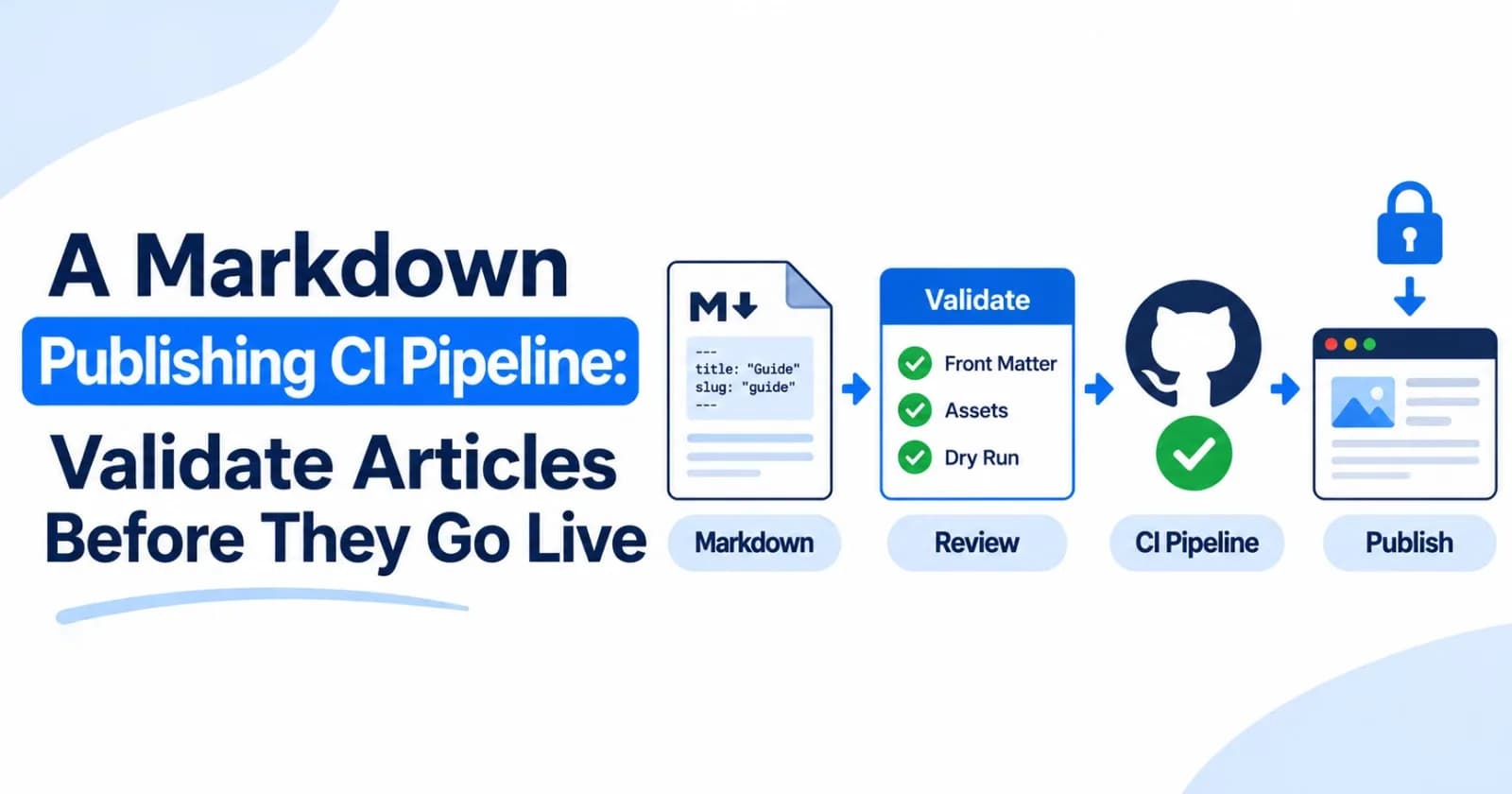
A broken article can be a production bug. A missing cover image, malformed front matter, or accidental status change can ship just as easily as a code defect when publishing is triggered by a Git push.
The solution is to put a small review pipeline between a Markdown edit and a live article. Pull requests should catch structural mistakes and preview the exact publishing payload. A separate workflow can publish after the reviewed change reaches the production branch.
This guide uses GitHub Actions and ZyVOP’s CLI and Publish Action. The same separation works with other Markdown publishing tools: validate first, require review, then give only the publish step access to its credential. GitHub Actions workflow syntax · ZyVOP CLI · ZyVOP Publish Action
Decide what “valid article” means
Validation is useful when it checks things that can be checked reliably. Start with a short set of rules:
Every article has a title and a stable slug.
YAML front matter parses and uses values your publishing flow understands.
Local image files referenced by the post exist in the repository.
External image and cover URLs are publicly reachable over HTTPS.
The publishing CLI accepts the article’s metadata and renders the expected status.
A person reviews the article before the publishing workflow receives a token.
Keep editorial judgment out of the automatic gate. A linter can find missing metadata; it cannot decide whether an explanation is accurate, original, or useful.
Give each article a stable identity
Publishing automation needs to know whether a file represents a new post or an update. Keep a stable slug or canonical_url in front matter so repeated runs can target the same article. Avoid generating a new slug from the title on every build: a headline edit should not create a second post.
---
title: "Safer Retries for a Flaky Dependency"
slug: "safer-retries-flaky-dependency"
description: "A practical guide to bounded retries and jitter."
tags: [reliability, backend, distributed-systems]
status: "PUBLISHED"
cover_image: "https://cdn.example.com/posts/safer-retries.webp"
ai_disclosure: "human_written"
---
Use the disclosure that accurately describes how the article was made. ZyVOP requires a disclosure for new published or scheduled posts; AI-assisted and AI-generated articles also require human review confirmation before publishing. Drafts can remain undeclared while they are being developed. ZyVOP AI disclosure guide
Validate changes in pull requests
The pull-request workflow below runs without a ZyVOP token. It installs a fixed CLI version, finds Markdown files changed by the pull request, and runs ZyVOP’s local --dry-run validation on each one.
name: Validate articles

on:
  pull_request:
    paths:
      - "posts/**/*.md"
      - "posts/**/*.png"
      - "posts/**/*.jpg"
      - "posts/**/*.webp"
      - ".github/workflows/validate-articles.yml"

permissions:
  contents: read

jobs:
  validate:
    runs-on: ubuntu-latest
    steps:
      - uses: actions/checkout@v4
        with:
          fetch-depth: 0

      - uses: actions/setup-node@v4
        with:
          node-version: 22

      - name: Install the pinned ZyVOP CLI
        run: npm install --global [email protected]

      - name: Preview changed articles
        env:
          BASE_SHA: ${{ github.event.pull_request.base.sha }}
        run: |
          git diff --name-only --diff-filter=ACMR -z "$BASE_SHA" "$GITHUB_SHA" -- ':(glob)posts/**/*.md' |
          while IFS= read -r -d '' article; do
            zyvop publish "$article" --dry-run \
              --no-devto --no-hashnode --no-medium --no-bluesky --no-wordpress
          done
--dry-run parses the post, validates its publish metadata, and displays the normalized payload without contacting ZyVOP or a syndication provider. It is a strong publishing-boundary check, but it does not verify every image URL, render every target platform, or judge the writing. CLI dry-run behavior
For more checks, add a Markdown linter and a repository-specific script that verifies required fields and local asset paths. Keep that script deterministic: a missing local file should fail; an external site that briefly times out may deserve a warning and a retry rather than a permanent block.
Keep secrets out of pull-request validation
Do not put ZYVOP_TOKEN in the validation job. A pull_request workflow may run code from a contributor’s branch; GitHub withholds repository secrets from forked pull requests and recommends least-privilege token permissions. The dry run needs no secret, so keep it that way. Avoid switching this workflow to pull_request_target and then checking out or running untrusted pull-request code. GitHub guidance on workflow secrets · Secure use of GitHub Actions
Publish only after merge
Use a separate workflow for the protected production branch. ZyVOP’s composite action selects changed posts, and its CLI version is pinned independently from the action version.
name: Publish articles

on:
  push:
    branches: [main]
    paths:
      - "posts/**/*.md"

permissions:
  contents: read

jobs:
  publish:
    runs-on: ubuntu-latest
    steps:
      - uses: actions/checkout@v4
        with:
          fetch-depth: 0

      - uses: zyvop/publish-action@v1
        with:
          posts: ":(glob)posts/**/*.md"
          changed-only: "true"
          cli-version: "1.1.4"
        env:
          ZYVOP_TOKEN: ${{ secrets.ZYVOP_TOKEN }}
Add ZYVOP_TOKEN as a GitHub Actions secret. Keep it scoped to the publishing job, use the minimum permissions the workflow needs, and review third-party action code. GitHub recommends pinning actions to a full commit SHA when you need immutable references; replace the readable @v1 reference above with a reviewed SHA in a stricter setup. ZyVOP Action setup · GitHub secure-use guidance
If your articles should publish to ZyVOP only, set the cross_post front matter flags to false. If you want syndication, make the destinations explicit and verify those integrations before enabling the production workflow.
Add checks in layers
Do not try to turn a publishing pipeline into a full editorial department. Add one check at a time and keep each failure actionable.
Check | Good fit for automation | What still needs a person |
|---|---|---|
Front matter | Required fields, valid YAML, known status values | Whether the title and summary are clear |
Local images | File exists, extension and size are allowed | Whether the image communicates the right idea |
Remote images | URL shape and optional availability probe | Whether the host allows readers and platforms to fetch it |
Markdown | Broken local links, heading structure, lint rules | Technical correctness and narrative flow |
Publish payload | ZyVOP | Final visual rendering on every target |
Release | Branch, review, and workflow conditions | Author approval to publish |
For example, a local link checker should resolve ./images/diagram.png relative to the Markdown file, not relative to the repository root. A cover URL probe should follow redirects and check the final response, but it should not make publication depend on a flaky remote server unless that is a conscious policy.
Make failures easy to fix
Prefer output that names the file and the exact field or asset that failed. “Validation failed” is not enough. A useful error says that posts/retries.md references ./images/backoff.png, and that file is missing.
Keep the publish action idempotent with stable slugs or canonical URLs. Then rerunning a failed workflow can update the intended article rather than accidentally creating another one. Review the workflow after the first successful run, especially its logs and chosen syndication targets.
A practical starting point
Begin with two gates: run the CLI dry run in pull requests, then publish changed posts from main. Add checks for images, links, and writing standards only when you know which failures they should catch.
That gives the author a clear path: edit in Markdown, get actionable feedback before merge, and let the production workflow publish the reviewed version. The pipeline stays small, and publication becomes a deliberate release instead of a side effect of saving a file.
Comments(0)
Join the discussion by logging into your account.
No comments yet. Be the first to comment!