
There’s a small lie every Git tool tells you, and it’s so quiet that most of us stopped noticing.
When you ask for your tags, you get the ones in your clone. Not the ones on the remote — the ones on your disk. A tag you cut this morning and never pushed looks exactly like one everybody on the team has had for a year. A tag a colleague pushed an hour ago simply isn’t there, and nothing tells you to go looking. The list is honest about what it contains and silent about what it means, and the difference between those two things is where releases go wrong.
FinderGit 0.31.0 puts that difference on screen.
Every tag now says where it is
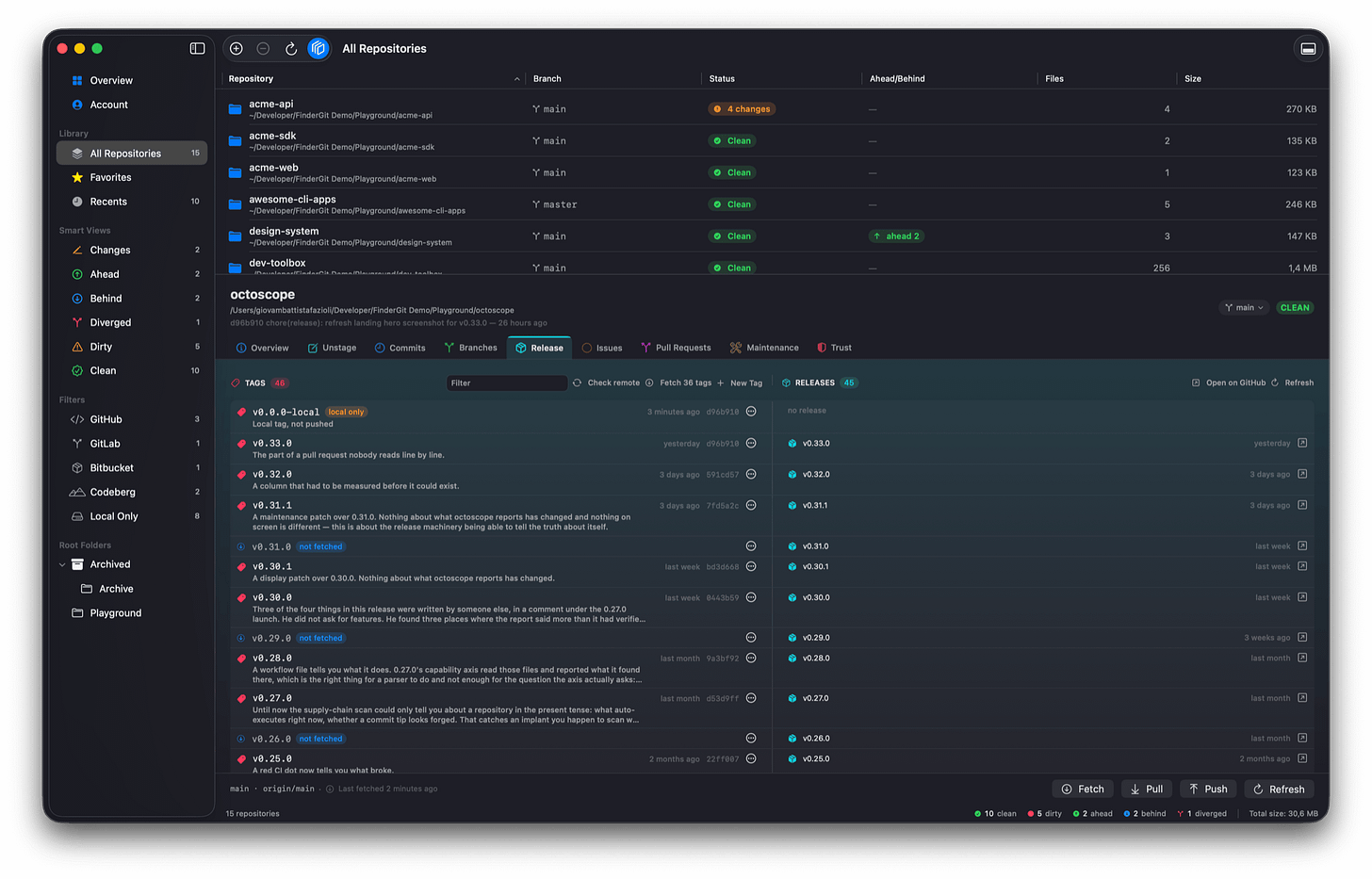
The new Release tab: tags on the left, the releases cut from them on the right, and a presence badge on every row.
A new tab in the detail panel pairs every tag in your repository with the release cut from it, one row per version, the two columns side by side. The rows worth looking at are the ones where the two halves disagree: a tag nobody ever cut a release from, a release whose tag isn’t in your clone, a tag that exists here and nowhere else.
Each row is marked on both, local only, or not fetched — and the buttons follow from that rather than being drawn regardless. Push appears where there is something to push. Fetch appears where there is something to bring down. Neither is drawn where pressing it would do nothing at all. One press brings down the whole backlog.
Select several rows — ⇧-click, ⌘-click, the way you’d expect — and act on all of them: push, delete locally, delete on the remote. Ten pushes where three fail will tell you which three, and what Git actually said about each one, because “already exists” and “denied” are entirely different problems with entirely different fixes. There’s a Stop, and when you use it, the rows that were never attempted are reported as exactly that instead of being quietly counted as failures.
And when you delete a tag, the dialog tells you what that really costs — which turned out to be worth measuring rather than assuming. Deleting a tag on GitHub doesn’t delete its release: it turns the release into a draft, which vanishes from your public releases page. Pushing the tag back does not bring it back. The confirmation now tells you which case you’re in, and on the rare occasion it can’t know, it says so rather than guessing.
Long-lived repositories were kept in mind: there’s a filter across tag names and messages, and the list is ordered newest-first whichever side supplies the date — so a tag a colleague pushed last week that you’ve never fetched sits at the top, where it belongs, instead of alphabetically buried.
Worktrees are repositories now
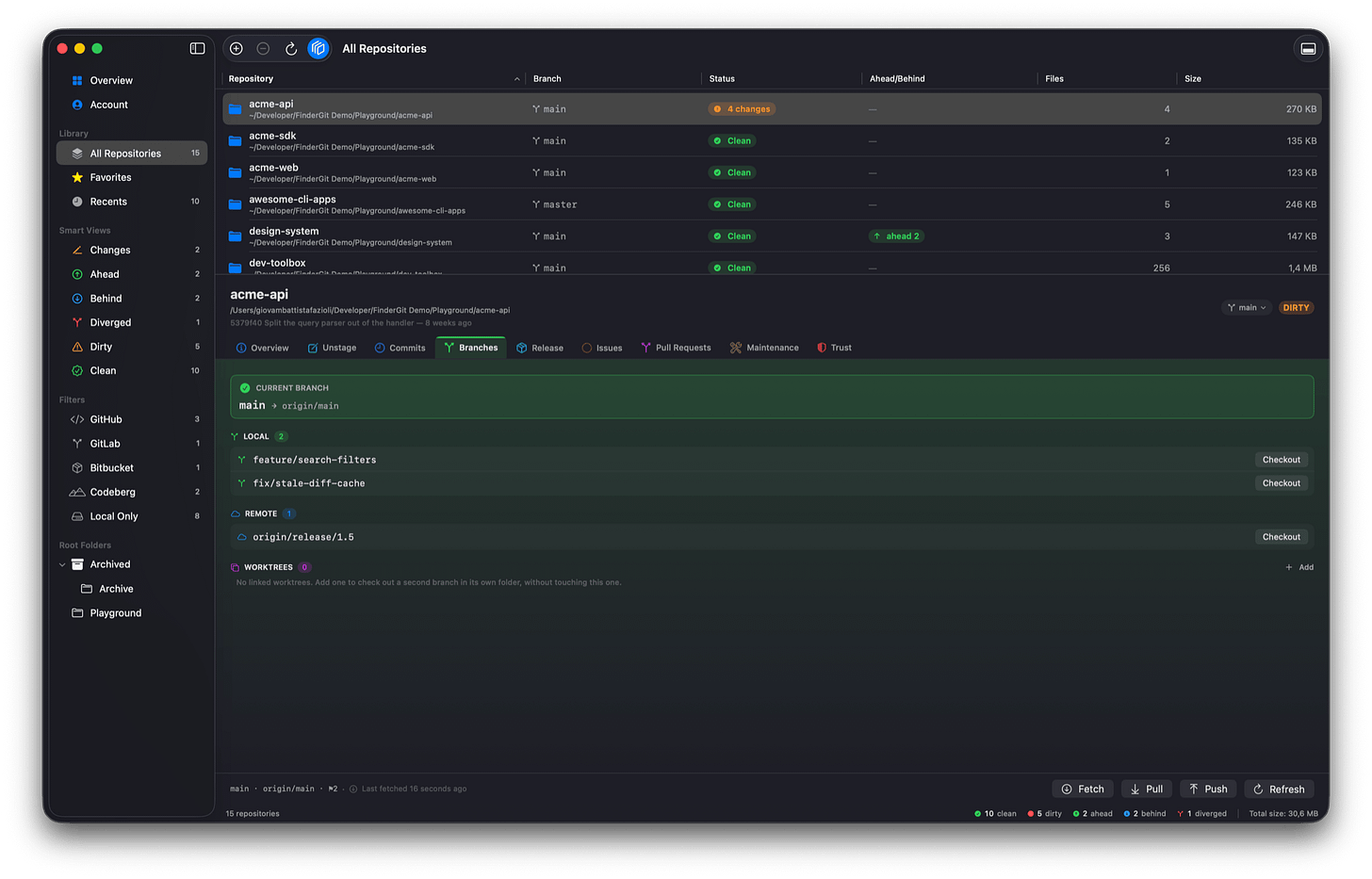
The Branches tab, with the new Worktrees section at the bottom — here with none linked, explaining what one is for.
If you use linked worktrees to keep a second branch checked out in its own folder, FinderGit now treats each one as a repository like any other: it shows up in the browser, carries its own status, and both Overviews count it. The Branches tab has gained a Worktrees section listing every worktree of the repository and the branch each one is holding.
A detail panel you can actually read
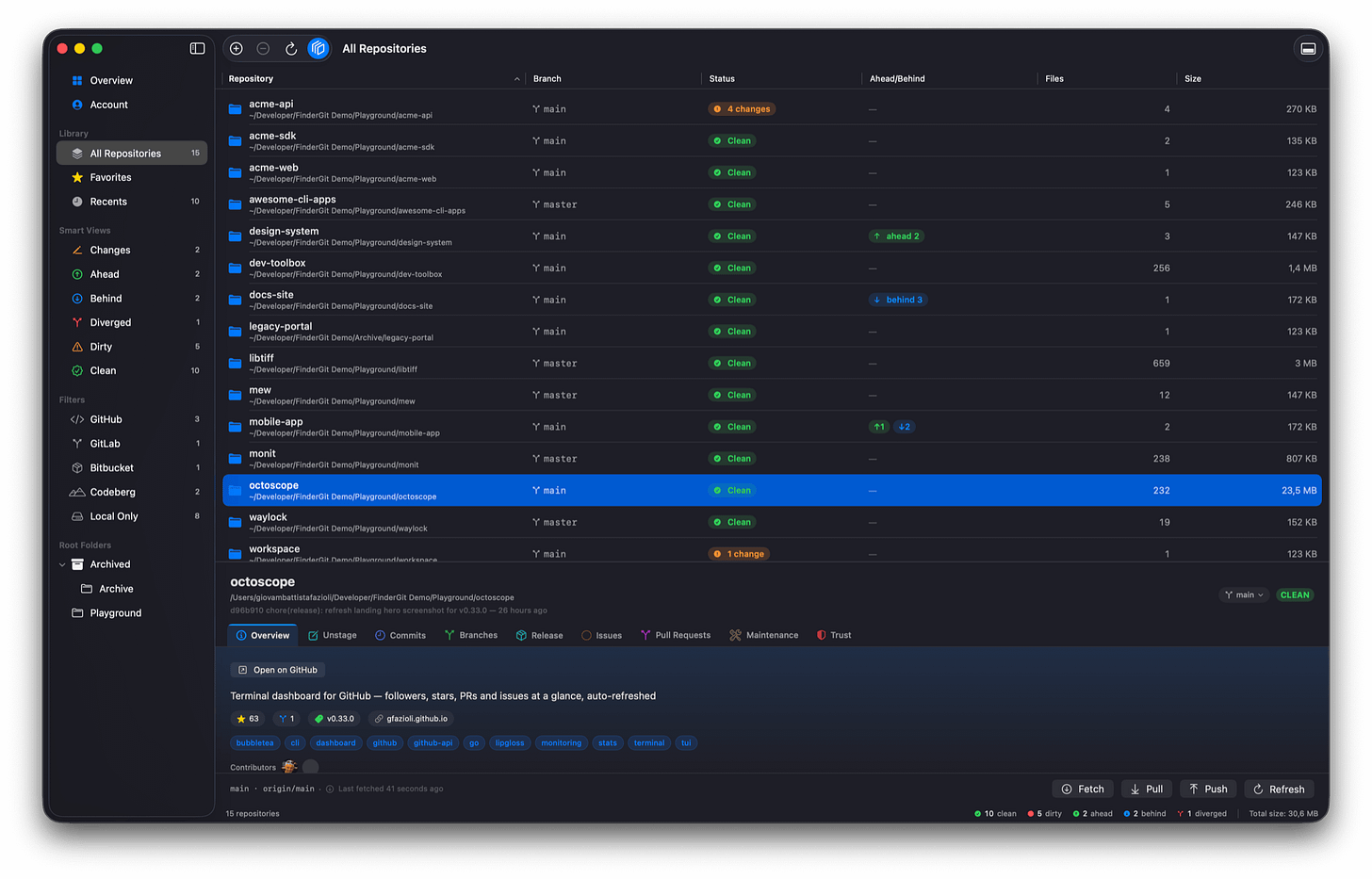
The detail panel’s tab strip: the selected tab is filled with the colour its panel starts from, so the two read as one surface.
The tab strip had become nine coloured pills all competing for your attention, with the selected one differing from the rest only in saturation — inside a box that visibly sat apart from the panel it was labelling. At a glance you couldn’t tell what you were looking at.
Now the unselected tabs are quiet, and the selected one is filled with the colour its panel starts from, so the tab and its content read as a single surface. The order changed too, into something that follows how you actually work: what you’re doing right now, then this repository’s refs, then what the forge has to say, then looking after the place.
Fixes
Issues and Pull Requests could show you a stale answer. When two loads overlapped, the older one could land last and overwrite the newer. The newest load now wins, in both tabs.
A large gap in the translations closed. A count of user-facing strings — 189 of them — had never made it into the translation catalogue at all, so they stayed in English in every language while the coverage report happily read 100%. It was right, on its own terms: a string that never became a key can’t be reported as missing. They’re in now, and translated. Tags and releases are fully translated too, including every confirmation dialog, and the Italian word for a linked worktree has been corrected.
FinderGit is free, a universal binary (Apple Silicon + Intel), runs on macOS 15+, and is signed and notarized.
FinderGit for macOS — Website: https://findergit.app · Download: https://findergit.app/download
Comments(0)
Join the discussion by logging into your account.
No comments yet. Be the first to comment!