
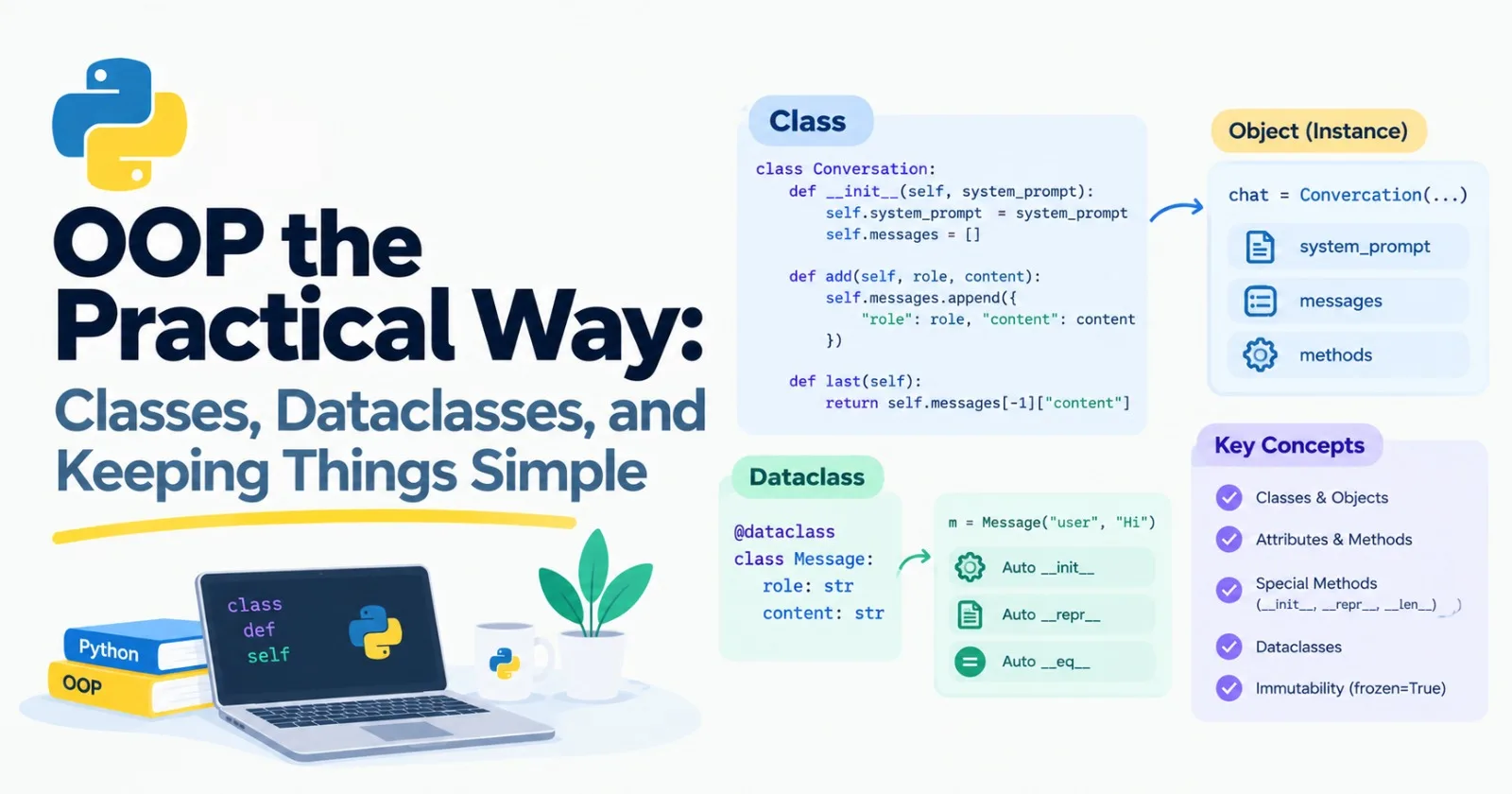
"Object-oriented programming" is one of those phrases that makes beginners nervous. It comes with a lot of vocabulary and a lot of strong opinions. Here's the good news: you only need a small, practical slice of it, and you'll see it in almost every AI library you touch.
A PyTorch model is a class. A client for a model API is an object. A chatbot with memory is usually a class too. This post is core, so you'll be reading and writing these soon. We'll skip the theory and stick to what you'll actually use.
What a class is, in plain words
A class is a blueprint. An object (also called an instance) is a thing built from that blueprint. A class bundles two things together: data, and the functions that work on that data.
Here's a small one for storing a chat:
class Conversation:
    def __init__(self, system_prompt):
        self.system_prompt = system_prompt
        self.messages = []

    def add(self, role, content):
        self.messages.append({"role": role, "content": content})

    def last(self):
        return self.messages[-1]["content"]
And here's how you use it:
chat = Conversation("You are a helpful assistant.")
chat.add("user", "Hi")
chat.add("assistant", "Hello!")

print(chat.last())             # Hello!
print(len(chat.messages))      # 2
Let's go through the new pieces:
class Conversation:defines the blueprint.__init__is a special function that runs automatically when you create an object. It's where you set things up. (People call it the constructor.)selfmeans "this particular object." It's always the first parameter of a method, and Python fills it in for you. When you writechat.add("user", "Hi"), Python quietly passeschatasself.self.messagesis an attribute, a piece of data stored on the object.addandlastare methods, which is just the word for a function that lives inside a class.
Each object keeps its own data:
a = Conversation("A")
b = Conversation("B")
a.add("user", "only in a")

print(len(a.messages), len(b.messages))    # 1 0
Notice that self.messages = [] is written inside __init__. That's on purpose. If you put the list at the top of the class instead, every object would share the same one, which is the same kind of trap as the default-argument bug from Post 6.
Special methods: teaching Python about your object
Methods with double underscores on both sides, like __init__, are called special (or "dunder") methods. Python calls them in the background when you do certain things. You already met __enter__ and __exit__ in Post 8.
Two handy ones: __len__ makes len(your_object) work, and __repr__ controls how the object prints.
class Conversation:
    def __init__(self, system_prompt):
        self.system_prompt = system_prompt
        self.messages = []

    def add(self, role, content):
        self.messages.append({"role": role, "content": content})

    def __len__(self):
        return len(self.messages)

    def __repr__(self):
        return f"Conversation(messages={len(self.messages)})"

chat = Conversation("You are a helpful assistant.")
chat.add("user", "Hi")

print(len(chat))    # 1
print(chat)         # Conversation(messages=1)
Without __repr__, printing the object would show something unreadable like <__main__.Conversation object at 0x7f...>. A good __repr__ makes debugging much nicer.
Dataclasses: when a class mostly holds data
A lot of classes just carry a few values around. Writing __init__ and __repr__ by hand every time gets boring. Python has a tool for that, and it's a decorator from Post 8:
from dataclasses import dataclass

@dataclass
class Message:
    role: str
    content: str

m = Message("user", "Hi")

print(m)                                # Message(role='user', content='Hi')
print(m.role)                           # user
print(m == Message("user", "Hi"))       # True
You list the fields, and Python writes __init__, __repr__, and __eq__ for you. Two messages with the same contents even compare as equal, which a plain class wouldn't do.
The : str after each name is a type hint. Take it as a label for now. Post 10 covers hints properly. One thing to know: dataclasses don't enforce them. Message(1, 2) works without complaint. If you want real checking, that's what Pydantic is for, also in Post 10.
Fields can have defaults:
from dataclasses import dataclass, field

@dataclass
class ModelConfig:
    name: str
    temperature: float = 0.7
    max_tokens: int = 500
    stop: list[str] = field(default_factory=list)

config = ModelConfig("my-model")
other = ModelConfig("other", temperature=0.2)
See that field(default_factory=list)? It's the fix for the mutable default problem. If you try stop: list = [], Python stops you with an error: "mutable default ... is not allowed: use default_factory." It's a nice case of a tool protecting you from a bug we met earlier.
If you want an object that can't be changed after it's created, add frozen=True:
@dataclass(frozen=True)
class Point:
    x: int
    y: int

p = Point(1, 2)
p.x = 5    # FrozenInstanceError
The decorators I promised
In the last post I said a few built-in decorators would show up here. Here they are.
@property turns a method into something that looks like a plain attribute. It's perfect for values computed from other values:
@dataclass
class Usage:
    input_tokens: int
    output_tokens: int

    @property
    def total_tokens(self):
        return self.input_tokens + self.output_tokens

u = Usage(120, 80)
print(u.total_tokens)    # 200   (no brackets)
@classmethod gives you an alternative way to create an object. It receives the class itself (by convention called cls) instead of an object. It's very common for building an object from a dictionary:
@dataclass
class Message:
    role: str
    content: str

    @classmethod
    def from_dict(cls, data):
        return cls(role=data["role"], content=data["content"])

    @staticmethod
    def is_valid_role(role):
        return role in {"user", "assistant", "system"}

msg = Message.from_dict({"role": "assistant", "content": "Hello"})
print(msg)                                 # Message(role='assistant', content='Hello')
print(Message.is_valid_role("robot")) # False@staticmethod, shown at the bottom there, is a plain function that just happens to live inside the class because it belongs with it. It doesn't get self or cls. You'll use it less than the other two.
Inheritance: building on an existing class
Inheritance lets a new class start from an existing one and change or add to it. Here's a base class for text-generating models, and two versions of it:
class ChatModel:
    def __init__(self, name):
        self.name = name

    def generate(self, prompt):
        raise NotImplementedError("Subclasses must implement generate")

    def describe(self):
        return f"Model: {self.name}"


class EchoModel(ChatModel):
    def generate(self, prompt):
        return f"Echo: {prompt}"


class ShoutModel(ChatModel):
    def generate(self, prompt):
        return prompt.upper()
The class in brackets after the name is the parent. EchoModel gets __init__ and describe for free, and replaces generate with its own version. If a subclass needs its own __init__, call the parent's with super():
class RepeatModel(ChatModel):
    def __init__(self, name, times):
        super().__init__(name)
        self.times = times

    def generate(self, prompt):
        return " ".join([prompt] * self.times)
Now they all work the same way from the outside:
for model in [EchoModel("echo-1"), ShoutModel("shout-1"), RepeatModel("repeat-1", 3)]:
    print(model.describe(), "->", model.generate("hi"))

# Model: echo-1 -> Echo: hi
# Model: shout-1 -> HI
# Model: repeat-1 -> hi hi hi
That's the big benefit: code that calls .generate() doesn't care which model it's holding.
Now a warning. Beginners often fall in love with inheritance and build deep chains: Animal to Mammal to Dog to Puppy. It gets tangled fast. A change in the parent can break children you forgot about. So let's talk about the alternative.
Composition: build objects out of other objects
The test is two small words. Inheritance says an object is a kind of something. Composition says an object has a something.
A chatbot isn't a kind of conversation, and it isn't a kind of model. It has a model, and it has a conversation. So don't inherit. Hold them as parts:
class Chatbot:
    def __init__(self, model, system_prompt):
        self.model = model
        self.conversation = Conversation(system_prompt)

    def say(self, text):
        self.conversation.add("user", text)
        reply = self.model.generate(text)
        self.conversation.add("assistant", reply)
        return reply


bot = Chatbot(EchoModel("echo-1"), "Be nice")
print(bot.say("Hello"))         # Echo: Hello

shouting_bot = Chatbot(ShoutModel("shout-1"), "Be nice")
print(shouting_bot.say("Hello"))    # HELLO
Swapping the model took one change on one line, and Chatbot didn't need to be touched. That's the benefit of composition: each part has one job, and you can replace parts without rewriting everything.
A simple rule I'd follow: reach for composition first. Use inheritance only when the "is a" relationship is really true and you want to share real behavior. Most AI frameworks you'll use are built from parts like this: a model, a retriever, a memory, a set of tools, all plugged together.
Protocols: "if it has the right method, it works"
Python has a saying: if it walks like a duck and quacks like a duck, it's a duck. In other words, Chatbot doesn't really need its model to inherit from ChatModel. It only needs something with a generate method.
A protocol lets you write that expectation down, without forcing anyone to inherit from anything:
from typing import Protocol

class TextGenerator(Protocol):
    def generate(self, prompt: str) -> str: ...


class TinyModel:    # note: no parent class
    def generate(self, prompt: str) -> str:
        return prompt[::-1]


def ask(model: TextGenerator, prompt: str) -> str:
    return model.generate(prompt)


print(ask(TinyModel(), "hello"))          # olleh
print(ask(EchoModel("e"), "hello"))       # Echo: hello
TinyModel inherits from nothing, yet it works anywhere a TextGenerator is expected, because it has the right method. The ... in the protocol just means "details not needed here."
One honest note: Python doesn't check protocols while your program runs. They're for your editor and type-checking tools, which will underline a mistake if you pass in something that doesn't fit. And they make your code easier to read, because the expectation is written down.
This matters a lot in AI work. In tests you'll want to swap a real model, which is slow and costs money, for a fake one that returns a fixed answer. If your code only depends on "something with a generate method," swapping is trivial. We'll do exactly that in Post 13.
Mini project: a chatbot with swappable brains
Let's put this together. Create mini_chat.py:
from dataclasses import dataclass, field
from typing import Protocol


@dataclass
class Message:
    role: str
    content: str


class TextGenerator(Protocol):
    def generate(self, messages: list[Message]) -> str: ...


class EchoModel:
    def generate(self, messages):
        return f"You said: {messages[-1].content}"


class ShoutModel:
    def generate(self, messages):
        return messages[-1].content.upper() + "!"


@dataclass
class Chatbot:
    model: TextGenerator
    system_prompt: str
    history: list[Message] = field(default_factory=list)

    def say(self, text):
        self.history.append(Message("user", text))
        reply = self.model.generate(self.history)
        self.history.append(Message("assistant", reply))
        return reply

    @property
    def estimated_tokens(self):
        characters = sum(len(m.content) for m in self.history)
        return characters // 4


bot = Chatbot(EchoModel(), "Be friendly")
print(bot.say("Hello there"))
print(bot.say("How are you?"))
print(bot.estimated_tokens)

bot.model = ShoutModel()
print(bot.say("swap works"))
print(len(bot.history))
You should see:
You said: Hello there
You said: How are you?
16
SWAP WORKS!
6
Look at what's in there. A dataclass for messages. A protocol that describes what a model must do. Two models with no shared parent. A chatbot that holds a model and a history (composition). A @property that estimates tokens using the 4-characters-per-token rule from Post 4. And swapping the model in the middle of a conversation, with no other changes.
Make it yours
Add a third model class, such as one that reverses the text, and plug it in without changing
Chatbot.Add a
reset()method that clears the history.Include the system prompt as the first message in what gets sent to the model.
Use
dataclasses.asdict(message)to save the history as a list of dictionaries, ready to be written to a JSON file.
Practice
About 20 minutes of real effort on each before asking for help.
Write a
Documentdataclass with atitleandtext, plus aword_countproperty.Write a
Counterclass with anincrement()method and avalueattribute.Add
__len__and__repr__to theConversationclass and test them.Make a new model class that reverses its input, and use it in
Chatbotwithout editingChatbot.Decide whether each of these should use inheritance or composition, and write one sentence on why: (a) a
Dogand anAnimal, (b) aCarand anEngine, (c) aChatbotand aMemory.
Then ask an AI tutor to review your answers, and don't let it rewrite them.
What to take away
A class is a blueprint. An object is something built from it. Methods are functions inside a class, and
selfis the object itself.Special methods like
__init__,__repr__, and__len__teach Python how your objects behave.Use a dataclass when a class mostly holds data. Use
default_factoryfor list and dictionary defaults.@propertymakes a computed value look like an attribute, and@classmethodgives you alternative ways to create objects.Inheritance means "is a." Composition means "has a." Reach for composition first.
A protocol describes what an object needs to be able to do, without requiring a parent class.
Previous: Post 8, Decorators & Context Managers
Next in the series: Post 10, Type Hints & Pydantic, where we make code easier to read and make data check itself.
Comments(0)
Join the discussion by logging into your account.
No comments yet. Be the first to comment!