
Why LangGraph
I tried simple ReAct-style agents, but it became messy. Every turn, the LLM had to figure out everything in one go, and I had no clean way to maintain consistent state across steps.
That’s why I chose LangGraph. It gave me a proper graph-based structure with shared state between nodes, which was exactly what I needed.
How I Built the Core Architecture
My first version was just one agent trying to handle everything. It worked at first, but after adding more tools it started making strange decisions. Sometimes it would overcomplicate simple requests, and other times it would skip steps it actually needed.
I fixed that by splitting the system into smaller nodes. The first step simply decides what kind of request came in: a normal conversation, a direct action, or something that needs multiple steps. From there the graph routes the request to the right place.
I also moved all shared information into one state object so every node can access the same context instead of passing values around manually.
That change made a bigger difference than switching models. The behavior became easier to understand and debugging stopped feeling like guessing.
What can my agent do?
Files and folder operation my agent can read and write files and create and delete folders and find any
System and process management: my agent can find running processes, stop them, run deployment scripts, and keep track of background running tasks.
Dangerous operations: for actions like deleting files, removing packages, or cleaning trash, I added a confirmation step first so it does not do risky actions directly this to make the human in-loop with my agent .
Network and utility tasks: my agent can check internet connection, recover some network issues automatically, and search the web if needed.
Applications: my agent can open applications directly such as VS Code and browser windows.
Voice mode: I also added voice support using Whisper for speech input and TTS for responses.
So why this:
Instead of remembering commands, I wanted things like:
"Find my latest deployment log and summarize it" or "Clean my trash but ask me first" to work naturally.
and for planning node:
I added a simple planning step. If a task needs multiple actions, my agent first creates a small plan and then executes each step one by one instead of immediately running everything.
Seeing it in action
I recorded some real demos while using zkzkAgent:
1- Intelligent image search
Video: https://github.com/zkzkGamal/zkzkAgent/search_images_demo_vedio.mp4
In this demo the agent searches for images from the web and handles the results automatically.
2- Creating a new project
Video: https://github.com/zkzkGamal/zkzkAgent/zkzk_agent_create_project.mp4
In this demo I gave a simple request and the agent created the project structure, installed dependencies, and completed the setup process.
Some other requests I use regularly:
"Find my last deployment log and summarize the errors"
"Deploy the frontend and run it in background"
"Clean up my trash"
For dangerous actions like cleaning files or deleting data, the agent asks for confirmation first before executing.
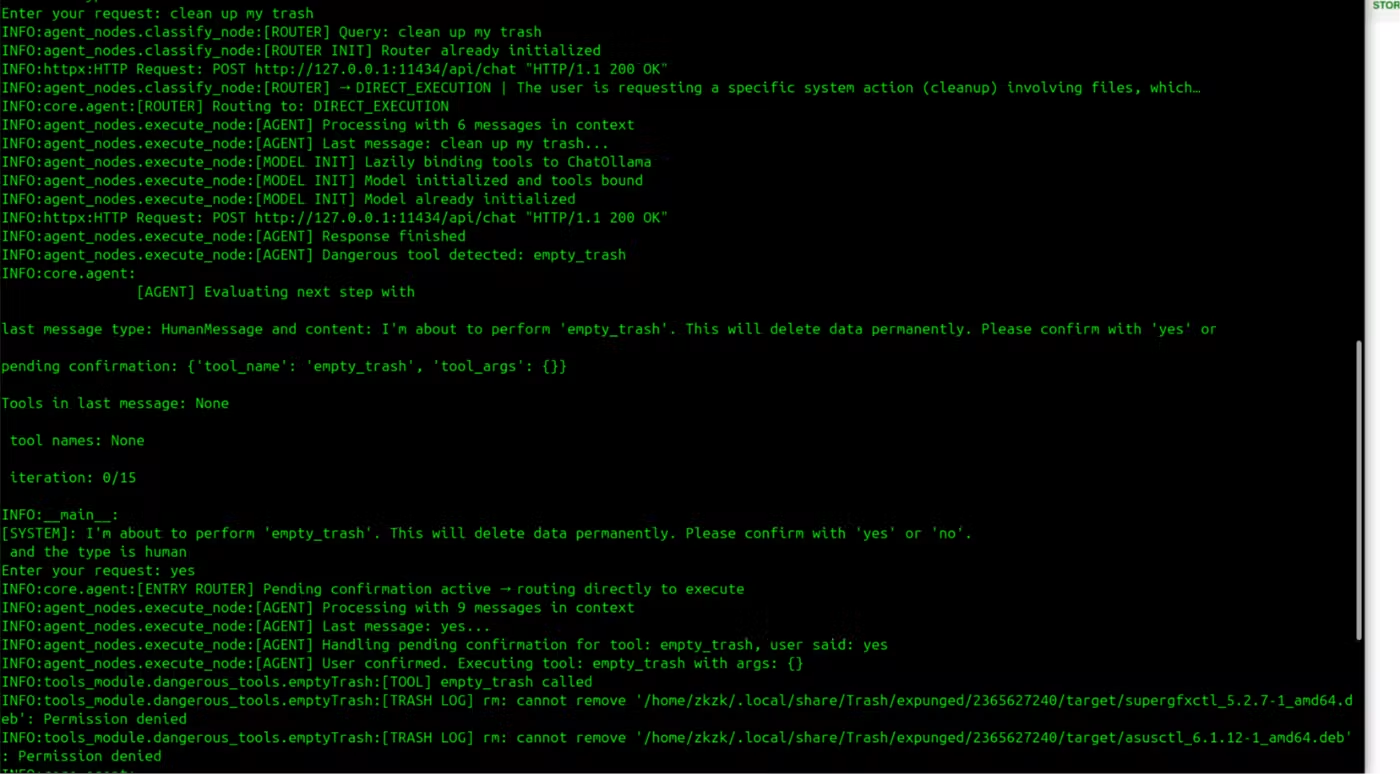
live image test from empty trash cycle
Safety first
One thing I cared about while building zkzkAgent was making sure it does not blindly execute dangerous actions.
Earlier, I used this request:
"Clean up my trash"
Here is what actually happened when I ran it.
I typed:
User: "clean up my trash"
The router understood that this was a direct action request and selected the correct tool. But before running it, the agent detected that empty-trash is a dangerous operation.
Instead of executing immediately, it paused and asked:
System: "I'm about to perform 'empty_trash'. This will delete data permanently. Please confirm with 'yes' or 'no'."
Only after I replied:
User: "yes"
did the agent continue and execute the action.
I added the same confirmation flow for other risky operations like deleting files, removing packages, and similar system actions.
I wanted automation, but I also wanted a human to stay in control. The agent can make decisions and prepare actions, but for sensitive operations the final decision still belongs to the user.
How to install zkzkAgent
I recently added an installation script because I wanted setup to be easier and avoid making users manually install and configure everything.
Clone the project:
git clone https://github.com/zkzkGamal/zkzkAgent.git
cd zkzkAgent
Make the installer executable and run it:
chmod +x install.sh
./install.sh
The installer handles the setup process automatically.
After installation is finished, you can start using zkzkAgent with the CLI:
./cli.sh
or use the normal text mode:
python3 main.py
That's it, setup should be done and ready to use.
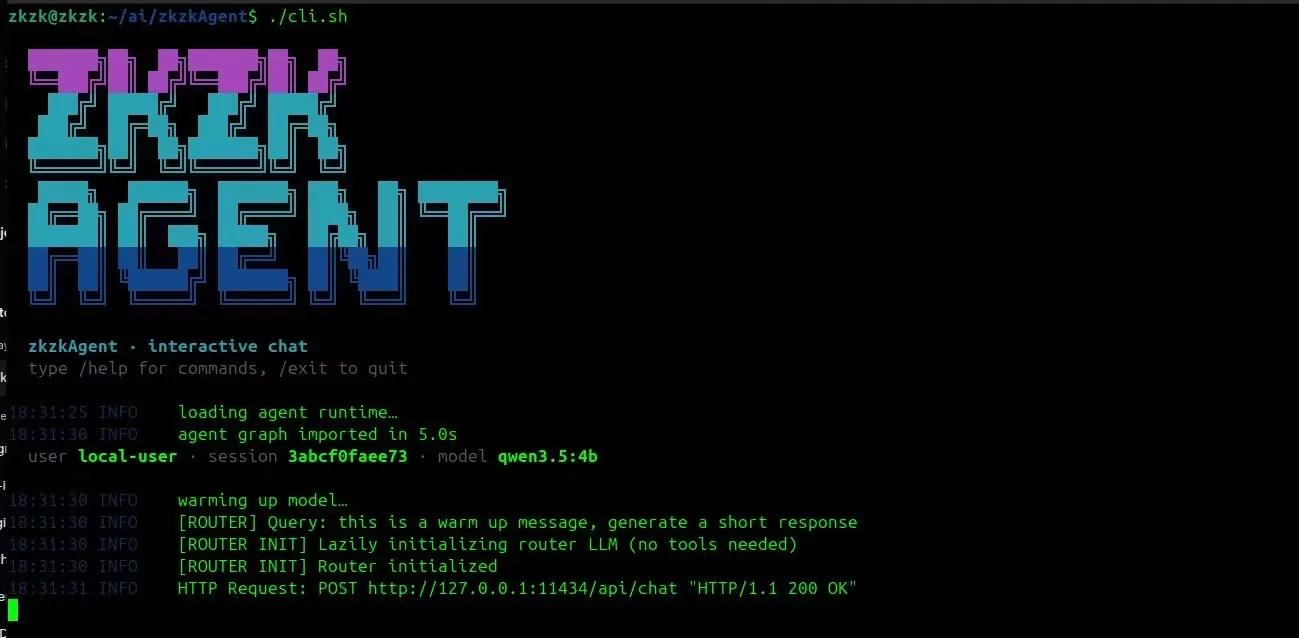
Agent CLI
I recently added a dedicated CLI because I wanted something closer to tools like Claude CLI and Codex CLI instead of a simple terminal input loop.
The CLI includes live streamed responses, conversation history, session tracking, and commands like /help, /history and “/reset”.
I mainly added it because while building the project I was constantly testing requests and reopening terminals. Having a dedicated CLI made it feel more like using a real assistant instead of repeatedly running scripts.
Final thoughts
zkzkAgent started as a small project for myself. I just wanted an easier way to handle daily Linux tasks without relying on cloud services.
I still adding small features and improving things as I used it more.
There is a lot I want to add, but I wanted to share it and see what other people think.
GitHub Repository:
https://github.com/zkzkGamal/zkzkAgent
If you try it, I would love to hear your feedback. And if you like it, a star always makes me happy





Comments(0)
Join the discussion by logging into your account.
No comments yet. Be the first to comment!