
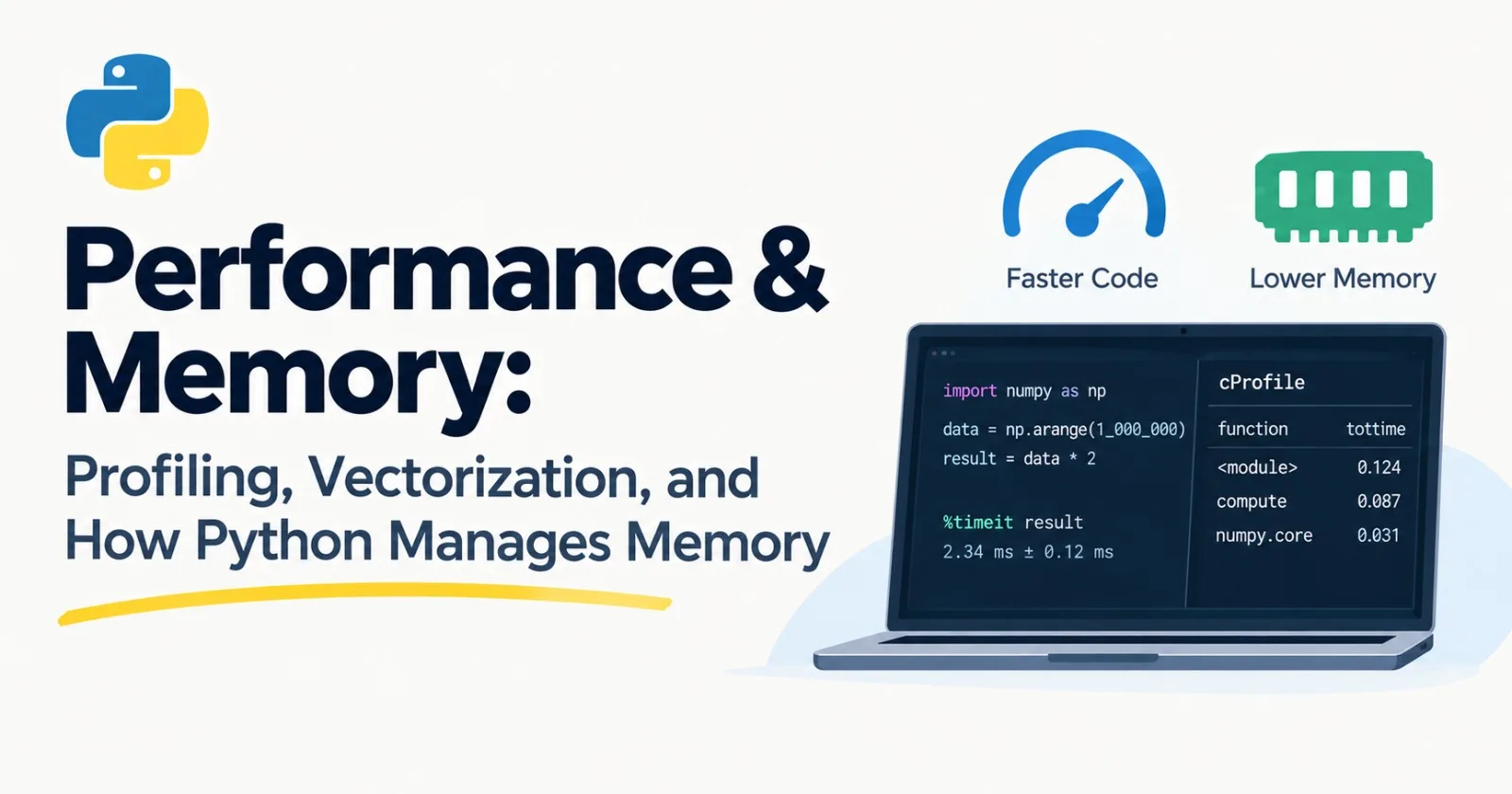
This is the last post in our Python track, and it's about making code faster and lighter. It's core, but with one big warning that I'll repeat several times: don't optimize until you've measured.
Programmers are famously bad at guessing where their code is slow. We stare at the clever-looking function and fix that, while the real problem is a boring line somewhere else. So the whole post follows one habit: measure, find the real bottleneck, fix that, measure again.
First, ask three questions
Before touching any code:
Is it slow enough to matter? A script that runs once and takes two seconds is fine. Leave it alone.
Where is the time actually going? Don't guess. Find out.
What's the cheapest fix? Usually it isn't a clever trick.
When something genuinely is slow, there's a rough order to try things in, from cheapest to most effort:
A better algorithm or data structure (remember the list versus set difference from Post 5).
A built-in function or a library that already does the job.
Vectorization with NumPy.
Caching, so you don't repeat work.
Concurrency (Post 14), if you're waiting on I/O.
Faster languages like C++ or Rust, which is a last resort.
Most real problems get solved in the first three.
Timing small things
You already know time.perf_counter() for timing a block. For tiny snippets, Python has timeit, which runs the code many times and reports the total, because a single run is too noisy to trust:
import timeit

print(timeit.timeit("sum(range(1000))", number=10_000))
That's the total time for 10,000 runs. A tip: run it several times, and trust the fastest result. Slower runs are usually your computer being busy with something else.
best = min(timeit.repeat("sum(range(1000))", number=1_000, repeat=5))
print(f"{best / 1_000 * 1e6:.1f} microseconds per run")
In a Jupyter notebook, %timeit your_code_here does the same thing in one line.
Let's use it on the idea from Post 5, finding a value in a list versus a set:
setup = "data = list(range(100_000)); data_set = set(data)"

t_list = timeit.timeit("99_999 in data", setup=setup, number=200)
t_set = timeit.timeit("99_999 in data_set", setup=setup, number=200)
print(f"list: {t_list:.4f} s, set: {t_set:.6f} s")
The set is thousands of times faster here. That's the kind of gap that dwarfs any micro-trick, and it comes from choosing the right data structure.
Profiling: finding the real bottleneck
Timing tells you how long. A profiler tells you where. Python ships with one called cProfile.
Here's a small program with a hidden problem. Save it as slow_prog.py:
def clean(text):
    return "".join(ch for ch in text.lower() if ch.isalnum() or ch == " ")


def unique_words_slow(words):
    seen = []
    for word in words:
        if word not in seen:
            seen.append(word)
    return seen


def main():
    text = " ".join(f"word{i % 4000}" for i in range(40_000))
    words = clean(text).split()
    unique = unique_words_slow(words)
    print(len(unique), "unique words")


if __name__ == "__main__":
    main()
Run it under the profiler, sorted by the time spent inside each function:
python -m cProfile -s tottime slow_prog.pyYou'll get a table like this (shortened, and your numbers will differ):
4000 unique words
         741812 function calls in 0.939 seconds

   Ordered by: internal time

   ncalls  tottime  percall  cumtime  percall filename:lineno(function)
        1    0.767    0.767    0.768    0.768 slow_prog.py:5(unique_words_slow)
   348900    0.073    0.000    0.118    0.000 slow_prog.py:2(<genexpr>)
   348899    0.044    0.000    0.044    0.000 {method 'isalnum' of 'str' objects}
        2    0.042    0.021    0.169    0.084 {method 'join' of 'str' objects}
Here's how to read it:
ncalls: how many times the function was called.tottime: time spent inside that function itself, not counting anything it called.cumtime: total time including everything it called.
One glance, and the answer is obvious. unique_words_slow ate about 0.77 of the 0.94 seconds. Everyone's first guess would have been the text cleaning, since it runs 350,000 times. It wasn't the problem. The cause is word not in seen, which scans a list every single time.
The fix is the one you already know, a set for the "have I seen this?" check:
def unique_words_fast(words):
    seen = set()
    unique = []
    for word in words:
        if word not in seen:
            seen.add(word)
            unique.append(word)
    return unique
We keep the list so the original order is preserved, and use the set for fast lookups. Profile it again, and that function drops from about 0.77 seconds to a few thousandths of a second. The whole program goes from nearly a second to under a fifth of a second.
Notice what happened. We didn't guess. We measured, found one function, fixed it, and measured again. That loop is the entire skill.
A couple of extra tools for later: snakeviz turns profiler output into a clickable chart, and py-spy can profile a program that's already running, which is great for servers.
Why Python loops are slow, and how to escape them
In Post 4, I said Python runs your code by interpreting it step by step. That flexibility has a price. Every time Python does a + b, it has to check what types they are, find the right operation, and create a new object for the result. Do that a million times in a loop and it adds up.
Compare a hand-written loop with the built-in sum:
numbers = list(range(1_000_000))

total = 0
for n in numbers:
    total += n          # a Python loop

total = sum(numbers)    # the loop runs in fast C code inside Python
On a typical computer the built-in version is roughly ten times faster. Same job, but the looping happens in compiled code instead of in Python. The lesson: when a built-in function or library already does the job, use it. sum, max, sorted, str.join, and list comprehensions all push work down into faster code.
Vectorization: let NumPy do the looping
For number crunching, the real escape hatch is NumPy, the library at the center of Python's scientific and AI world. (We'll cover it in depth in Post 34. Install it with pip install numpy.)
NumPy's idea is vectorization: instead of looping over numbers one at a time, you describe an operation on a whole array, and NumPy does the looping in fast compiled code.
import numpy as np

numbers = list(range(1_000_000))
squares = [n * n for n in numbers]       # Python loop

arr = np.arange(1_000_000)
squares_np = arr ** 2                    # one operation on the whole array
On a typical machine the NumPy line is roughly ten times faster, and the gap grows with more complex work.
An AI example: searching embeddings
This matters a lot for AI. Remember from Post 1 that models turn text into lists of numbers called embeddings, and that searching documents means finding the embeddings closest to your question's. The usual measure of "close" is cosine similarity. Let's search 2,000 fake documents (each with 128 numbers) for 20 queries, three different ways.
Here's the pure Python version:
def norm(vector):
    return sum(x * x for x in vector) ** 0.5


def cosine(a, b):
    dot = sum(x * y for x, y in zip(a, b))
    return dot / (norm(a) * norm(b))


def search_pure_python(docs, queries, k=3):
    results = []
    for query in queries:
        scores = [cosine(query, doc) for doc in docs]
        top = sorted(range(len(scores)), key=lambda i: scores[i], reverse=True)[:k]
        results.append(top)
    return results
Now NumPy, one query at a time. The expression docs @ query scores every document against the query in one go:
import numpy as np


def search_numpy_per_query(docs, queries, k=3):
    doc_norms = np.linalg.norm(docs, axis=1)
    results = []
    for query in queries:
        scores = docs @ query / (doc_norms * np.linalg.norm(query))
        results.append(np.argsort(scores)[::-1][:k].tolist())
    return results
And finally, every query against every document with a single matrix multiplication:
def search_numpy_batched(docs, queries, k=3):
    docs = docs / np.linalg.norm(docs, axis=1, keepdims=True)
    queries = queries / np.linalg.norm(queries, axis=1, keepdims=True)
    scores = queries @ docs.T          # shape: (number of queries, number of docs)
    return np.argsort(-scores, axis=1)[:, :k].tolist()
Don't worry about every detail of the NumPy calls yet. The point is the shape of the code: no loops over documents or numbers, just operations on whole arrays. When we run all three in the mini project below, the results are identical, but the speed is not even close.
How Python manages memory
Speed is half the story. The other half is memory, and Python handles it differently than you might expect.
Everything is an object
In Python, even a plain number is a full object with extra bookkeeping attached. You can see this:
import sys

print(sys.getsizeof(1))          # 28
print(sys.getsizeof("hello"))    # 46
print(sys.getsizeof([]))         # 56  (an empty list!)
An integer takes 28 bytes, where a C program would use 4 or 8. And remember from Post 5 that a variable is just a name pointing to an object. That's why b = a doesn't copy a list.
This overhead explains why Python lists of numbers are bulky. The tracemalloc module measures how much memory your code allocates:
import tracemalloc

tracemalloc.start()
data = [float(i) for i in range(1_000_000)]
current, peak = tracemalloc.get_traced_memory()
print(f"{current / 1e6:.0f} MB")
That prints about 32 MB for a million floats, because each takes a pointer (8 bytes) plus a float object (24 bytes). A NumPy array stores the raw numbers packed side by side:
arr = np.arange(1_000_000, dtype=np.float64)
print(arr.nbytes / 1e6)    # 8.0
8 MB. Four times smaller, and it also unlocks all the speed from the last section. This is why AI code keeps its numbers in arrays and tensors, never in plain lists.
You can shrink it further by choosing a smaller number type:
print(arr.astype(np.float32).nbytes / 1e6) # 4.0Half the memory, with fewer digits of precision. For embeddings and model weights, that trade is often worth making, and you'll see "float16" and "bfloat16" a lot when we get to models.
Reference counting: how memory gets freed
Python tracks how many names point at each object. When the count hits zero, the object is freed immediately. You can peek at the count:
import sys

a = [1, 2, 3]
print(sys.getrefcount(a))    # 2
b = a
print(sys.getrefcount(a))    # 3
del b
print(sys.getrefcount(a))    # 2
(It starts at 2, not 1, because passing a into getrefcount temporarily adds a reference.)
Counting has one weakness: objects that point at each other, called a cycle, never reach zero. So Python also runs a garbage collector every so often to find and clean up those cycles:
import gc


class Node:
    def __init__(self):
        self.other = None


x, y = Node(), Node()
x.other, y.other = y, x    # a cycle
del x, y
print(gc.collect())        # a small number: the unreachable objects it found
You almost never need to call gc.collect() yourself. It's good to know it exists, and that memory in Python is mostly looked after for you.
Memory "leaks" in Python are usually forgotten references
If Python cleans up automatically, how does a Python program run out of memory? Almost always, because something is still holding on to things you've finished with. The usual suspects:
A list or dictionary that only ever grows, like a conversation history you never trim.
A cache with no limit. Remember
@cachefrom Post 8? It keeps every result forever. Call it with 10,000 different inputs and all 10,000 stay in memory.lru_cachewith a limit fixes that:
from functools import lru_cache


@lru_cache(maxsize=128)
def square(n):
    return n * n
Only the 128 most recently used results are kept. square.cache_info() shows you the hits, the misses, and the current size.
Closures or objects that quietly hold a reference to something huge.
When memory climbs and never comes down, hunt for the thing that's keeping a reference alive.
Don't load everything at once
Remember generators from Post 7? Here's the memory proof. Say you have a text file with 200,000 lines:
# loads every line into memory first
with open("big.txt") as f:
    lines = f.readlines()
total = sum(len(line) for line in lines)

# handles one line at a time
total = 0
with open("big.txt") as f:
    for line in f:
        total += len(line)
Both give the same answer. On a 10 MB file, the first one peaks at over 20 MB of memory, and the second peaks at around 20 kilobytes. Scale the file up to 10 GB, and the first approach simply crashes your computer.
Millions of small objects: slots
If you create huge numbers of small objects, each one carries a hidden dictionary for its attributes. For dataclasses (Post 9), there's a one-word fix:
from dataclasses import dataclass


@dataclass(slots=True)
class Point:
    x: float
    y: float
With slots=True, 100,000 of these used roughly a third less memory than the normal version in my tests, and attribute access can be a little faster too. It's a free win when you have lots of tiny objects. For a handful of objects, it won't matter.
Views versus copies
One more gotcha, and it connects to the list-copying trap from Post 5. Slicing a Python list makes a copy. Slicing a NumPy array makes a view, a window onto the same memory:
numbers = np.array([1, 2, 3, 4, 5])
view = numbers[1:4]
view[0] = 99
print(numbers)          # [ 1 99  3  4  5]   the original changed!

safe = numbers[1:4].copy()    # an explicit copy
Views are what make NumPy fast and light, since nothing is duplicated. But if you forget, you'll change data you didn't mean to. When you want your own copy, say .copy().
Where AI apps really spend their time
A word of perspective. In real AI applications, the big wins almost never come from tuning Python. They come from:
Fewer tokens. Model cost and delay both grow with prompt length. A shorter prompt is faster and cheaper.
Caching. If the same question comes up again, don't ask the model twice.
Batching. Sending items in groups, like we did in Post 7.
Concurrency. Overlapping the waiting, from Post 14.
A smaller model. For many tasks, a smaller one is good enough and much faster.
Python-level speed matters in specific places: processing big datasets, searching embeddings, and anything inside a loop that runs millions of times. Profile first, and you'll know whether you're in one of those places.
Mini project: make the search fast
Let's turn the embedding search into a proper experiment. Create fast_search.py:
import random
import time

import numpy as np

DIM = 128
N_DOCS = 2_000
N_QUERIES = 20

random.seed(0)
docs_list = [[random.gauss(0, 1) for _ in range(DIM)] for _ in range(N_DOCS)]
queries_list = [[random.gauss(0, 1) for _ in range(DIM)] for _ in range(N_QUERIES)]


def norm(vector):
    return sum(x * x for x in vector) ** 0.5


def cosine(a, b):
    dot = sum(x * y for x, y in zip(a, b))
    return dot / (norm(a) * norm(b))


def search_pure_python(docs, queries, k=3):
    results = []
    for query in queries:
        scores = [cosine(query, doc) for doc in docs]
        top = sorted(range(len(scores)), key=lambda i: scores[i], reverse=True)[:k]
        results.append(top)
    return results


def search_numpy_per_query(docs, queries, k=3):
    doc_norms = np.linalg.norm(docs, axis=1)
    results = []
    for query in queries:
        scores = docs @ query / (doc_norms * np.linalg.norm(query))
        results.append(np.argsort(scores)[::-1][:k].tolist())
    return results


def search_numpy_batched(docs, queries, k=3):
    docs = docs / np.linalg.norm(docs, axis=1, keepdims=True)
    queries = queries / np.linalg.norm(queries, axis=1, keepdims=True)
    scores = queries @ docs.T
    return np.argsort(-scores, axis=1)[:, :k].tolist()


def timed(label, func, *args):
    start = time.perf_counter()
    result = func(*args)
    print(f"{label:<30}{time.perf_counter() - start:.3f} s")
    return result


docs_array = np.array(docs_list)
queries_array = np.array(queries_list)

r1 = timed("pure Python", search_pure_python, docs_list, queries_list)
r2 = timed("NumPy, one query at a time", search_numpy_per_query, docs_array, queries_array)
r3 = timed("NumPy, all at once", search_numpy_batched, docs_array, queries_array)

print("all three agree:", r1 == r2 == r3)
print("first query top 3:", r1[0])
Run it. The exact numbers depend on your computer, but a typical run looks like this:
pure Python                   0.697 s
NumPy, one query at a time    0.008 s
NumPy, all at once            0.004 s
all three agree: True
first query top 3: [1748, 1361, 472]
(Your top-3 document numbers may differ. What matters is that all three methods agree.)
Both NumPy versions are around a hundred times faster than the pure Python one, or more, for exactly the same answers. And this is a small test. Real systems search millions of documents, which is why vector databases and libraries exist, and why we'll look inside them in Post 52.
Two things worth noticing:
The
all three agreeline is not decoration. Always check that a faster version gives the same results, or you've just made a quicker wrong answer. Better still, back it with a test from Post 13.We created the NumPy arrays once, before timing. Converting a list of lists into an array takes time, too. In real code, you'd keep your data in arrays from the start rather than converting it over and over.
Make it yours
Switch the arrays to
float32and compare both the time and the memory (docs_array.nbytes).Increase
N_DOCSto 100,000 and use only the batched version. How much memory does thescoresarray use? What would you do if it were too big?Replace
np.argsortwithnp.argpartitionfor picking the top k, and look up why it's faster.Profile the pure Python version with
cProfile. Which function takes the most time?Write a test, using Post 13, that checks all three versions return the same results.
Practice
About 20 minutes of real effort on each before asking for help.
Use
timeitto comparex in some_listagainstx in some_setfor sizes 100, 10,000, and 1,000,000. Notice how the gap grows.Profile one of your earlier projects, such as the pipeline from Post 7, with
cProfile. What's the top function bycumtime? Does it surprise you?Rewrite a loop that sums the squares of a list so it uses NumPy, and measure the speedup.
Use
tracemallocto compare the memory of a list of one million integers against a NumPy array of the same numbers.Create a bug on purpose using a NumPy view, then fix it with
.copy().Measure 100,000 instances of a dataclass with and without
slots=True.Call a function decorated with
@cacheusing 10,000 different inputs, then swap inlru_cache(maxsize=128)and comparecache_info().
Then ask an AI tutor to review your answers, and don't let it rewrite them.
What to take away
Measure before you optimize. Profile to find the real bottleneck, because your guess is probably wrong.
Try the cheap fixes first: a better data structure, a built-in function, then NumPy.
Vectorization moves the looping out of Python and into fast compiled code.
Python objects are bulky, which is why arrays and tensors hold the numbers in AI code.
Memory is freed by reference counting plus a garbage collector. Leaks are usually something you forgot you were holding on to.
Use generators and file iteration so you don't load everything at once, and bound your caches.
NumPy slices are views, not copies.
In AI apps, fewer tokens, caching, batching, and concurrency usually beat clever Python tricks.
Previous: Post 14, Concurrency
Next in the series: Post 16, Data Structures for AI Engineers, where Track B begins: arrays, hash maps, trees, graphs, and heaps. That one is skippable if you already know them.
Comments(0)
Join the discussion by logging into your account.
No comments yet. Be the first to comment!